Answer

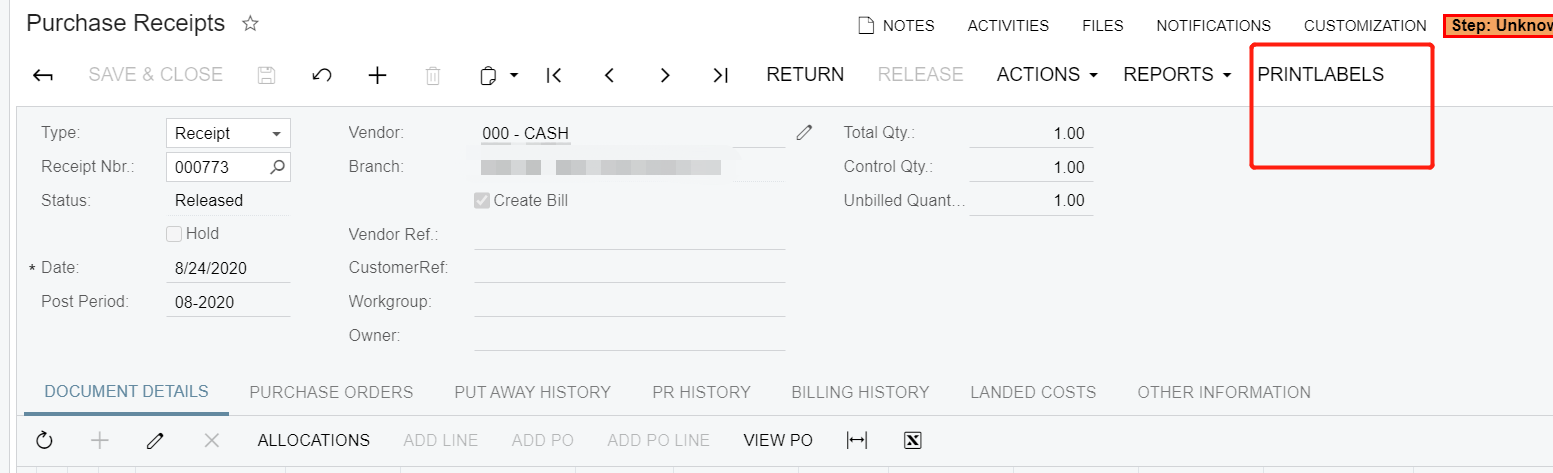
Why @reportID in Purchase Receipt Automation steps is different than other screens

  • September 16, 2020
  • 1 reply
  • 151 views

Forum|alt.badge.img+6

Hello,

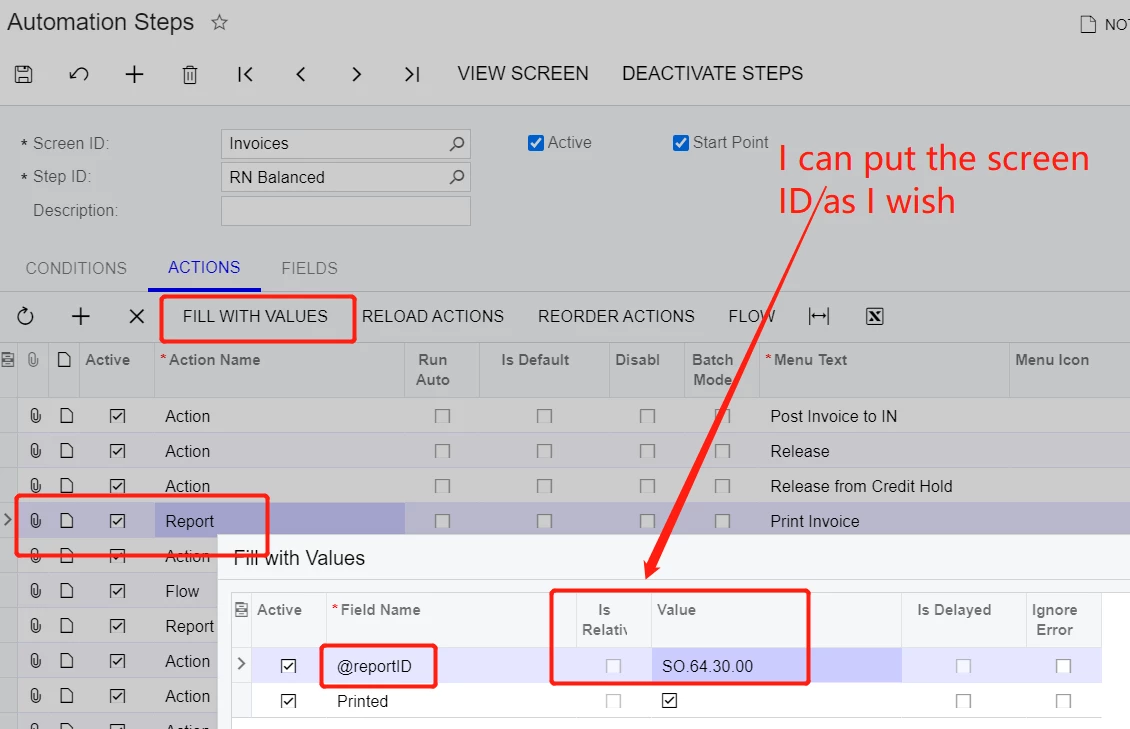
     Take invoice screen in automation steps for example

If I want to add a new report button, I can use fill with values, and set the value to whatever screenID as I wish.
 

However, when I come to purchase receipt screen. I can NOT add a new report as I wish.
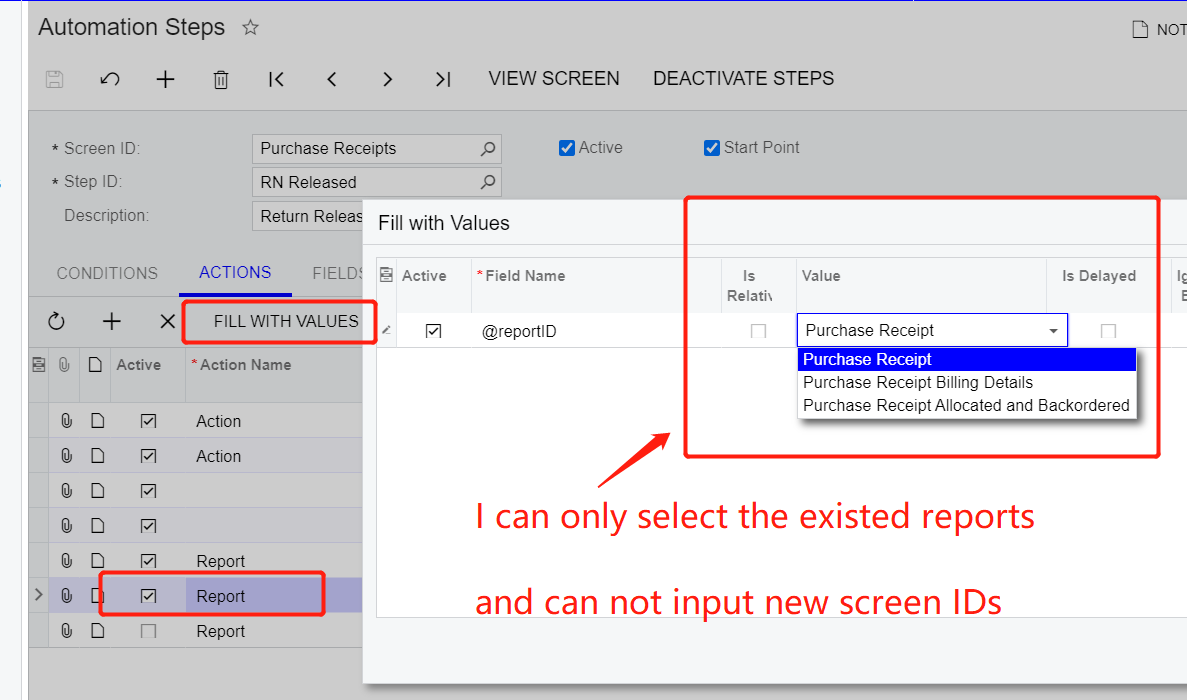
 

     Why is not? How can I solve it?  How can I add a new report print functions on purchase receipt screen. Thank you in advance.        
Best answer by ray20

Hello,

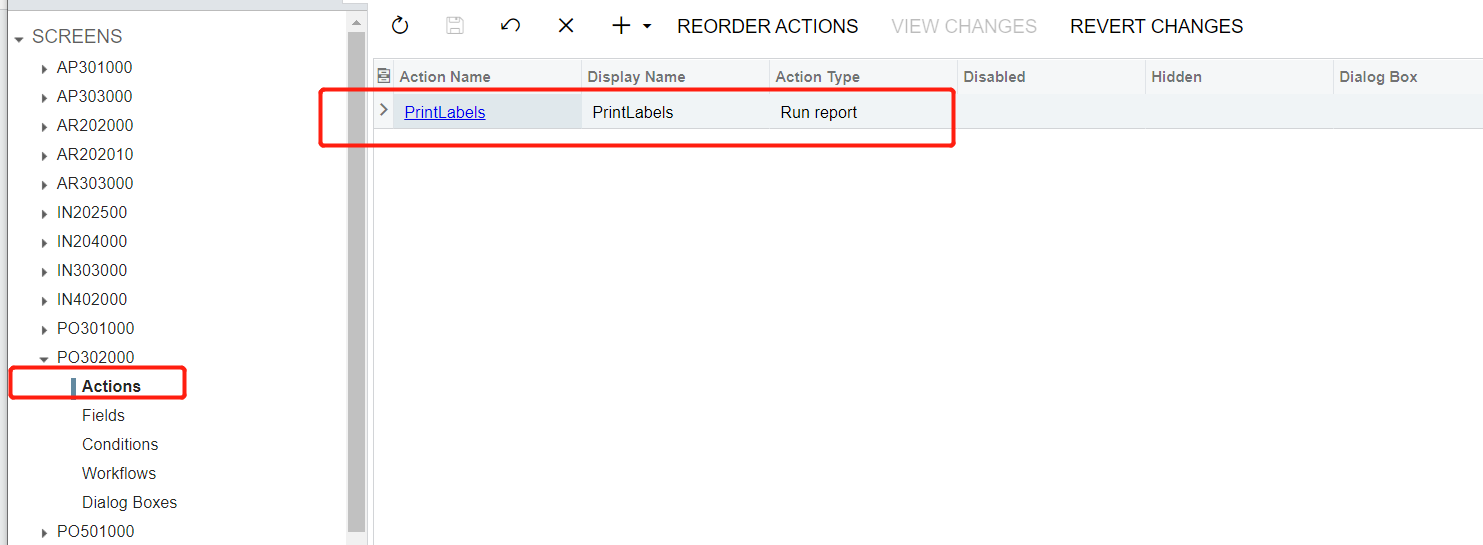
   To  the people that also interested in this topic. Acumatica tech engineer has confirmed me that report on some screens can not be modified by automation steps, like po receipt.

   However, I can fulfill my need with customization project-----→ action editor

which is looked like below


1 reply

Forum|alt.badge.img+6
  • Author
  • Captain II
  • Answer
  • September 18, 2020

Hello,

   To  the people that also interested in this topic. Acumatica tech engineer has confirmed me that report on some screens can not be modified by automation steps, like po receipt.

   However, I can fulfill my need with customization project-----→ action editor

which is looked like below