Solved

What dictates the "Editable Unit Cost" field on the Purchase Receipts screen?

  • February 10, 2022
  • 6 replies
  • 334 views
  • Translate All

I have a site where this field is disabled, and therefore the user cannot enter the cost in the purchase receipt screen. But I cannot turn it back on and don’t know which settings/feature governs it. The in product help doesn’t mention about it either.

Best answer by ChandraM

Solution on Solution with screenshots:

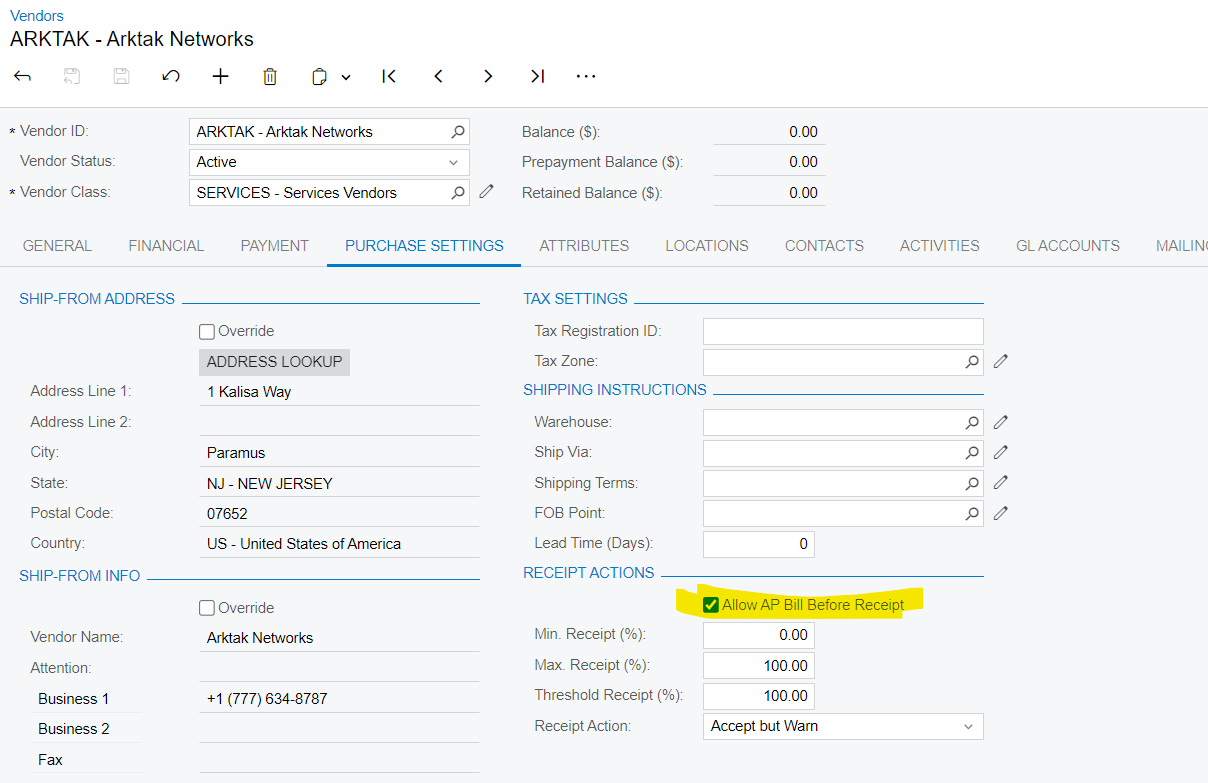
In addition to the below conditions. The Editable Unit Cost checkbox functionality is:

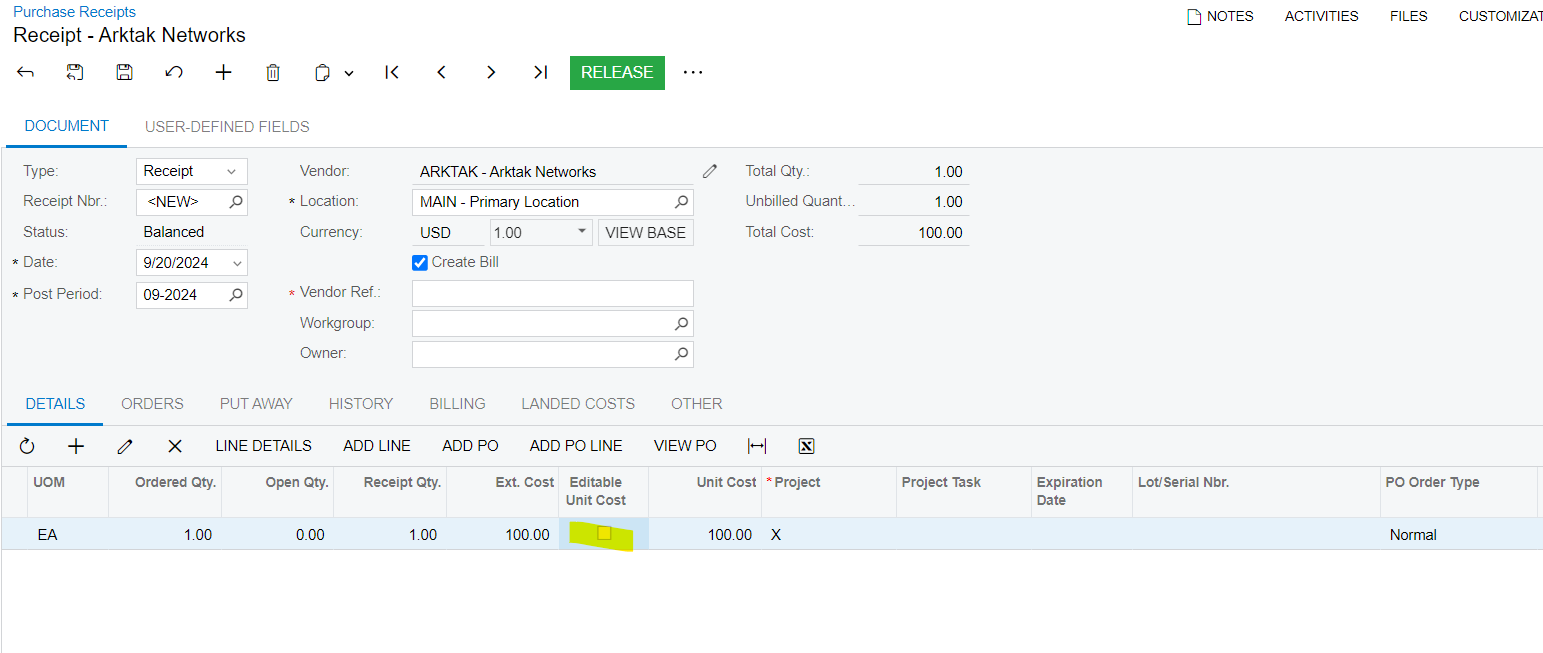
  • If the “Allow AP Bill Before Receipt”.is Selected for the Vendor the Editable Unit Cost check box is NOT selected
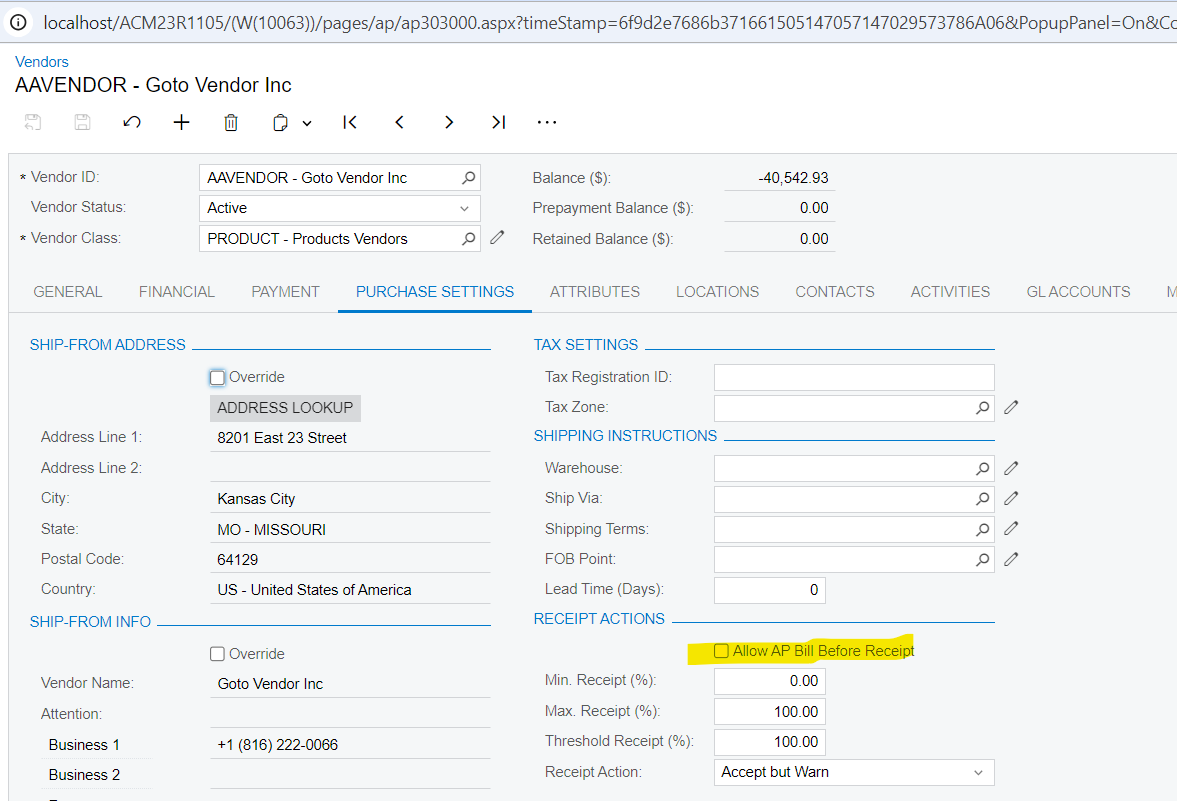
  • If the “Allow AP Bill Before Receipt”.is NOT Selected for the Vendor the Editable Unit Cost check box is NOT selected
  • If the purchase order line has retainage or inclusive taxes applied, the Editable Unit Cost check box is cleared in the corresponding purchase receipt line.
  • If the purchase order line does not have retainage or inclusive taxes applied, the Editable Unit Cost check box is selected in the corresponding purchase receipt line.

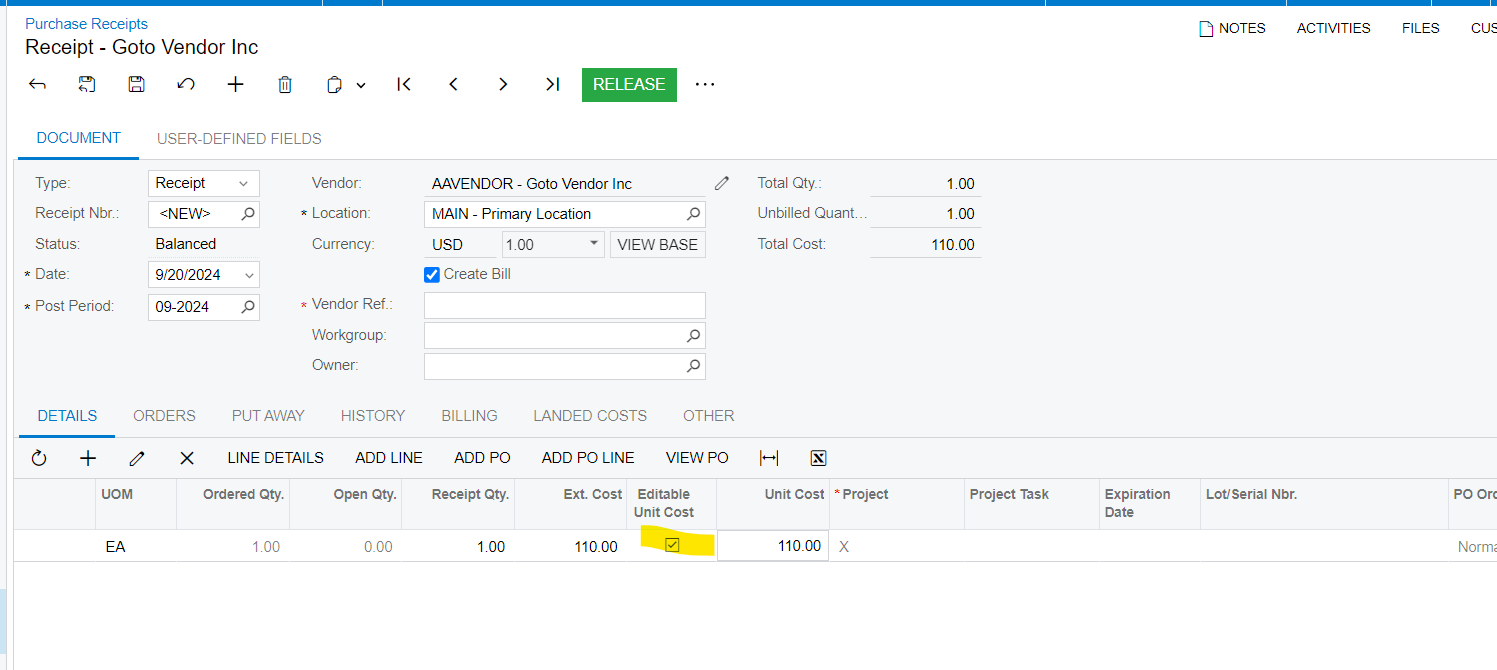
Screenshots showing the Vendors option “Allow AP Bill Before Receipt” and the Editable Unit Cost selected..

Note: As this option “Allow AP Bill Before Receipt”.is not Selected, then the Purchase Receipt line Unit Cost is editable.


View original

6 replies

Naveen Boga
Captain II
Forum|alt.badge.img+20

Hi, @leonchau80  In Native Acumatica, the Unit Cost field is editable in the Purchase Receipts screen.

Not sure, why it is disabled on your site, do you have any customization for this?


Translate

Forum|alt.badge.img+12
  • Acumatica Support Team
  • February 10, 2022

Hi @leonchau80 

Here is rule that determines the checkbox value, if the lines are copied from Purchase order: 

  • If the purchase order line has retainage or inclusive taxes applied, the Editable Unit Cost check box is cleared in the corresponding purchase receipt line.
  • If the purchase order line does not have retainage or inclusive taxes applied, the Editable Unit Cost check box is selected in the corresponding purchase receipt line.

Regards,

Translate

  • Author
  • Freshman I
  • February 10, 2022

Thank you VIjay!

Translate

DConcannon
Varsity II
Forum|alt.badge.img+2

@vkumar , @Naveen Boga , @leonchau80 


I was searching for the same answer to the original question.  I found one other setting that affects the Editable Unit Cost field in some cases. If the Vendor has Allow AP Bills Before Receipt checked, then the unit cost is not editable on the Purchase Order Receipt for some items.

Translate

Forum|alt.badge.img+8
  • Semi-Pro I
  • Answer
  • September 20, 2024

Solution on Solution with screenshots:

In addition to the below conditions. The Editable Unit Cost checkbox functionality is:

  • If the “Allow AP Bill Before Receipt”.is Selected for the Vendor the Editable Unit Cost check box is NOT selected
  • If the “Allow AP Bill Before Receipt”.is NOT Selected for the Vendor the Editable Unit Cost check box is NOT selected
  • If the purchase order line has retainage or inclusive taxes applied, the Editable Unit Cost check box is cleared in the corresponding purchase receipt line.
  • If the purchase order line does not have retainage or inclusive taxes applied, the Editable Unit Cost check box is selected in the corresponding purchase receipt line.

Screenshots showing the Vendors option “Allow AP Bill Before Receipt” and the Editable Unit Cost selected..

Note: As this option “Allow AP Bill Before Receipt”.is not Selected, then the Purchase Receipt line Unit Cost is editable.



Translate

Forum|alt.badge.img+8
  • Semi-Pro I
  • September 20, 2024


Here are additional information. Alternatively, if you want to Lock the field. Please find the below settings:

  • If the “Allow AP Bill Before Receipt”.is Selected for the Vendor the Editable Unit Cost check box is NOT selected

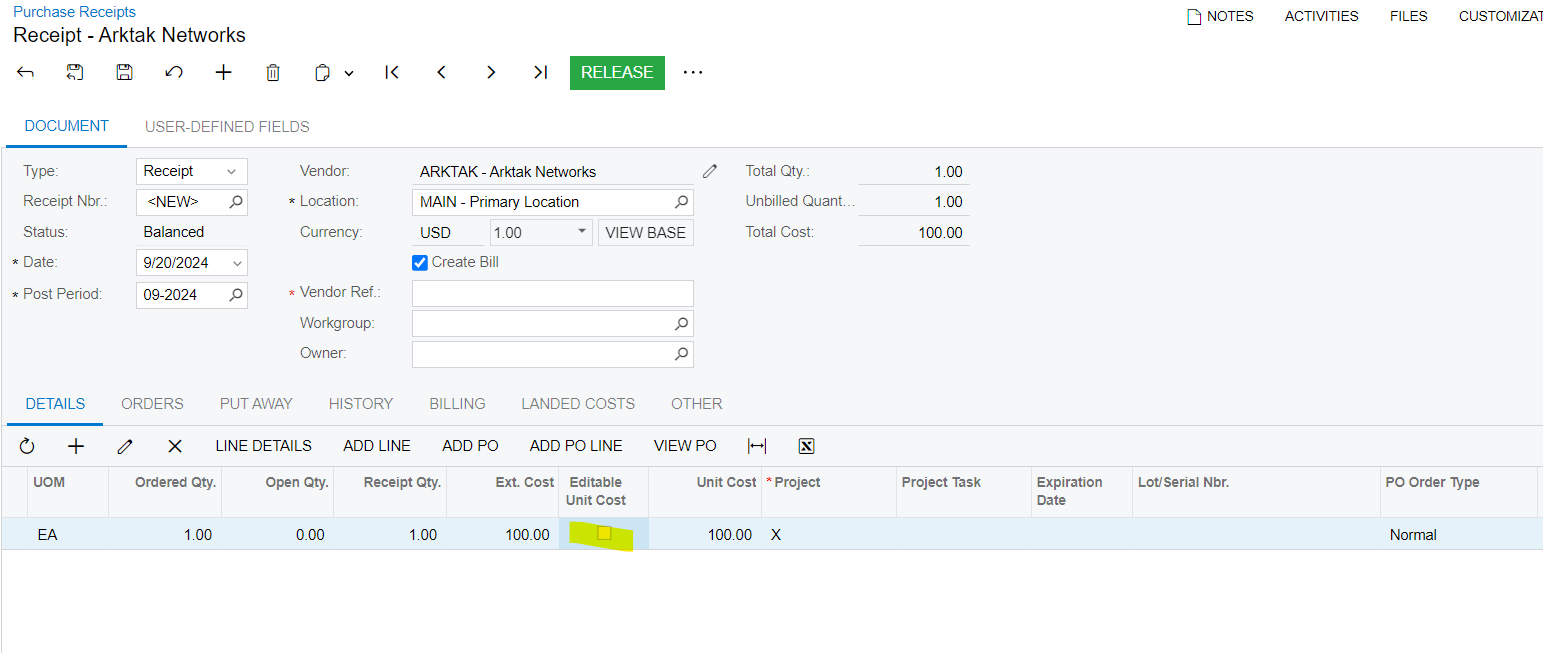
Screenshot showing the Unselected “Editable Unit Cost” on Purchase receipt.


Translate