Solved

Sales Order Notifications not sending to all emails listed to send to

  • December 10, 2021
  • 12 replies
  • 426 views
  • Translate All

stacy16
Varsity I
Forum|alt.badge.img+1

Can anyone help me with this?

It is only sending to the first email in the list
 

Best answer by dales50

One suggestion to try would be to remove the To email definition on the template and let the system use the default 
 

View original

12 replies

Gabriel Michaud
Captain II
Forum|alt.badge.img+12

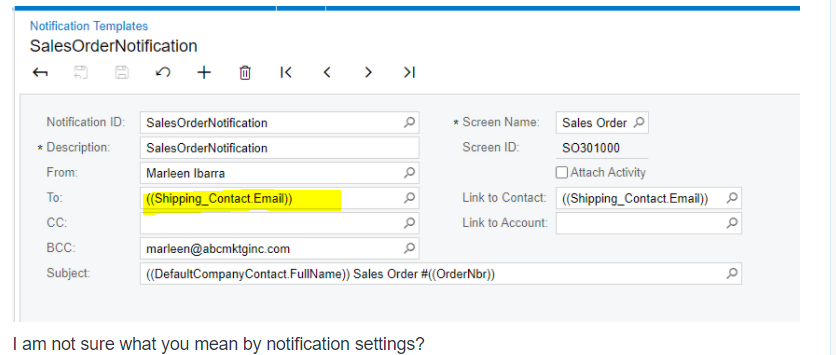
Can you share your Notification settings for this customer, as well as a screenshot of the notification template?

Translate

stacy16
Varsity I
Forum|alt.badge.img+1
  • Author
  • Varsity I
  • December 10, 2021

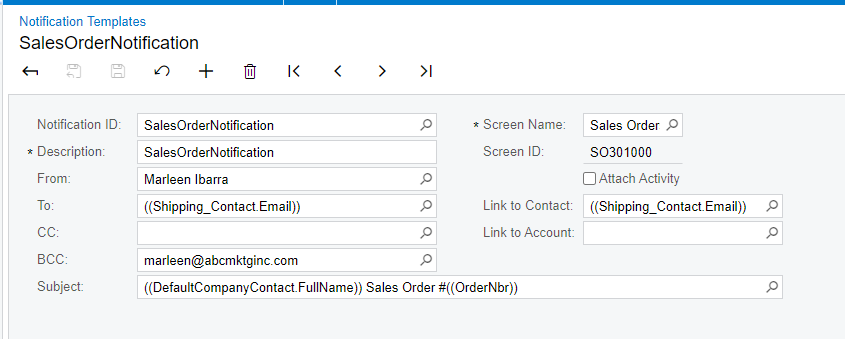
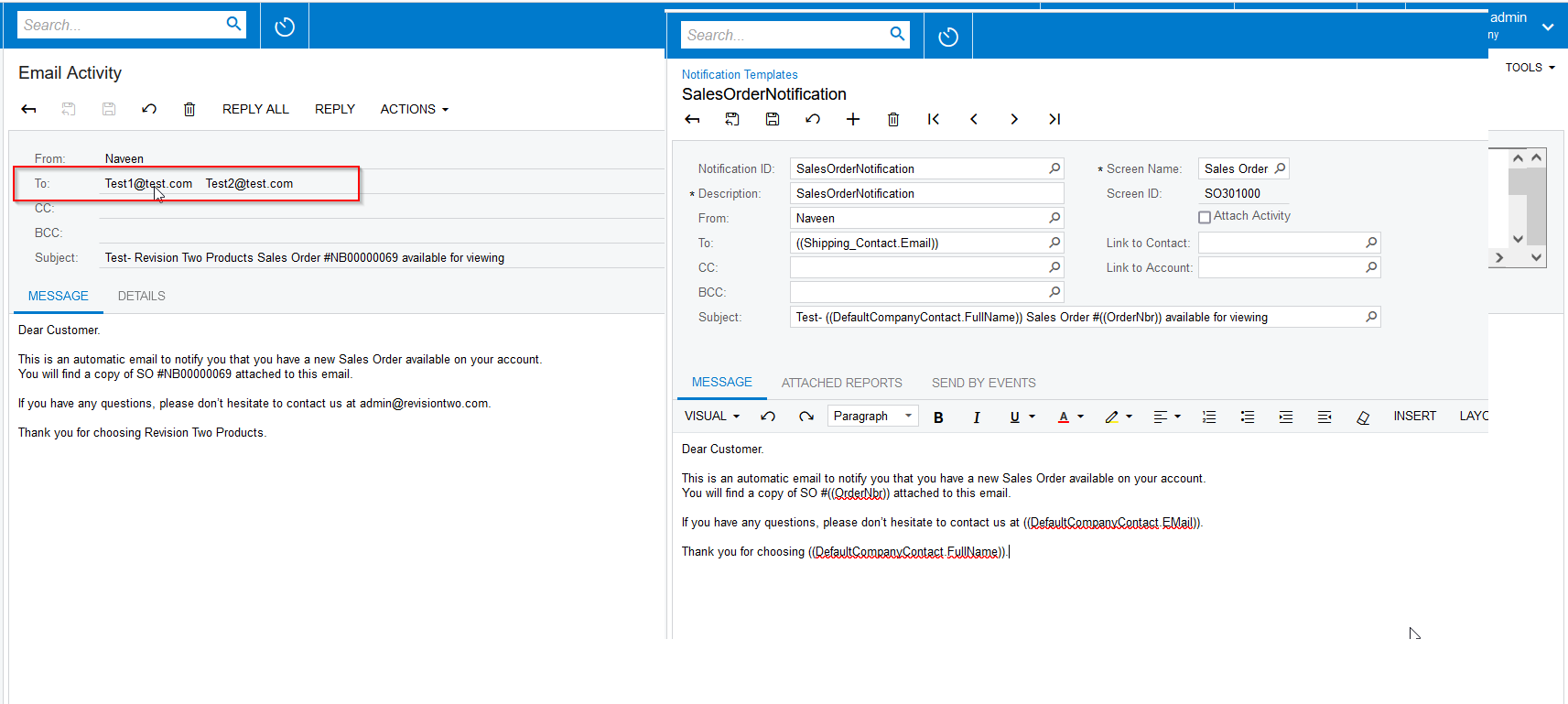
Here is the template

I am not sure what you mean by notification settings? 

Translate

Gabriel Michaud
Captain II
Forum|alt.badge.img+12

Thanks Stacy. I wanted to check the To: field in the template, that answers my question.

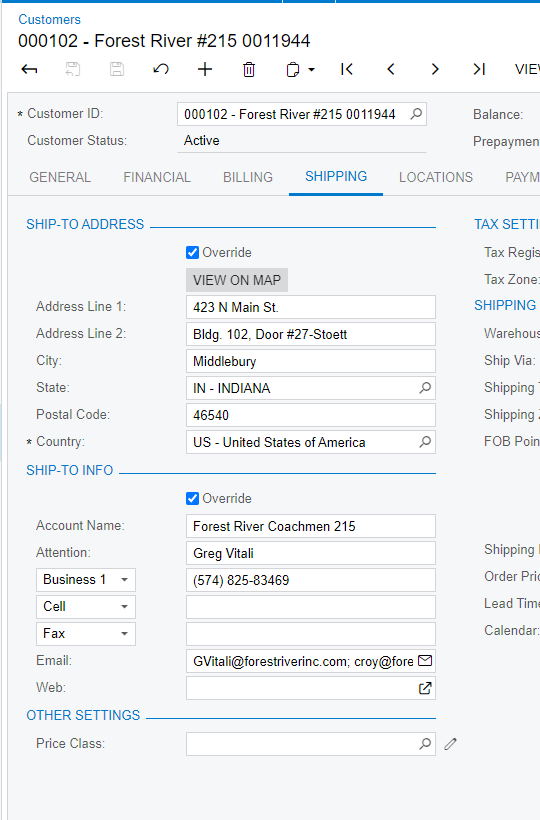
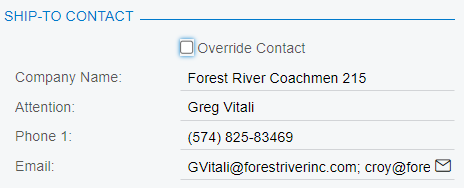
Can you tell me where the first screenshot you sent comes from? Is it the customer maintenance or a sales order? Important to remember that if you make changes to the contact information that it does not update previously created sales orders unless you check/uncheck the Override Contact info to force it to refresh.

Translate

stacy16
Varsity I
Forum|alt.badge.img+1
  • Author
  • Varsity I
  • December 10, 2021

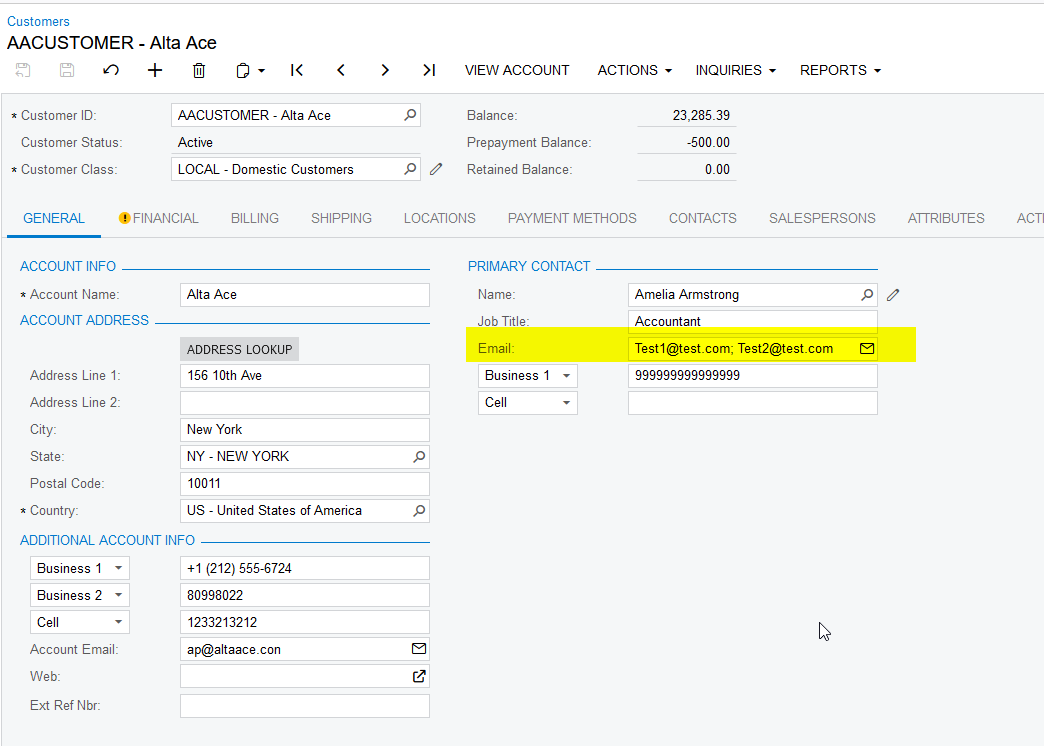
This is from the customer maintenance screen

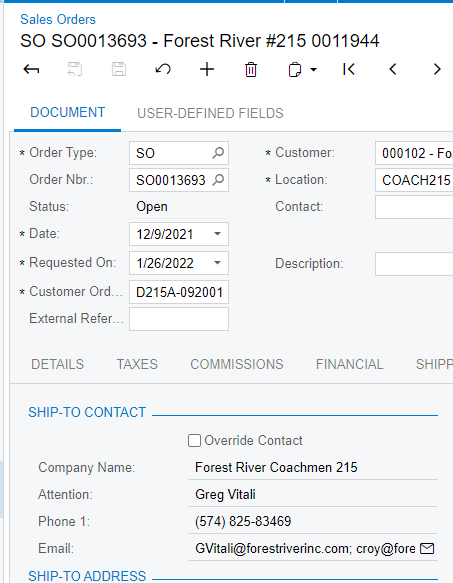
 This is in the sales order

There has always been multiple email addresses in both places. :/

Translate

Gabriel Michaud
Captain II
Forum|alt.badge.img+12

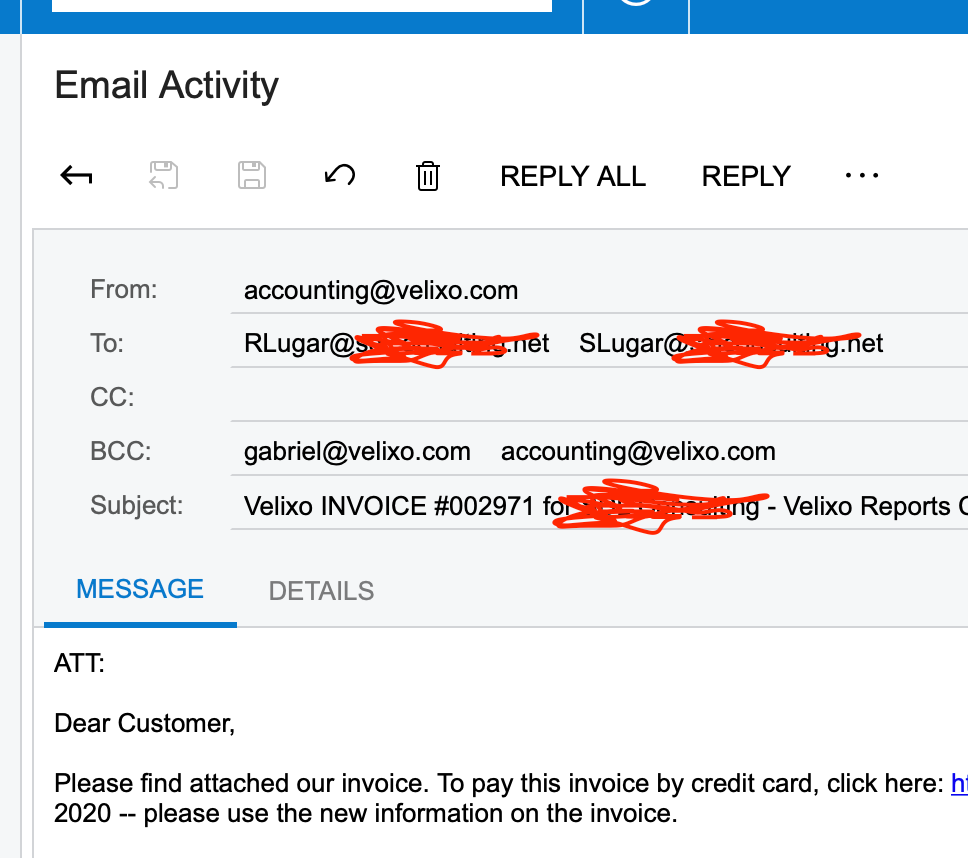
Very strange. Can you send a screenshot of the Email activity that was generated in Acumatica? Go to “All Emails” (screen CO.40.90.70),  and click on the message. Does it show the multiple e-mail addresses or just one?

I do the same thing internally with a semicolon and it works just fine.


Translate

stacy16
Varsity I
Forum|alt.badge.img+1
  • Author
  • Varsity I
  • December 15, 2021

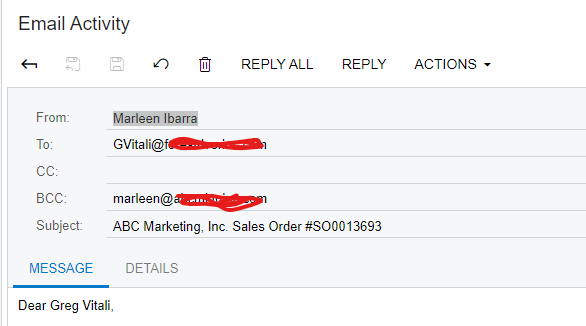
It looks like it is only sending to the one person :/


Translate

Naveen Boga
Captain II
Forum|alt.badge.img+20

Hi @stacy16  Looks like Email ID’s are not taking from the Shipping Contact instead it is taking it from the Customers screen → Primary Contact Email.

Here is the screenshot for reference.


Translate

stacy16
Varsity I
Forum|alt.badge.img+1
  • Author
  • Varsity I
  • December 15, 2021

Hi @Naveen B i would agree but i do not have any emails set up in the primary contact email… so if that were true I wouldn't have any emails going out for sales order notifications??

Translate

dales50
Semi-Pro III
  • Answer
  • December 15, 2021

One suggestion to try would be to remove the To email definition on the template and let the system use the default 


Translate

stacy16
Varsity I
Forum|alt.badge.img+1
  • Author
  • Varsity I
  • December 15, 2021

I can try that. Will it default on its own then though?


Translate

stacy16
Varsity I
Forum|alt.badge.img+1
  • Author
  • Varsity I
  • December 15, 2021

@dales50  - That did the trick!

Thank you so much! 


Translate

  • Freshman I
  • October 13, 2026

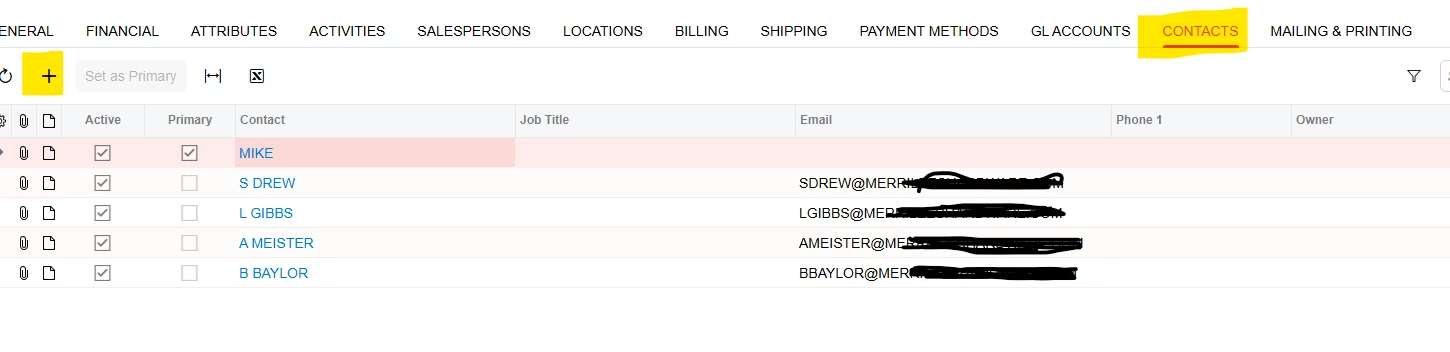
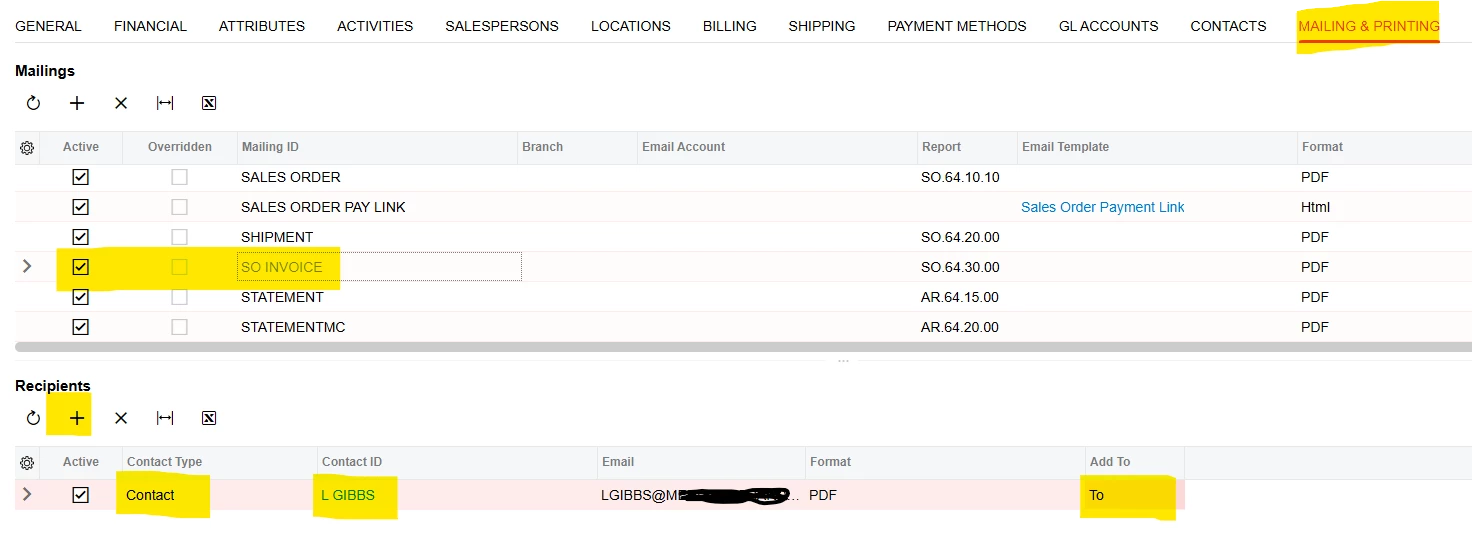
In the Customer profile, I have started adding people/email in the “Contacts” section and then locating the invoice and statement under the mailing ID in the “Mailing & Printing” section.  Here you can add recipients and select from your contacts.   

Now, I am working on figuring out how to do invoices from Locations for multiple emails.  


Translate