Solved

question of inventory ID

  • June 29, 2023
  • 5 replies
  • 209 views
  • Translate All

Hi Sir


if we would like change inventory ID for certain part #. All the information are same and only change the inventory ID . How do we make the change in system?


example from inventory ID : ABC change to XYZ


Best answer by SheriThomas49

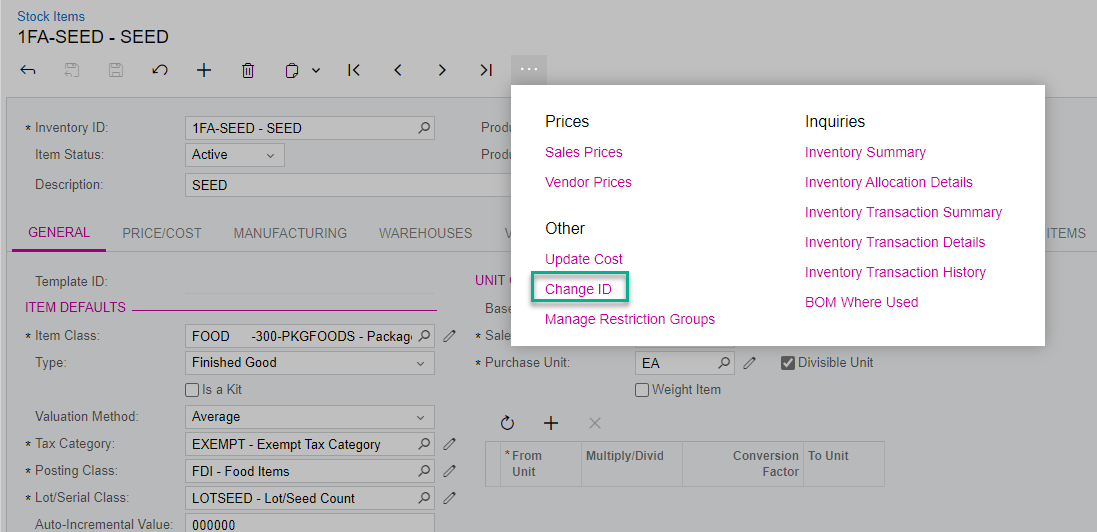
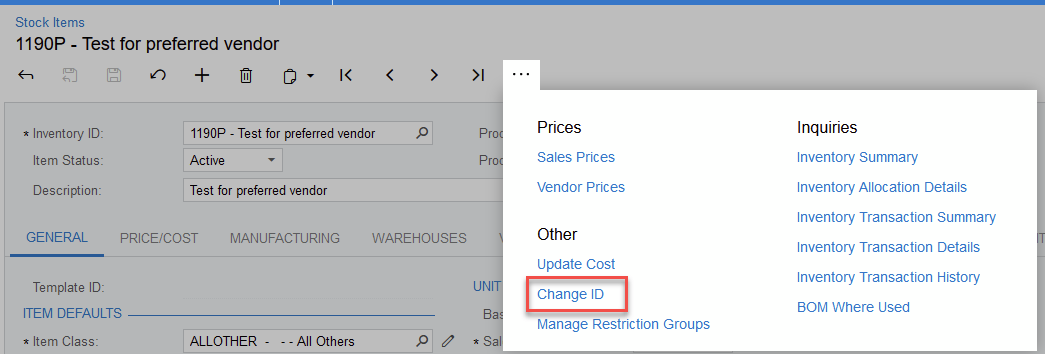
To change an Inventory ID, access the desired stock code, click on the … and select Change ID:
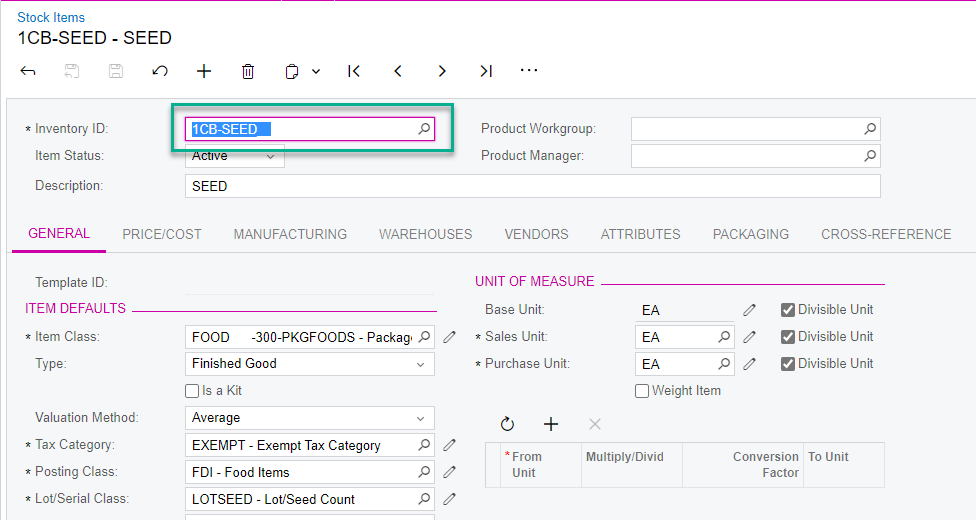
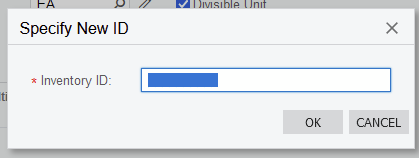
Enter the new ID and click OK:
 

View original

5 replies

Forum|alt.badge.img+2

To change an Inventory ID, access the desired stock code, click on the … and select Change ID:

Enter the new ID and click OK:


Translate

Kandy Beatty
Captain II
Forum|alt.badge.img+18

HI @YLK 

YOu select Change ID under the 3 dots:


Translate

Manikanta Dhulipudi
Captain II
Forum|alt.badge.img+16

Hi @YLK https://www.acumatica.com/blog/how-to-use-the-change-id-action-in-acumatica/


Import reference for Bulk records 


Translate

  • Author
  • Freshman I
  • June 30, 2023

HI @YLK 

YOu select Change ID under the 3 dots:


Hi Thanks

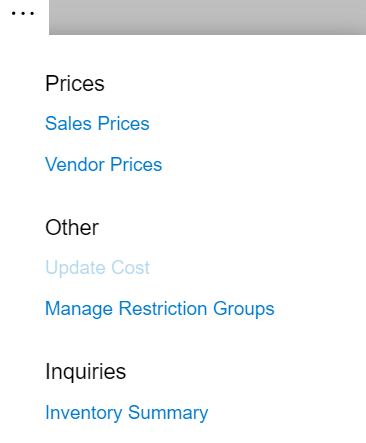
If the “ change ID” is not in the selection list. what does it mean?


Translate

Kandy Beatty
Captain II
Forum|alt.badge.img+18

HI @YLK 

YOu select Change ID under the 3 dots:


Hi Thanks

If the “ change ID” is not in the selection list. what does it mean?


You may not have rights to this. 

Translate