Any idea as to what transaction this warning is referring to? or is there a scenario where the unfreezing won’t work?
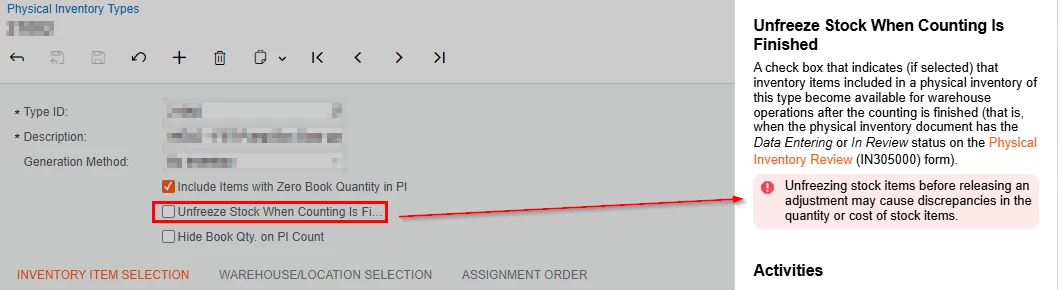
Any idea as to what transaction this warning is referring to? or is there a scenario where the unfreezing won’t work?
Best answer by amorey
I have not attempted this in Acumatica but in a previous ERP I worked with they had a similar function. I assume the reasoning is the same.
The reason in that case was due to how Physical Inventory transactions work. You are essentially taking a snapshot of your inventory at a point in time and you are supposed to “lock your inventory” during the Physical Inventory count. The inventory snapshot will say something like for Part A we have 10 onhand in this location. If you consume that inventory in Acumatica through some transaction while that Physical Inventory Sheet is open, and then you post it after the consumption of inventory, you’re basically causing an inventory discrepancy. The worksheet thinks you have 10 onhand, you then consume it, now when it tries to post the Physical Inventory worksheet it creates an issue because the inventory no longer exists.
It really is best practice to lock your inventory down during the duration of a Physical Inventory and to generate the worksheets right before you do the Physical Inventory and get them posted as quickly as possible. Don’t generate the sheets days in advance or take days to post them after the counts are finished.
Enter your E-mail address. We'll send you an e-mail with instructions to reset your password.