Solved

Missing "File Upload" button on the Invoice (SO303000) screen

  • October 19, 2026
  • 7 replies
  • 57 views
  • Translate All

nhatnghetinh
Captain II
Forum|alt.badge.img+14

Dear ALL,

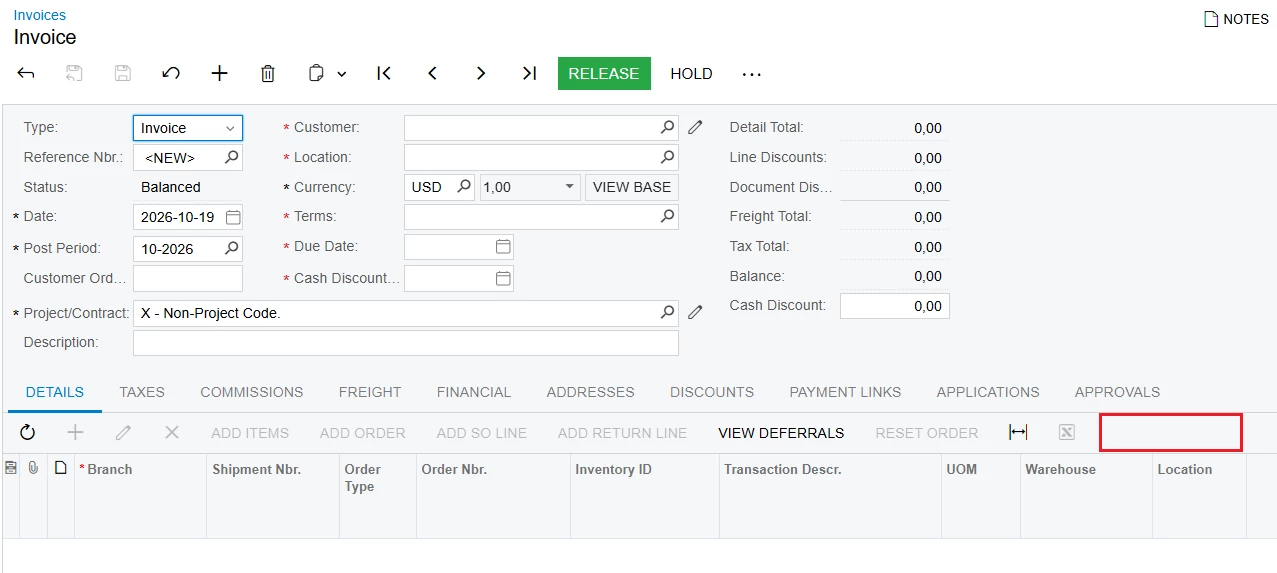
I am wondering why the "File Upload" button is missing from the Invoice (SO303000) screen.
 

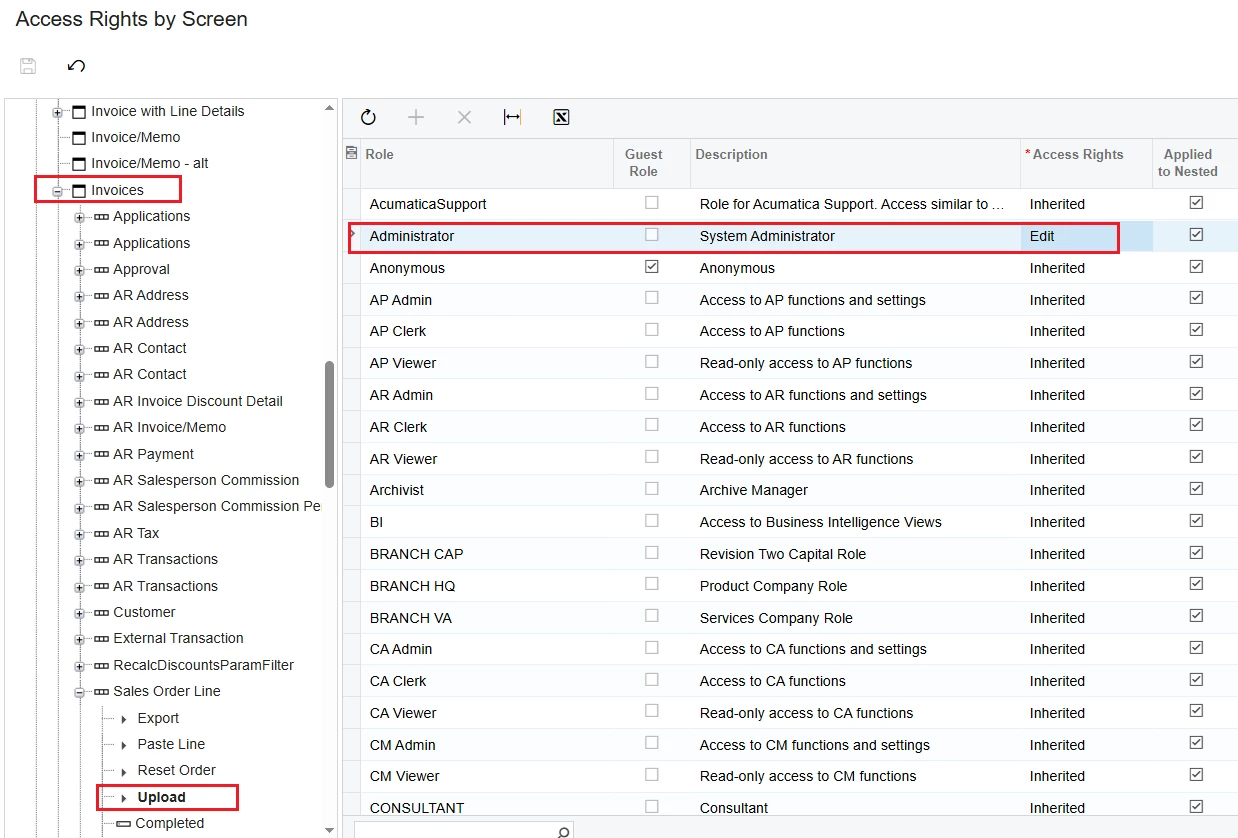
I checked the Access Rights by Screen settings for this screen and I still see the "Upload" feature.
 

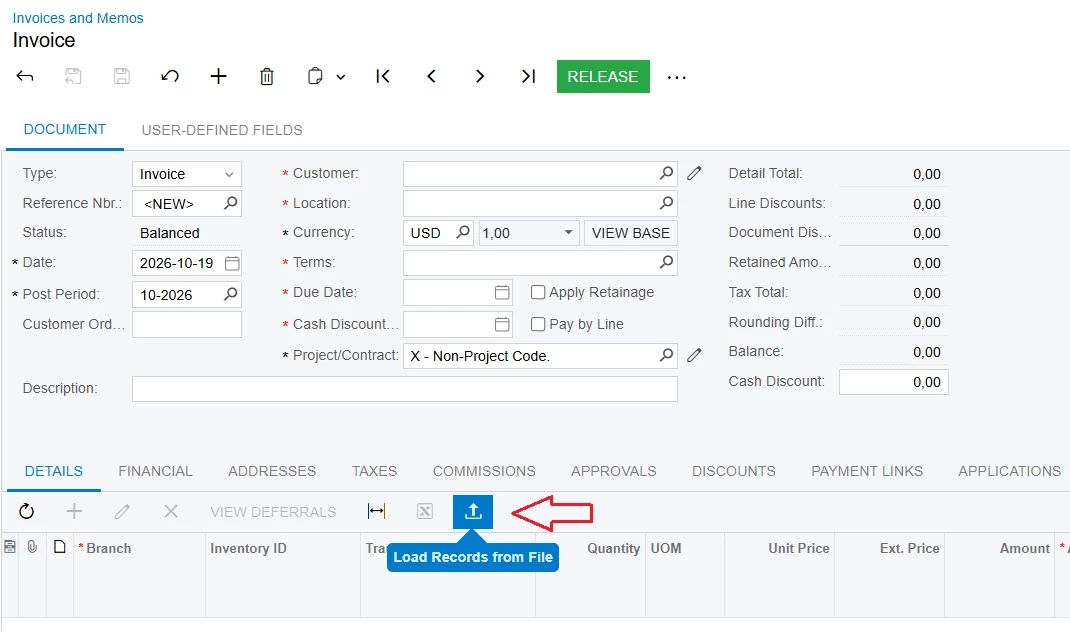
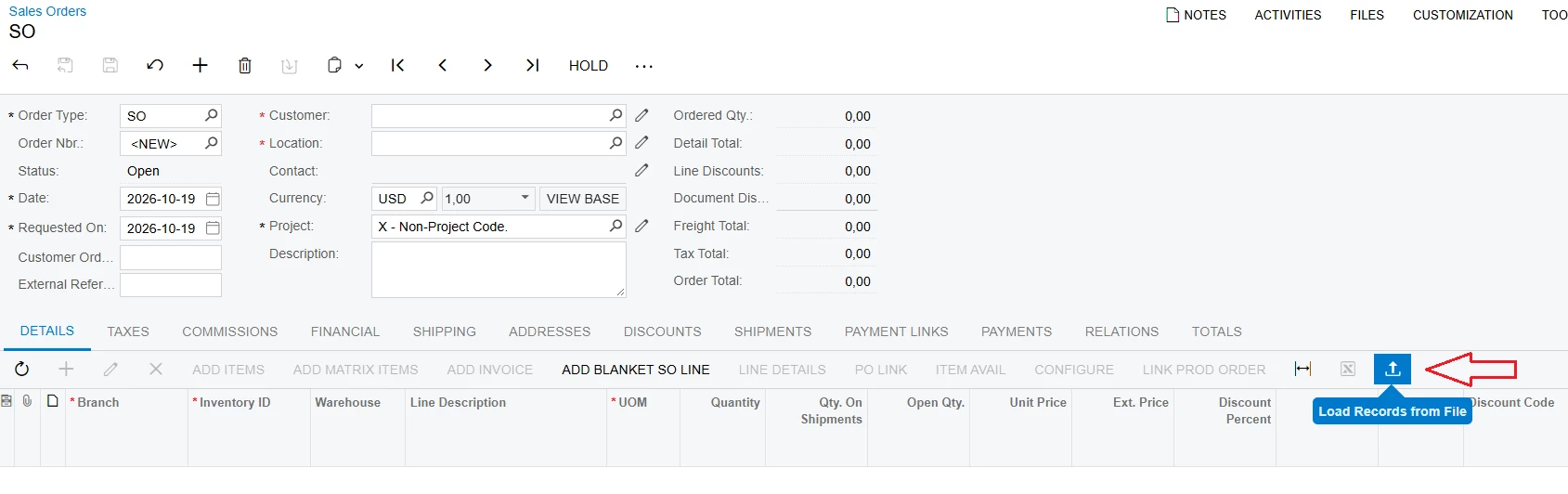
Meanwhile, other screens like Sales Order, Invoice and Memos have a File Upload button.


Best Regards,

NNT
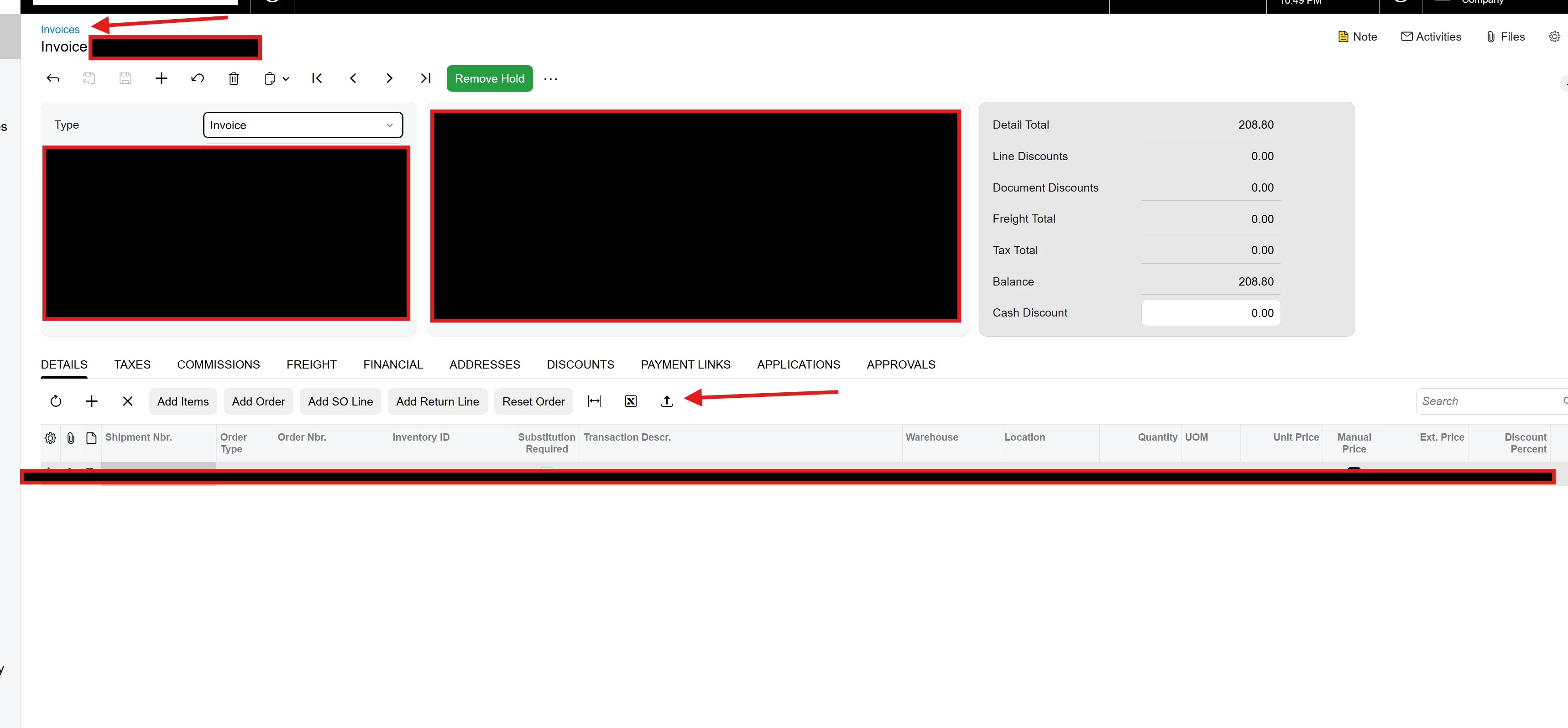
Best answer by Jonathan Rozanski

​@nhatnghetinh you can probably enable it simply with the customization instructions above.

Also i happen to notice that it does show up on the invoices screen with modern UI…


View original

7 replies

Forum|alt.badge.img+1

Hi ​@nhatnghetinh,

What you’re seeing is expected behavior. On the Invoice (SO303000) screen, the Load Records from File button only appears on the Details grid toolbar when the grid supports file import. If the grid is not configured to allow uploads, the button will not appear.

In Acumatica, this button is controlled by the grid property:

  • AllowUpload = True → the Load Records from File button appears
  • AllowUpload = False → the button is hidden

This setting is configured in the grid’s Layout Properties → Mode → AllowUpload during customization.

Therefore, the difference you’re seeing between screens (like Sales Orders vs. Invoices) is usually because the Invoice grid does not have this property enabled by default.

If you require this functionality, you can enable the AllowUpload property through a customization project for the corresponding grid.


I hope this helps clarify the behavior.

Translate

nhatnghetinh
Captain II
Forum|alt.badge.img+14

Hi ​@WasanaWishmini21 

Can you explain why Acumatica does not have the Load Records from File button displayed by default on the Invoice (SO303000) screen like the Sales Orders vs. Invoices ?


Best Regards,

NNT

Translate

Forum|alt.badge.img

​@nhatnghetinh Acumatica has 2 screens to access invoices. They have “Invoices & Memos” (AR301000) which lives in the “Receivables” workspace, as well as “invoices” (SO303000) which lives in the “Sales Orders” workspace. The same invoices can be accessible from both screens but they serve different purposes.

The “invoices” screen is used as a “Sales Invoice” meaning invoices that were generated from completed sales orders or shipments. So you typically wouldn’t create a new “sales invoice” directly unless you are pulling in an existing sales order or shipment that is ready to be invoiced.

If you would want to create a new direct invoice you should use the “invoices & memos” (AR301000)  screen which creates a direct AR invoice.

What are you looking to use the upload button on this page for?

Translate

nhatnghetinh
Captain II
Forum|alt.badge.img+14

Hi ​@Jonathan Rozanski 

In some cases we use the Invoice screen (SO303000) without going through Sales Order & Shipment. Therefore, we need the Load Records from File button on the Invoice screen (SO303000) to be able to import quickly.


Best Regards,

NNT

Translate

Forum|alt.badge.img

​@nhatnghetinh you can probably enable it simply with the customization instructions above.

Also i happen to notice that it does show up on the invoices screen with modern UI…


Translate

nhatnghetinh
Captain II
Forum|alt.badge.img+14

Hi ​@Jonathan Rozanski 

Thank you for the information. 
Now, the "Load Records from File" button is visible on the Invoices screen with the Modern UI enabled. Since we are still using an older version of Acumatica, the button is not displayed by default on the Invoices screen.

Best Regards,

NNT

Translate

Forum|alt.badge.img+1

Hi ​@WasanaWishmini21 

Can you explain why Acumatica does not have the Load Records from File button displayed by default on the Invoice (SO303000) screen like the Sales Orders vs. Invoices ?


Best Regards,

NNT


Hi ​@nhatnghetinh,

Thank you for the follow-up.

On 2026 R2, the Load Records from File button is available on the Invoice (SO303000) screen by default. Therefore, if you are using 2026 R2, you should see this functionality without any customization.

For older versions, if the button is not available by default, you can enable similar functionality through a customization by setting the grid's AllowUpload property to True, as mentioned above.

I hope this helps clarify the difference between versions.

Translate