Hi Acumatica Community,
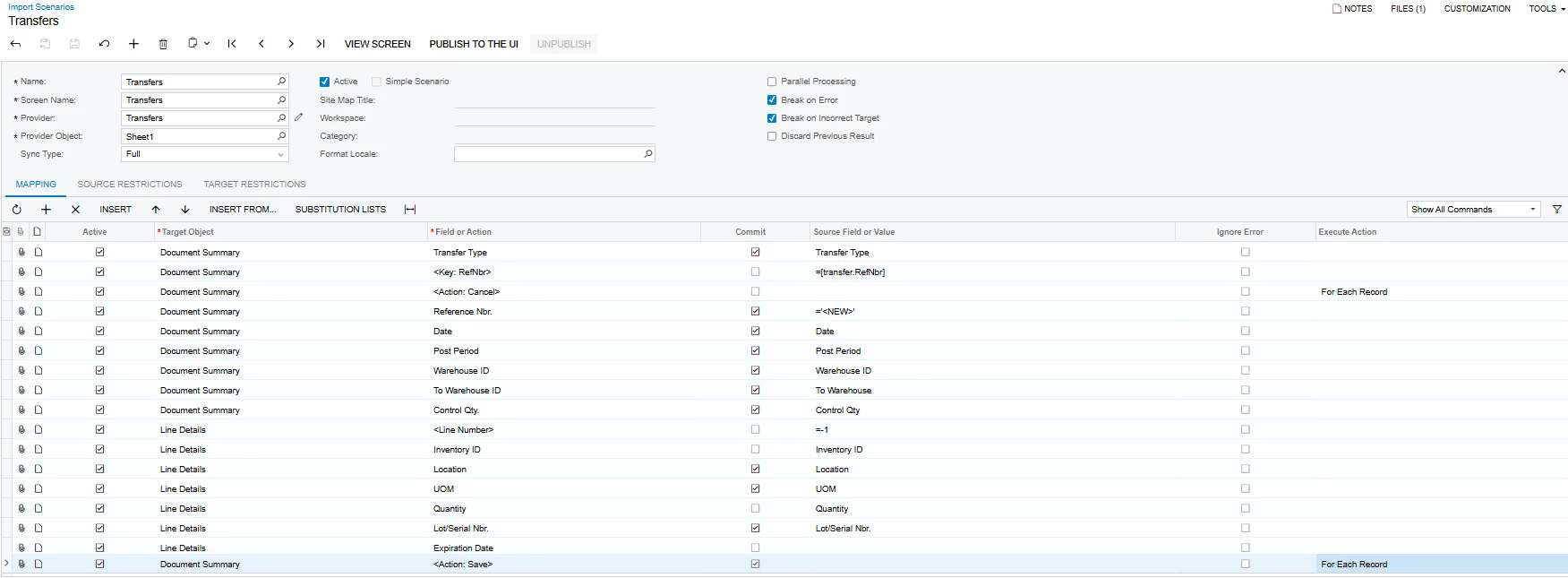
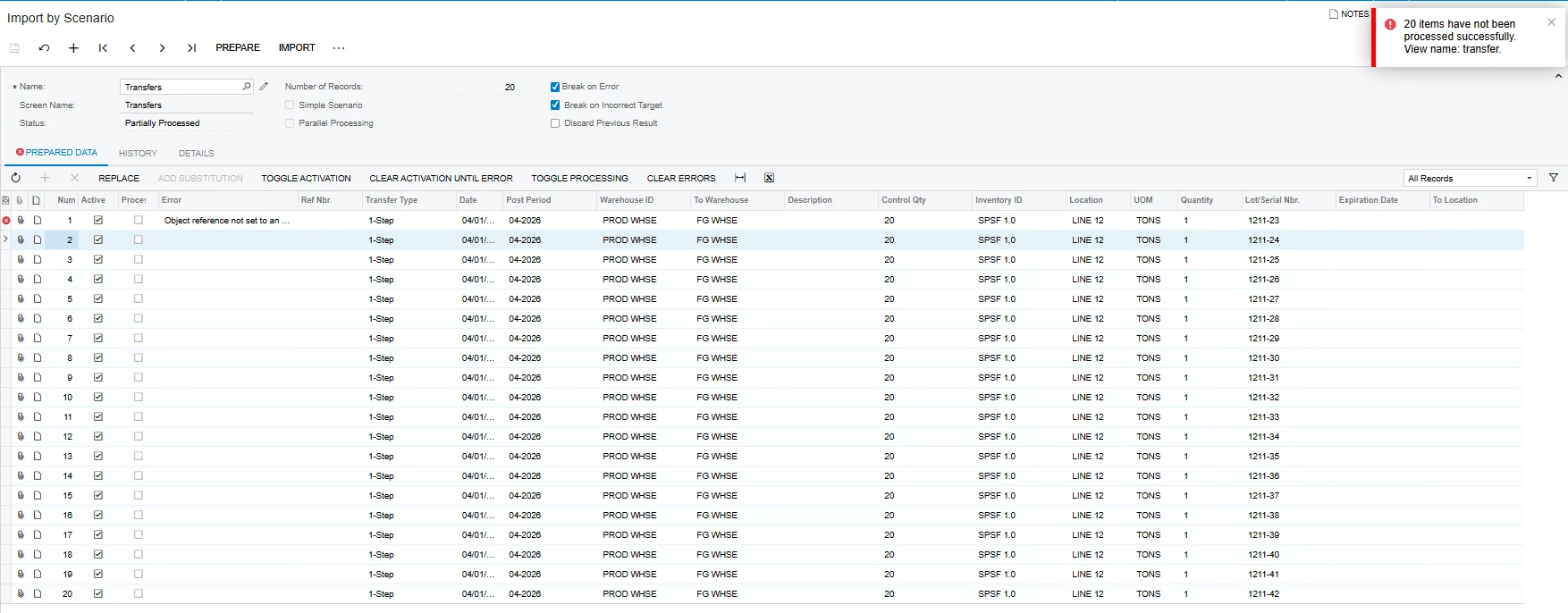
I created an Import scenario for 1-Step Transfer but encountered an error.
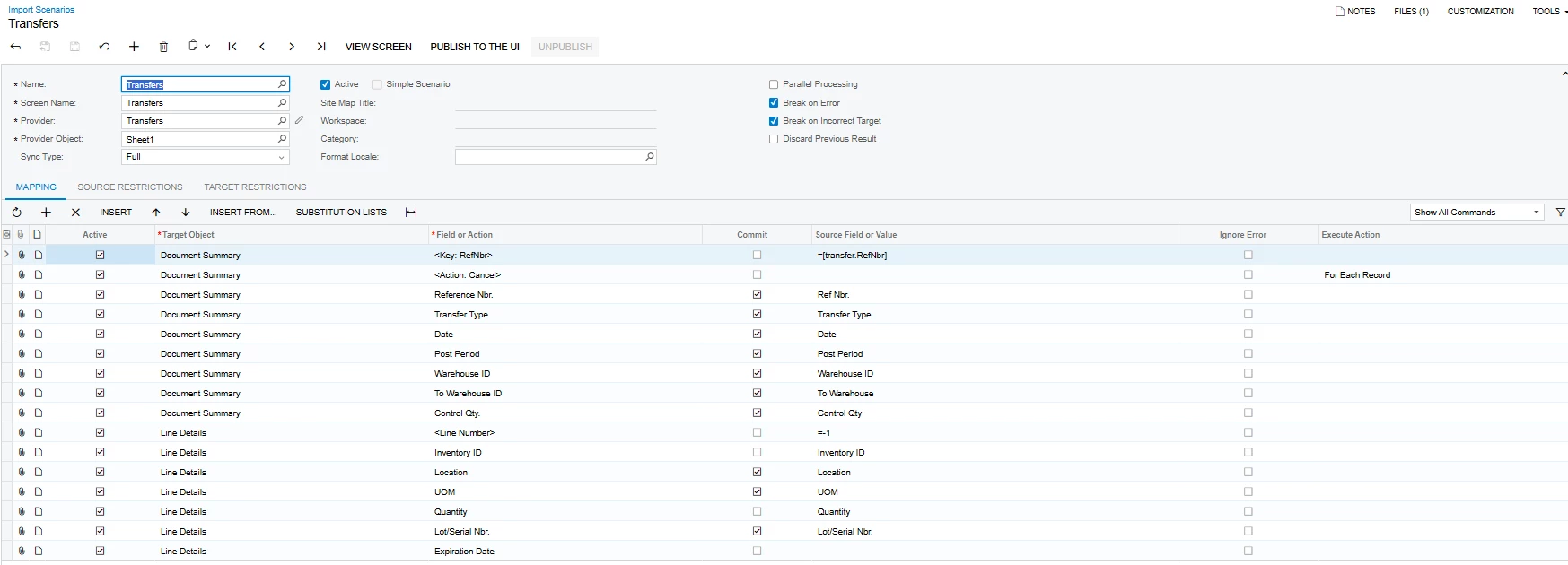
is there a mapping that I need to include to proceed?
Thank you!
Hi Acumatica Community,
I created an Import scenario for 1-Step Transfer but encountered an error.
is there a mapping that I need to include to proceed?
Thank you!
Best answer by bwhite49
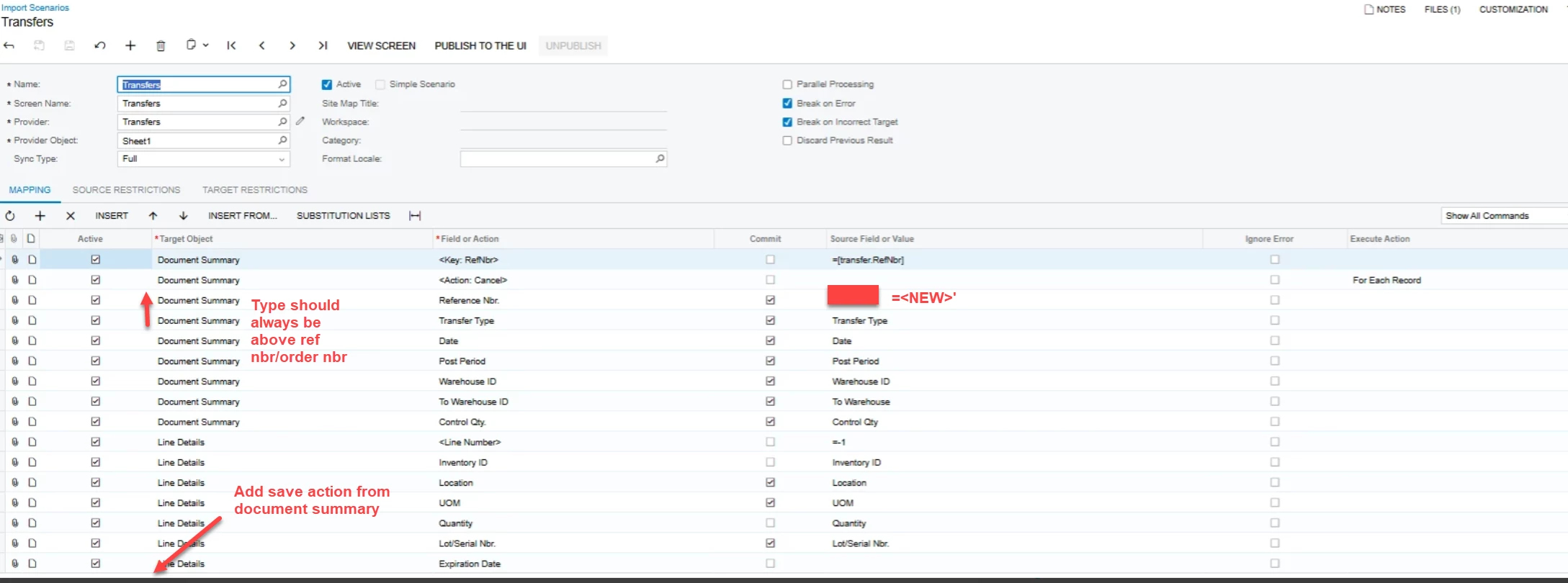
That error is usually a problem with the key fields (Type or ref nbr)
Looking at the screen, maybe reference number needs to be above type. I would move reference number back above type and see if that fixes your issue. I believe that is the problem.
For almost every other screen, it’s important that type is above reference number.
Enter your E-mail address. We'll send you an e-mail with instructions to reset your password.