Answer

Custom Boolean Fields Not Displaying As Checkboxes

  • July 25, 2025
  • 4 replies
  • 90 views

Hello,

Created some custom boolean fields, but they are not displaying as checkboxes in the sales order, despite the control type being checkbox…. They are showing as text edit fields, then if you put anything in there they change to 'true'

Best answer by Naveen Boga

Hi ​@Shayne After you made the change, did you click on the Generate Customization Script button?

If not, please do and deploy the package.

4 replies

Forum|alt.badge.img+1
  • Semi-Pro III
  • July 25, 2025

@Shayne 

Could you please check if the field in the DAC is properly defined as bool? with the [PXDBBool] attribute, and also declared as a bit type in the database script? This will ensure the field is treated as a checkbox rather than displaying as a text field.


Naveen Boga
Captain II
Forum|alt.badge.img+19
  • Captain II
  • July 25, 2025

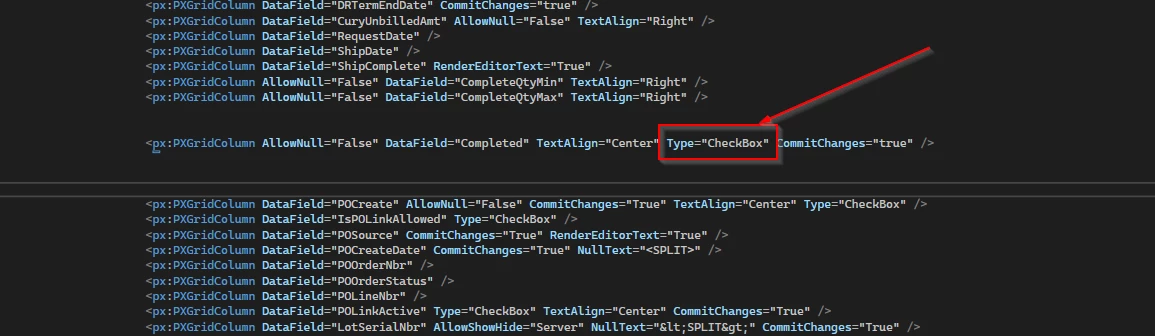
@Shayne  Below property is missed for your grid fiel, please check it in the .aspx.


  • Author
  • Freshman I
  • July 27, 2025

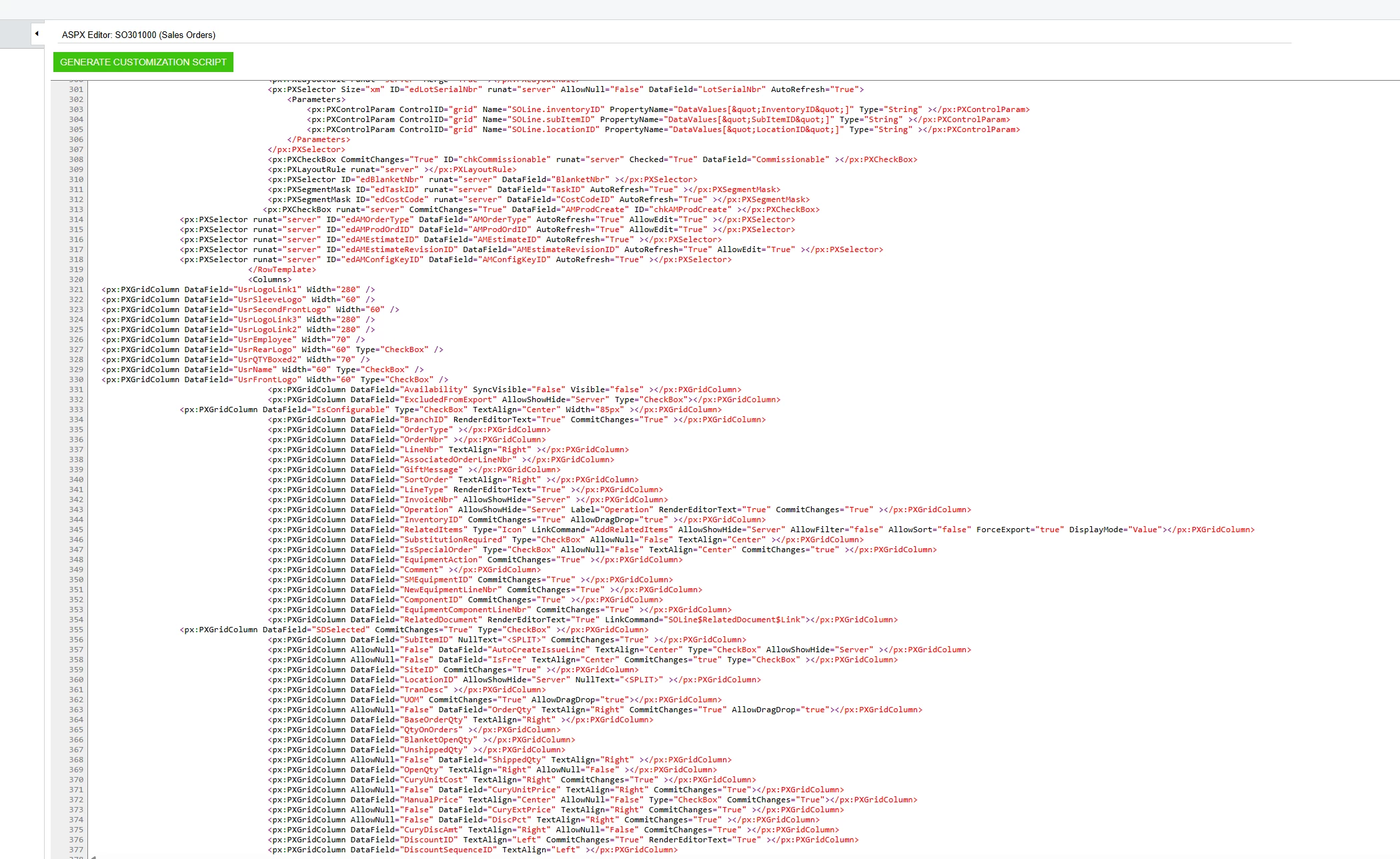
Thanks for that - once I edit the aspx to add in the '’Checkbox', how do i then save? I did an edit then published and it just went back to how it was before.


Naveen Boga
Captain II
Forum|alt.badge.img+19
  • Captain II
  • Answer
  • July 28, 2025

Hi ​@Shayne After you made the change, did you click on the Generate Customization Script button?

If not, please do and deploy the package.