Solved

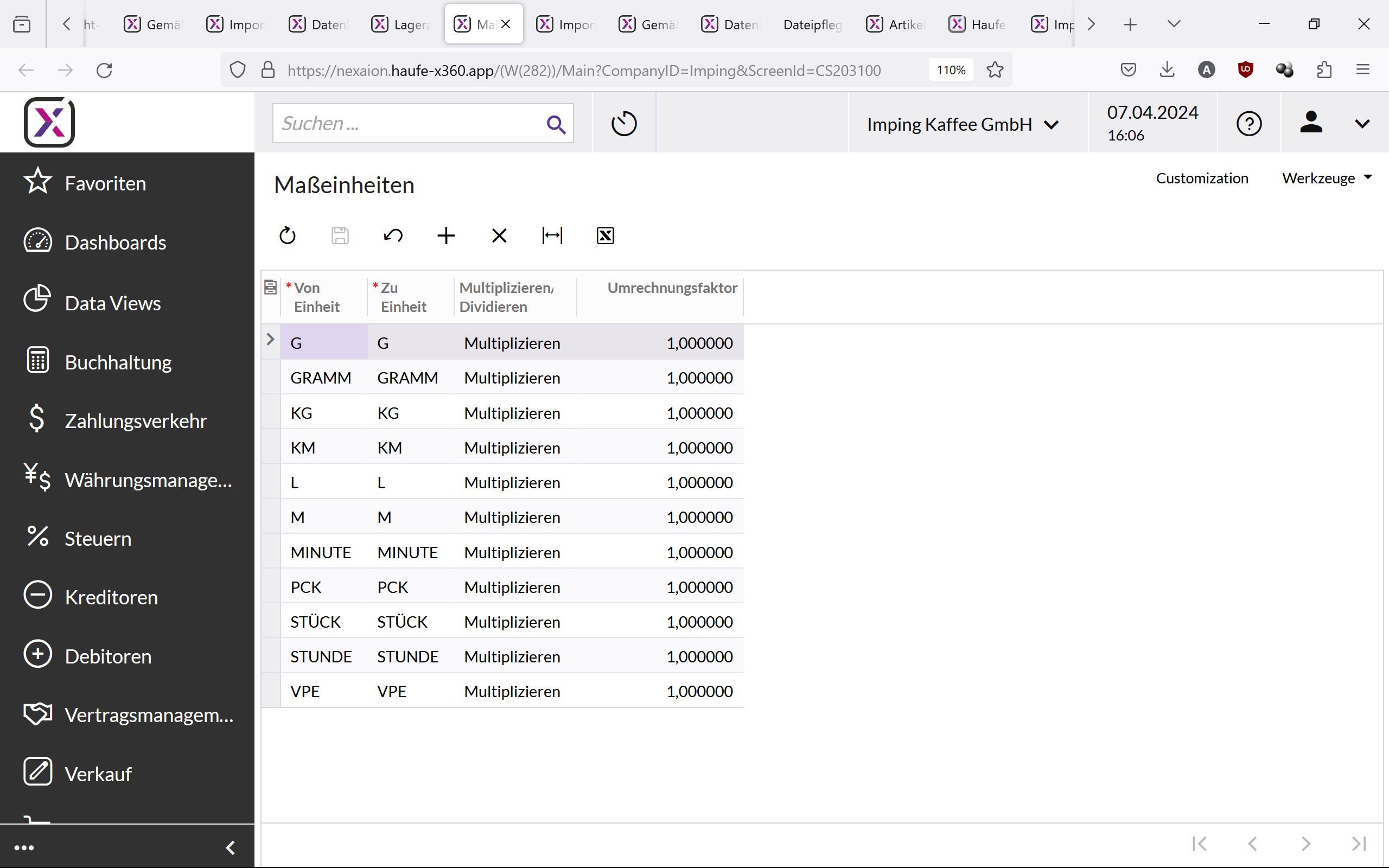
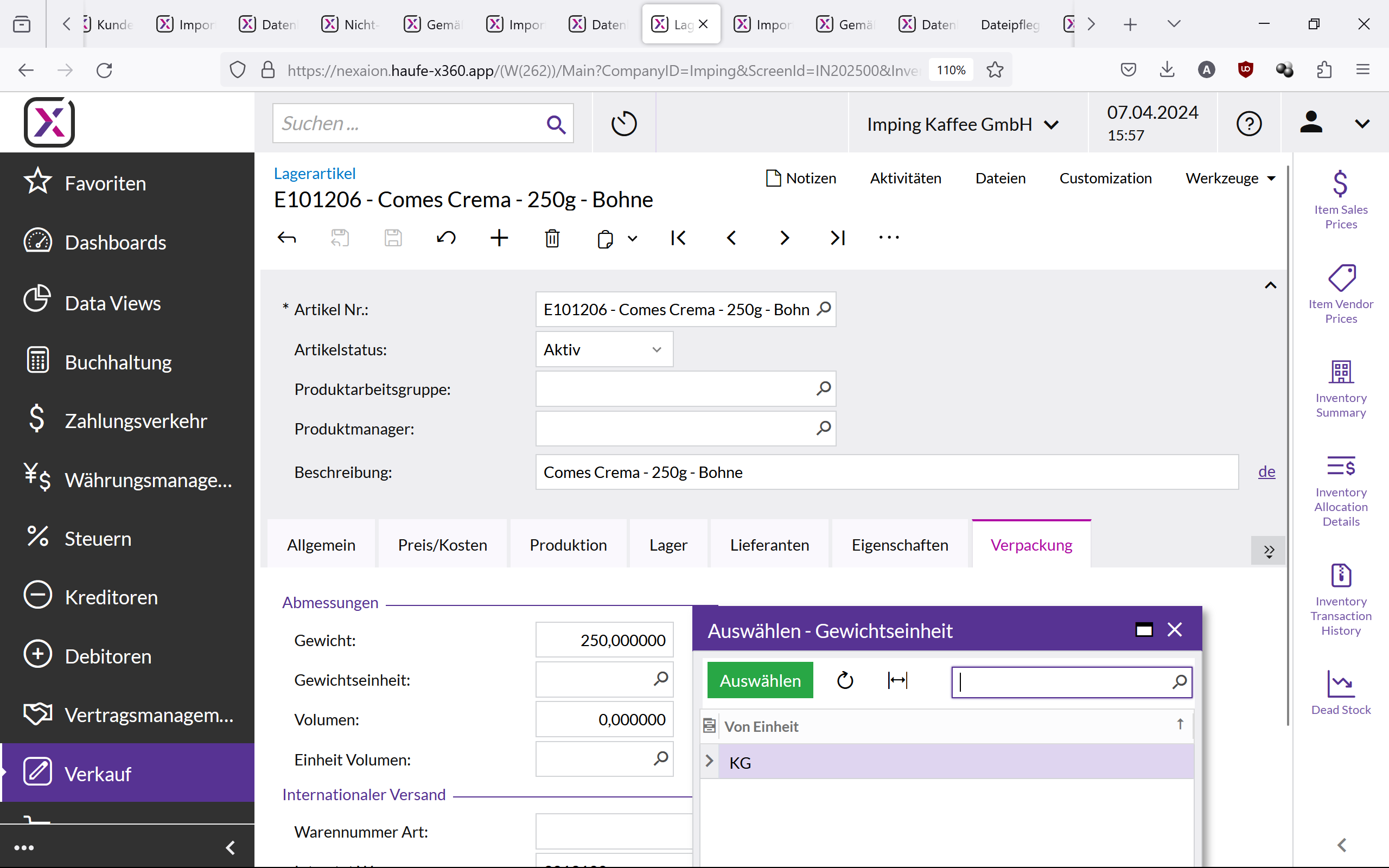
Can't enter G or GRAMM as a weight unit in the stock item screen, although is's created as a unit in the measurement units screen.

  • Apr 7, 2024 2:09 PM UTC
  • 3 replies
  • 146 views
  • Translate All

How can I enter G or GRAMM as a weight unit in the stock item screen? In the list I only see KG, although GRAMM is also created as a unit in the measurement units screen. When I manually enter G or GRAMM in the stock item screen and save, it just disappears.


Best answer by Laura03

Hello @Kalinowska ,

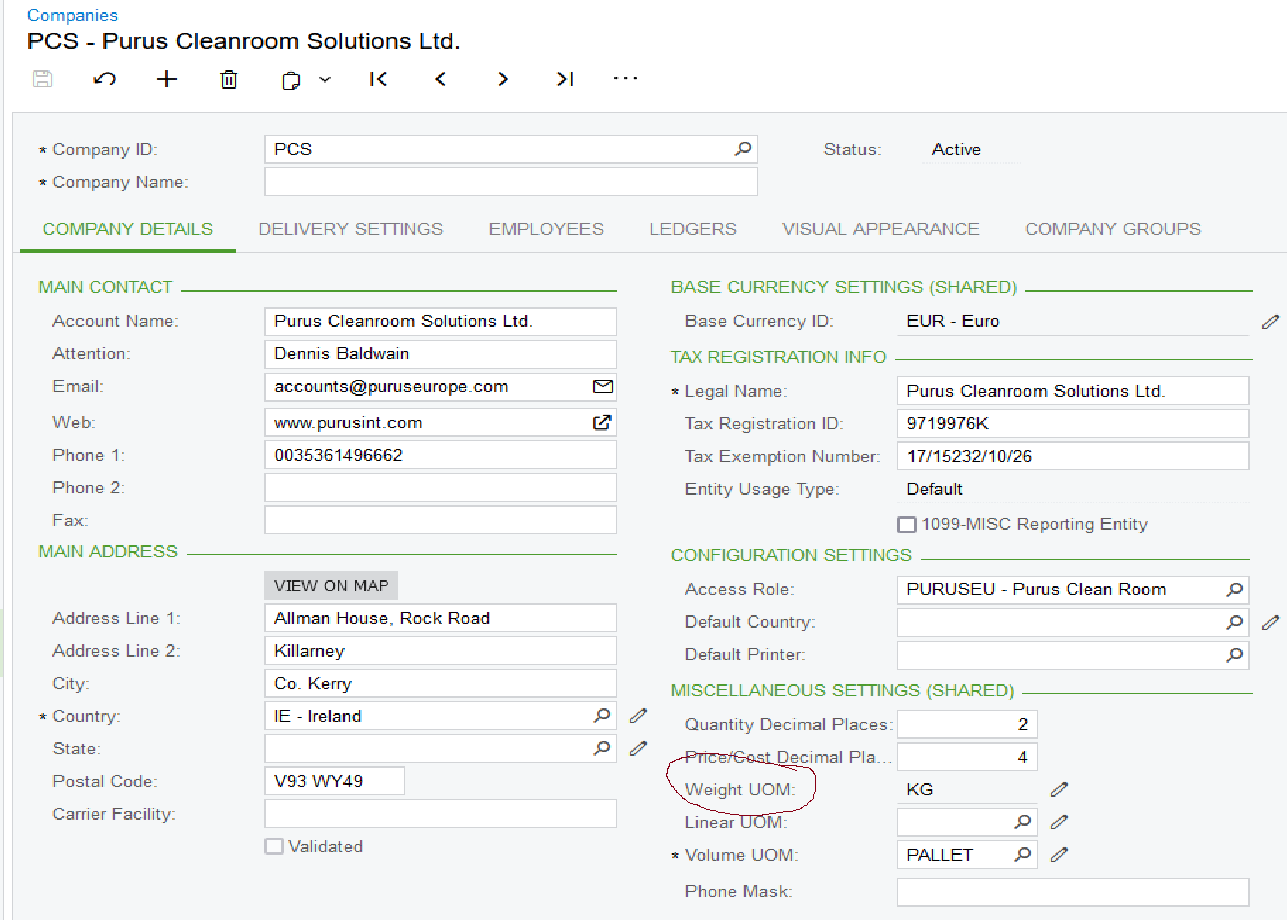
What Unit of Measure is listed in the Miscellaneous Settings section of Companies screen?


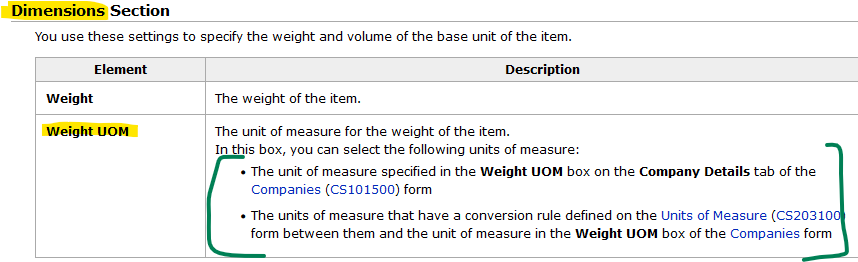
From the Help: Need to define conversion from Company Weight to “G”

Laura

View original

3 replies

Laura03
Captain II
Forum|alt.badge.img+20
  • Captain II
  • Answer
  • Apr 7, 2024 9:09 PM UTC

Hello @Kalinowska ,

What Unit of Measure is listed in the Miscellaneous Settings section of Companies screen?


From the Help: Need to define conversion from Company Weight to “G”

Laura

Translate

PatrickSchlenker90
Semi-Pro I
Forum|alt.badge.img+1

Hi @Kalinowska 

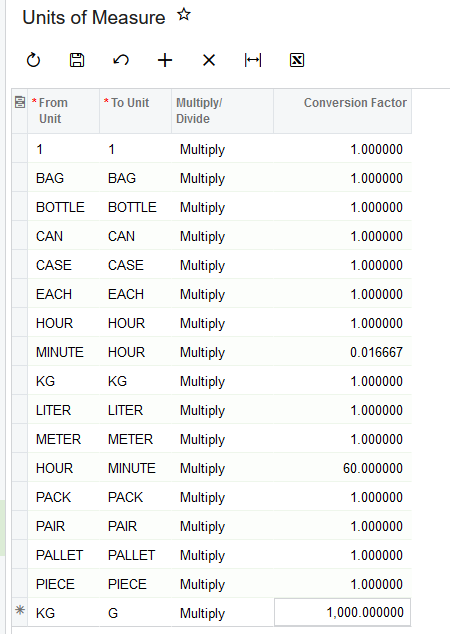
you have to add a conversion from kg to g and vice versa

Translate

Thank you both, it works :)

Translate