Question

Calculate Replenishment for safety stock, max stock and reorder point

  • September 9, 2026
  • 5 replies
  • 78 views

How to setup average for reorder point, safety stock, and max qty ? 

I already to calculate replenishment but nothing happen. 
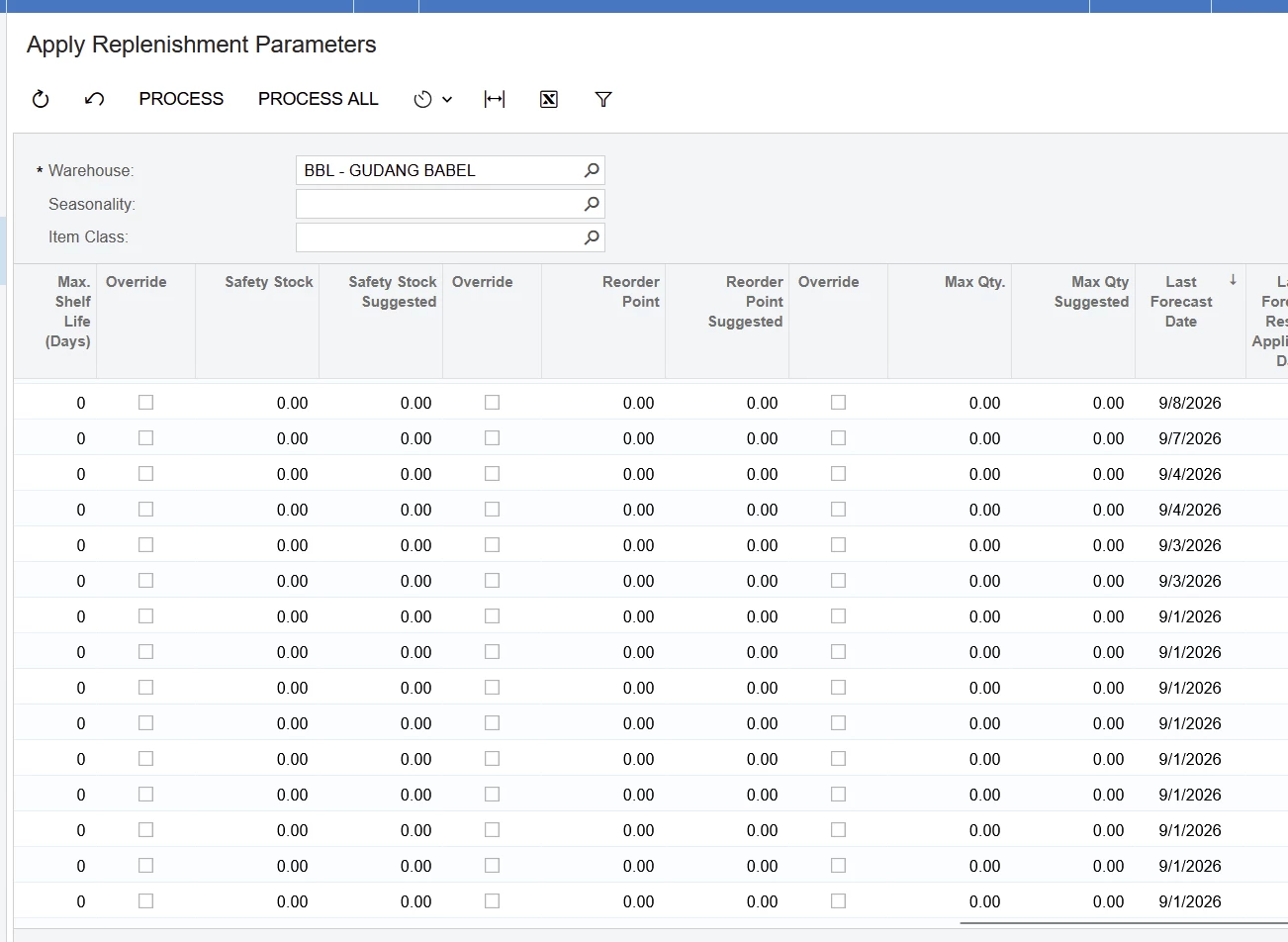


100% zero. Help please thank you

5 replies

Eric Ratté
Jr Varsity I
Forum|alt.badge.img+1
  • Jr Varsity I
  • September 9, 2026

Hi, the calculation is based on the history of inventory issues of invoice type for the given period specified at the item-warehouse level. 


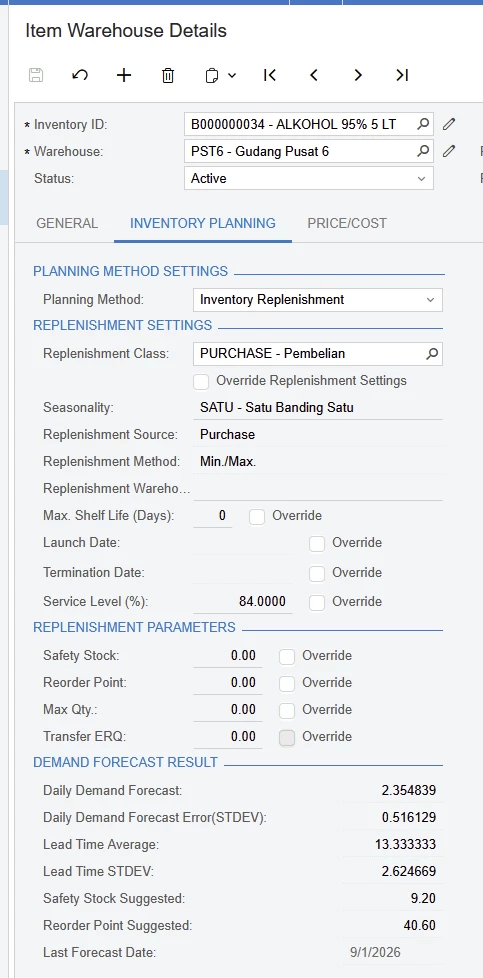
At the Inventory Planning tab of the Item Warehouse Details screen, make sure that:

  1. The planning Method Replenishment is selected, if this option appears.
  2. The Replenishment Class Purchase is set.
  3. The seasonnality is set
  4. The Replenishment Method must be Min/Max
  5. The service level is above 50% (at 50%, the safety stock is zero

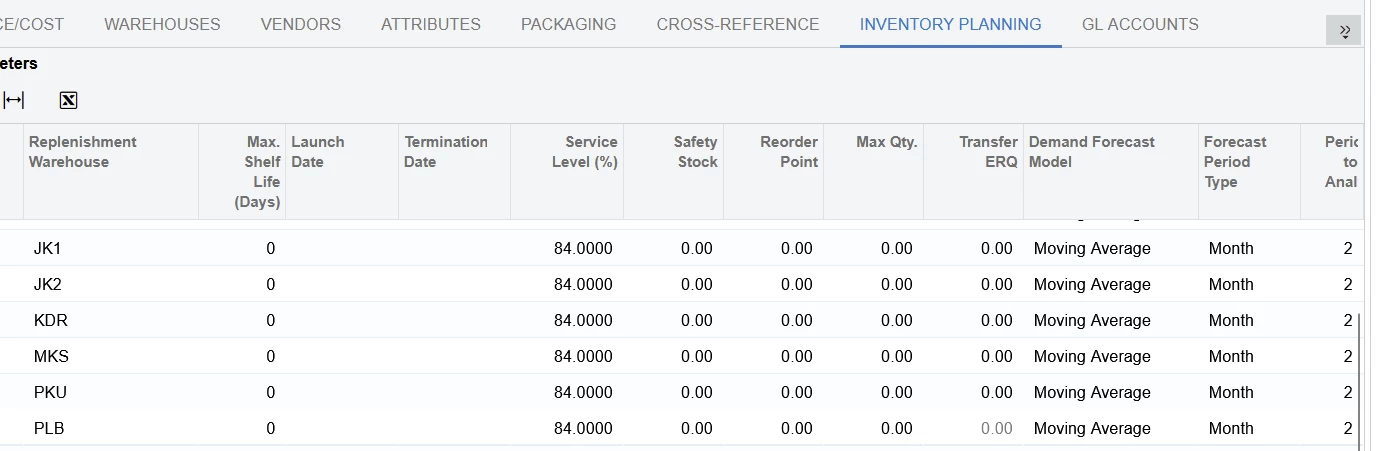
At the Inventory Planning tab of the Stock Items screen, for the line Purchase, make sure that the Periods to analyze is greater than zero. Specify the Demand Forecast Model Moving Average and the Forecast Period Type (for example Month). Then Acumatica will calculate based on the history for the warehouse. 


  • Author
  • Freshman I
  • September 10, 2026


I have set everything up and it is running, but why is the system unable to provide safety stock and reorder point recommendations, even though the other calculations are working? Image attached.

DJMcBride
Semi-Pro I
Forum|alt.badge.img
  • Semi-Pro I
  • September 10, 2026

We struggle with understanding “Safety Stock”.  And understanding what it is and how it is created. 


  • Author
  • Freshman I
  • September 11, 2026


How can I ensure that the calculations for replenishment, reorder point suggestions, and safety stock suggestions actually run and generate recommendations? Other calculations—such as those in the item warehouse details—are already working correctly. I use automation to run the "calculate" and "apply" processes daily.


Eric Ratté
Jr Varsity I
Forum|alt.badge.img+1
  • Jr Varsity I
  • September 14, 2026

As you can see at the Item Warehouse screen, there are some safety stock and reorder point suggested. To be effective, these suggestions must by applied.


Apply

At the Apply Replenishment Parameters screen, the process all option will ovverride the actual safety stock and reorder point paramters by the one suggested. By selecting the warehouse PST6,you should see the suggested quantities for the item 34.


Calculation

There is an example of the way the system calculates the paramters: https://beacon.acumatica.com/r/Implementation-Guide/Implementing-Order-Management/Replenishment-for-Stock-Items/Configuration-of-Replenishment-Example-of-Parameter-Calculation

In summary, if there is an actual lead time of 10 days and you are selling (inventory issue) 2 per day, you need to have 20 in stock. Once in a while, you ship 3 in a single day and the lead time is 11 days. The safety stock is then 3 (1 additionnal for the day that you ship more and 2 for the additional day of lead time). Acumatica adds the daily demand to the safety stock for reorder point (20+3=23).

Then, when the stock-level at the specific warehouse is under 23, the replenishment will be triggered to get to the maximum, which depends on the place on the shelves.

The stock-level is either (defined at the Item Class) the hard demand qty (Qty. SO Allocated + Qty. SO Shipped + Qty. SO Back-Ordered) or the qty available which depends on the avalibility calculation rule.


Prepare Replenishment

This processing screen will compare stock-level and reorder point and calculate how much stock can either be transfered or pruchased, depending on the replenishment policy for the item warehouse.


Create Purchase Orders or Create Transfer Orders

These 2 screen will create documents.