Solved

Bypass Days Past Due Warning When Importing AR Payments

  • December 16, 2025
  • 4 replies
  • 20 views

Forum|alt.badge.img

Hello Community, 

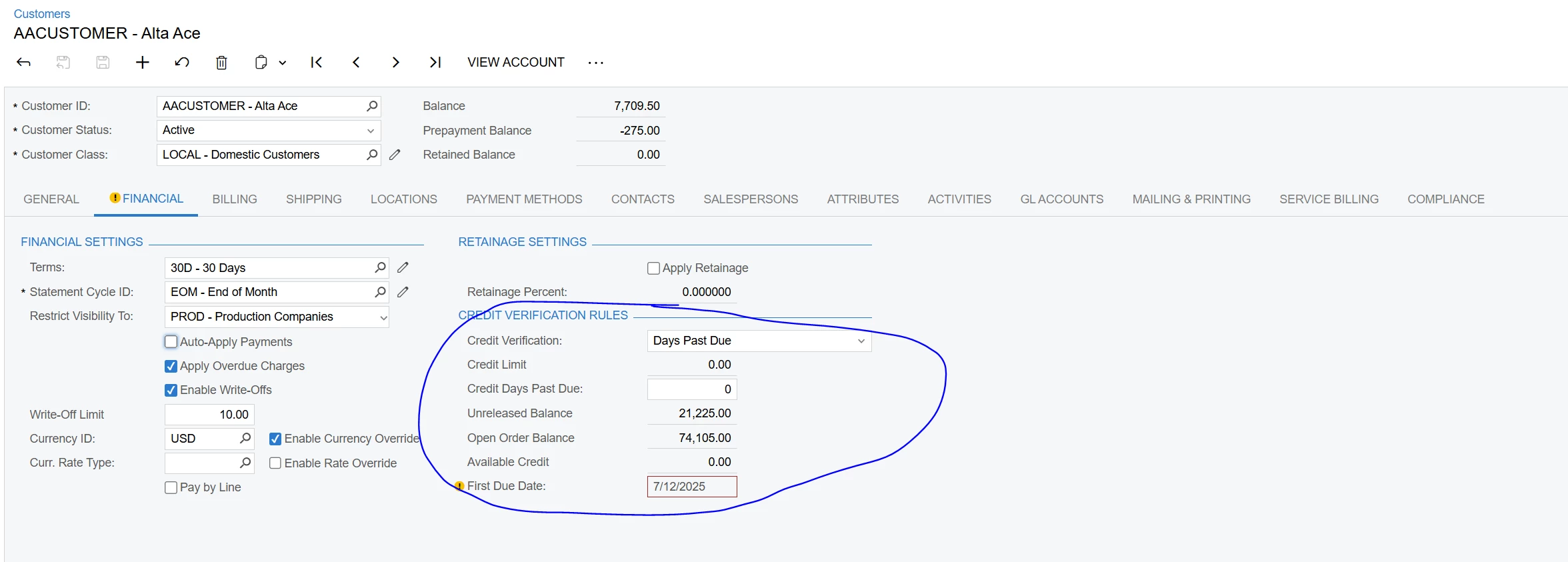
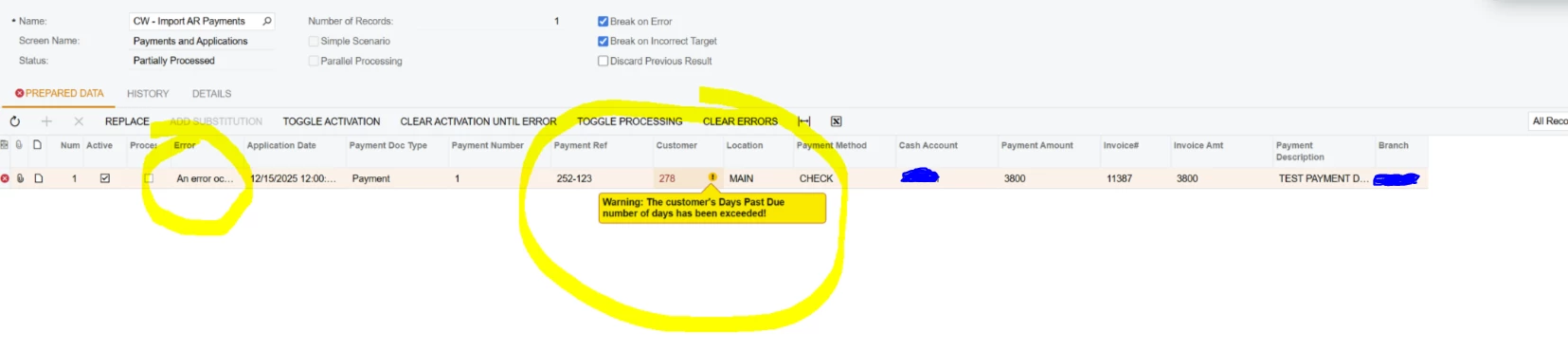
 I keep receiving an error when running an import to create AR payments. The error that is being displayed is “Customer Exceeded Days Past Due”. This is a warning now, so I’m surprise the system is not allowing us to complete the import. If I go to the Payments and Applications screen and enter the payment manually, it saves without any issues (I get the Days Past Due warning but it still allows me to save the payment). 

Any ideas?


Thanks,

Eric 


Best answer by etrojan28

@Manikanta Dhulipudi I was able to resolve the issue. 


I added this to the bottom and it worked.


4 replies

Manikanta Dhulipudi
Captain II
Forum|alt.badge.img+15

@etrojan28 Are you seeing this issue for all customers?


Forum|alt.badge.img
  • Author
  • Varsity I
  • December 16, 2025

Hi ​@Manikanta Dhulipudi 


It’s for any customer with these credit verification rules. The import doesn’t work but the manual entry using the screen does work. 


Manikanta Dhulipudi
Captain II
Forum|alt.badge.img+15

@etrojan28 Can you share XML File once?


Forum|alt.badge.img
  • Author
  • Varsity I
  • Answer
  • December 16, 2025

@Manikanta Dhulipudi I was able to resolve the issue. 


I added this to the bottom and it worked.