Question

Automatic Numbering Seq by pass

  • November 18, 2025
  • 2 replies
  • 49 views

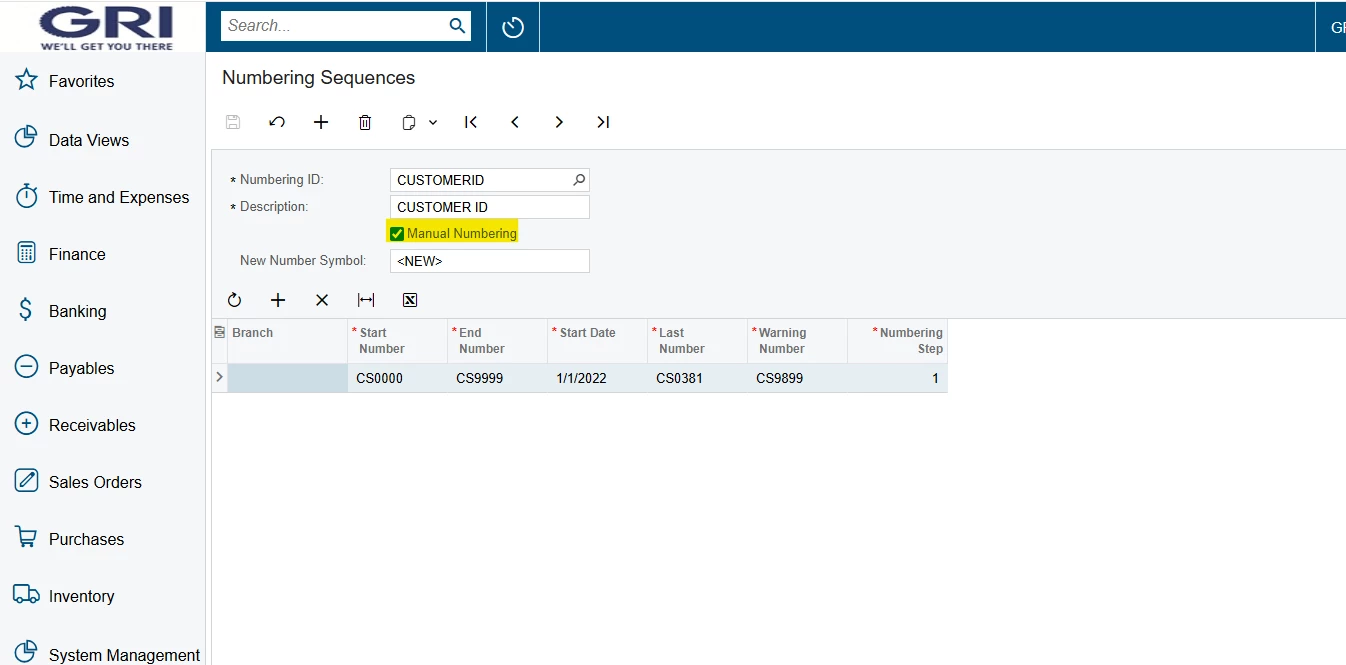
I want to create a customer by passing the Numbering seq. The customer number CS0225. Attached are the Numbers currently we have space to add the mentioned. How ever when I checked the Manual Numbering seq and advise the team member to proceed of the customer creation, we are unable to process
 

2 replies

Forum|alt.badge.img+2

Hello ​@kasunjayawardhana82 
If you checked Manual Numbering check box then you have manually enter sequence in CustomerID field and proceed.


Forum|alt.badge.img+1
  • Jr Varsity I
  • November 18, 2025

You can change a customer’s account number even after the record is created.
On the Customer screen (AR303000), open the three-dot menu in the upper right and select Change ID. A pop-up window will appear—enter the new customer number (e.g., CS0225), press ok and save.

This will update the customer’s ID without needing to modify the numbering sequence.
