Solved

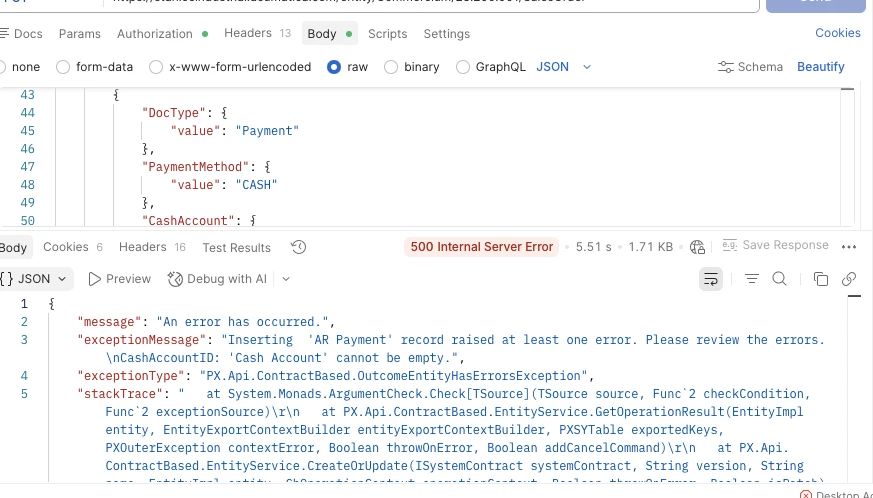
Getting error while order creation - "Inserting 'AR Payment' record raised at least one error. Please review the errors.\nCashAccountID: 'Cash Account' cannot be empty.",

  • Mar 20, 2026 6:22 AM UTC
  • 6 replies
  • 117 views
  • Translate All

Forum|alt.badge.img

Hello Team, 
I am getting error while order creation sending with payment details via api.

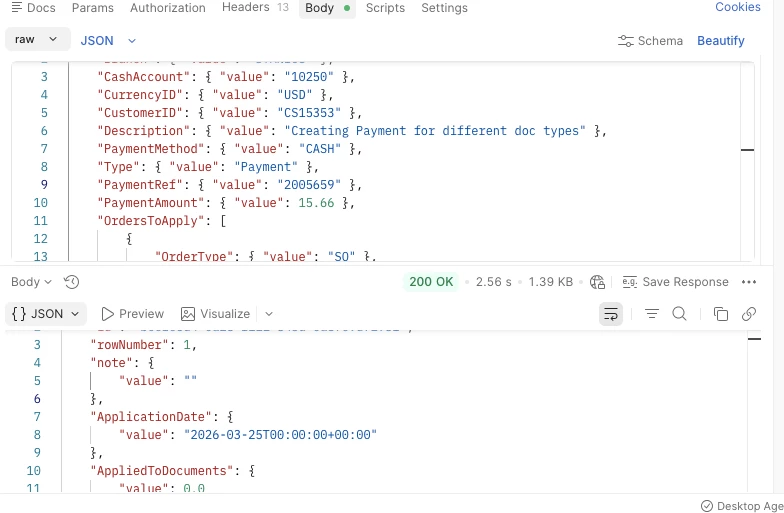
Request- 

Description:
While creating a Sales Order with payment via API, the system throws an error during AR Payment creation. The payment is being passed in the payload, including Cash Account and Payment Method, but the system is not recognizing the Cash Account and fails validation.

Error Message:

Inserting 'AR Payment' record raised at least one error. Please review the errors.
CashAccountID: 'Cash Account' cannot be empty.

Steps to Reproduce:

  1. Create a Sales Order via API.

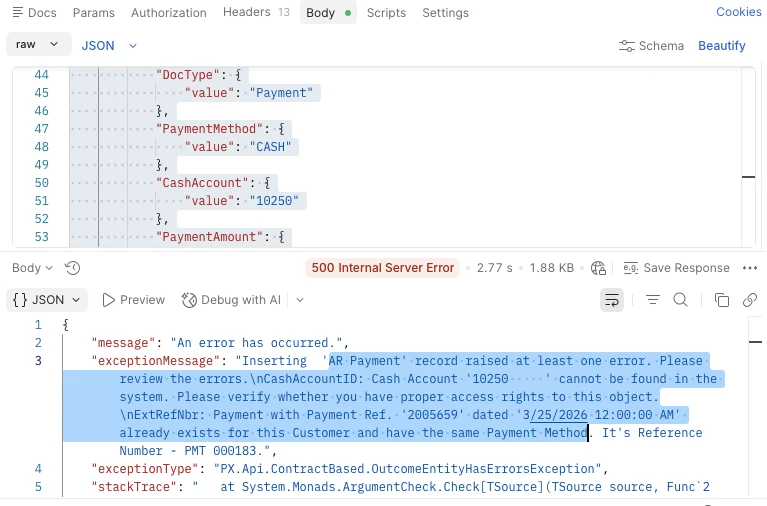
  2. Include Payment details in the request (PaymentMethod = CASH, CashAccount = 10250).

  3. Submit the request.


Best answer by KrunalDoshi

Hi ​@Namrata13,

My recommendation is to create a Payment from Payments screen (AR302000) API instead of creating it from Sales Order API.

View original

6 replies

mohammadnawaz51
Varsity I
Forum|alt.badge.img+8

​@Namrata13 Quick question: Are you able to access the cash account when using the same user account being used for API Call?Inserting 'AR Payment' record raised at least one error. CashAccountID: 'Cash Account' cannot be empty | Community

Translate

  • Freshman III
  • Mar 20, 2026 8:22 AM UTC

Hello ​@Namrata13 ,

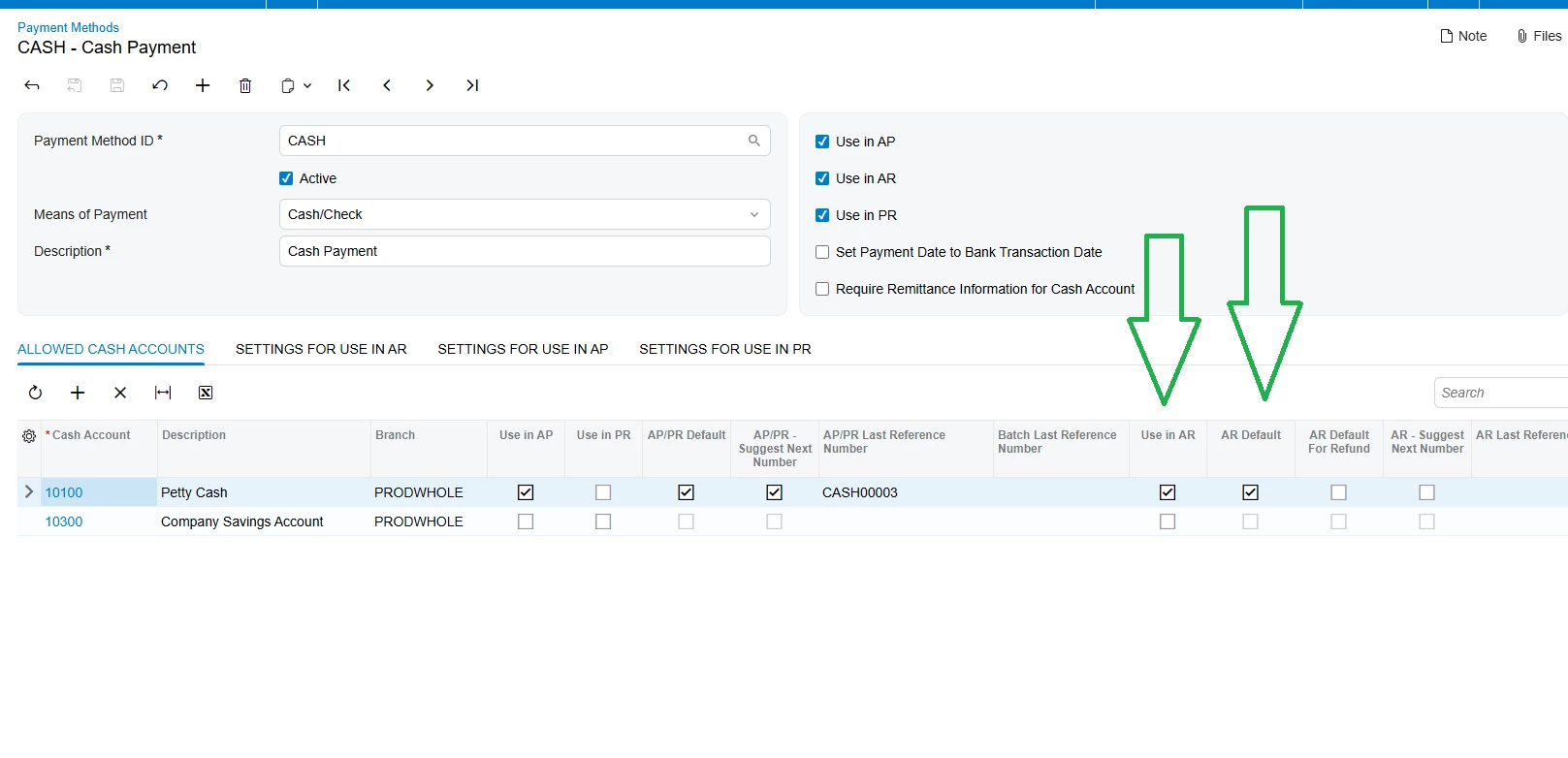
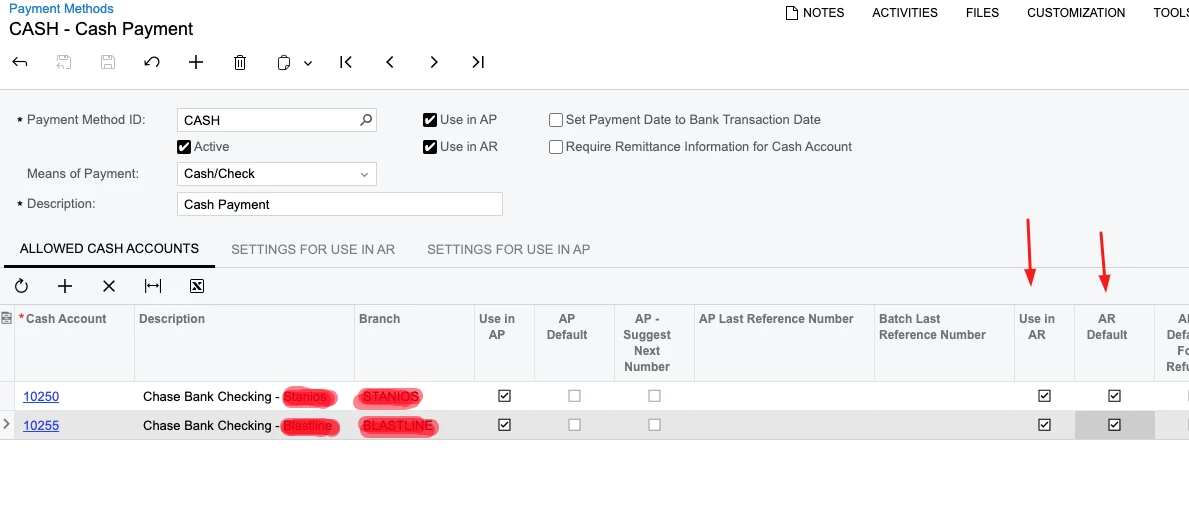
For the payment methods used in the API, you should configure a default Cash Account on the Payment Methods page.

To do this, select the “AR Default” checkbox in the “Allowed Cash Accounts” grid. When this is set, you do not need to include the Cash Account in the API request body.

If you need to use a Cash Account that is not set as the default for the payment method, please ensure that:

The selected Cash Account exists in the “Allowed Cash Accounts” grid on the Payment Methods page, and

The “Use in AR” checkbox is enabled for that Cash Account.


Translate

KrunalDoshi
Pro I
Forum|alt.badge.img+9
  • Pro I
  • Answer
  • Mar 23, 2026 2:42 PM UTC

Hi ​@Namrata13,

My recommendation is to create a Payment from Payments screen (AR302000) API instead of creating it from Sales Order API.

Translate

Forum|alt.badge.img
  • Author
  • Jr Varsity II
  • Mar 25, 2026 5:29 AM UTC

​@art34 hello, I tried your suggestion but it not worked. After that I started getting some different error. 
But thank you for your suggestion


Translate

Forum|alt.badge.img
  • Author
  • Jr Varsity II
  • Mar 25, 2026 5:34 AM UTC

​@KrunalDoshi 
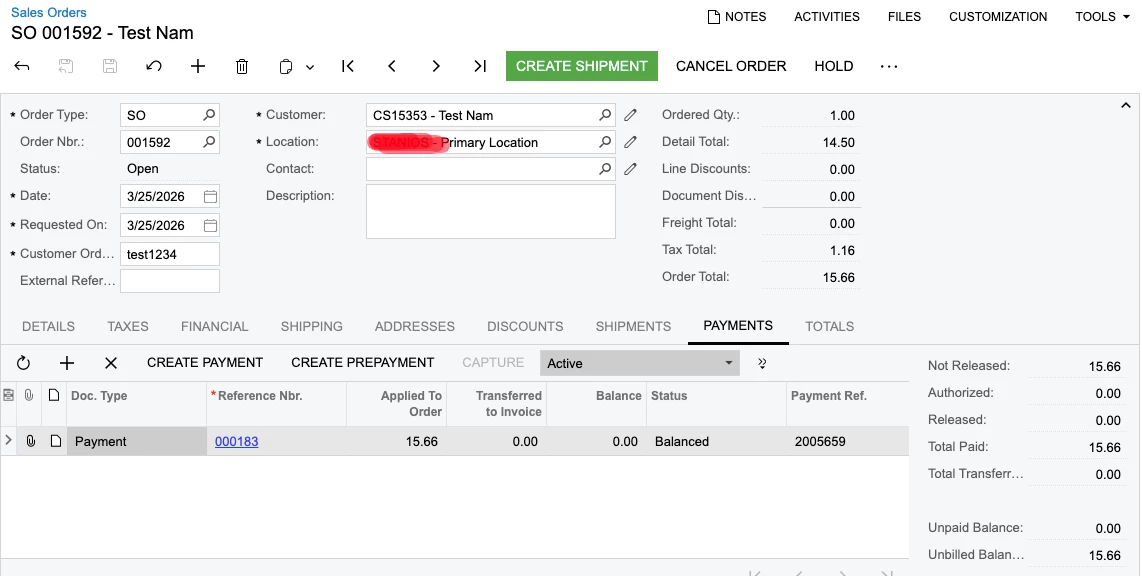
Hello, thank you for your suggestion. It worked for me. First I created SO without payment details then I created payment in separate api call. And It worked. 


Translate

KrunalDoshi
Pro I
Forum|alt.badge.img+9
  • Pro I
  • Mar 25, 2026 12:04 PM UTC

Thanks ​@Namrata13, I am glad it has helped to resolve your issue. Can you please mark my response as answer. That will help other members in community.

Translate