Solved

Error while creating salesOrder via API

  • Jun 25, 2025 4:24 PM UTC
  • 6 replies
  • 156 views
  • Translate All

Hello,

we are trying to send our first oder via API and the salesOrder endpint to acumatica\haufe x360.

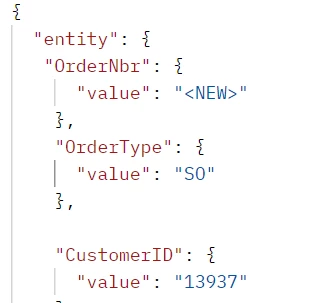
We are using the following JSON file
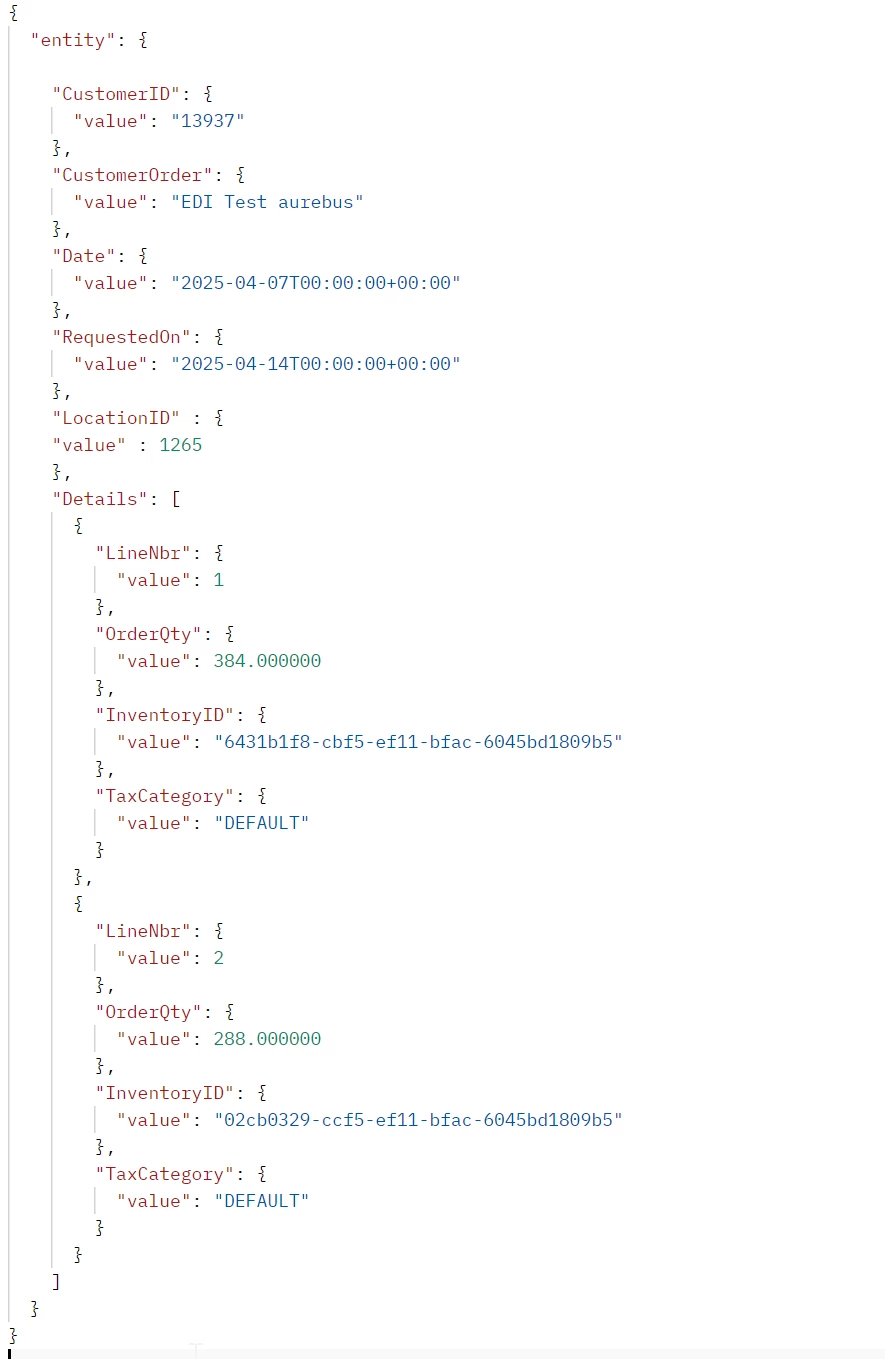
We receive the following error response: 422Unprocessable Entity
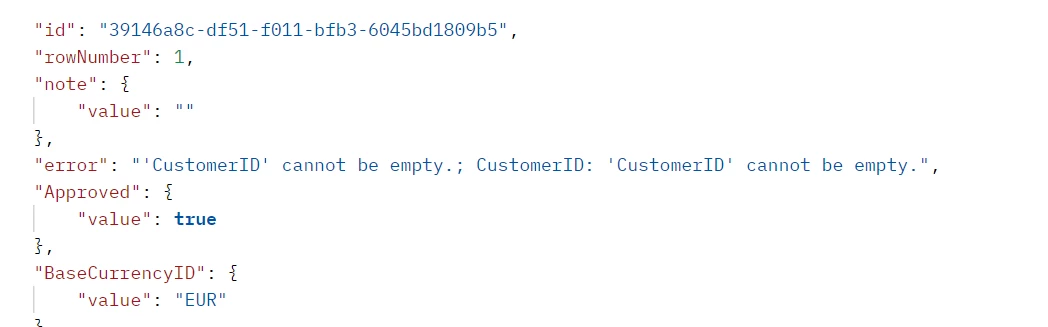
[...]
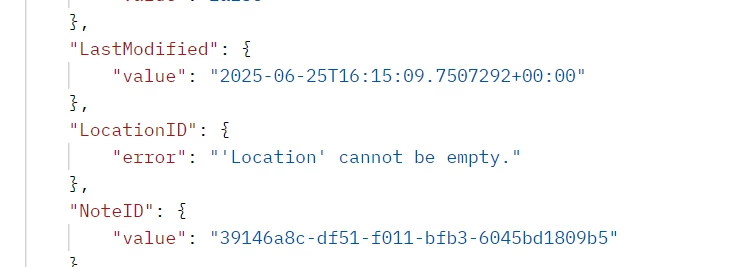
 

I have tried to send the CustomerID in the CustomerID field and also the customer's internal UUID. I always get this error message.

Does anyone have any idea what I am doing wrong with my request?

Thanks in advance!

Steffi

#team aurebus
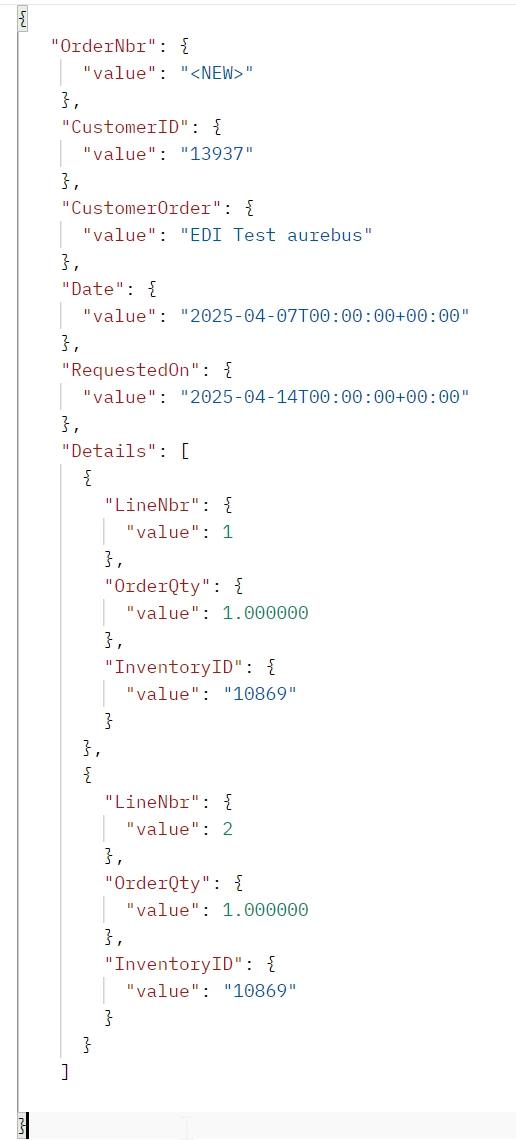
Best answer by SteffiGroth

Hi all, 

thanks for your help. I had also to remove the OrderType. SO was not available in the destination system. I was now able to create an order with the following JSON file:


View original

6 replies

Forum|alt.badge.img+8
  • Captain II
  • Jun 25, 2025 4:27 PM UTC

You are missing the OrderType which is likely triggering a number of cascading errors. See if supplying that value helps.

Translate

  • Author
  • Freshman II
  • Jun 25, 2025 4:37 PM UTC

unfortunately not. I have added the OrderType, but still the same error messages


Translate

Dmitrii Naumov
Community Manager
Forum|alt.badge.img+7

​@SteffiGroth I think you have extra ‘entity’ element in your json. 

Please try the same but without ‘entity’ on top (and also one less sets of brackets)

Translate

jinin
Pro I
Forum|alt.badge.img+12
  • Pro I
  • Jun 26, 2025 4:55 AM UTC

Hi ​@SteffiGroth ,

As Dmitry mentioned, the Entity element is not required for order creation via PUT. Please remove it and try again.

The Entity element is required for POST requests, but not for PUT requests.

Below is a sample JSON request for creating an order:

{

    "OrderType": {

        "Value": "SO"

    },

    "CustomerId": {

        "Value": "1024559"

    },

    "CustomerOrder": {

        "Value": "988775809"

    },

    "Date": {

        "Value": "2025-06-18T13:04:08.93"

    },

    "RequestedDate": {

        "Value": "2025-06-18T13:04:09.1029123-05:00"

    },

    "Details": [

        {

            "InventoryID": {

                "Value": "890325025"

            },

            "UnitPrice": {

                "Value": 44.1

            },

            "OrderQty": {

                "Value": 1

            },

            "UOM": {

                "Value": "EACH"

            }

        }

    ]

}

Translate

  • Author
  • Freshman II
  • Answer
  • Jun 26, 2025 8:56 AM UTC

Hi all, 

thanks for your help. I had also to remove the OrderType. SO was not available in the destination system. I was now able to create an order with the following JSON file:


Translate

Chris Hackett
Community Manager
Forum|alt.badge.img
  • Acumatica Community Manager
  • Jun 26, 2025 6:25 PM UTC

Thank you for sharing your solution with the community ​@SteffiGroth!

Translate