


Solved

Why is a layout column repeated?

  • December 27, 2024
  • 3 replies
  • 38 views

rcreasy
Varsity I
Forum|alt.badge.img

I have a customization that when it was published one layout column was repeated. This did not happen locally, or in a sandbox instance. See the screenshot of the project below.
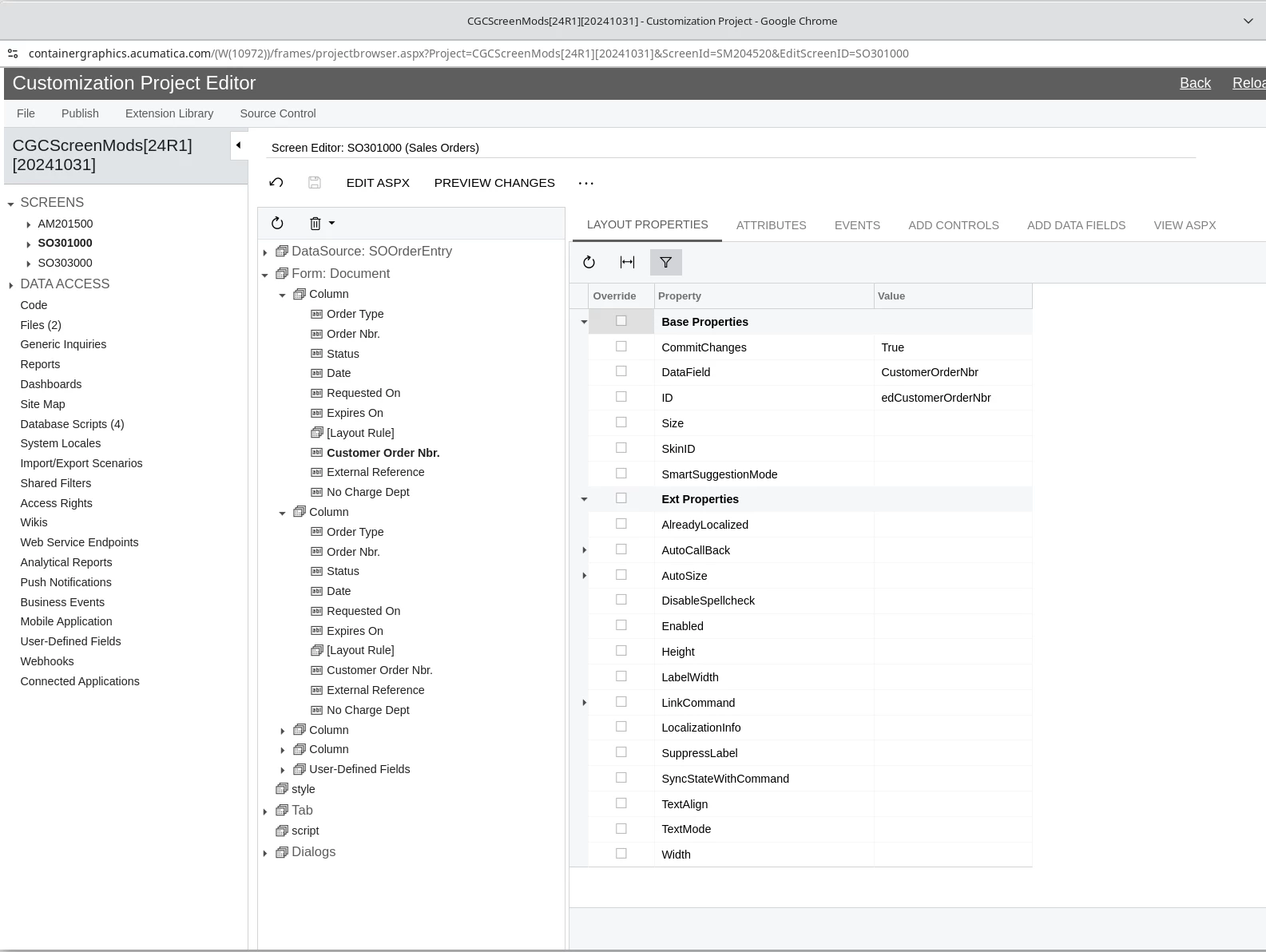


This duplication is causing the screen to present the SO Screen incorrectly.
Can I just delete the column in the project and republish?
What could have caused this duplication?

TIA

Best answer by DipakNilkanth

@rcreasy,

Apologies, I initially thought you were adding custom fields, so I suggested that approach.

Try Reset caches.

3 replies

DipakNilkanth
Pro III
Forum|alt.badge.img+13

​​​​@rcreasy 

  1. Delete the custom column from Editor.
  2.  Publish the package.
  3. Try to Reset caches from Apply Updates screen then repeat your steps to add custom column.

    Hope , it helps!

rcreasy
Varsity I
Forum|alt.badge.img
  • Author
  • Varsity I
  • December 27, 2024

​​​​@rcreasy 

  1. Delete the custom column from Editor.
  2.  Publish the package.
  3. Try to Reset caches from Apply Updates screen then repeat your steps to add custom column.

    Hope , it helps!

Thanks for the reply. It is not a custom column; I merely added a field to an existing column. So, I don’t need step 3, right?


DipakNilkanth
Pro III
Forum|alt.badge.img+13
  • Pro III
  • Answer
  • December 27, 2024

@rcreasy,

Apologies, I initially thought you were adding custom fields, so I suggested that approach.

Try Reset caches.
