Answer

Sub report not populating data

  • March 6, 2024
  • 1 reply
  • 104 views

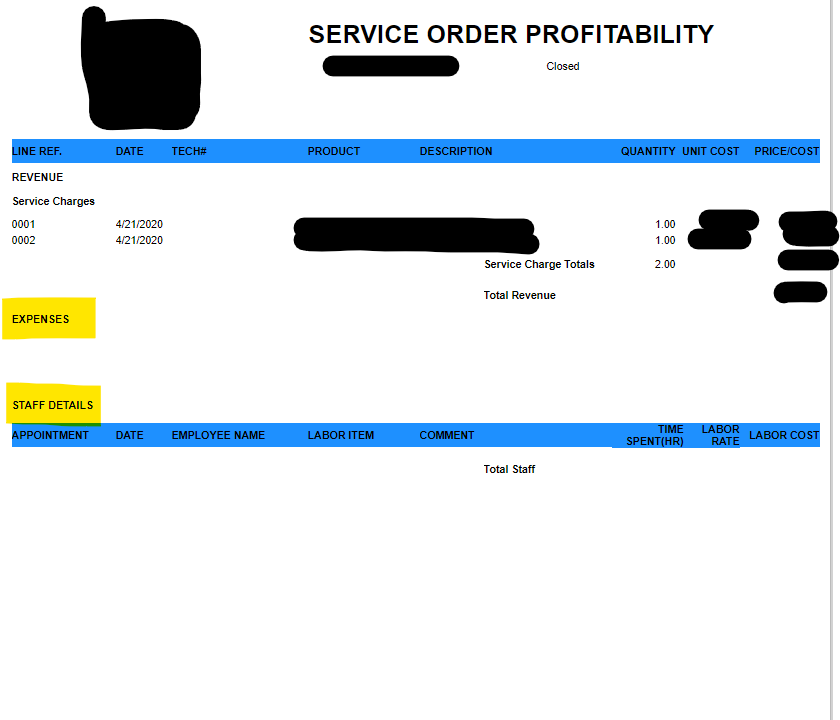
Hello, we are trying to run a service order profitability report and are having issues with the sub reports not populating. The for the sub report is FS631500 and the parameters are SOType & SONum. Any ideas on what would be causing this? (Yellow where they should be)


Best answer by mbridges00

Is this an out-of-the-box report from Acumatica, or custom?


I’d check the trace after running the report to make sure there were no exceptions behind the scenes, and find the appropriate SQL query used by the subreport. If you can find the query, make sure that both parameters (SOType, SONum) were supplied correctly to the SQL query. Sometimes, there are small “quirks” that don’t actually send the parameters to the subreport, but those are usually from ID/CD fields.


If everything looks correct on the SQL, my next step is to create a new sitemap entry with the subreport RPX file. This separates the subreport from the main report and allows you to test iterative changes without the need to use the main report. The first test is usually running the subreport with the same parameters you are expecting and making sure the report gets populated. That helps isolate where the issue may be.


1 reply

Forum|alt.badge.img+1
  • Jr Varsity II
  • Answer
  • March 6, 2024

Is this an out-of-the-box report from Acumatica, or custom?


I’d check the trace after running the report to make sure there were no exceptions behind the scenes, and find the appropriate SQL query used by the subreport. If you can find the query, make sure that both parameters (SOType, SONum) were supplied correctly to the SQL query. Sometimes, there are small “quirks” that don’t actually send the parameters to the subreport, but those are usually from ID/CD fields.


If everything looks correct on the SQL, my next step is to create a new sitemap entry with the subreport RPX file. This separates the subreport from the main report and allows you to test iterative changes without the need to use the main report. The first test is usually running the subreport with the same parameters you are expecting and making sure the report gets populated. That helps isolate where the issue may be.