

Answer

PAY action button on Invoices and memos, mobile application not functioning.

  • February 4, 2024
  • 1 reply
  • 63 views

Michael Ndungi
Varsity I
Forum|alt.badge.img

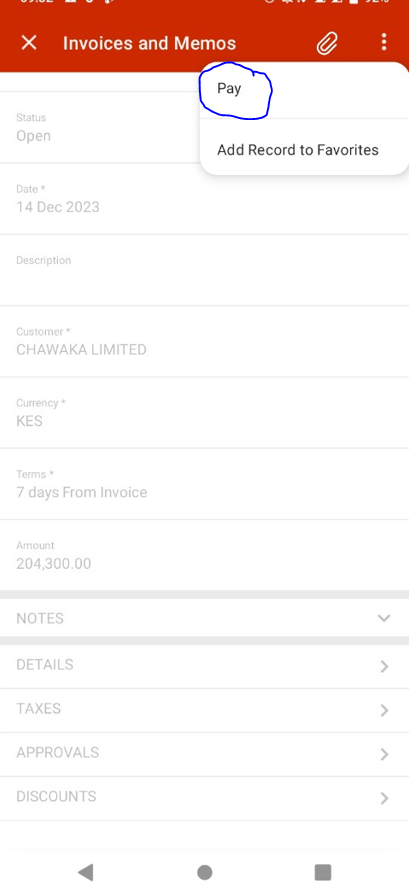
I have added invoices and memos screen on acumatica mobile app, then added PAY action button.
However when I press pay, nothing happens.

What could be the issue? Kindly assist.

See below details;

Pay button screenshot


Code;

 add recordAction "PayInvoice" {

syncLongOperation = True
}

 

Best answer by Sagar Greytrix

Hi @Michael Ndungi,

Can you confirm if you have a Payments and Applications (AR302000) screen on your mobile app? If any action involves redirection or processing on a specific screen, we also need to add them to the mobile app to ensure the action works seamlessly.

Alternatively, you can also attempt to use `redirect = True` since the action redirects to another screen.

Regards,
Sagar

1 reply

Sagar Greytrix
Captain II
Forum|alt.badge.img+3
  • Captain II
  • Answer
  • February 5, 2024

Hi @Michael Ndungi,

Can you confirm if you have a Payments and Applications (AR302000) screen on your mobile app? If any action involves redirection or processing on a specific screen, we also need to add them to the mobile app to ensure the action works seamlessly.

Alternatively, you can also attempt to use `redirect = True` since the action redirects to another screen.

Regards,
Sagar