Solved

Not able to save MRP Preference form

  • Dec 14, 2021 9:41 AM UTC
  • 15 replies
  • 152 views
  • Translate All

Forum|alt.badge.img+1

Not able to save MRP preference form 
 

Best answer by ShahidaValiSyed04

Hi @ShahidaValiSyed04 

Can you please follow the below steps.


       1. click on the pencil icon. 

  1. It will direct to open the Product Order Type (ScreenID - am201100)
  2. Insert a record
  3. Then select the value in the preference screen.
  4. Save the preference.

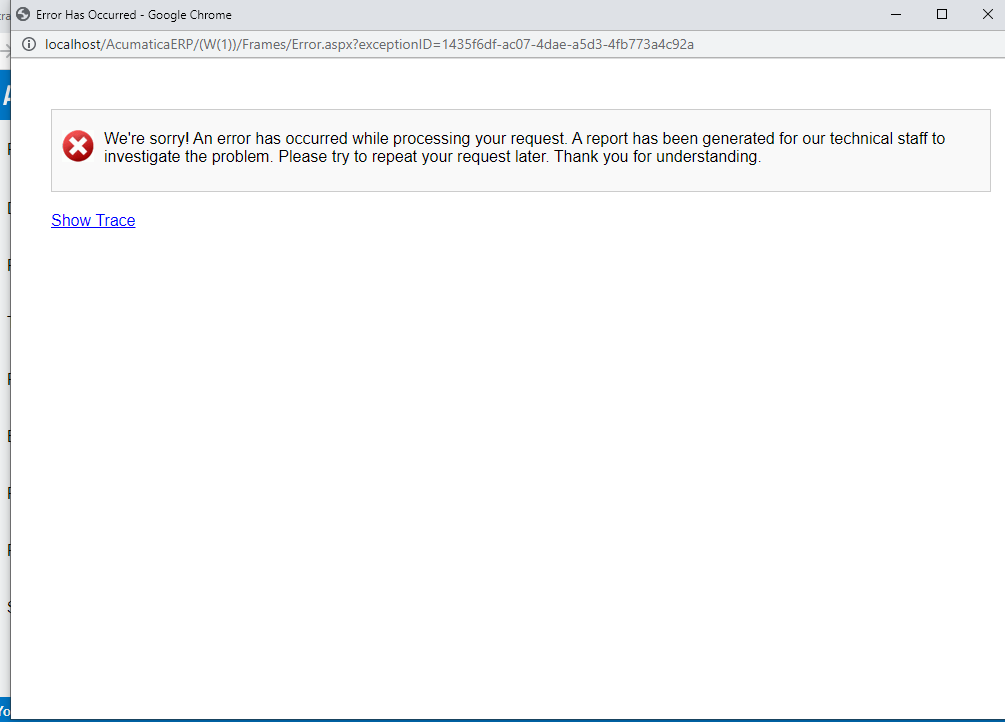
When I was clicked on pencil above error is occurred as shown in screen shot  :x:

View original

15 replies

jinin
Pro I
Forum|alt.badge.img+12
  • Pro I
  • Dec 14, 2021 9:45 AM UTC

Hi @ShahidaValiSyed04 

Can you please click the Show trace link and share the trace? So we can check the exact issue.

Translate

Forum|alt.badge.img+1


Translate

jinin
Pro I
Forum|alt.badge.img+12
  • Pro I
  • Dec 14, 2021 10:09 AM UTC

Hi @ShahidaValiSyed04 
 

As per the screenshot, OrderConsolidation customization is published in your instance. Can you  unpublish the package and check once

I checked with my local instance with  sales demo data  and able to save the record.


Translate

Naveen Boga
Captain II
Forum|alt.badge.img+20
  • Captain II
  • Dec 14, 2021 10:10 AM UTC

Hi @ShahidaValiSyed04  Have you unpublished your customization and everything is good?

Translate

vivekm
Varsity III
Forum|alt.badge.img
  • Varsity III
  • Dec 14, 2021 10:11 AM UTC

@ShahidaValiSyed04 Can you share the build version where you are trying this, I have tried in 20R2 instance with Demo Data and there it’s working as expected. 
Also, if you have any customization packages published, can you unpublish all those and try once.

Translate

Forum|alt.badge.img+12
  • Acumatica Support Team
  • Dec 14, 2021 10:34 AM UTC

Hi @vivekm 

They are on 2021r1 21.108.0032 build. 

Could be customization related as @jinin suggested to check, we do need the Trace details to check further. 

Regards,

Translate

Forum|alt.badge.img+1

Hi @ShahidaValiSyed04  Have you unpublished your customization and everything is good?

I tried all above suggestions but its not working:disappointed_relieved:

Translate

Forum|alt.badge.img+1

Hi @ShahidaValiSyed04  Have you unpublished your customization and everything is good?

I am getting as below empty  * PLAN ORDER TYPE


Translate

Forum|alt.badge.img+12
  • Acumatica Support Team
  • Dec 14, 2021 12:22 PM UTC

hi @ShahidaValiSyed04 

Is there any detail reflected when you click on Expand all on Trace log ?

Regards,

Translate

Forum|alt.badge.img+1

@ShahidaValiSyed04 Can you share the build version where you are trying this, I have tried in 20R2 instance with Demo Data and there it’s working as expected. 
Also, if you have any customization packages published, can you unpublish all those and try once.


Translate

Forum|alt.badge.img+1

hi @ShahidaValiSyed04 

Is there any detail reflected when you click on Expand all on Trace log ?

Regards,

JUST AS ABOVE MY SCREEN SHOT , VERSTION & CUSTOMIZATION

Translate

Forum|alt.badge.img+12
  • Acumatica Support Team
  • Dec 14, 2021 12:27 PM UTC

Hi @ShahidaValiSyed04 

Create a Plan order type by selecting following option, select that on MRP preference and try save.  Since its mandatory column on MRP preference screen, that should not be blank. I am not sure if that is what has thrown the error. I will look forward to the results once you try this. 

Regards,

Translate

jinin
Pro I
Forum|alt.badge.img+12
  • Pro I
  • Dec 14, 2021 12:29 PM UTC

Hi @ShahidaValiSyed04 

Can you please follow the below steps.


       1. click on the pencil icon. 

  1. It will direct to open the Product Order Type (ScreenID - am201100)
  2. Insert a record
  3. Then select the value in the preference screen.
  4. Save the preference.
Translate

Forum|alt.badge.img+1

Hi @ShahidaValiSyed04 

Can you please follow the below steps.


       1. click on the pencil icon. 

  1. It will direct to open the Product Order Type (ScreenID - am201100)
  2. Insert a record
  3. Then select the value in the preference screen.
  4. Save the preference.

When I was clicked on pencil above error is occurred as shown in screen shot  :x:

Translate

Forum|alt.badge.img+1

Thank you guys for responding. And I do not have Production Order Types (AM201100) data that’s why I am not able to get it.

Thanks

Thank you all……..:heart_eyes:

Translate