



Version 26.101.0225
I’ve modified the Customers screen (AR303000) in Modern UI to add a detail grid to the Contact tab and to add some action buttons above the grids.
In my development environment, everything looks as it should:
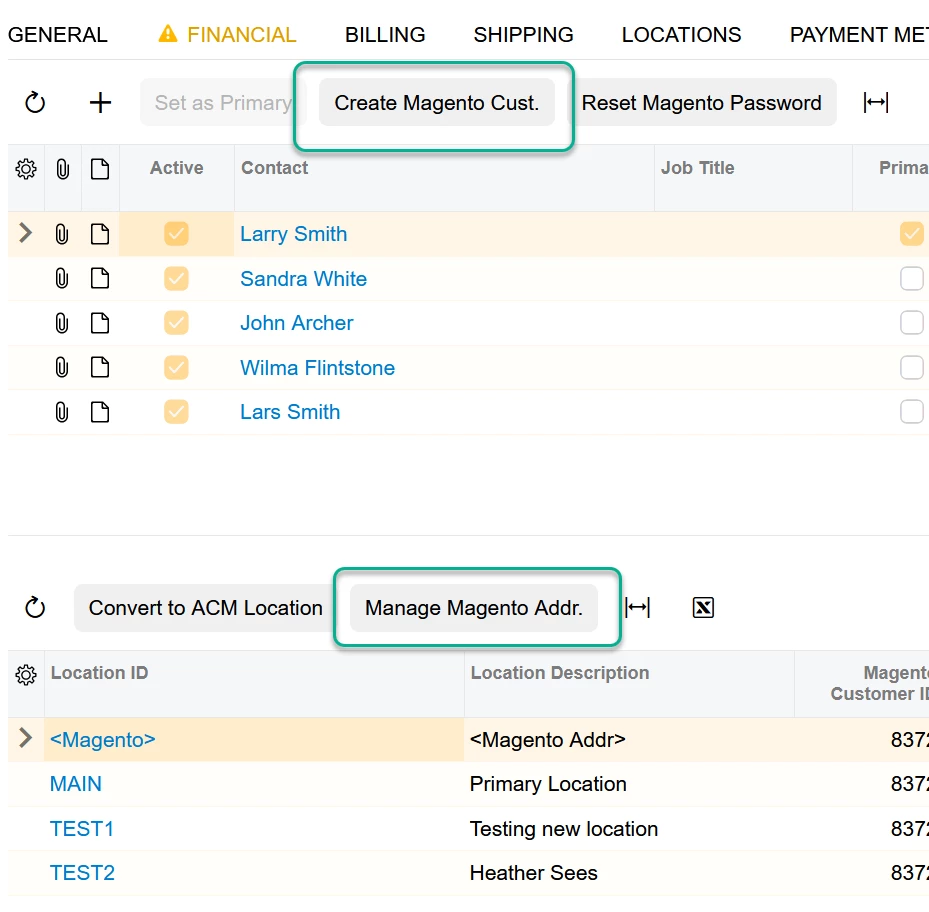
When I publish this to the sandbox environment, two of the buttons are missing:
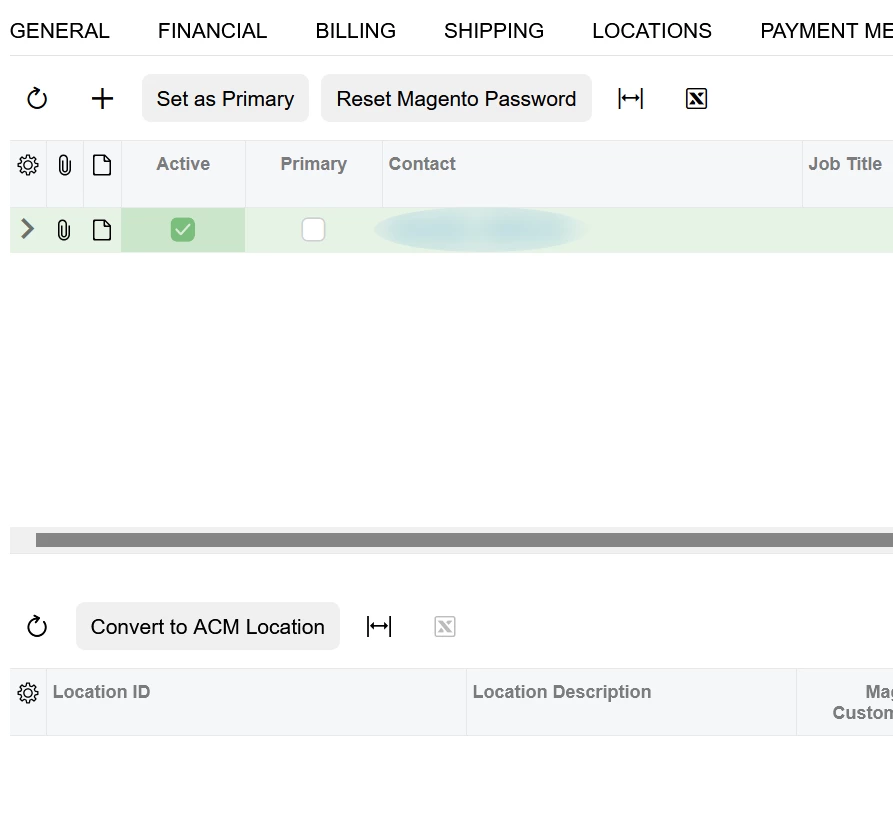
Using F12 to view the source I can see that the missing PXActionState code is there. The button is simply not visible.
How might I go about figuring out why it isn’t appearing?
C# and TS code below:
public PXAction<CRContact> ResetMagentoPassword;
[PXButton(Category = "ECommerce")]
[PXUIField(DisplayName = "Reset Magento Password", MapEnableRights = PXCacheRights.Select, MapViewRights = PXCacheRights.Select)]

...

public PXAction<CRContact> CreateMagentoCustomer;
[PXButton(Category = "ECommerce")]
[PXUIField(DisplayName = "Create Magento Cust.", MapEnableRights = PXCacheRights.Select, MapViewRights = PXCacheRights.Select)]

...

export interface ContactDetail_TPMagentoMods_generated extends ContactDetail { }
@gridConfig({
  preset: GridPreset.ReadOnly,
  syncPosition: true,
  allowUpdate: false,
  adjustPageSize: true,
  showFilterBar: GridFilterBarVisibility.OnDemand,
  quickFilterFields: ["DisplayName", "Salutation", "EMail", "Phone1"],
  autoRepaint: ["MagentoCustomerLinkForContact"],
})
export class ContactDetail_TPMagentoMods_generated {

  CreateMagentoCustomer: PXActionState;
  ResetMagentoPassword: PXActionState;

  UsrIsMagentoCustomer: PXFieldState;
  UsrMagentoCustID: PXFieldState;
}