Solved

Modern UI grid custom action buttons state wont refresh

  • March 31, 2026
  • 7 replies
  • 114 views

Forum|alt.badge.img

Hello everyone,

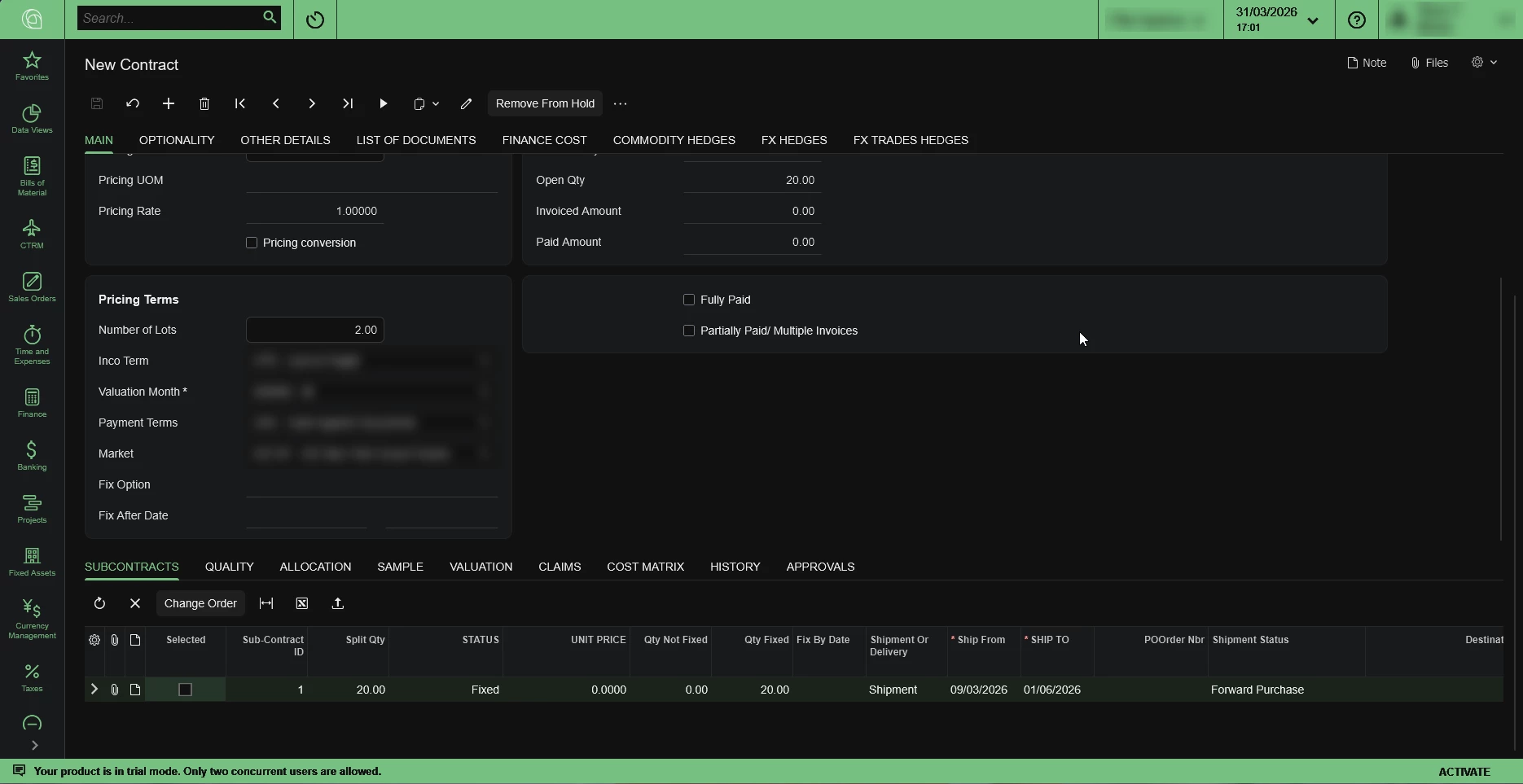
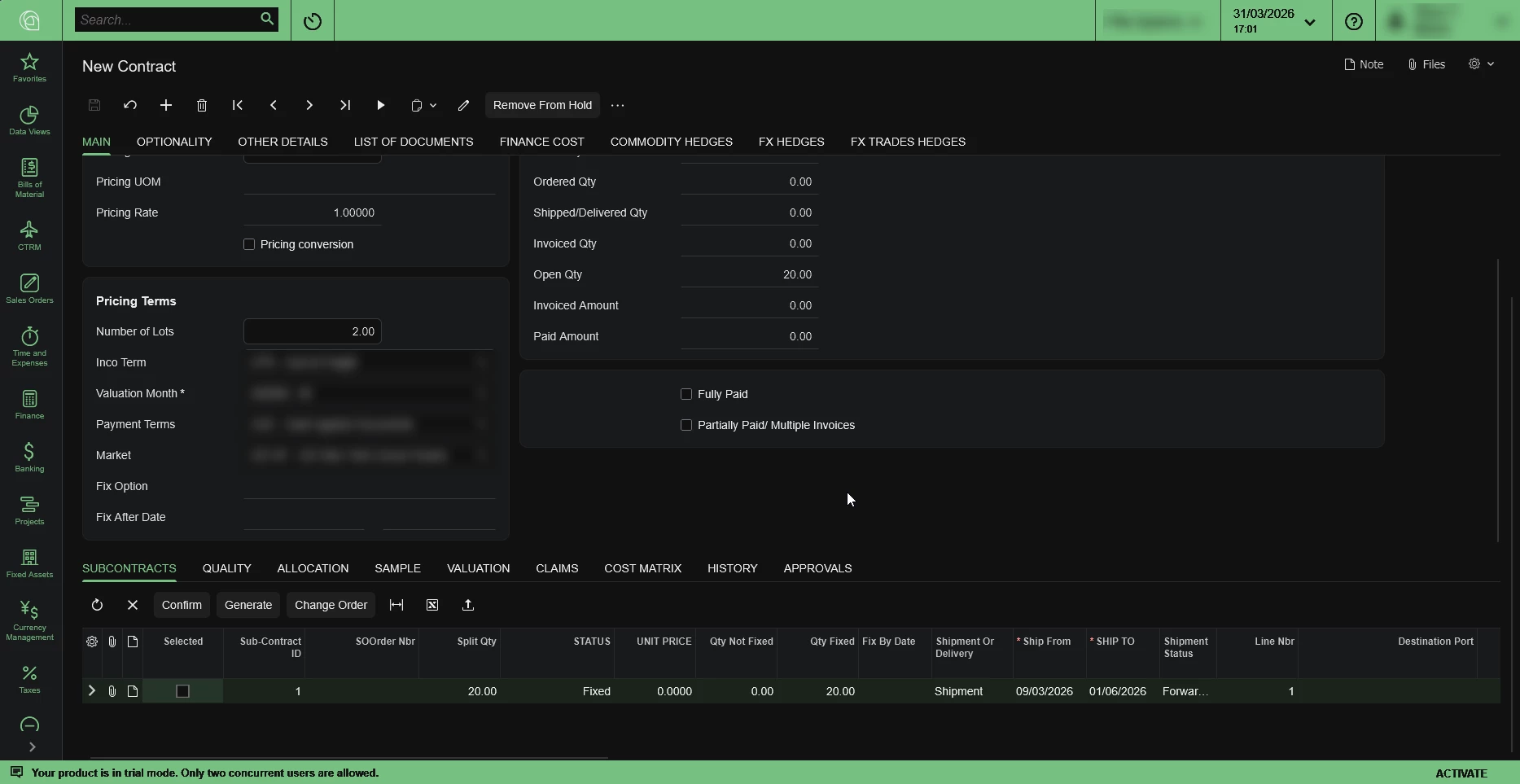
I’m having the following problem: I’m trying to convert a Classic UI screen into Modern UI and 3 of the buttons are not getting hidden for some reason but there’s a try that my colleague tried doing a while ago and the buttons are working as expected there but I’m unable to recreate them for some reason using the automatically converted screen into Modern UI. The buttons I’m having that issue are “Confirm, Generate and Change Order” also another thing I noticed is that we cant reuse the Transactions variable because if we do, the Subcontracts grid is not being automatically loaded on page refresh or load.
The version of Acumatica I’m working with is 2025 R2.
 
Here’s the automatically generated source code: 
I’ll have to paste the source code into pastebin since the source code is a bit too long and the post cannot be created

the HTML file
the TS file that contains the viewinfo
and the actual views TS file
 

now the files from my colleague:
The HTML file
the TS file
 

Now the C# code for the buttons:
the method of the Confirm button

the Change Order button method:

public PXAction<ArcContractLine> changeOrder;
[PXUIField(DisplayName = "Change Order")]
[PXButton]
protected virtual IEnumerable ChangeOrder(PXAdapter adapter)
{
if (PanelContract.AskExt(true) == WebDialogResult.OK)
{
ChangeOrderProceed();
}
throw new PXRefreshException();
}


and the Generate button method

Best answer by nikola74

Hi ​@nikola74 were you able to find a solution? Thank you!

Yes. It was happening because there was another screen extending the same graph and both screens were from different customizations (I don’t know if that matters) but what matters is that the other screen had higher priority and was being processed on publishing first before the screen I was working on. When I removed the other screen with higher priority, it all worked perfectly fine. The other way of solving it I think could be if we create an extension of that graph as a parent - child and use the child class on our new screen but that’s not tested its just similar to an issue I had with a grid view which was being reused and had similar issue where it was being reused on the same screen but in a different tab and the grid view was being automatically loaded just on one of the tabs so that’s how I solved it

7 replies

Forum|alt.badge.img+1
  • Pro I
  • March 31, 2026

Instead of --> throw new PXRefreshException();

Use this return adapter.Get();

I


Forum|alt.badge.img
  • Author
  • Jr Varsity III
  • March 31, 2026

Instead of --> throw new PXRefreshException();

Use this return adapter.Get();

I

I’ll try that also but the weird thing is that the buttons are working as expected in my colleague’s screen and not in the generated source code from acumatica, even tho I tried replicating his code


Forum|alt.badge.img

Can you unpublish the package, publish with cleanup, Restart your local IIS and try once? 


Forum|alt.badge.img
  • Author
  • Jr Varsity III
  • March 31, 2026

Can you unpublish the package, publish with cleanup, Restart your local IIS and try once? 

I did that also but still nothing. Tried overwriting the generated files with the files from my colleague but still nothing, the only difference is the screen class name


Forum|alt.badge.img
  • Author
  • Jr Varsity III
  • March 31, 2026

That’s the expected behavior 


And that’s whats happening


Chris Hackett
Community Manager
Forum|alt.badge.img
  • Acumatica Community Manager
  • July 21, 2026

Hi ​@nikola74 were you able to find a solution? Thank you!


Forum|alt.badge.img
  • Author
  • Jr Varsity III
  • Answer
  • July 21, 2026

Hi ​@nikola74 were you able to find a solution? Thank you!

Yes. It was happening because there was another screen extending the same graph and both screens were from different customizations (I don’t know if that matters) but what matters is that the other screen had higher priority and was being processed on publishing first before the screen I was working on. When I removed the other screen with higher priority, it all worked perfectly fine. The other way of solving it I think could be if we create an extension of that graph as a parent - child and use the child class on our new screen but that’s not tested its just similar to an issue I had with a grid view which was being reused and had similar issue where it was being reused on the same screen but in a different tab and the grid view was being automatically loaded just on one of the tabs so that’s how I solved it