Solved

insert data into the UploadFileRevision table

  • April 24, 2023
  • 10 replies
  • 372 views
  • Translate All

Forum|alt.badge.img

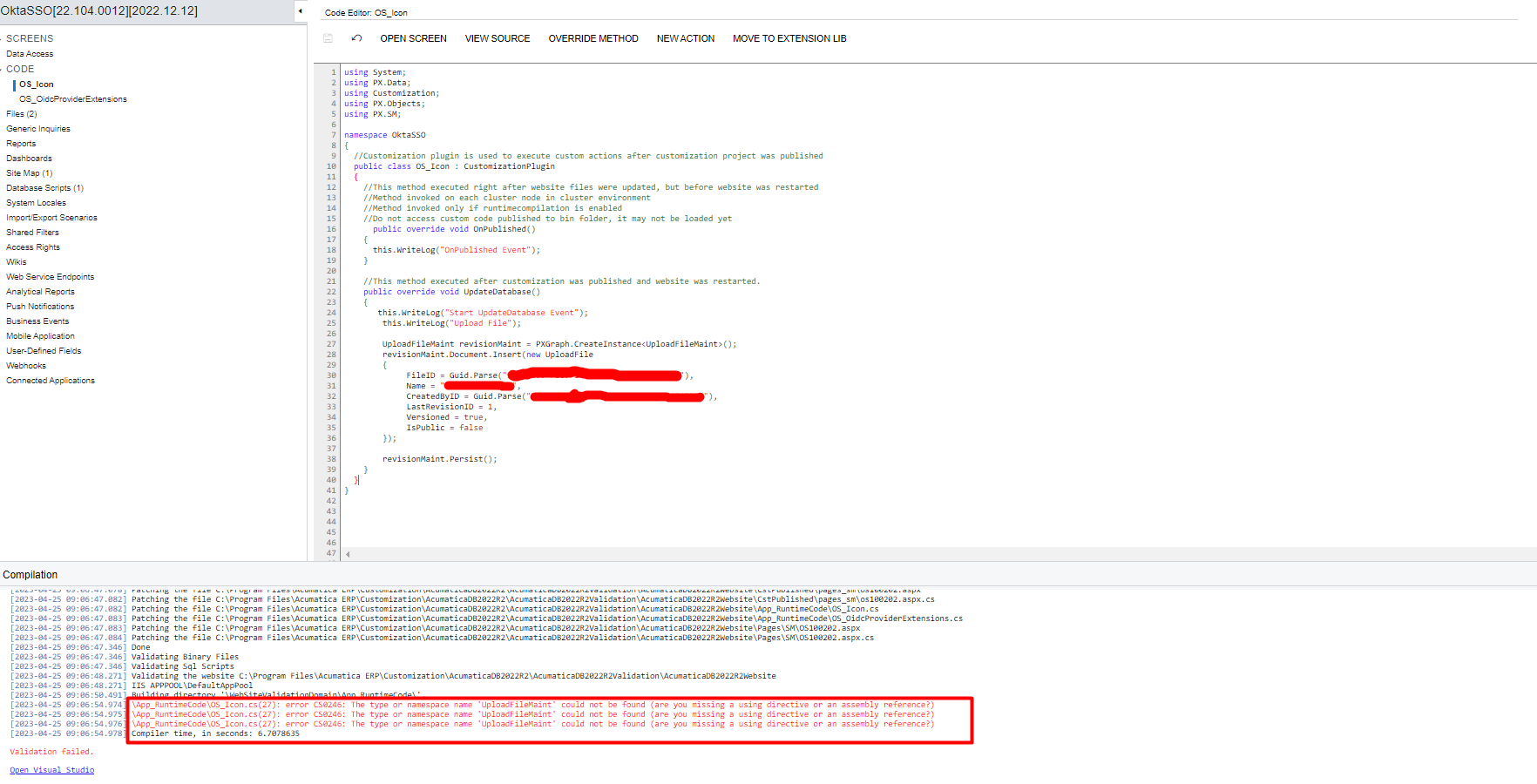
I'm trying to use UpdateDatabase to be able to insert my data into the UploadFileRevision table in the database without success.
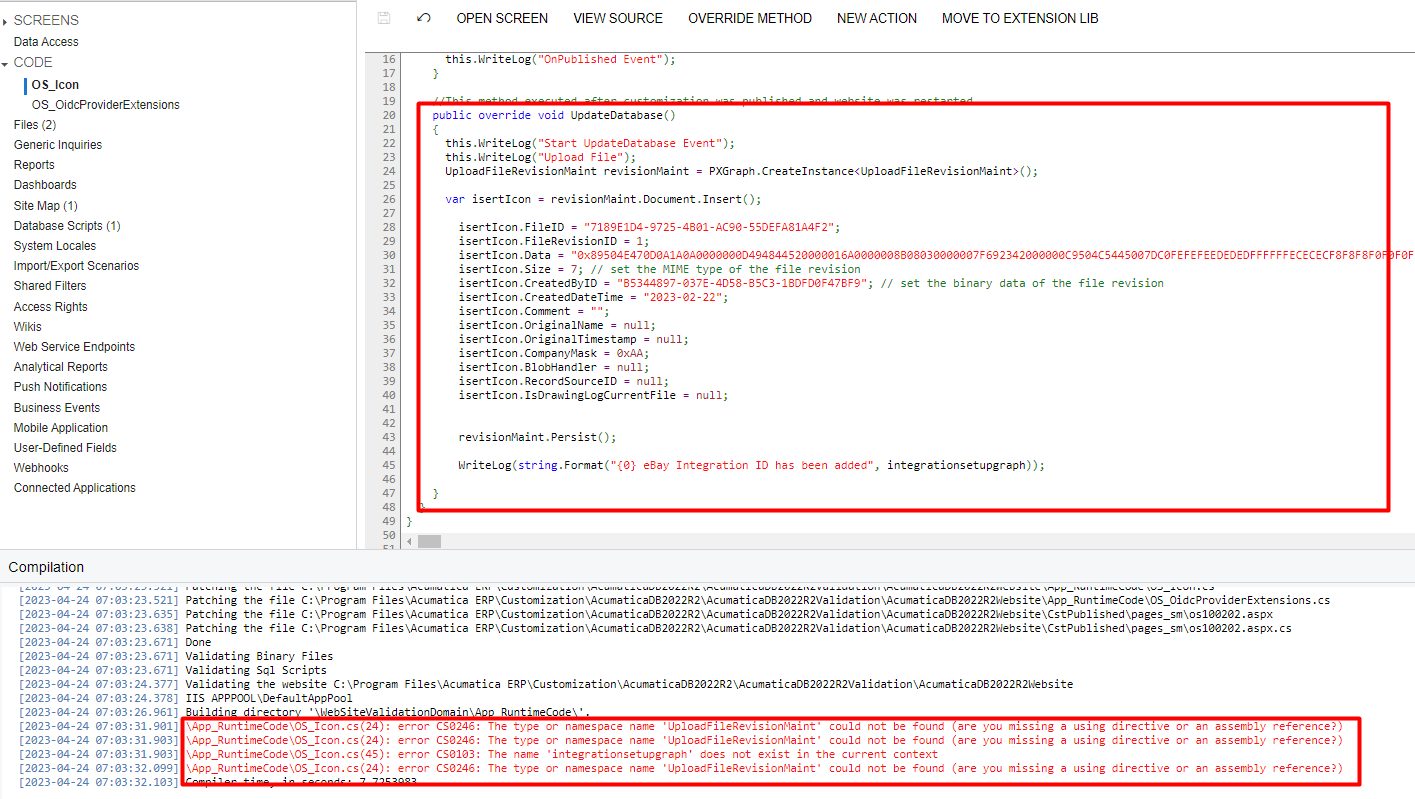
I don't know how to do the above request. ?


Best answer by darylbowman

Among other possibilities, I believe you need to update the record after setting the values and before persisting.

revisionMaint.Document.Update(isertIcon);

revisionMaint.Persist();

Alternatively, you could probably do something like this:

revisionMaint.Document.Insert(new UploadFileRevision
{
    FileID = "the ID",
// other properties
    IsDrawingLogCurrentFile = null

});

revisionMaint.Persist();

This should work because all the data is being inserted at once.


As for the errors, the graph you need to reference is UploadFileMaint, not UploadFileRevisionMaint, and it lives in the PX.SM library.

You’ll need to include

using PX.SM;

at the top of the page.

View original

10 replies

Naveen Boga
Captain II
Forum|alt.badge.img+20

Hi @phat  can you please attach above customization package here? 

Translate

darylbowman
Captain II
Forum|alt.badge.img+17

Among other possibilities, I believe you need to update the record after setting the values and before persisting.

revisionMaint.Document.Update(isertIcon);

revisionMaint.Persist();

Alternatively, you could probably do something like this:

revisionMaint.Document.Insert(new UploadFileRevision
{
    FileID = "the ID",
// other properties
    IsDrawingLogCurrentFile = null

});

revisionMaint.Persist();

This should work because all the data is being inserted at once.


As for the errors, the graph you need to reference is UploadFileMaint, not UploadFileRevisionMaint, and it lives in the PX.SM library.

You’ll need to include

using PX.SM;

at the top of the page.

Translate

Forum|alt.badge.img

Among other possibilities, I believe you need to update the record after setting the values and before persisting.

revisionMaint.Document.Update(isertIcon);

revisionMaint.Persist();

Alternatively, you could probably do something like this:

revisionMaint.Document.Insert(new UploadFileRevision
{
    FileID = "the ID",
// other properties
    IsDrawingLogCurrentFile = null

});

revisionMaint.Persist();

This should work because all the data is being inserted at once.


As for the errors, the graph you need to reference is UploadFileMaint, not UploadFileRevisionMaint, and it lives in the PX.SM library.

You’ll need to include

using PX.SM;

at the top of the page.


the missing error image is importing the "Using PX.SM" library;

this is the answer
Translate

Forum|alt.badge.img
  • Author
  • Freshman I
  • April 25, 2023

Hi @phat  can you please attach above customization package here? 

Here is that ustomization package

Translate

Forum|alt.badge.img
  • Author
  • Freshman I
  • April 25, 2023


Among other possibilities, I believe you need to update the record after setting the values and before persisting.

revisionMaint.Document.Update(isertIcon);

revisionMaint.Persist();

Alternatively, you could probably do something like this:

revisionMaint.Document.Insert(new UploadFileRevision
{
    FileID = "the ID",
// other properties
    IsDrawingLogCurrentFile = null

});

revisionMaint.Persist();

This should work because all the data is being inserted at once.


As for the errors, the graph you need to reference is UploadFileMaint, not UploadFileRevisionMaint, and it lives in the PX.SM library.

You’ll need to include

using PX.SM;

at the top of the page.


I tried this solution but still got the error.


Translate

darylbowman
Captain II
Forum|alt.badge.img+17

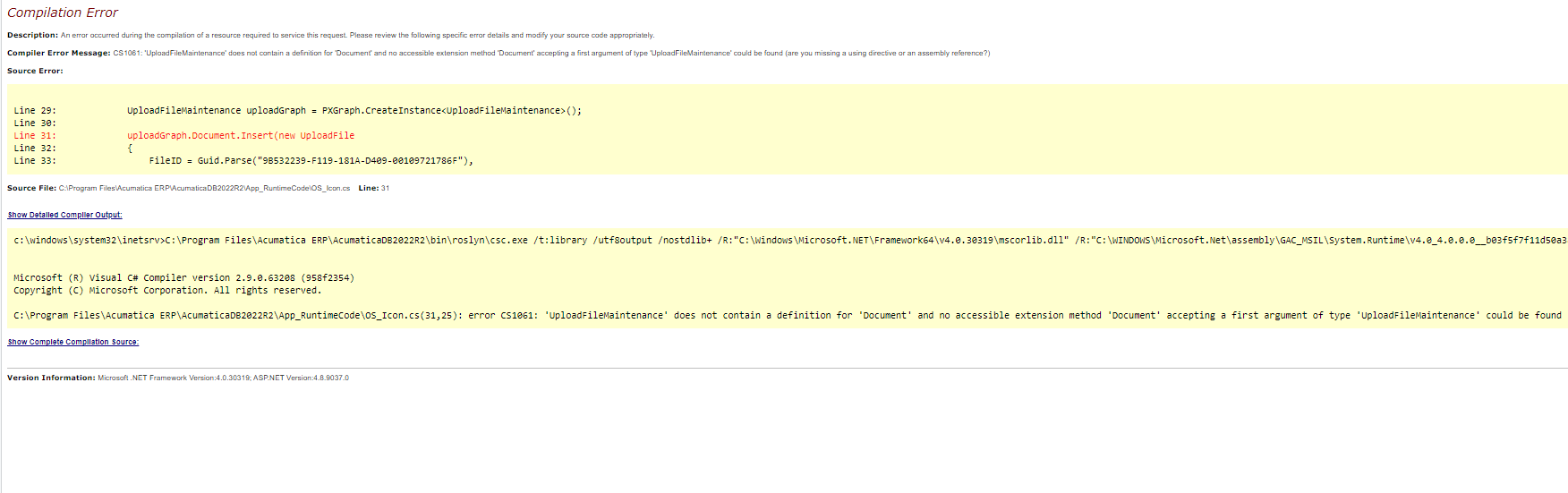
Sorry, UploadFileMaintenance

Translate

Forum|alt.badge.img
  • Author
  • Freshman I
  • April 26, 2023

Sorry, UploadFileMaintenance

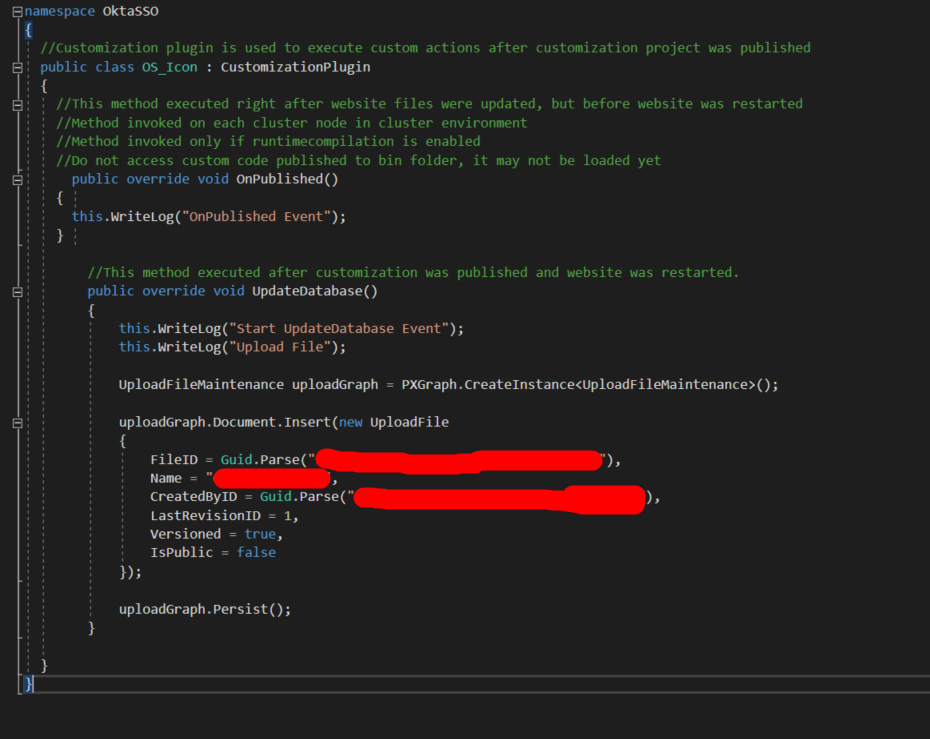
​I tried and it seems UploadFileMaintenance does not contain Document

 
Translate

Forum|alt.badge.img
  • Author
  • Freshman I
  • April 26, 2023

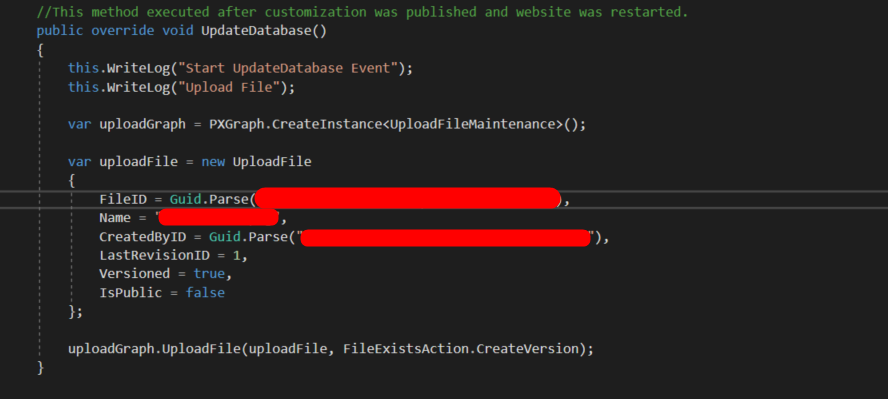
I've tried the same way with no success


Translate

darylbowman
Captain II
Forum|alt.badge.img+17

I wasn’t giving you working code. I was making you aware of the conventions and best practices that Acumatica uses. I assumed the basics of the code you had was mostly correct already.

I can’t speak for all the developers here, but I’m not here to write customizations for free. I have limited time in a day, and I pay bills like everyone else. Generally, I’m guessing most are here helping people because they remember what it’s like to start out kinda lost.

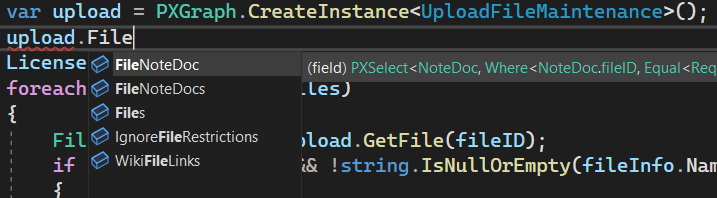
On that, note, in Visual Studio, here is the list of likely candidates for the main view:


I’d put my money on ‘Files’.

Turns out it’s kinda difficult to tell from the UI where files actually go.

Translate

Forum|alt.badge.img
  • Author
  • Freshman I
  • May 10, 2023

I wasn’t giving you working code. I was making you aware of the conventions and best practices that Acumatica uses. I assumed the basics of the code you had was mostly correct already.

I can’t speak for all the developers here, but I’m not here to write customizations for free. I have limited time in a day, and I pay bills like everyone else. Generally, I’m guessing most are here helping people because they remember what it’s like to start out kinda lost.

On that, note, in Visual Studio, here is the list of likely candidates for the main view:


I’d put my money on ‘Files’.

Turns out it’s kinda difficult to tell from the UI where files actually go.

Thanks for your help. ♡♡♡
 I have solved my problem.

Translate