Answer

How to use User Defined Field in the Project Allocation Rules formula

  • February 19, 2024
  • 4 replies
  • 105 views

Forum|alt.badge.img

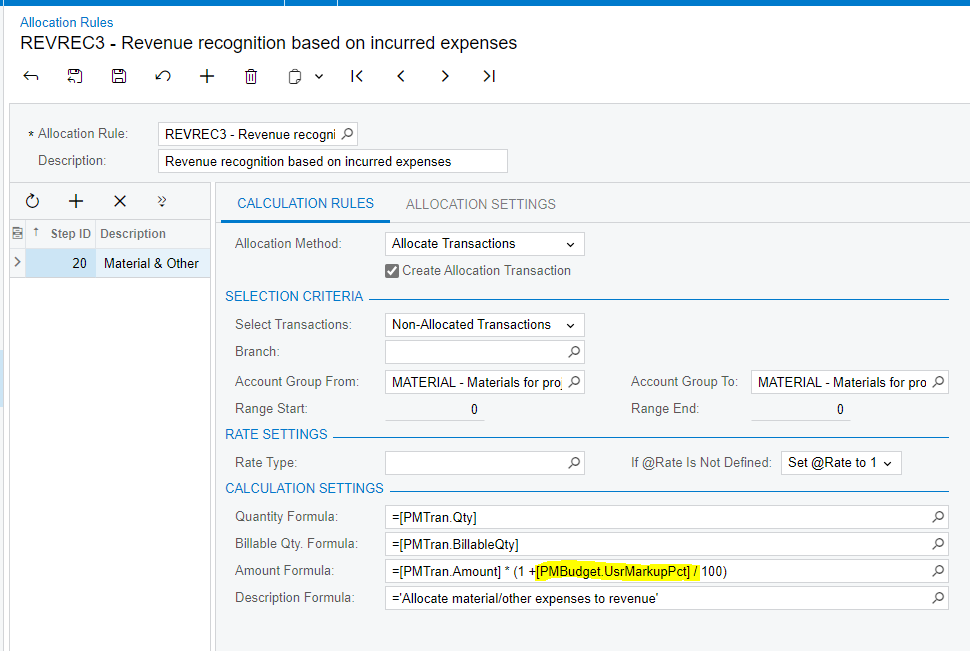
I create a user defined field UsrMarkupPct in PMCostBudget. How can I user this field in the Allocation Rules formula?

I tried Amount Formula = =[PMTran.Amount] * (1 +[PMBudget.UsrMarkupPct] / 100)

But it doesn’t work.


Best answer by junmao01

No. I end up with a customization that overwrite the method CalculateFormulas in the PMAllocator graph.

4 replies

Laura03
Captain II
Forum|alt.badge.img+19
  • Captain II
  • February 19, 2024

Hello,

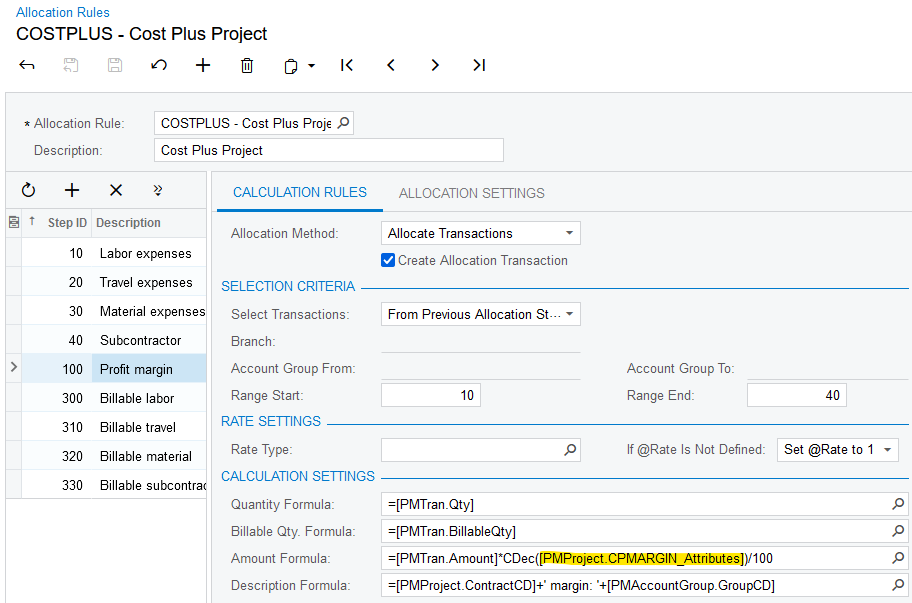
I have successfully used Attributes in Allocation Rules.  I understand, you are using a UDF field …. somewhat different.  I hope the example is similar enough to be helpful to you:


If this doesn’t answer your question, can you explain what “It doesn’t work” means in more detail, and show an error?

Thanks!

Laura


Forum|alt.badge.img
  • Author
  • Varsity I
  • February 22, 2024

@Laura02 

I tried PMBudgetExt.UsrMarkupPct, but get error message PMBudgetExt not found.


Chris Hackett
Community Manager
Forum|alt.badge.img
  • Acumatica Community Manager
  • April 1, 2024

Hi @junmao01 were you able to find a solution? Thank you!


Forum|alt.badge.img
  • Author
  • Varsity I
  • Answer
  • April 1, 2024

No. I end up with a customization that overwrite the method CalculateFormulas in the PMAllocator graph.