

Solved

How to set default sort order for Appointment Details

  • October 4, 2024
  • 2 replies
  • 197 views
  • Translate All

Forum|alt.badge.img

On Appointment screen I wants to set default sort order on Line Status column.
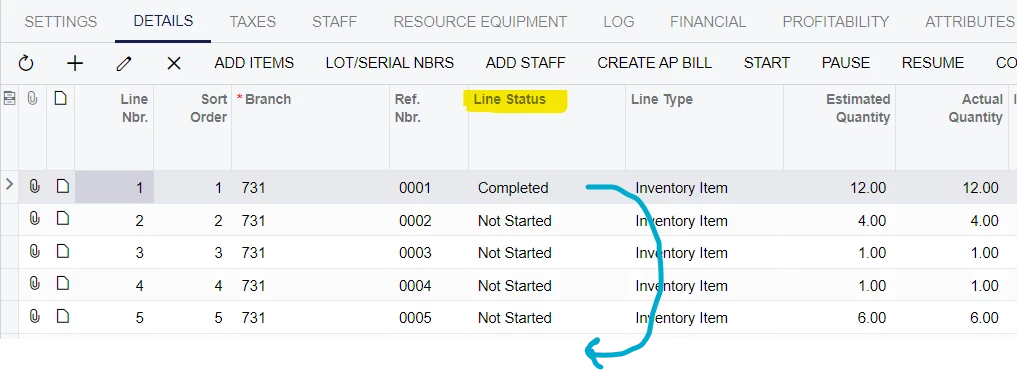
Reason is Not Started items should be visible first. 

This helps a lot in Acumatica mobile application.

I cannot find any help to set default sorting column. Is it possible or any other way to make this possible.

“AppointmentDetails” view is used for it in “AppointmentEntry” graph.

 

Best answer by bjani23

I get answer from 


View original

2 replies

dcomerford
Captain II
Forum|alt.badge.img+16

@bjani23 It will need a customisation this post might help


Translate

Forum|alt.badge.img
  • Author
  • Jr Varsity III
  • Answer
  • October 4, 2024

I get answer from 


Translate

