Solved

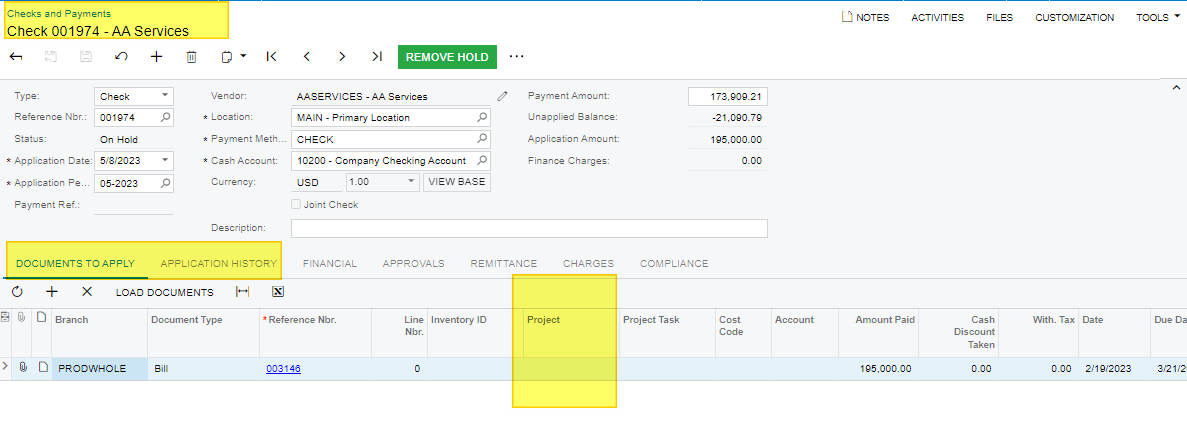
How to Display Project ID in "Check and Payments - AP302000" screen Acumatica

  • June 23, 2023
  • 3 replies
  • 133 views

Forum|alt.badge.img

Hi Team,

how I can display Project Id, if the payemnt is created without “PayByLine” in Check and Payments screen. I know if the payments are created using “PayByLine” it will display the Project details. I could see the ProjectID field in Payments screen is linked backed APTran table which is the source for Bills.

Kindly help me on this.


Regards,

Ramya Krishna

Best answer by laurabarber45

Hello,

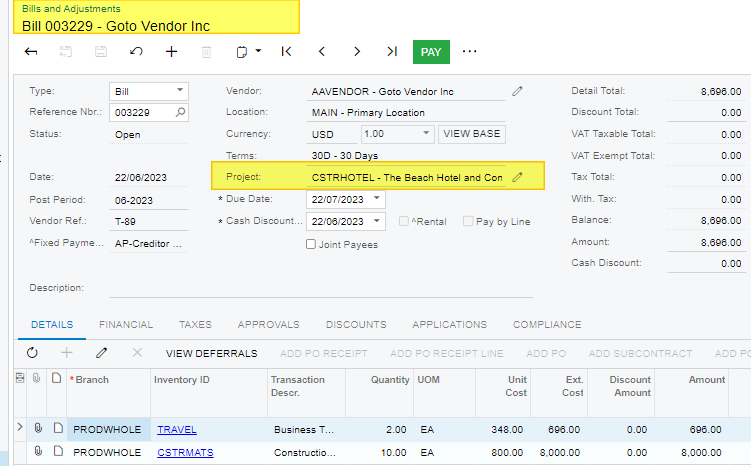
I see there is a project on the Bill header and it doesn’t carry over to the Check Screen.  Therefore I think a customization will be needed to show the Bill’s Project on the Checks & Payments screen when Pay by Line is turned off.  I’m sorry; I think this isn’t the answer you hoped for.

Laura

3 replies

laurabarber45
Captain II
Forum|alt.badge.img+19
  • Captain II
  • 3140 replies
  • June 23, 2023

Hello,

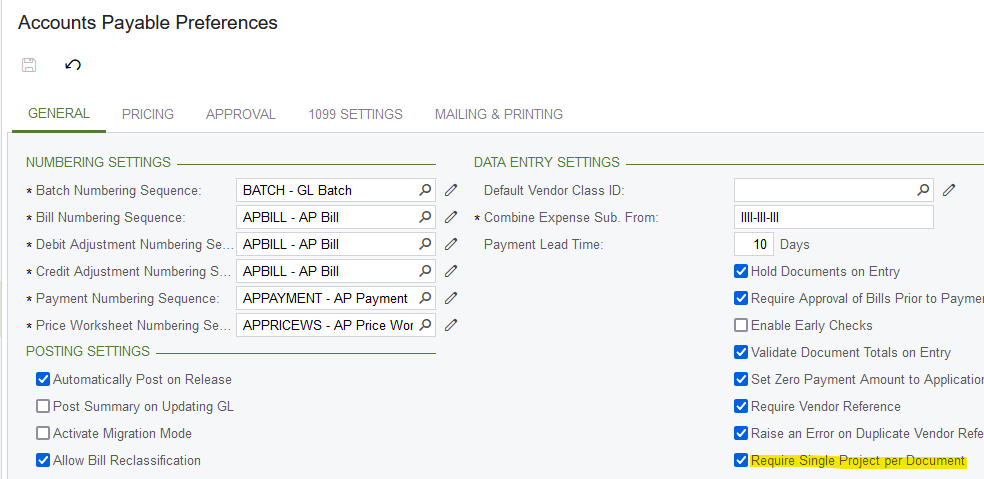
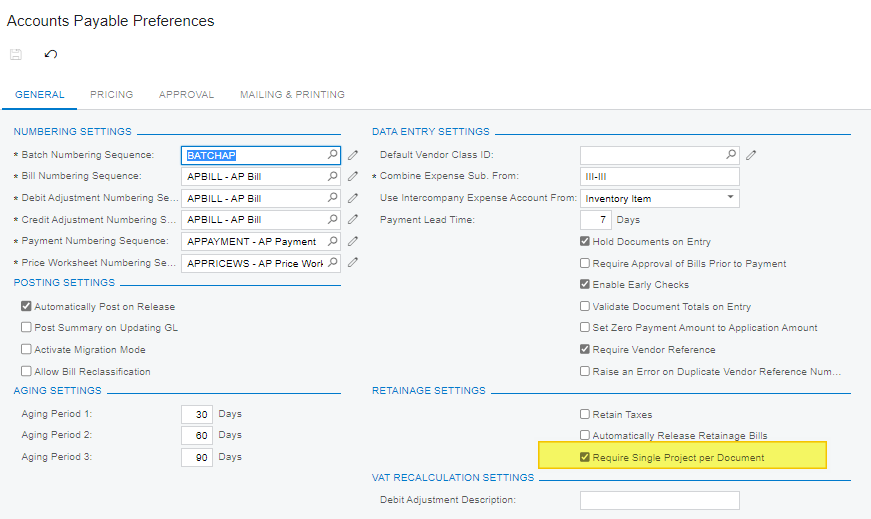
Is Require Single Project per Document checked ON in AP Preferences? When not checked, the project is recorded on each line item of AP Bill instead of header of AP Bill.


Forum|alt.badge.img
  • Author
  • Jr Varsity III
  • 59 replies
  • June 26, 2023

Hi @Laura02,

“Require Single Project” option has been enabled already. But, still it doesn’t brings in the Project details from Bills to Check. Please help me to check.


Regards,

Ramya Krishna


laurabarber45
Captain II
Forum|alt.badge.img+19
  • Captain II
  • 3140 replies
  • Answer
  • June 26, 2023

Hello,

I see there is a project on the Bill header and it doesn’t carry over to the Check Screen.  Therefore I think a customization will be needed to show the Bill’s Project on the Checks & Payments screen when Pay by Line is turned off.  I’m sorry; I think this isn’t the answer you hoped for.

Laura