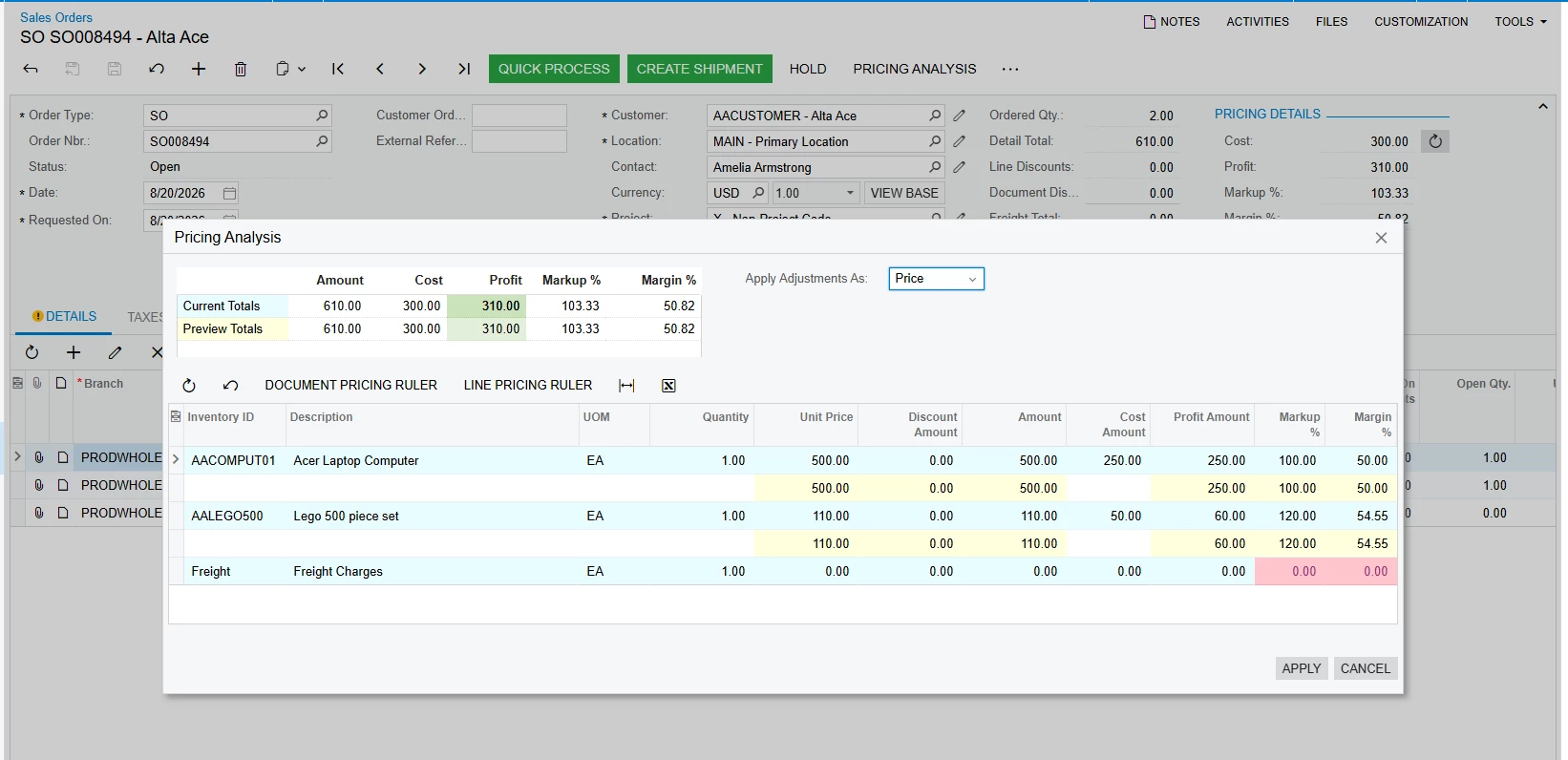
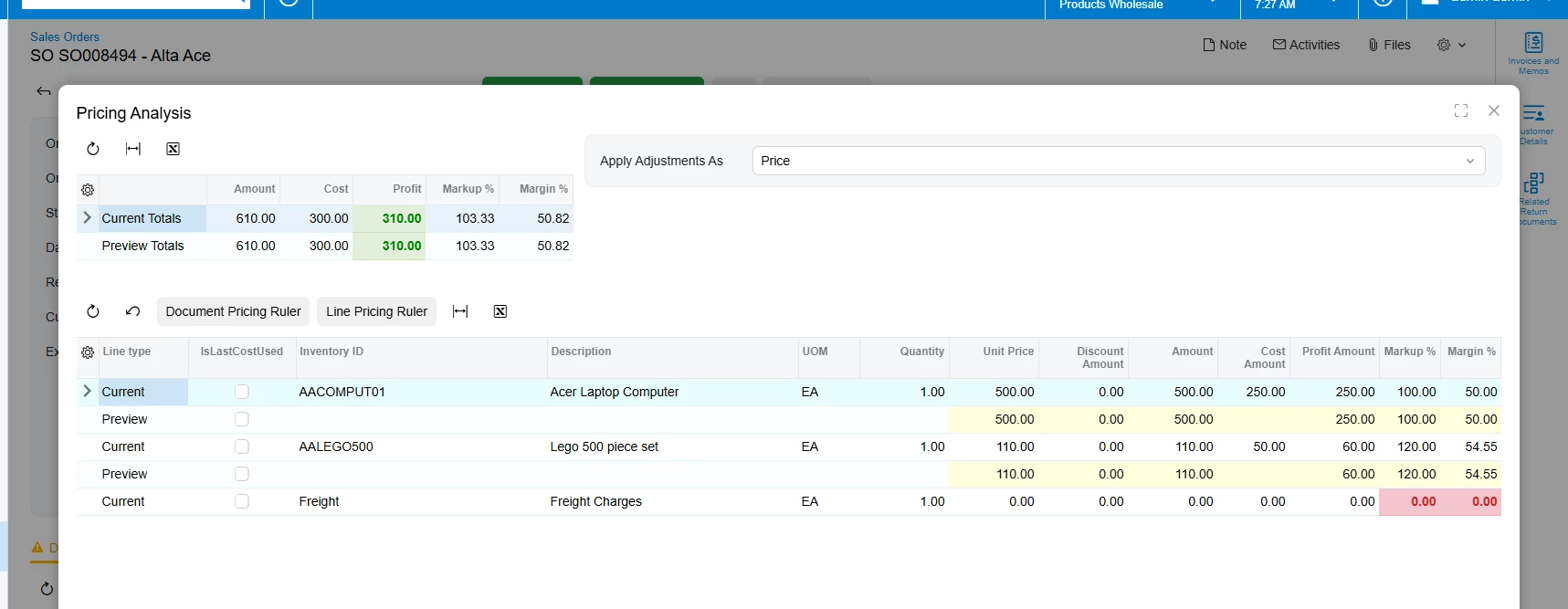
We are using the PXPricingAnalysis package, which includes a Pricing Analysis smart panel popup action. When the popup is opened in the Classic UI, the grid applies specific row and cell colors based on the data.
Currently, this coloring is handled in the graph using the `Page_Load` event. The implementation creates CSS styles using `PXStyle` and applies them to the `PXGrid` rows/cells through `RowDataBound`.
Could anyone please guide us on the recommended way to implement this same row-level and cell-level coloring in Modern UI for this smart panel/grid?
I have included the relevant Classic UI implementation below for reference.
<!-- Anchors panel to the main Sales Order form context --> <qp-panel id="PricingAnalysisPreviewHeaderFilter" after="main-form" caption="Pricing Analysis" auto-repaint="true" width="lg" height="85vh"> <qp-grid id="grdProfitPreview" view.bind="PricingAnalysisPreview"></qp-grid> </qp-panel> </template>
<!-- Anchors panel to the main Sales Order form context --> <qp-panel id="PricingAnalysisPreviewHeaderFilter" after="main-form" caption="Pricing Analysis" auto-repaint="true" width="lg" height="85vh"> <qp-grid id="grdProfitPreview" view.bind="PricingAnalysisPreview"></qp-grid> </qp-panel> </template>