


I have seen this come up in the Modern UI Issues thread. We are not live on 26R1 yet, but pop-up windows not reliably remembering their size has been an ongoing frustration during testing.
I found a workaround, but no documentation for it. Does anyone know how this actually works, or where it is documented? I would rather set it properly than rely on a browser-side hack.
26R1 (possibly earlier) appears to store pop-up window dimensions in the browser's local storage, keyed by screen ID. Adding or editing key/value pairs changes the size the pop-up opens at.
Example: from Sales Orders (SO301000), clicking the Customer ID link opens Customers (AR303000) in a pop-up window. By default it opens too small, and resizing it does not reliably persist. Adding or editing these keys in local storage makes it open at a consistent size:
AR303000_oheightAR303000_owidth
There are also iheight and iwidth keys. I do not know what distinguishes the "o" set from the "i" set. (Outer vs. inner frame, maybe?)
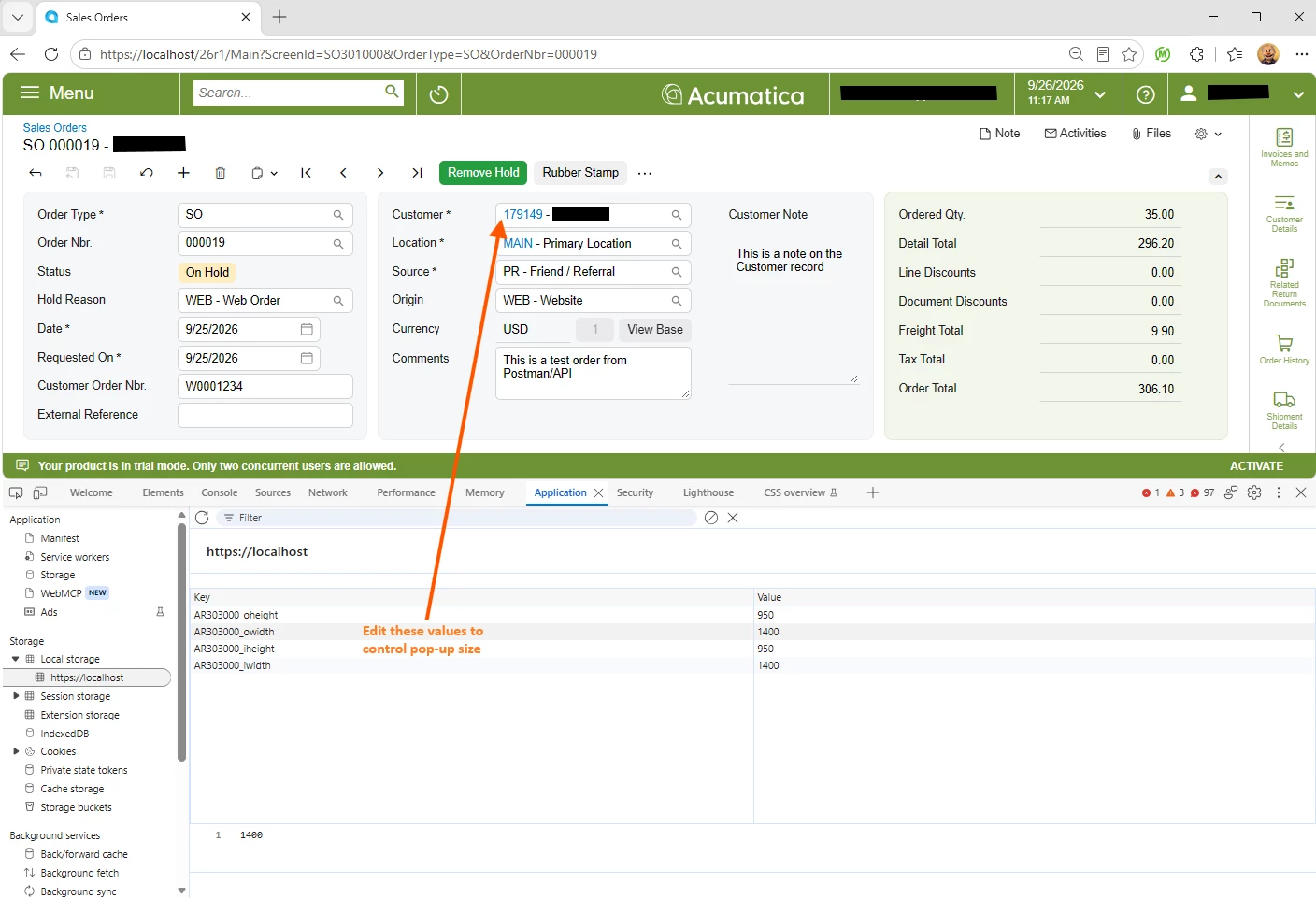
- What sets these values, and when?
- What is the difference between oheight/owidth and iheight/iwidth?
- Is there a supported, server-side way to set a default pop-up size per screen, so it applies to all users rather than per browser?
To be clear, I am not asking about the width and height attributes on a qp-panel. This is the other kind of pop-up described in the UI guide: a non-modal window containing a full Acumatica form, opened by clicking a link. I have not found any documented way to size that one.
Local storage is per browser and per user, so this workaround does not scale. Is there is a proper convention I am missing?