Solved

GI not filtering multi-select column correctly

  • June 12, 2023
  • 10 replies
  • 501 views
  • Translate All

davidrichards12
Freshman II
Forum|alt.badge.img

On the generic inquiry Production Order Maintenance, I’ve added column which is a multi-select field (Production Line(s)). “Production Line(s)” is a custom field on InventoryItem. On InventoryItem, I am storing the IDs of the production lines as a comma-separated string (eg. 1,4,5).


When I try to filter the Production Order Maintenance GI, the filter misbehaves.The results will sometimes show blank pages (although I know there are rows that match the filter) and the record count will show something like “1 to 0 of 1151”


Has anyone tried something like this? Is there a way to get this to work?
 

Best answer by Naveen Boga

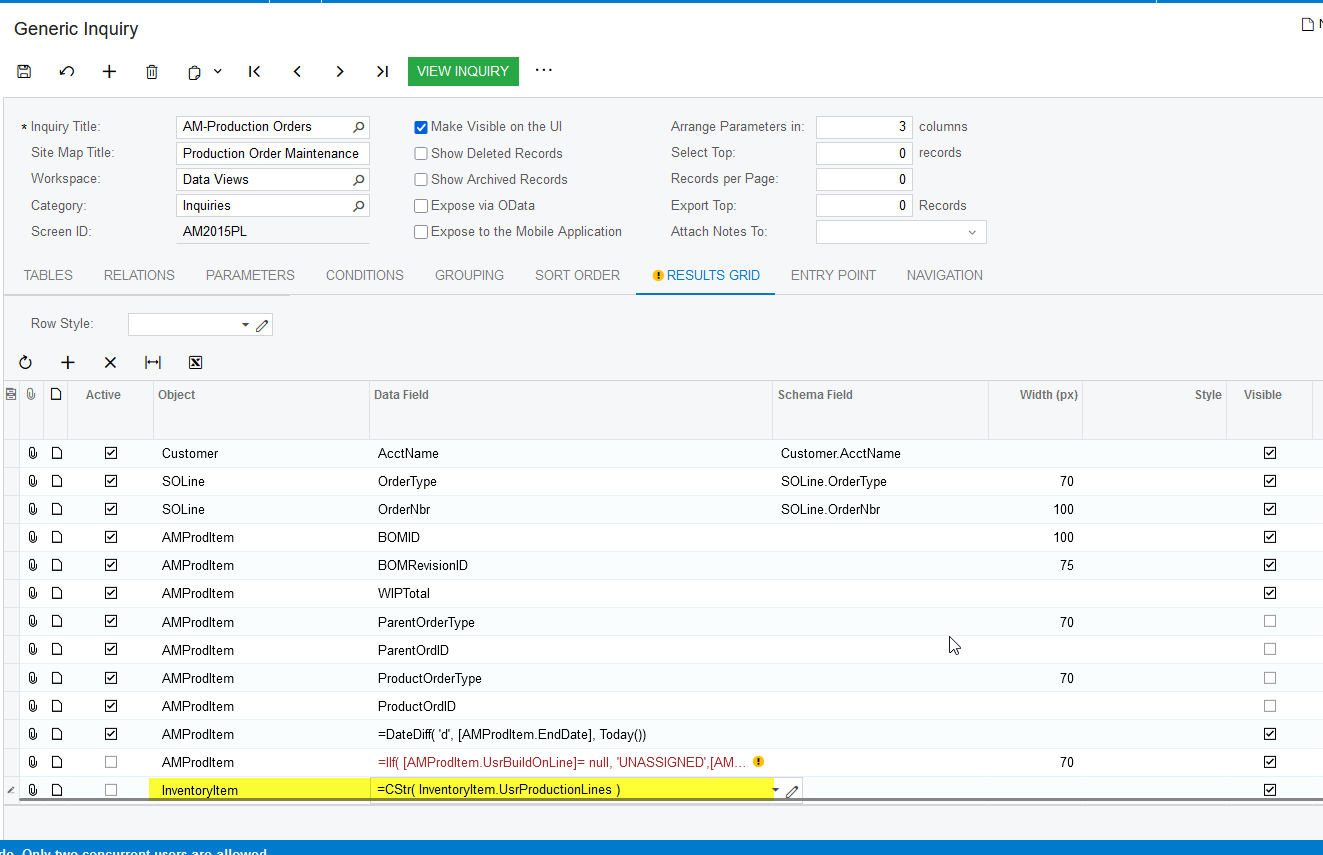
@davidrichards12  I can able to see the same behavior. To achieve the required results,  we need to make a minor modification like below. It is working as expected.

Instead of UsrProductionLines, you can just convert into String using CStr function like below

CStr( InventoryItem.UsrProductionLines )


Screenshot for reference.


View original

10 replies

RohitRattan88
Acumatica Moderator
Forum|alt.badge.img+5

@davidrichards12  

could you provide some additional details like screenshot of an InventoryItem, GI parameter and condition and behavior you see/expect for better assistance.

Translate

darylbowman
Captain II
Forum|alt.badge.img+17

Additional information would help. Are you filtering with Equals or Contains?

Translate

Naveen Boga
Captain II
Forum|alt.badge.img+20

@davidrichards12  Yes, please share the GI here (Export as XML and share it here)

Translate

davidrichards12
Freshman II
Forum|alt.badge.img

So, I changed it a little since the first post yesterday. I am no longer storing the IDs in the database, but the strings themselves. So, “Production Lines(s)” would be something like “Line 2,Line 3,Line 6”.


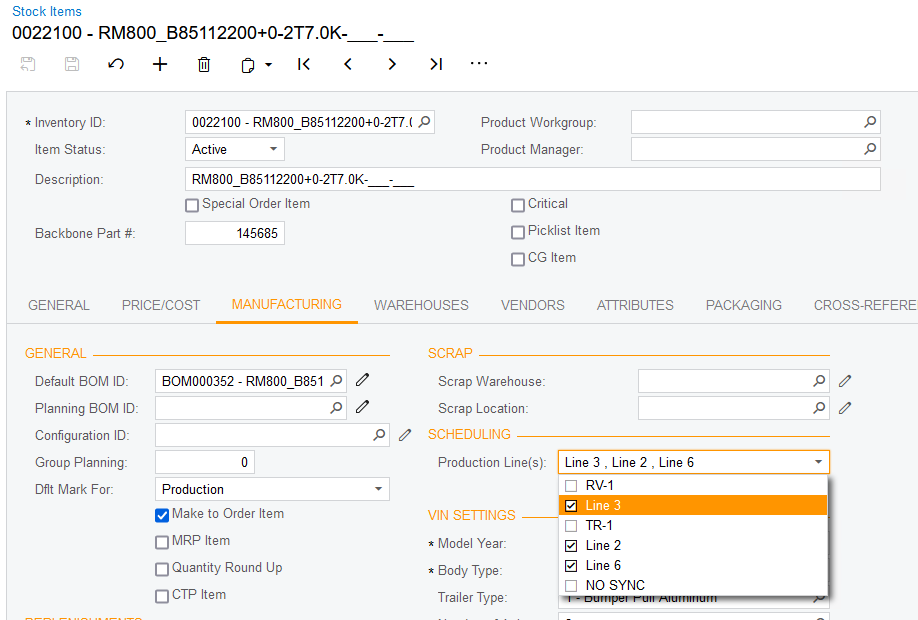
Here is a screenshot of that custom field in Stock Items:

Stock Items with custom field


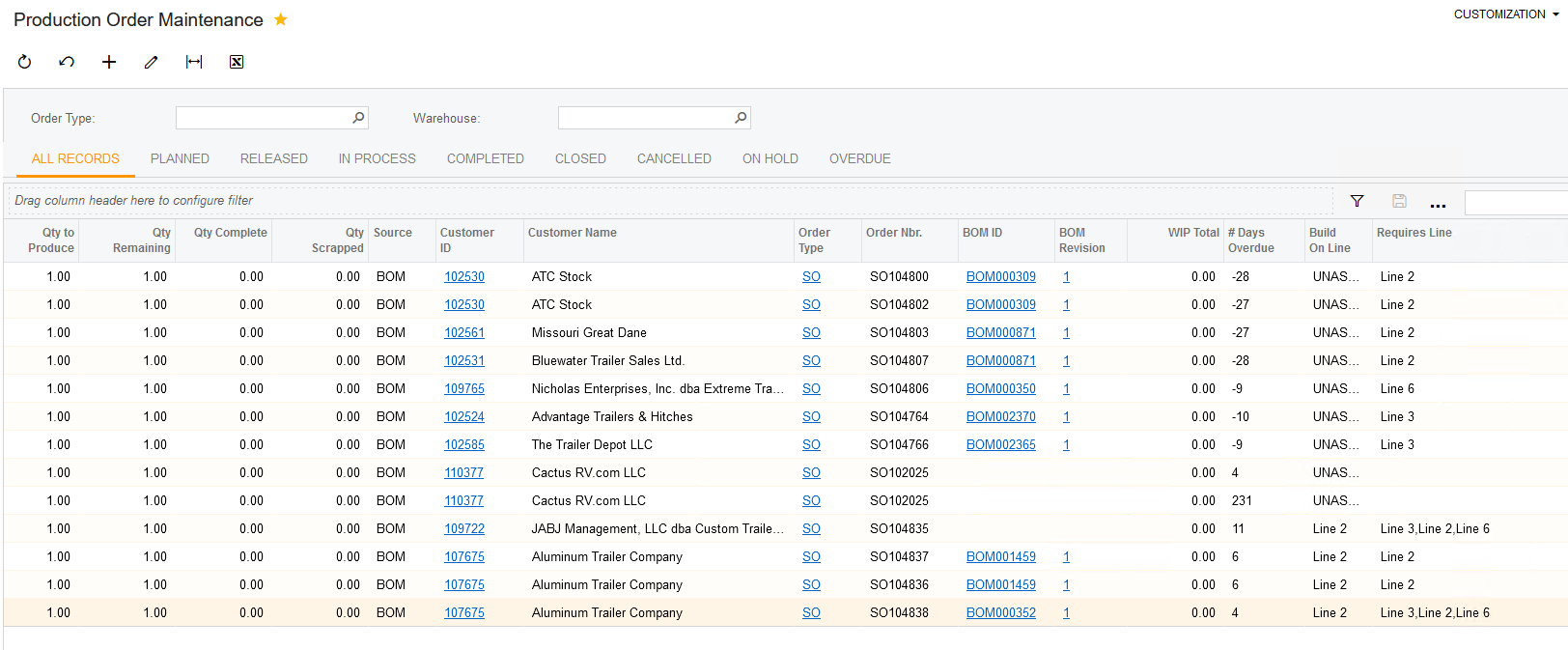
In the GI Production Order Maintenance, this field is being shown as “Requires Line” - see following screenshot:
 

Production Order Maintenance GI


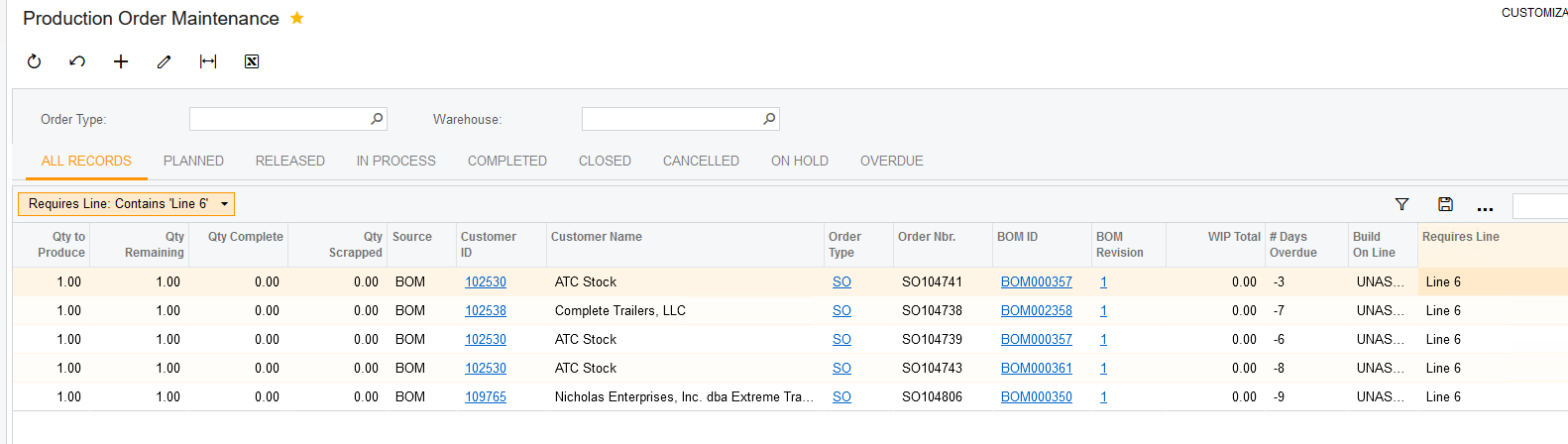
When I filter with something like Contains “Line 6”, I would expect it to find the rows with “Requires Line” equal “Line 6” and “Line 3,Line 2,Line 6”, but it only finds the “Line 6” rows.

Filtered with “Contains ‘Line 6’”

@Naveen Boga , I don’t see how to export the GI as XML. I see how to export as a Report, but not XML.


Translate

davidrichards12
Freshman II
Forum|alt.badge.img

I figured it out -- here’s the XML.

Translate

Naveen Boga
Captain II
Forum|alt.badge.img+20

Hi @davidrichards12  Thanks for sharing the GI here.

Translate

Naveen Boga
Captain II
Forum|alt.badge.img+20

@davidrichards12  I can able to see the same behavior. To achieve the required results,  we need to make a minor modification like below. It is working as expected.

Instead of UsrProductionLines, you can just convert into String using CStr function like below

CStr( InventoryItem.UsrProductionLines )


Screenshot for reference.


Translate

davidrichards12
Freshman II
Forum|alt.badge.img

Naveen, we actually got to the same conclusion. Thank you!

Translate

kmcalister58
Freshman II

I am running into a similar issue. I created a multi-select from a maintenance form and added it to the Contact screen. With this approach, could you add is as a filter on the GI and have it filter appropriately? 

Translate

darylbowman
Captain II
Forum|alt.badge.img+17

Yes, you can. However, if you compare against more than one selected value, you probably won't want to use Equals because it will match all selected values. Using several lines with Contains with one selected value joined by Or works well.

Translate