Answer

Generate Lotserialnbr in Purchase Orders

  • January 24, 2022
  • 1 reply
  • 136 views

Forum|alt.badge.img

Hello.

We have a Customer that would like to generate LotSerialNbrs already in the Purchase Orders and not in the Purchase Receipts as sort a “Comissionnumber”.

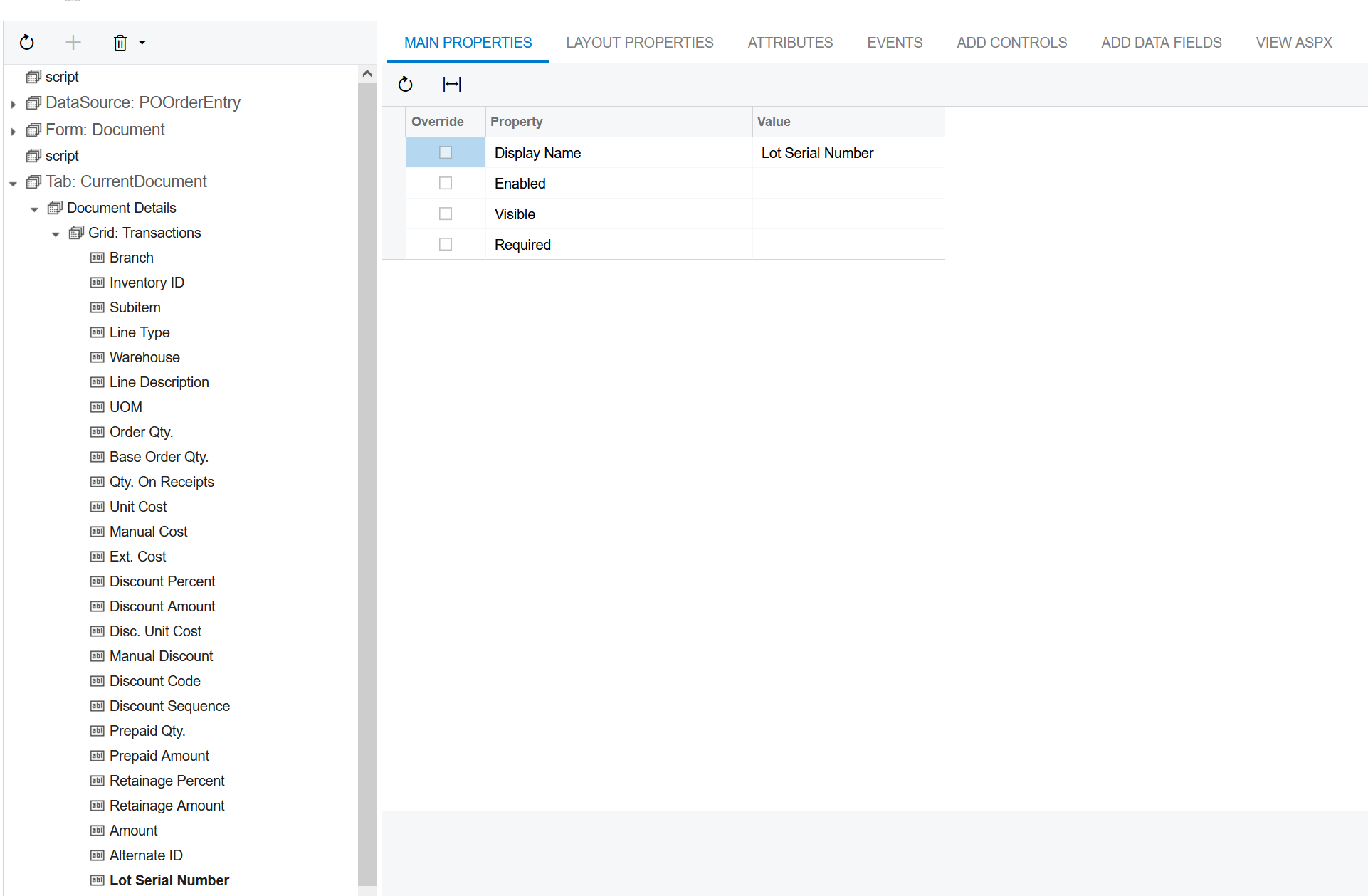
I noticed inside of the Customization Project Editor, that a field “Lot Serial Number” already exists inside of the Details Grid of the PurchaseOrders. But when i make it visible, there is no way to generate new Numbers and if i enter manually some numbers, they don’t get transfered to the Purchase Receipt.

Is there a way to make it usable?
Or maybe a already existing Customization/Way?


Greetings
Best answer by ChandraM

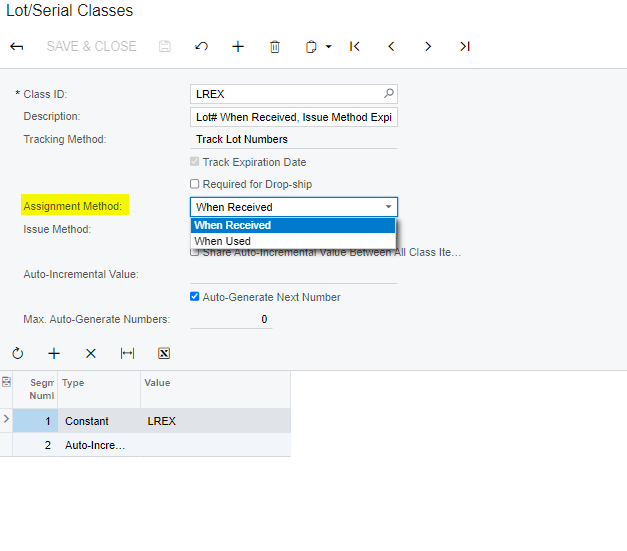
Hi @jwestermann17 As shown below, the lot or serial # is only assigned during a Receipt or Issue.

The Lot/serial does not goto receipt from PO.

One of the simple workaround would be :

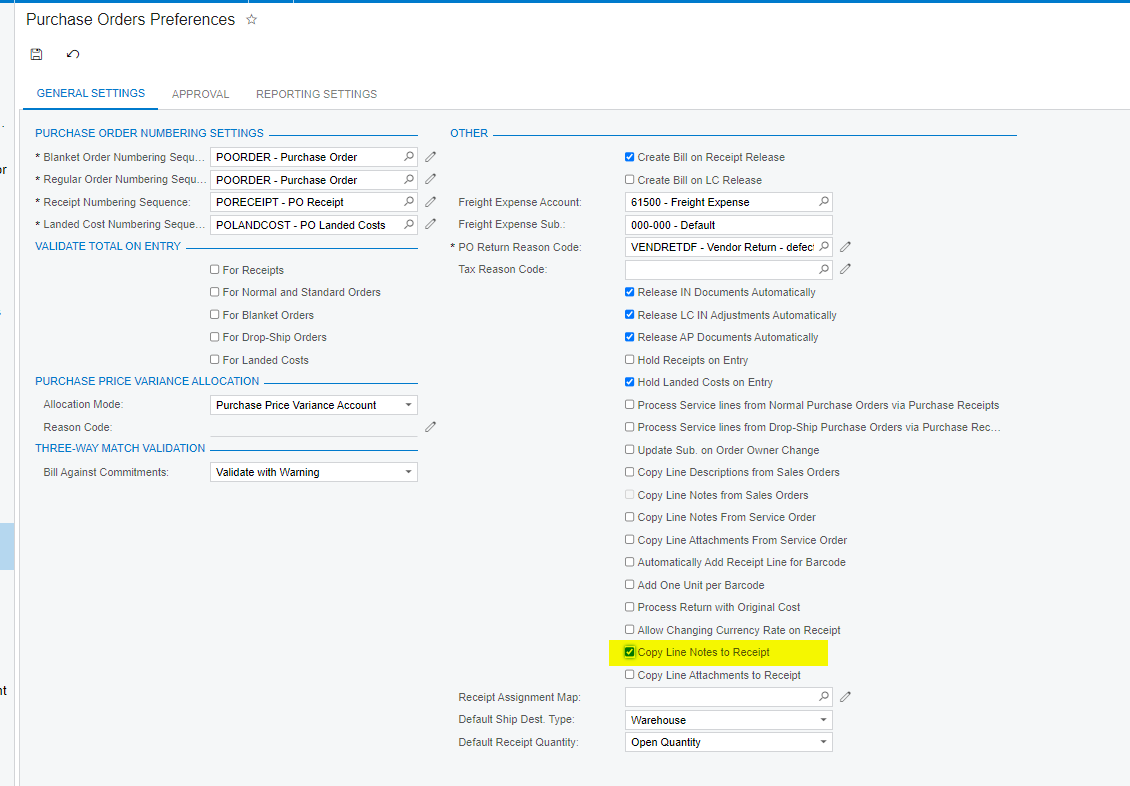
  1. to enable the “Copy line notes to receipt” (Shown below in PO  Preferences screen)
  2. Add the Lot/serial# to the line notes.
  3. Have to user to copy the lot/serial # from the notes to the Lot/serial field in Receipt lines. 

The other approach would be to customize without disturbing the existing fields.

Screenshot for references:

  1. Lot/Serial Classes settings


  1. Purchase Order preferences


1 reply

Forum|alt.badge.img+8
  • Semi-Pro I
  • Answer
  • January 24, 2022

Hi @jwestermann17 As shown below, the lot or serial # is only assigned during a Receipt or Issue.

The Lot/serial does not goto receipt from PO.

One of the simple workaround would be :

  1. to enable the “Copy line notes to receipt” (Shown below in PO  Preferences screen)
  2. Add the Lot/serial# to the line notes.
  3. Have to user to copy the lot/serial # from the notes to the Lot/serial field in Receipt lines. 

The other approach would be to customize without disturbing the existing fields.

Screenshot for references:

  1. Lot/Serial Classes settings


  1. Purchase Order preferences