



This is my first time doing a customization outside the T190 training course. In a local environment I created a customization project with four new fields. They are just text fields with no logic behind them. Everything works fine in the local environment. I then exported the customization and imported it into another instance. On the second instance the database fields got created and the text boxes show on the form. Unfortunately the fields don’t have any labels and data won’t save to those fields. I’m not sure if the extension library I created got moved to the second instance. The version of my local instance is 21.108.0032 and the version of the other instance is 21.104.0018. Not sure if that will make a difference or not. Attached is my customization project.
Solved
Exporting customization project
Best answer by Naveen Boga
Hi
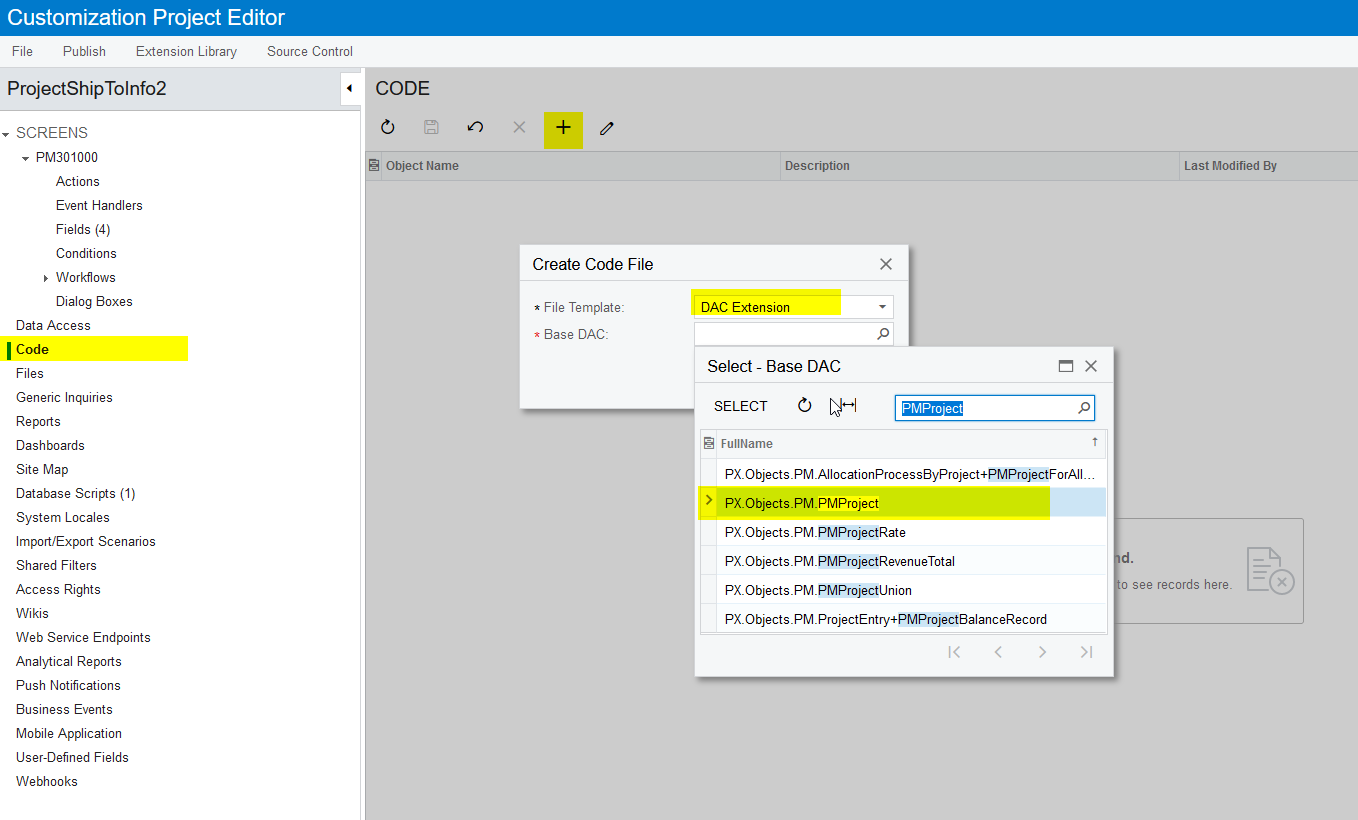
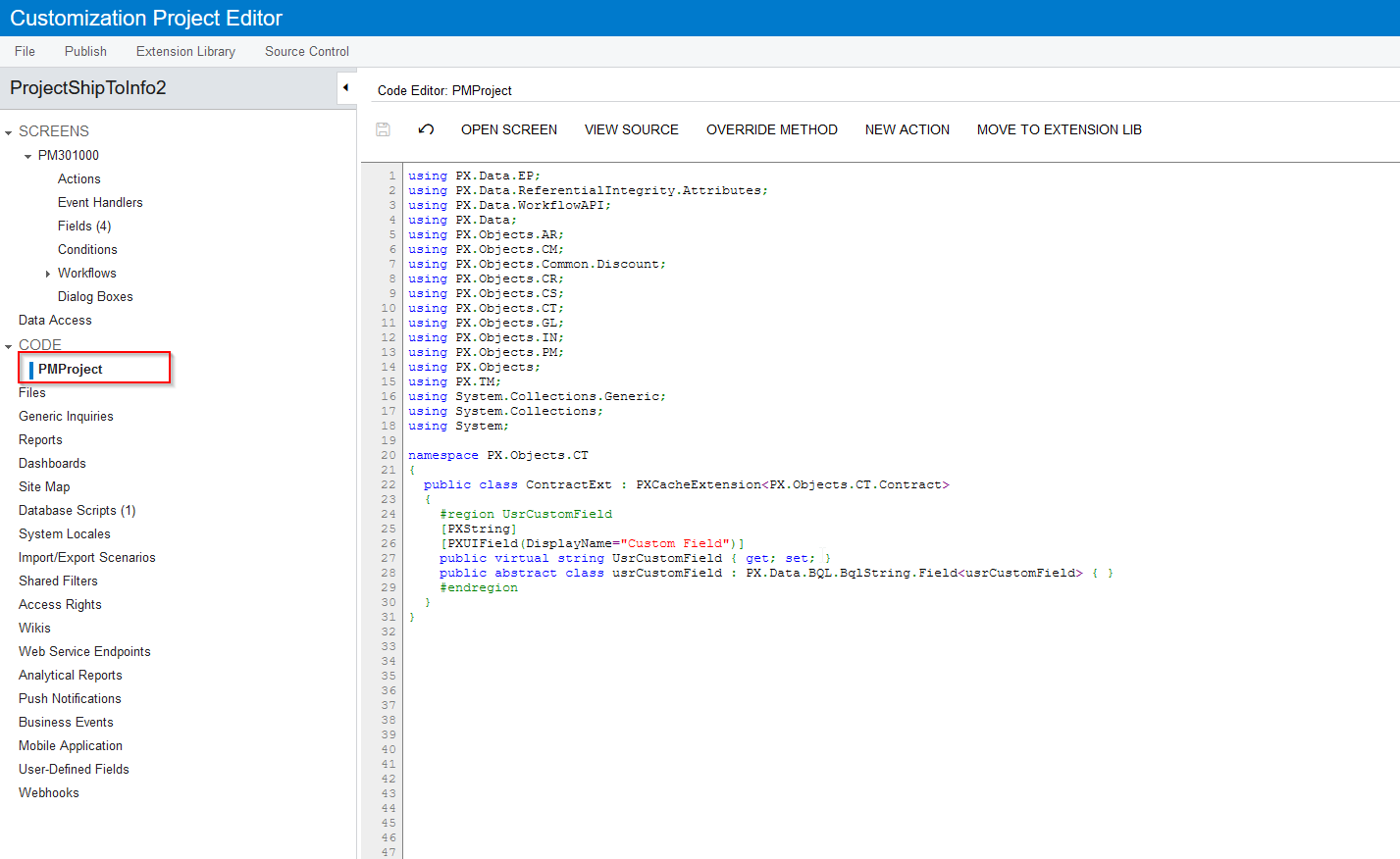
Please add that 4 fields in the PMProject Extension DAC and publish the package.



Enter your E-mail address. We'll send you an e-mail with instructions to reset your password.