

Solved

Error data input in classic UI

  • October 27, 2025
  • 6 replies
  • 143 views
  • Translate All

Forum|alt.badge.img

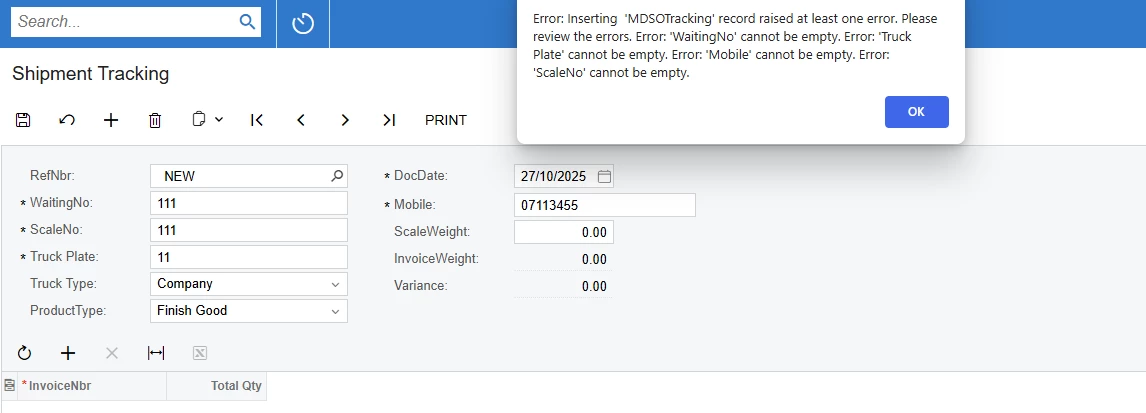
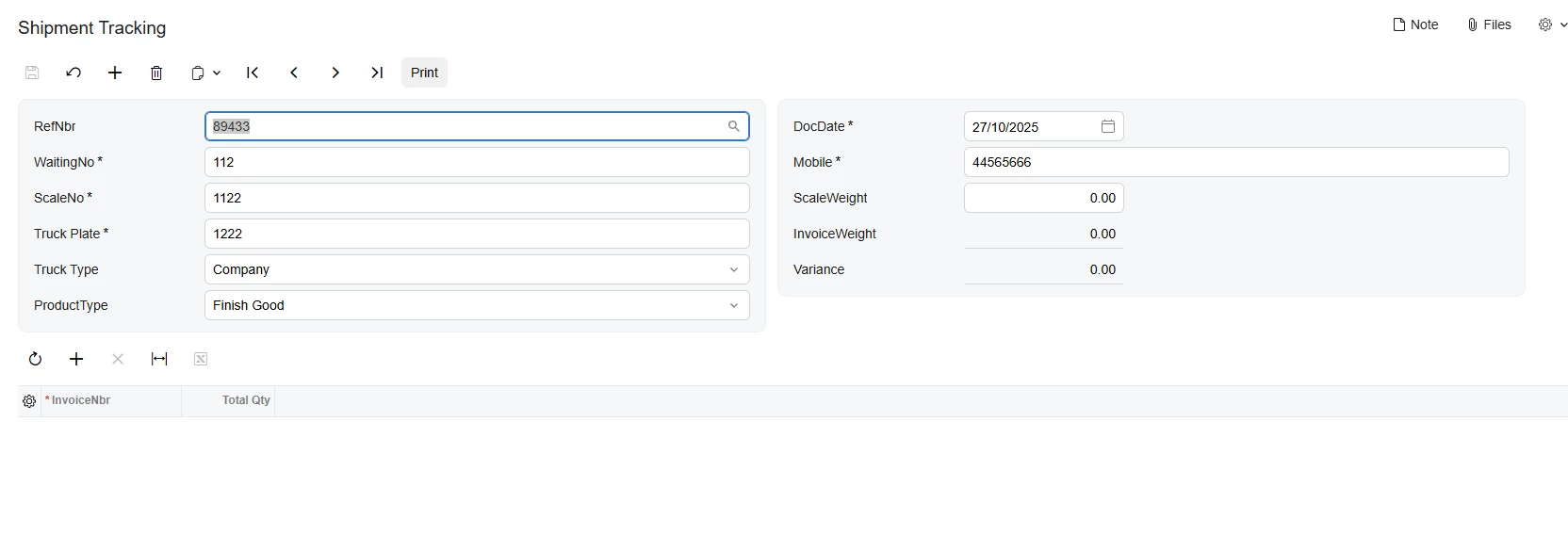
I have a problem when upgrade acumatica to 2025R2, my clissic ui input and save show error cann empty. But when I switch to moder ui cannot input and save normally. 

Best answer by aleksandrsechin

I’ve found the cause of the problem, and I believe this will resolve your issue.
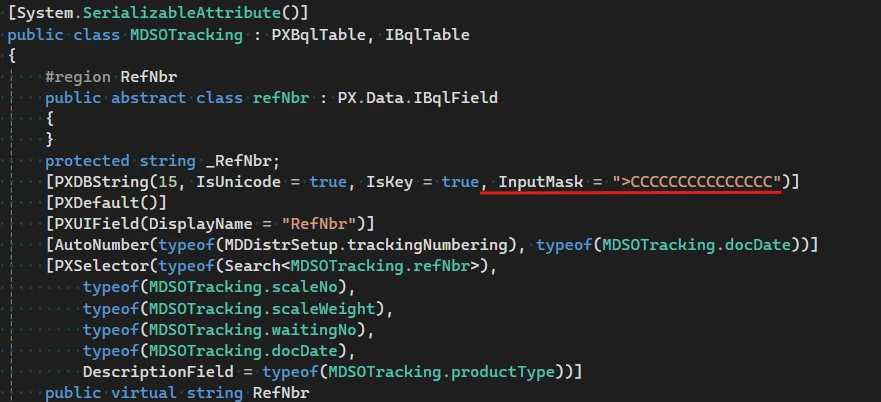
Please add the InputMask property to the PXDBString attribute of the RefNbr field as shown below:

[PXDBString(15, IsUnicode = true, IsKey = true, InputMask = ">CCCCCCCCCCCCCCC")]


View original

6 replies

Forum|alt.badge.img+4

Could you please share more details — for example, an ASPX code snippet of your form and the corresponding BLC view code?

Translate

Forum|alt.badge.img
  • Author
  • Freshman II
  • October 28, 2025

Could you please share more details — for example, an ASPX code snippet of your form and the corresponding BLC view code?

Here it is. Please help

Translate

Forum|alt.badge.img+4

I see that there’s no CommitChanges="True" property set for any field.
Please add this property for the RefNbr field (since it’s a key field) and for the ScaleWeight field (since it has a FieldUpdated event).
 

The absence of the CommitChanges property can lead to incorrect behavior, so it’s important to specify it.
 

Let’s start with that. After making these changes, let me know if the issue still occurs — if it does, we’ll dig deeper. It would also be helpful to check the Modern UI files’ code in this case.

Translate

Forum|alt.badge.img
  • Author
  • Freshman II
  • October 29, 2025

I see that there’s no CommitChanges="True" property set for any field.
Please add this property for the RefNbr field (since it’s a key field) and for the ScaleWeight field (since it has a FieldUpdated event).
 

The absence of the CommitChanges property can lead to incorrect behavior, so it’s important to specify it.
 

Let’s start with that. After making these changes, let me know if the issue still occurs — if it does, we’ll dig deeper. It would also be helpful to check the Modern UI files’ code in this case.

I add CommitChange = “True” but it doesn’t work.

Translate

Forum|alt.badge.img+4

I’ve found the cause of the problem, and I believe this will resolve your issue.
Please add the InputMask property to the PXDBString attribute of the RefNbr field as shown below:

[PXDBString(15, IsUnicode = true, IsKey = true, InputMask = ">CCCCCCCCCCCCCCC")]


Translate

Forum|alt.badge.img
  • Author
  • Freshman II
  • October 31, 2025

I’ve found the cause of the problem, and I believe this will resolve your issue.
Please add the InputMask property to the PXDBString attribute of the RefNbr field as shown below:

[PXDBString(15, IsUnicode = true, IsKey = true, InputMask = ">CCCCCCCCCCCCCCC")]


Thanks, It worked

Translate
