

Solved

Custom screen is not working

  • Mar 28, 2023 10:44 AM UTC
  • 4 replies
  • 626 views
  • Translate All

Forum|alt.badge.img

Hi, 

I have developed a custom screen, it’s working fine in my development instance. Then we published it in a UAT instance for testing and when we checked , it was working previously but now the screen is not visible in the workspace we added. Even the admin has the right to access this custom screen but the screen is not there. So we unpublished the customization project and removed it from the instance. Then we published again the same project package and this time the screen is not available in the project as well. we unpublished it and published again, still the screen id is empty as below.
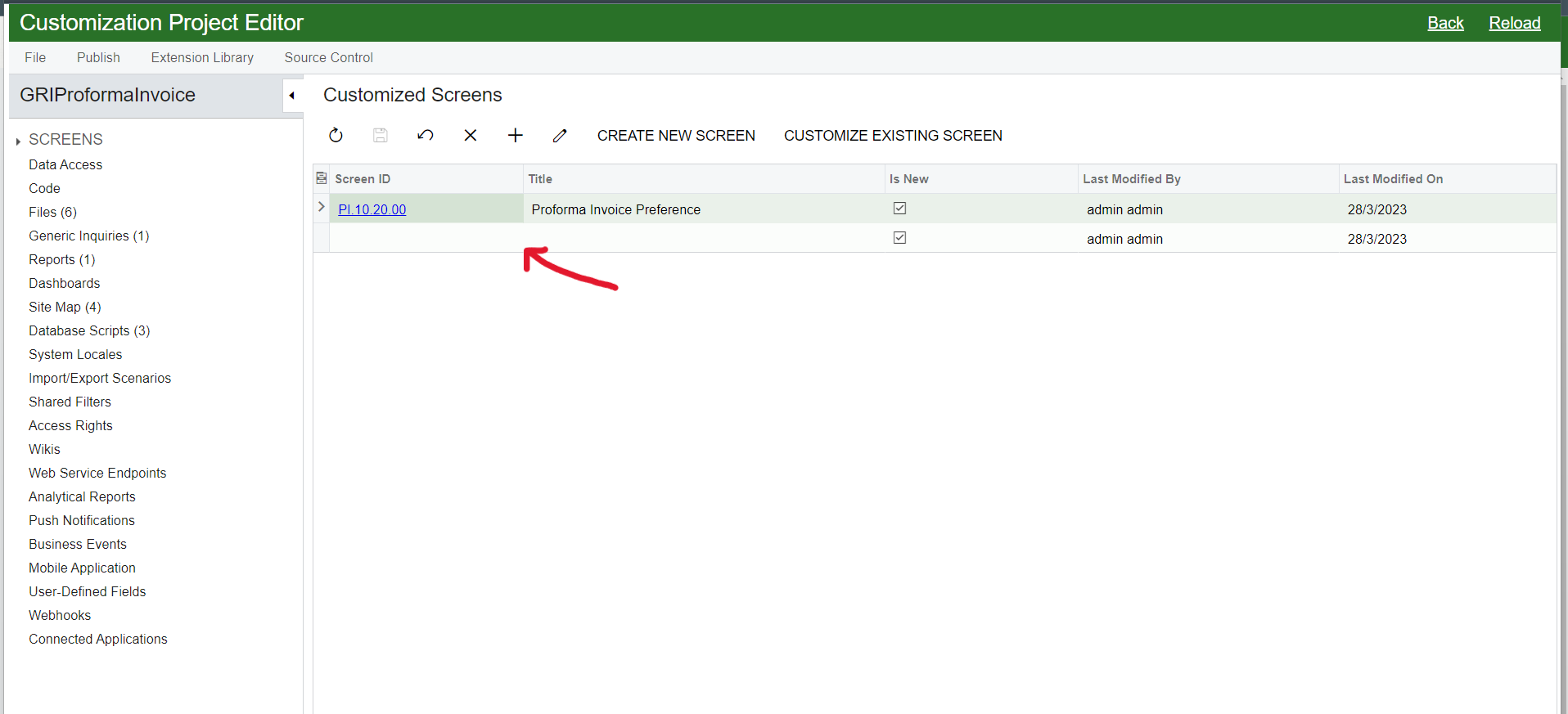
customization project in the uat instance

does someone have an idea on this issue?

Thank you in advance.

Best answer by Cesar Betances

Hi @oshadarodrigo64 ,


Also, it seems that the missing screen is a new custom Screen. You coudl also review that both Files(section) and Screens(section) PI301000 code is in sync(same version/changes).

View original

4 replies

Naveen Boga
Captain II
Forum|alt.badge.img+20
  • Captain II
  • Mar 28, 2023 10:59 AM UTC

Hi, @oshadarodrigo64  What is the screen id, that you have provided?

Sometimes, if the screen id is clashing, then we can see such type of issues.

Translate

Forum|alt.badge.img

@Naveen Boga

the id is PI.30.10.00  I checked it in the instance but there is no other screen with same id.

Translate

Patrick Chen
Semi-Pro I
Forum|alt.badge.img+3

I think you’re having two different issues.  One is that your custom screen is not showing up in the Workspace like it does in your dev instance.  Are you sure you brought over the correct SiteMap entry?  Second is the bugginess of the Customization Project Editor.  I’m not sure about that one.

Translate

Forum|alt.badge.img+2
  • Acumatica Moderator
  • Answer
  • Mar 28, 2023 9:32 PM UTC

Hi @oshadarodrigo64 ,


Also, it seems that the missing screen is a new custom Screen. You coudl also review that both Files(section) and Screens(section) PI301000 code is in sync(same version/changes).

Translate