Solved

Base.Document Is not support Acumatica 2022 R2

  • February 21, 2023
  • 12 replies
  • 282 views
  • Translate All

Forum|alt.badge.img

Hi,

I tried to do some customization in my acumatica Erp (2022 R2).

When I add the Base.Document.Current method it shows an error below like that.
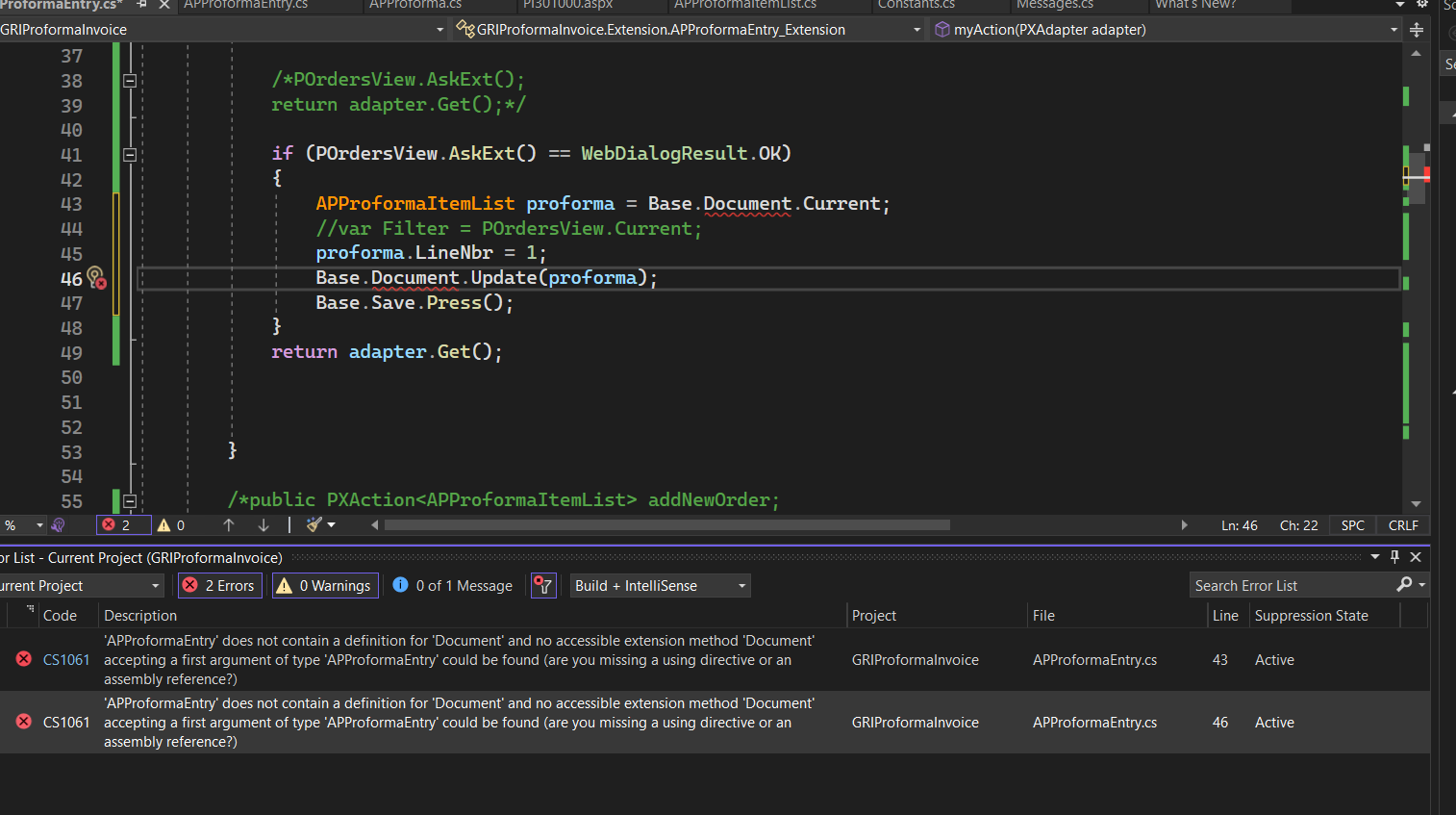
Is it not valid? Please help me.

Thanks you

Best answer by VidhyaHari

Hi @jeewanishalika20, Views are defined inside the graph and are bound to controls like a grid or a form. You can check the APProformaEntry graph for the PXSelect type of view with name - Document. You can learn more about views in: https://help-2022r2.acumatica.com/(W(1))/Help?ScreenId=ShowWiki&pageid=a0e0c90e-daf2-44c1-a4bc-b6dd4cda0580

View original

12 replies

Naveen Boga
Captain II
Forum|alt.badge.img+20

Hi @jeewanishalika20  It should work with the Base.Document.Current.

Can you please share the ProformaEntry extended graph code here?.

Translate

Forum|alt.badge.img

@Naveen Boga ,


using PX.Data;

using System;

using System.Collections.Generic;

using System.Linq;

using System.Text;

using System.Threading.Tasks;

using PX.Data.BQL.Fluent;

using PX.Objects.AR;

using PX.Objects.CR;

using PX.Objects.PO;

using System.Collections;

using PX.Objects.Common.GraphExtensions.Abstract.DAC;

using PX.Objects.SO.GraphExtensions.CarrierRates;

using PX.Objects.CR.Extensions.CRCreateSalesOrder;

using PX.Objects.CR.Extensions.Relational;


namespace GRIProformaInvoice.Extension

{

    public class APProformaEntry_Extension : PXGraphExtension<APProformaEntry>

    {


        public SelectFrom<POOrder>.View POrdersView;


        //public SelectFrom<POOrderExtension>.View POrdersView;


        //public PXFilter<POOrderExtension> POrdersView;


        public SelectFrom<APProformaItemList>.View APProformaView;


        public PXAction<APProforma> MyAction;

        [PXUIField(DisplayName = "Add Purchase", MapEnableRights = PXCacheRights.Select,       MapViewRights = PXCacheRights.Select)]

        [PXButton(CommitChanges = true)]

        public virtual IEnumerable myAction(PXAdapter adapter)

        {


            if (POrdersView.AskExt() == WebDialogResult.OK)

            {


                APProforma proforma = Base.Document.Current;

                proforma.LocationID = "Matara";

                Base.Document.Update(proforma);

                Base.Save.Press();


            }

            return adapter.Get();


        }


    }

}


Translate

Forum|alt.badge.img+9
  • Semi-Pro III
  • February 21, 2023

Hi, @jeewanishalika20,

I believe you need to declare view as Document like below example.

public PXSelectJoin<SOOrder, LeftJoinSingleTable<Customer, On<Customer.bAccountID, Equal<SOOrder.customerID>>>, Where<SOOrder.orderType, Equal<Optional<SOOrder.orderType>>, And<Where<Customer.bAccountID, IsNull, Or<Match<Customer, Current<AccessInfo.userName>>>>>>> Document;

I hope, It will work.

Regards,

Greytrix

Translate

Yuriy Zaletskyy
Jr Varsity II
Forum|alt.badge.img+4

Which page you customize? I can’t find graph APProformaEntry for some strange reason.

Translate

Forum|alt.badge.img

@Yuriy Zaletskyy ,

It’s not existing page. I develop new screen and graph.

Translate

Naveen Boga
Captain II
Forum|alt.badge.img+20

Yes, I could not able to find as well.


Translate

Naveen Boga
Captain II
Forum|alt.badge.img+20

Hi @jeewanishalika20  If it is a new screen then your graph declaration is incorrect.

It should not be a graph extension.


public class APProformaEntry : PXGraph<APProformaEntry>

    {

   // Declare your own View and add logic

 }


Translate

Forum|alt.badge.img

@Naveen Boga ,


This is not existing standard one.

I developed a new page.

Translate

Forum|alt.badge.img

Hi @Naveen Boga .

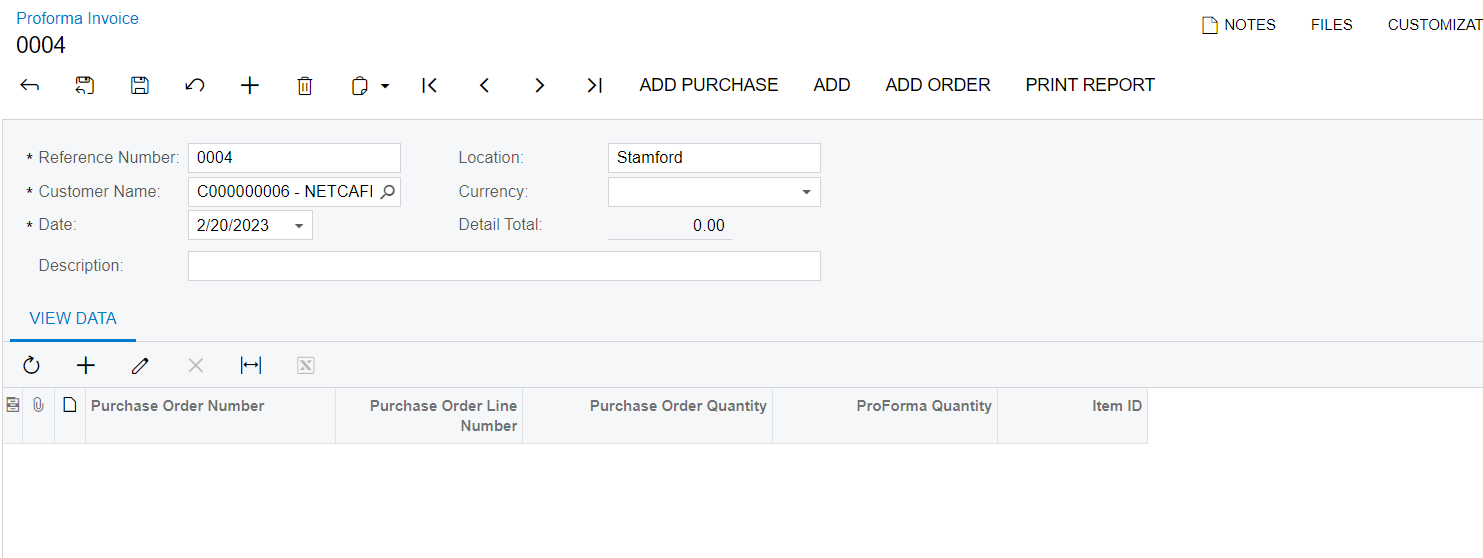
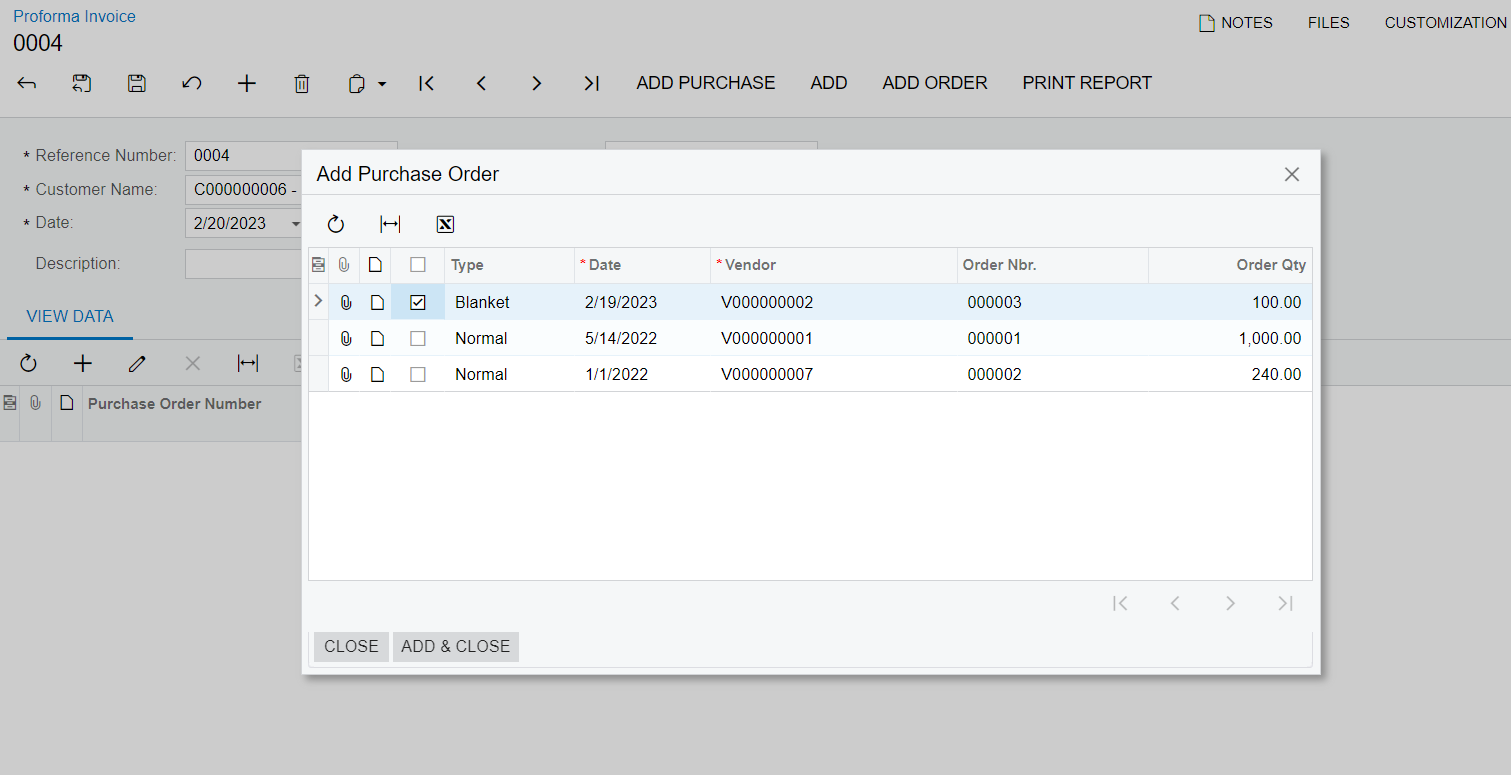
This is my newly developed form.In this form when I clicked the ADD PURCHASE button i nedd to open smart panel to load purchase order details below like that.

For the smart panel,I created a graph extension for the APProformaEntry graph(APProformaEntry graph is my main graph).

Then,I need to add purchase order details into my View details grid when click the ADD & CLOSE button.

That’s why I use the graph extension.


Thanks you

Translate

Dmitrii Naumov
Community Manager
Forum|alt.badge.img+7

@jeewanishalika20 

Base.Document is a reference to the Document view of your base graph. It does look like you don’t have the Document view in your APProformaEntry graph. Could you please double check that?

Translate

Forum|alt.badge.img

Hi @Dmitrii Naumov ,

How I check the document view in my base graph.

Thanks you

Translate

Forum|alt.badge.img+1
  • Acumatica Moderator
  • Answer
  • February 22, 2023

Hi @jeewanishalika20, Views are defined inside the graph and are bound to controls like a grid or a form. You can check the APProformaEntry graph for the PXSelect type of view with name - Document. You can learn more about views in: https://help-2022r2.acumatica.com/(W(1))/Help?ScreenId=ShowWiki&pageid=a0e0c90e-daf2-44c1-a4bc-b6dd4cda0580

Translate