Question

Custom workflow statuses are displayed incorrectly in the Related Cases grid

  • August 11, 2026
  • 2 replies
  • 46 views

Acumatica 2025 R1


Hello everyone,

I added two custom statuses to the Case workflow:

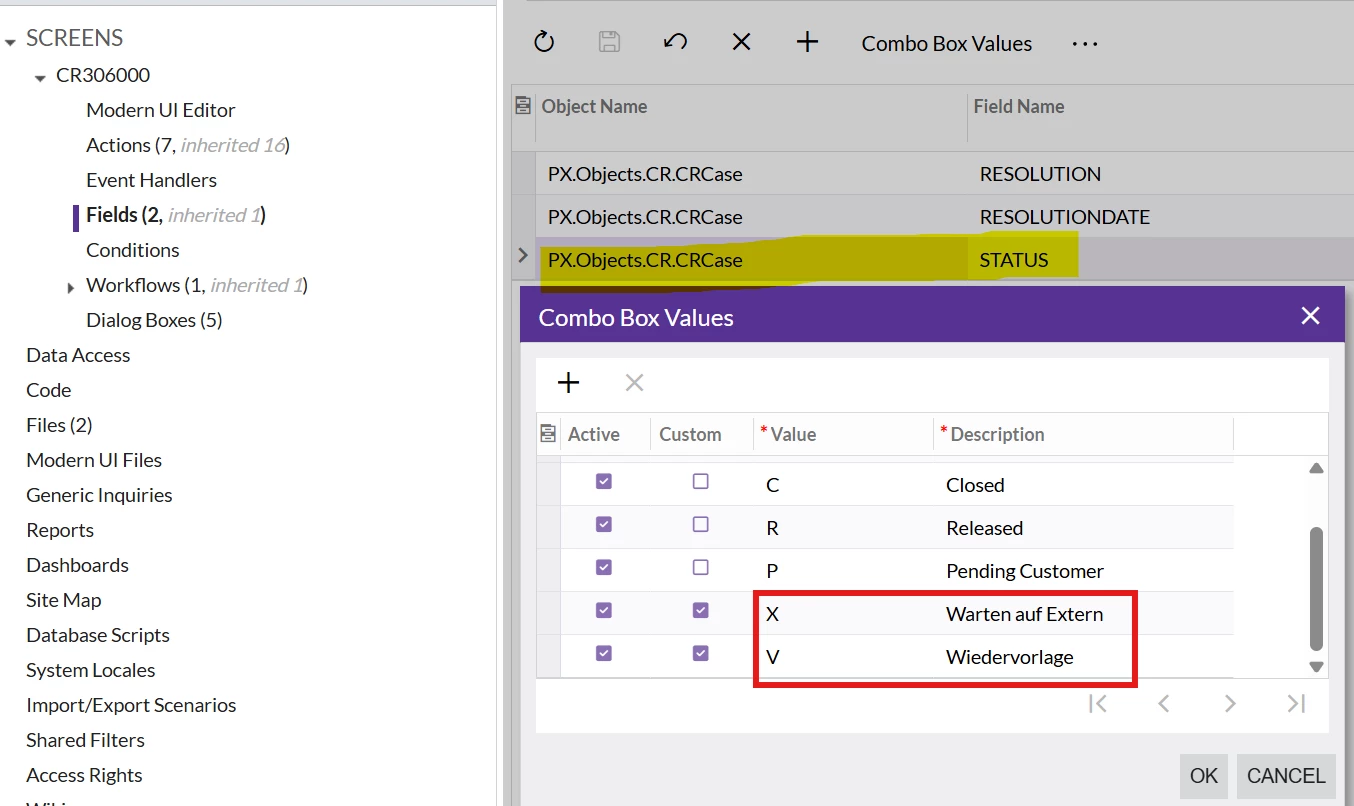
  • XWarten auf Extern (Waiting for external)
  • VWiedervorlage (Follow-up / Reminder)

They were added using Workflow → Add State and configured under Workflow → Fields → Status.
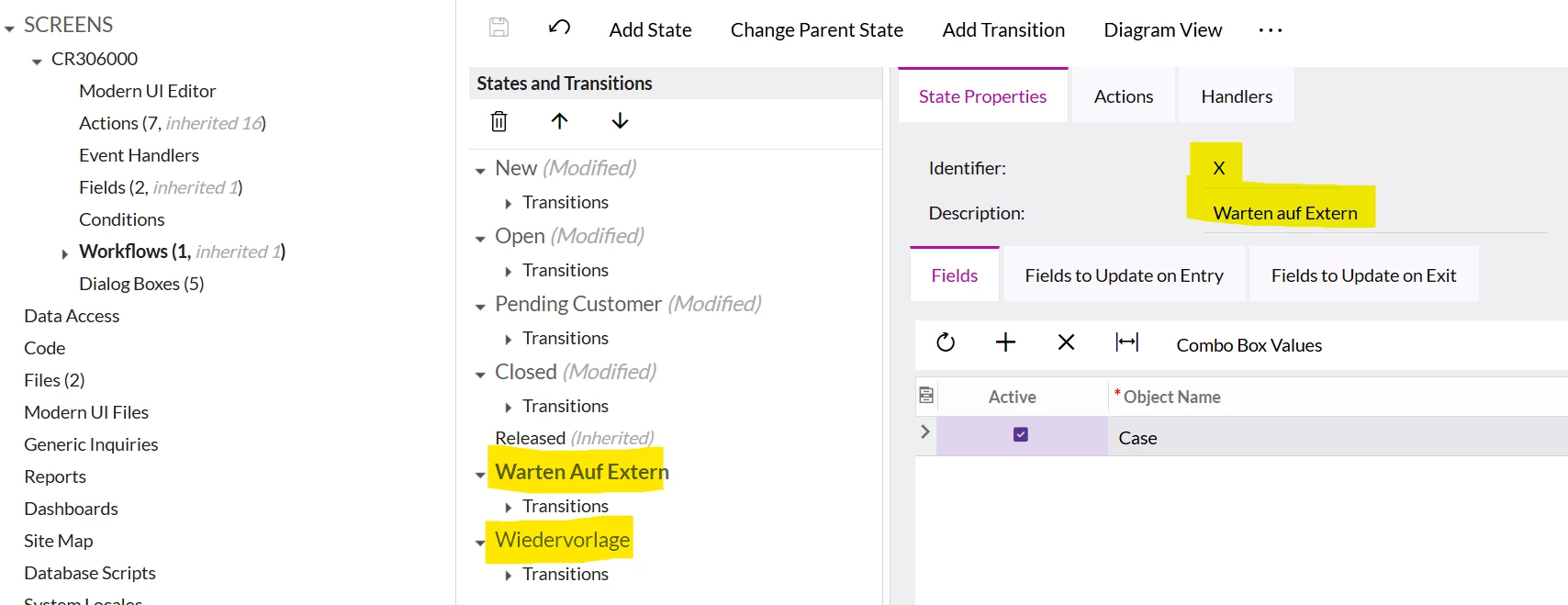


The statuses work correctly on the main Case screen. The Status dropdown displays their descriptions correctly:

  • XWarten auf Extern
  • VWiedervorlage

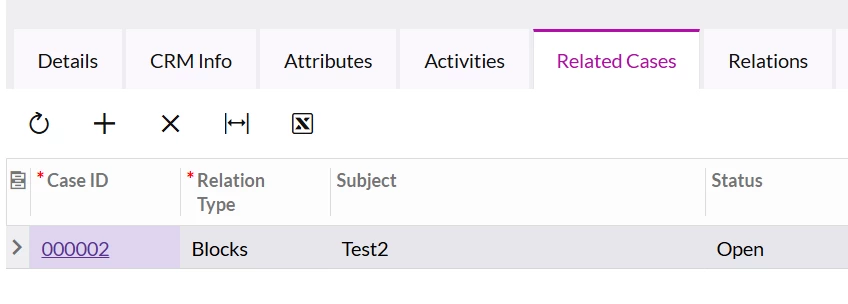
However, in the Related Cases grid, the same statuses are displayed as their raw values (X, V) instead of their descriptions. Standard statuses such as Closed, Released, and Pending Customer are displayed correctly.
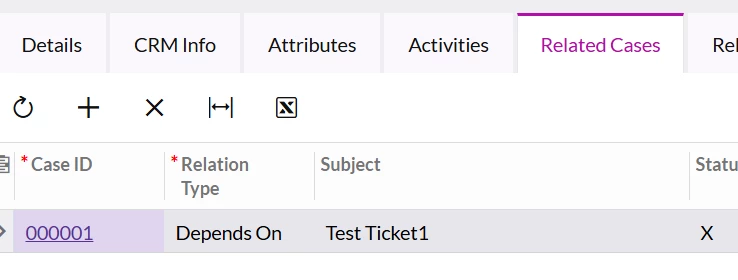


Why are the custom workflow statuses displayed as raw values in the Related Cases grid, while the standard statuses are displayed with their descriptions?

Is there a recommended way to make CRCaseRelated.Status correctly resolve the descriptions of custom workflow states in the Related Cases grid?

Any guidance or examples would be appreciated.

2 replies

As a workaround, I added my new statuses to the list of CRCaseRelated statuses:
 

public class CRCaseMaint_Extension : PXGraphExtension<PX.Objects.CR.CRCaseMaint>
{
    #region Event Handlers
    public override void Initialize()
    {
        base.Initialize();

        PXCache cache = Base.Caches[typeof(CRCaseRelated)];

        PXStringListAttribute.AppendList<CRCaseRelated.status>(
            cache,
            null,
            new[]
            {
            "X",
            "V"
            },
            new[]
            {
            "Warten auf Extern",
            "Wiedervorlage"
            });
    }
    #endregion
}


harutyungevorgyan
Jr Varsity I
Forum|alt.badge.img+4

Hi ​@DariaMaksymova ,

You're super close! The issue here comes down to dealing with two separate DAC classes: CRCase and CRCaseRelated.

Here is what is happening under the hood:

The CRCaseRelated.Status field pulls the raw status codes from CRCase (like X and V), but it doesn't automatically inherit the custom display labels you configured on CRCase.Status. That's why it defaults to showing the raw database values on the screen.

Your C# code approach will definitely work, but if you want to keep it simple and low-code without writing extra scripts:

Just repeat the same field customization for CRCaseRelated.Status that you did for CRCase.Status on the Fields tab of your customization project ( your second screenshot ). Once you map those same status values and labels to CRCaseRelated.Status, the UI will show the proper labels for the Related Cases tab as well.