
Solved

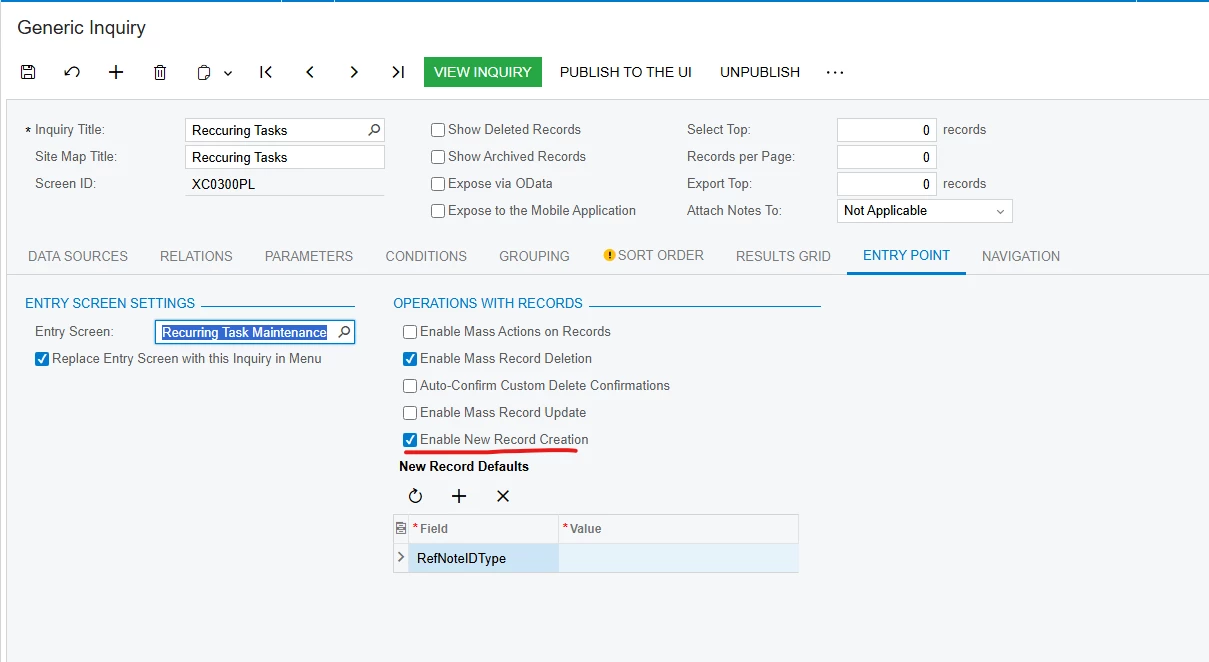
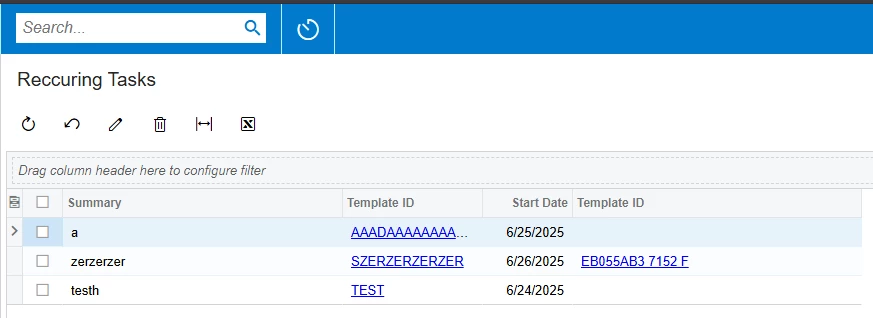
Create new record button in generic inquiry is not appearing

  • Jun 26, 2025 10:21 AM UTC
  • 9 replies
  • 238 views
  • Translate All

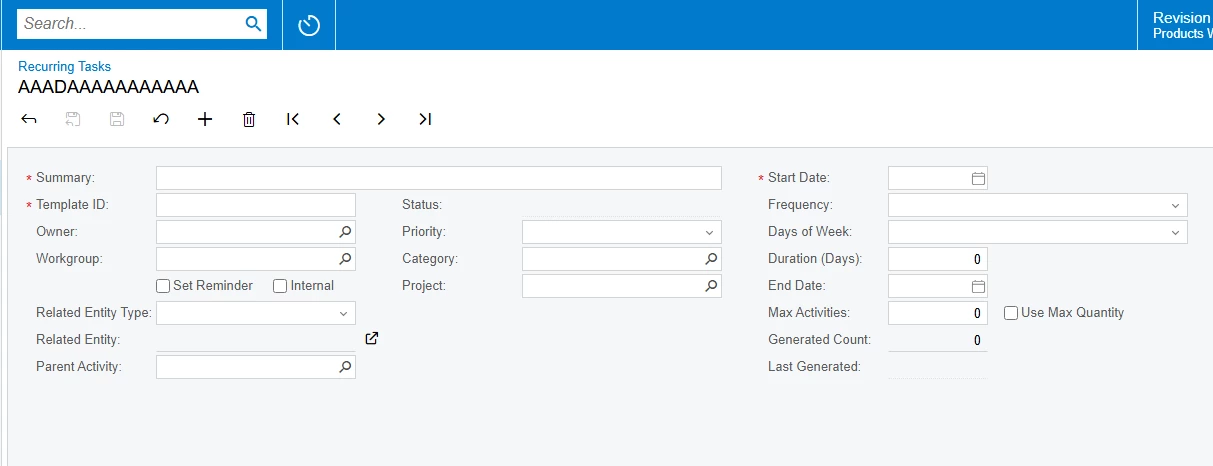
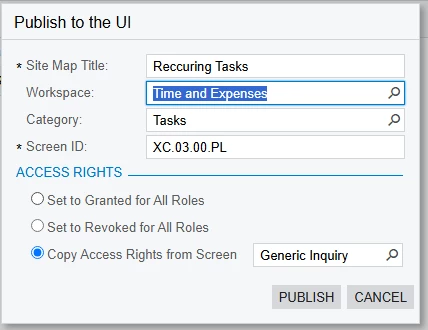
I created a generic inquiry and replaced a screen but setting the “Enable new record creation” to true in the menu, I still don’t get the + button
 

Best answer by Tara H

HI ​@Abdou2025, to close the loop on this - if you have not received a solution to this, please open a formal support ticket with your partner so that we may connect and take a look with you.  


Best, 

Tara

View original

9 replies

mohammadnawaz51
Varsity I
Forum|alt.badge.img+8

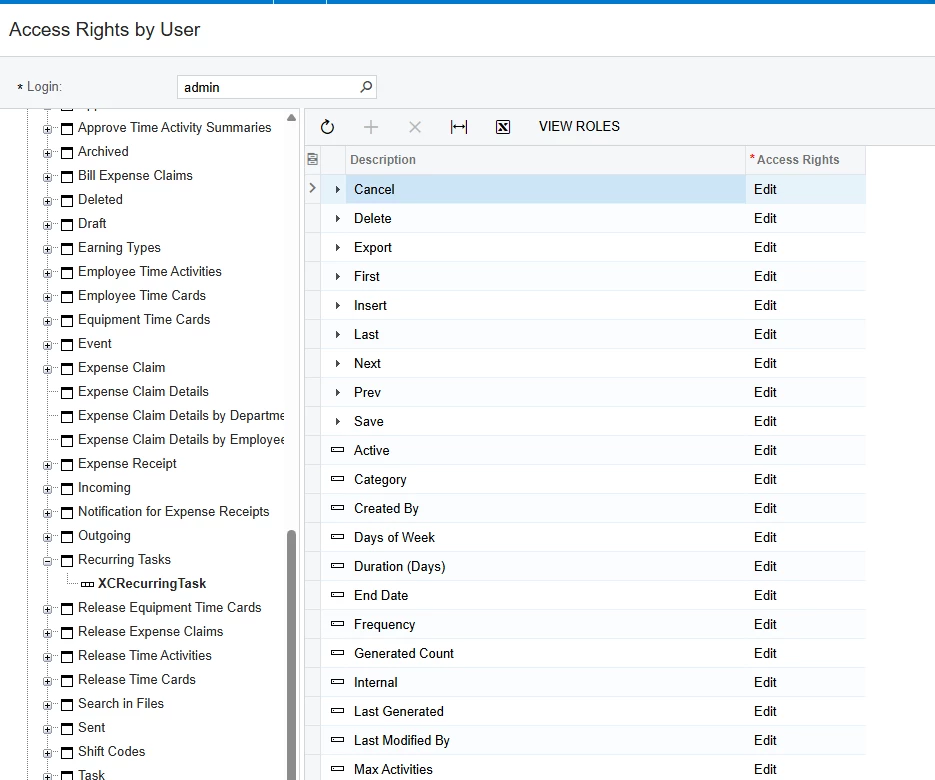
​@Abdou2025 Can you check your access permissions once?

Translate

Forum|alt.badge.img+11
  • Captain II
  • Jun 26, 2025 10:41 AM UTC

​@Abdou2025 


Can you try to unpublish and republish your GI.

Translate

  • Author
  • Freshman II
  • Jun 26, 2025 10:53 AM UTC

in the form its linking to I have the Create button, and when I click on a row to edit, I do get the Create button inside

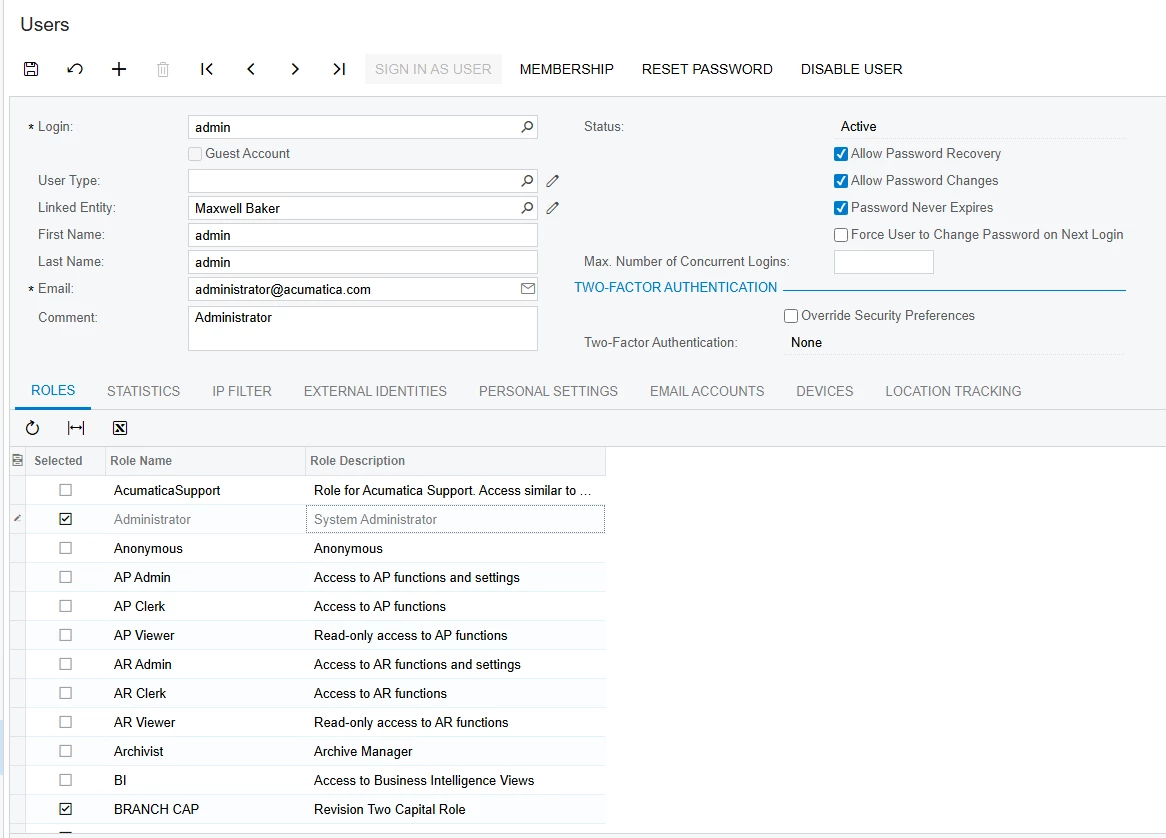
I’m using the default admin user:


Translate

  • Author
  • Freshman II
  • Jun 26, 2025 10:58 AM UTC

I tried unpublishing and republishing, but still same issue, I even set to grant to all roles when publishing


Translate

  • Author
  • Freshman II
  • Jun 26, 2025 11:08 AM UTC

For some reason the access rights on the menu is only delete but on the form it has everything


Translate

  • Author
  • Freshman II
  • Jul 1, 2025 4:22 PM UTC

​@mohammadnawaz51 ​@aiwan  I tried what you recommended and it didn’t work, I faced a similiar issue in the acumatica T series course for this

Translate

Dipak Nilkanth
Pro III
Forum|alt.badge.img+14

Hi ​@Abdou2025,

Could you please provide the customization package that includes the Generic Inquiry (GI) and the custom screen?

Translate

Chris Hackett
Community Manager
Forum|alt.badge.img
  • Acumatica Community Manager
  • Sep 24, 2025 12:03 AM UTC

Hi ​@Abdou2025 were you able to find a solution? Thank you!

Translate

Forum|alt.badge.img+1
  • Acumatica Moderator
  • Answer
  • Dec 9, 2025 1:21 PM UTC

HI ​@Abdou2025, to close the loop on this - if you have not received a solution to this, please open a formal support ticket with your partner so that we may connect and take a look with you.  


Best, 

Tara

Translate