Answer

Timecard issues related to different Time Zones

  • February 13, 2025
  • 3 replies
  • 117 views

Forum|alt.badge.img

I’ve seen a few other posts mentioning odd behavior with different time zones between employees.

Here is what I need to resolve -


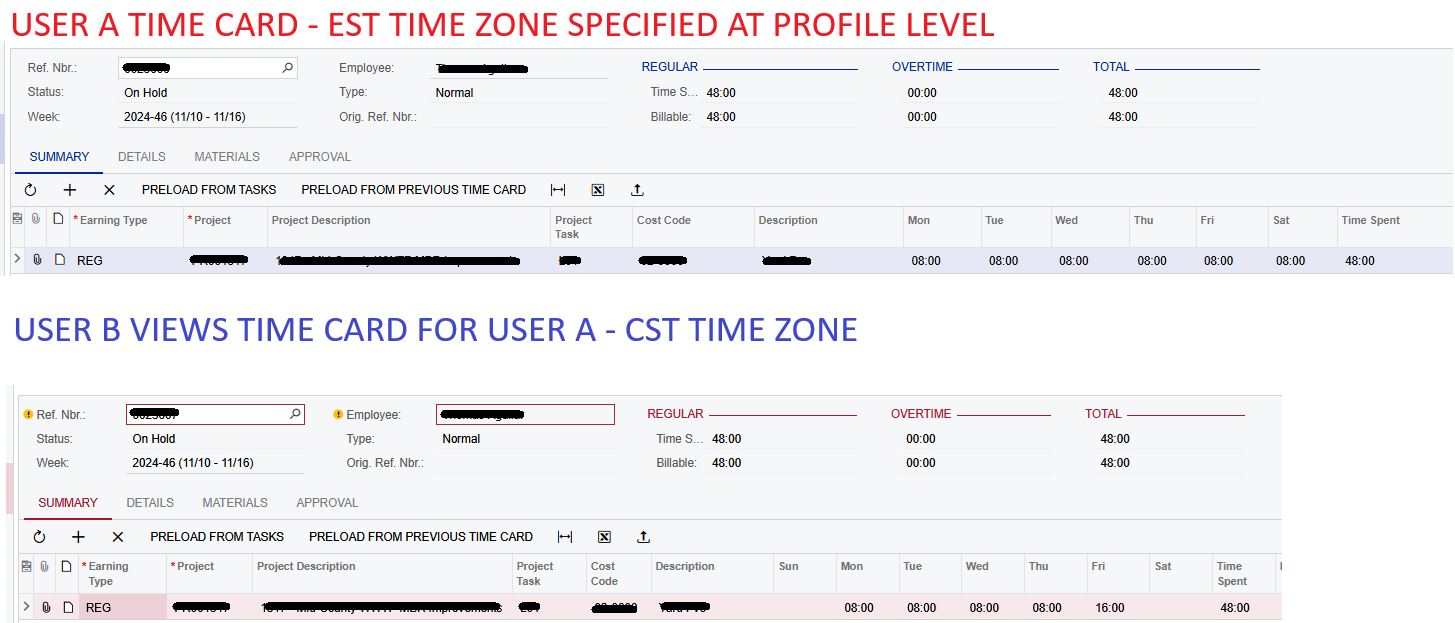
User A - Eastern Time Zone. Branch A. They create a time card with 8 hours on Monday - Saturday, so 48 hours total.

User B - Central Time Zone. Branch B. They view User A’s timecard and can see 8 hours Monday - Thursday but Friday is now showing 16 hours, nothing for Saturday.


Tried creating a second work calendar with time zone of EST and work hours 9am - 6pm but same issue. This is causing issues because User B is the one that would be processing payroll and it’s posting incorrectly.



Best answer by Adelina Basyrova

As of 25R1, time is converted to the time zone of the logged-in user and refers the Time Zone on the User Profile form. So, the users that have different time zones will see different date for the same time log. 

The only way to see the time entered is to use the same time zone for the users while reviewing process. 

We are working on revisiting the logic of the data display at the moment.

@brandontfrank , I’d yet recommend to report the support case to go for your use case details.

Thank you!

3 replies

Forum|alt.badge.img
  • Author
  • Jr Varsity III
  • February 13, 2025

I checked our Work Calendar (only had one initially) and Saturday was actually UNCHECKED entirely as a work day. After checking that and recreating the timecard as a test, it now appears normal when either time zone views it.


I believe what was happening is an EST time zone user would enter time for Saturday and it would stamp it as being 12:00am start time on Saturday. Then when a CST user views it, one hour back, it falls into Friday and shifts all hours to Friday.


Does anyone know if specifying the calendar used at the employee level plays any role in this? right now we just set the timezone at the user profile level and only use one calendar.


aaghaei
Captain II
Forum|alt.badge.img+10
  • Captain II
  • February 14, 2025

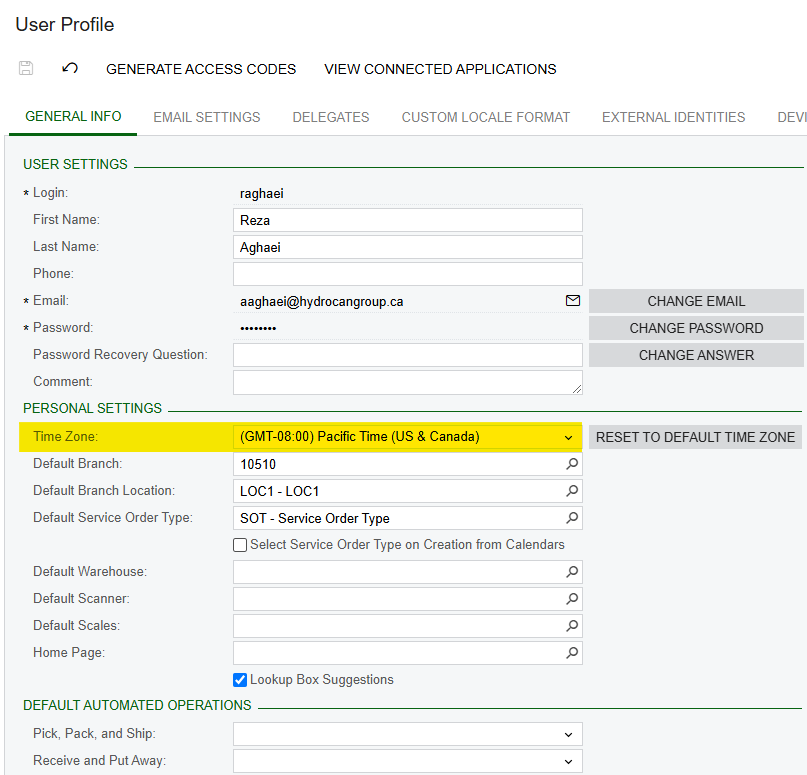
@brandontfrank Can you please verify if the users time zones are configured properly in their “User Profile” screen (you can log in as them and under their user name open the My Profile) the Time Zone is properly set. This is what drives the UTC timestamp in Acumatica.


Adelina Basyrova
Acumatica Moderator
Forum|alt.badge.img+1
  • Acumatica Moderator
  • Answer
  • February 17, 2025

As of 25R1, time is converted to the time zone of the logged-in user and refers the Time Zone on the User Profile form. So, the users that have different time zones will see different date for the same time log. 

The only way to see the time entered is to use the same time zone for the users while reviewing process. 

We are working on revisiting the logic of the data display at the moment.

@brandontfrank , I’d yet recommend to report the support case to go for your use case details.

Thank you!