

Question

Projects Screen Cost Budget Tab Inventory ID Description field not showing in Modern UI

  • April 6, 2026
  • 4 replies
  • 42 views

Forum|alt.badge.img

Hello,


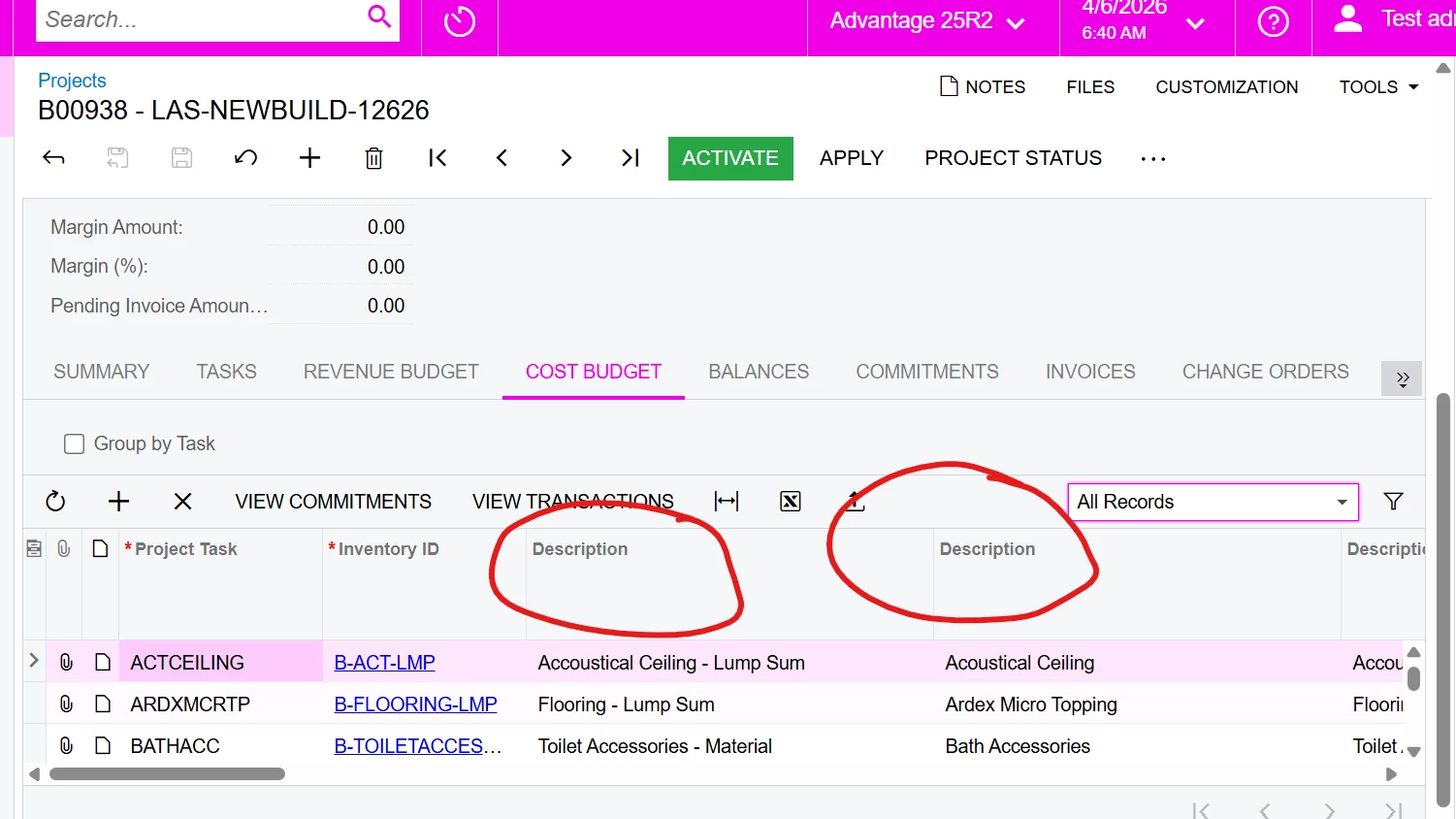
I have a scenario where in the classic UI am able to add the Inventory ID Description Field for the Modern UI am unable to add the Inventory ID description 

Classic UI

Modern UI
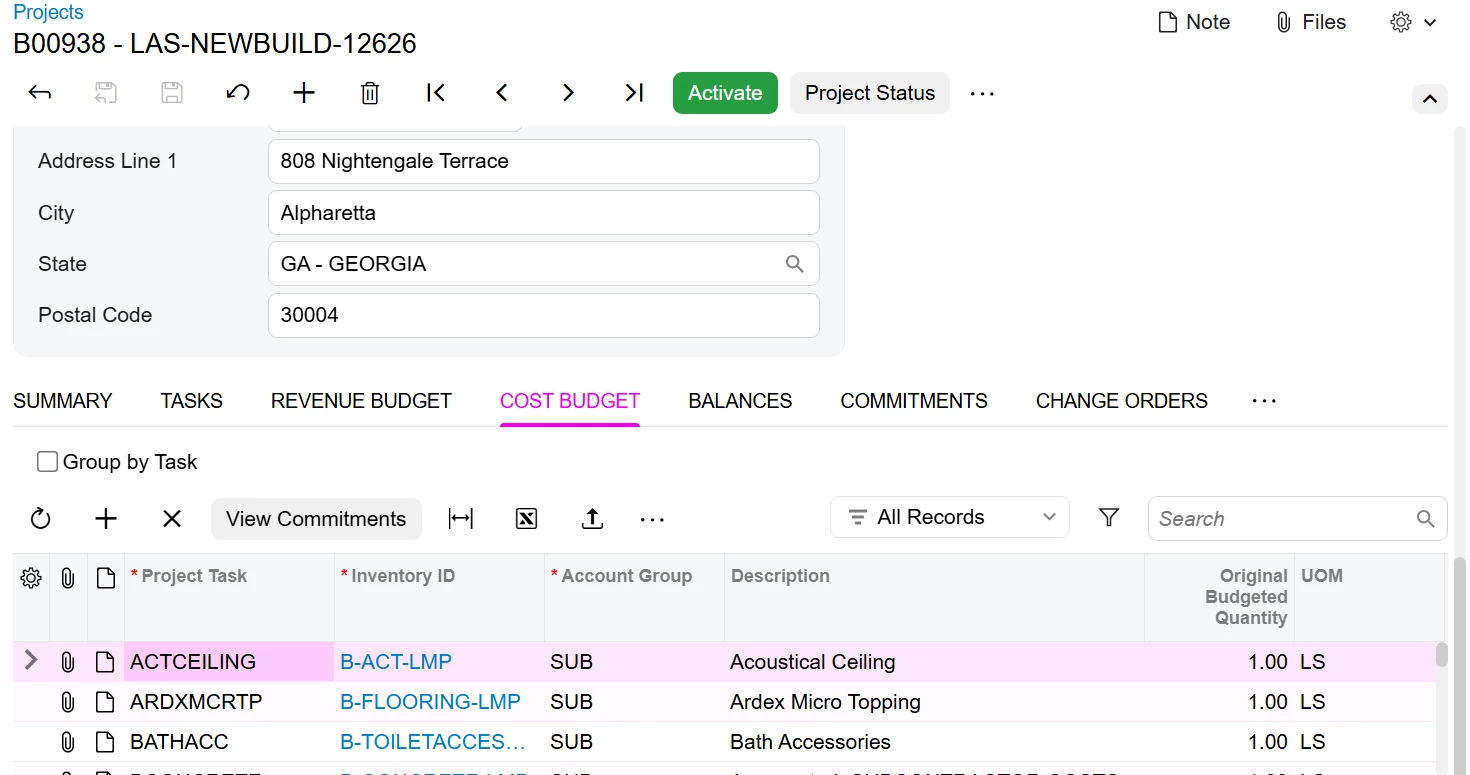


How to add Inventory ID description field to the Cost budget in Modern UI Please let me know

4 replies

Md Kalim Ashraf
Jr Varsity I

Hi ​@FarhanaM60 

Yes, this is a known architectural difference between the Classic UI and the Modern UI. 

Why this happens:

In the Classic UI (WebForms), the framework automatically generated an invisible `_Description` field behind the scenes for any field with a `PXSelector` (like `InventoryID`), which allowed you to pick it in the Column Configurator. 

The Modern UI, however, binds strictly to the DAC metadata exposed via the API. Because the auto-generated `_Description` field is not a physical property in the DAC code, the Modern UI Screen Configuration tool cannot "see" it to add it to the grid.

The Solution:
To fix this, you must explicitly declare an unbound custom field in a DAC Extension for `PMCostBudget`. The most performant way to do this (without causing database slowdowns) is to use `PXFormula` and `Selector` to automatically pull the description from the item without writing any event handlers. 

Here is the exact code you need to add to your Customization Project:

csharp:
 

using PX.Data;
using PX.Objects.IN;
using PX.Objects.PM;

namespace YourNamespace
{
    // DAC Extension for the Cost Budget line
    public sealed class PMCostBudgetExt : PXCacheExtension<PX.Objects.PM.PMCostBudget>
    {
        public static bool IsActive() => true;

        #region UsrInventoryDescr
        [PXString(256, IsUnicode = true)]
        [PXUIField(DisplayName = "Inventory Description", Enabled = false)]
        // Automatically fetches the description from the selected Inventory Item
        [PXFormula(typeof(Selector<PMCostBudget.inventoryID, InventoryItem.descr>))]
        public string UsrInventoryDescr { get; set; }
        public abstract class usrInventoryDescr : PX.Data.BQL.BqlString.Field<usrInventoryDescr> { }
        #endregion
    }
}
 

Next Steps after Publishing:

  1. Add UsrInventoryDescr Field in Projects screen with Moden UI Editor
    1. Publish the Customization Project.
    2. Open the Projects screen (`PM301000`) in the Modern UI.
    3. Go to the Cost Budget tab.
    4. Click the Gear Icon (Screen Configuration) in the top right.
    5. In the Layout Editor, locate your new `Inventory Description` field in the Add Field menu and drag it onto your grid. (Note: Depending on your exact version, the new field may actually populate automatically as the very last column in the grid as soon as you reload the Modern UI!)

This will perfectly replicate your Classic UI setup in the Modern UI!


Dipak Nilkanth
Pro III
Forum|alt.badge.img+14

Hi ​@FarhanaM60,

It’s not entirely clear whether the Description field is a custom field or not, but based on the initial view, it appears to be a custom field.

If it is a custom field, it will not be automatically added when converting the screen to the Modern UI. You will need to manually add it using the Customization Editor.

Below post should help you understand how to achieve the same by modifying the TS and HTML files.


Forum|alt.badge.img
  • Author
  • Jr Varsity III
  • April 6, 2026

means there is no such scenario to drag it for inventory descr


Forum|alt.badge.img
  • Author
  • Jr Varsity III
  • April 9, 2026

Apart from adding custom fields to get the Inventory Description, is there any other approach? We have several screens where the inventory description is relied upon in the grid.

