Solved

Project Import Scenario is not working as expected

  • November 8, 2021
  • 5 replies
  • 220 views
  • Translate All

NAthukorala47
Jr Varsity III
Forum|alt.badge.img

Hi, 


We have created Import scenario for Project Uploading. 

Once we import the Projects system is showing error massage. 

Attached all the screens. 

Appreciate if any one could share the Project Template and Import scenario file?


Regards

Best answer by Naveen Boga

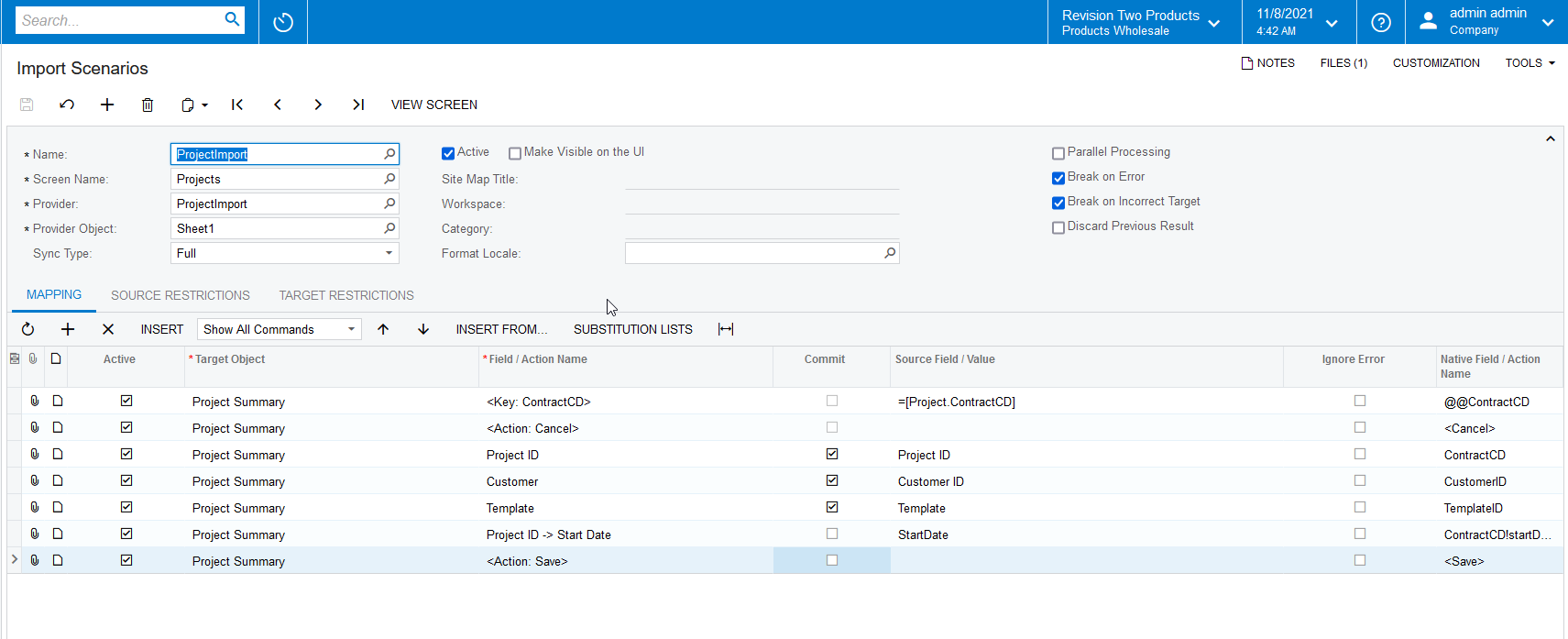
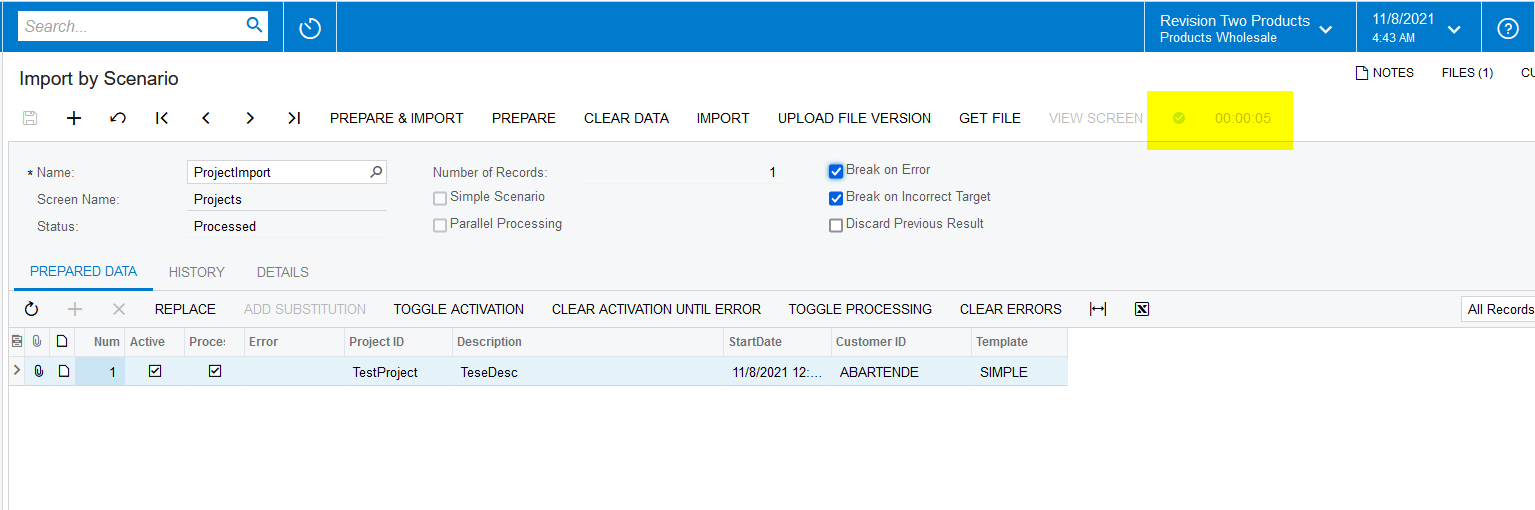
Hi @NAthukorala47  I just worked on this project import scenario and it is working as expected for me. Please find the import scenario below.

Let me know if you have any issues


View original

5 replies

Naveen Boga
Captain II
Forum|alt.badge.img+20
  • Captain II
  • Answer
  • November 8, 2021

Hi @NAthukorala47  I just worked on this project import scenario and it is working as expected for me. Please find the import scenario below.

Let me know if you have any issues


Translate

NAthukorala47
Jr Varsity III
Forum|alt.badge.img

Hi, 


Have there any possibility send the Import scenario file?

Could you try this without template id?

I tried using only mandatory fields such as Project Id, description and Start date. 

I did not use template. I am try to do this using template. 


Regards

Translate

Naveen Boga
Captain II
Forum|alt.badge.img+20

Hi @NAthukorala47  Here is the import scenario file for your reference.

If you don’t want to pass the Template ID, please pass the required fields it will work for sure.


Translate

NAthukorala47
Jr Varsity III
Forum|alt.badge.img

Dear Naveen, 

Thanks a lot for your support. I have added template and run it. 

It is working as expected. 


Regards


Translate

Naveen Boga
Captain II
Forum|alt.badge.img+20

Hi @NAthukorala47 Awesome.. Thanks a lot for sharing the update :)  

Translate