

Solved

Fit to Screen

  • March 17, 2023
  • 3 replies
  • 1034 views
  • Translate All

Forum|alt.badge.img

How does one return to the original width of fields after clicking "Fit to Screen"?

Best answer by xkylewrightx

Click the little clipboard on the left

Then click
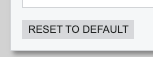
 

This will resize your columns to the default / shared configuration, but it will also reset your column visibility and order. If you only want to reset the size, and not the order/visibility, I think you will have to manually drag them larger or smaller.

View original

3 replies

xkylewrightx
Semi-Pro I
Forum|alt.badge.img+1

Click the little clipboard on the left

Then click


This will resize your columns to the default / shared configuration, but it will also reset your column visibility and order. If you only want to reset the size, and not the order/visibility, I think you will have to manually drag them larger or smaller.

Translate

Forum|alt.badge.img
  • Author
  • Jr Varsity III
  • March 17, 2023

Thank you!   I had read how to do this but couldn’t find the reference again.   Appreciate the help!

Translate

How does one return to the original width of fields after clicking "Fit to Screen"? is there nay improvement to fix this issue if I click on fit to screen but wan to reset that  ​@xkylewrightx ​@suebrown 

Translate