Answer

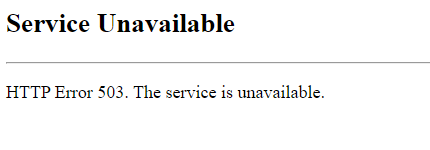
Upgrade issue from 2022 R1 to 2023 R2.HTTP Error 503. The service is unavailable

  • October 23, 2023
  • 6 replies
  • 393 views

Forum|alt.badge.img

Good day

I have upgraded from 2022 R1 to 2023 R2 by installing the file from the community website. I did a direct upgrade from built Build 22.106.0015 to the latest built on 2023 R2.

After first upgrading the database and finished of updating the website and all processes were successful.

The Instance I upgraded named BuffaloDB.
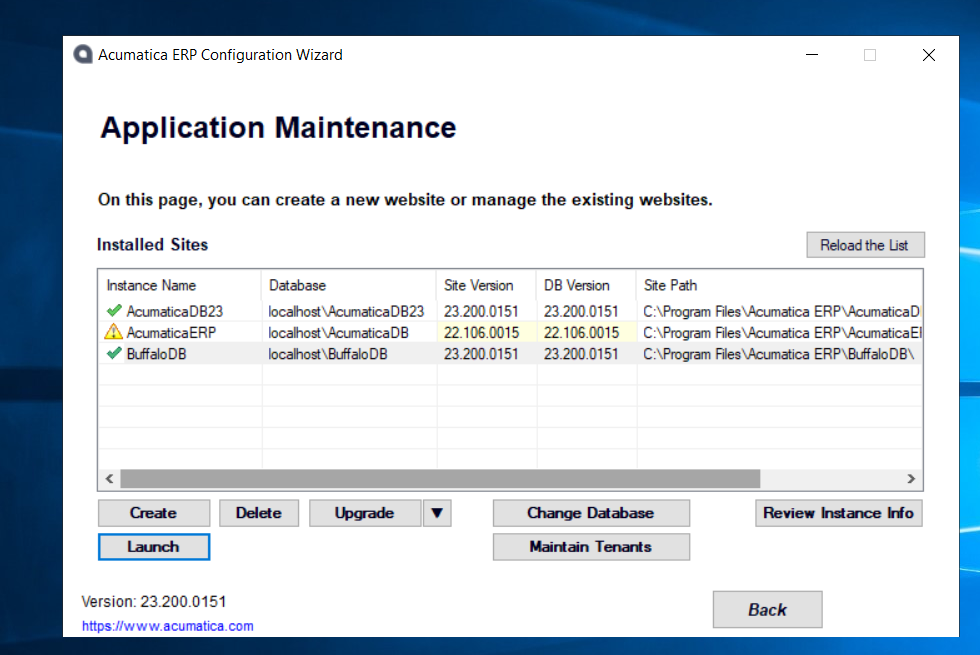
 

When I then tried to Launch the application I got the error message shown below, “HTTP Error 503. Service unavailable”

What could be the issue?

I even did a new separate instance to see if I can login I manage to create a demo instance but the one I tried to upgrade from 2022 R1 failed.
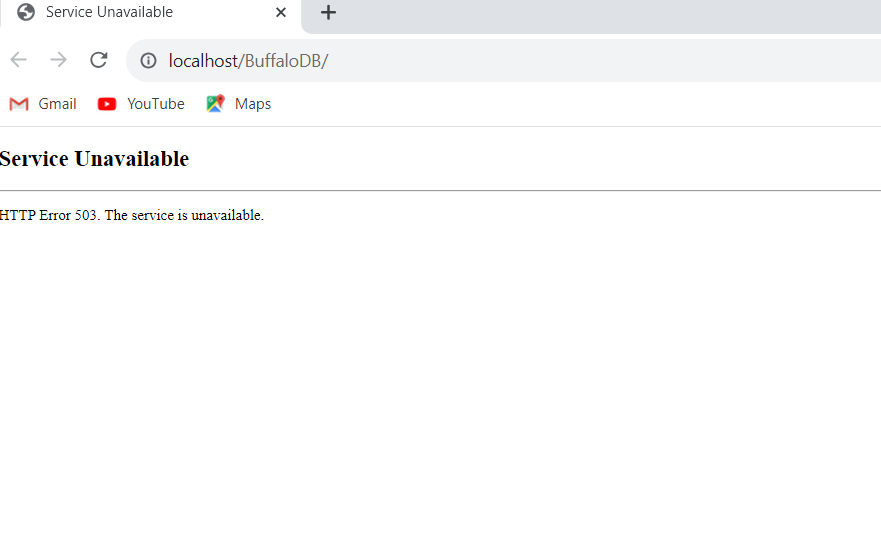


How can I make the upgraded instance from 2022 R1 to 2023 R2 work? On this installation it is on VMWARE as a way of testing the upgrade in the actual production environment.

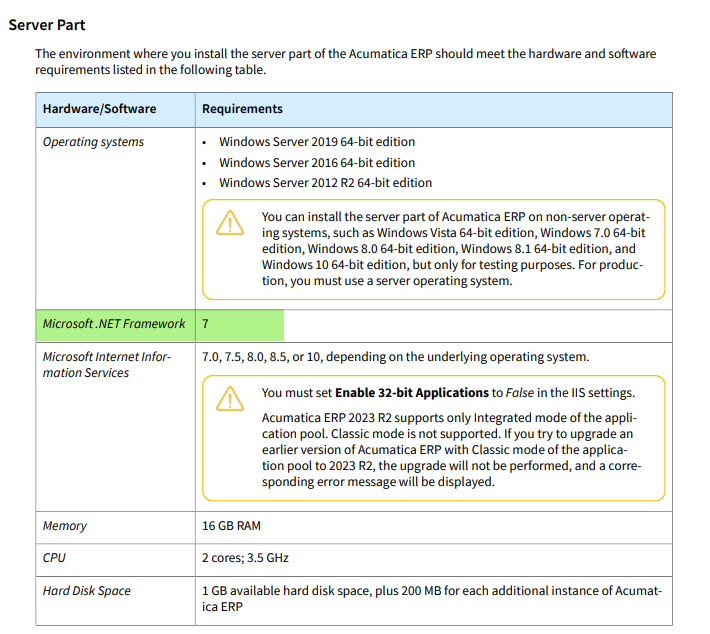
Also on this installation I do not have .NET 4.8 framework could it be the issue?
Best answer by pallikasharma11

Hello @kudzaim20 

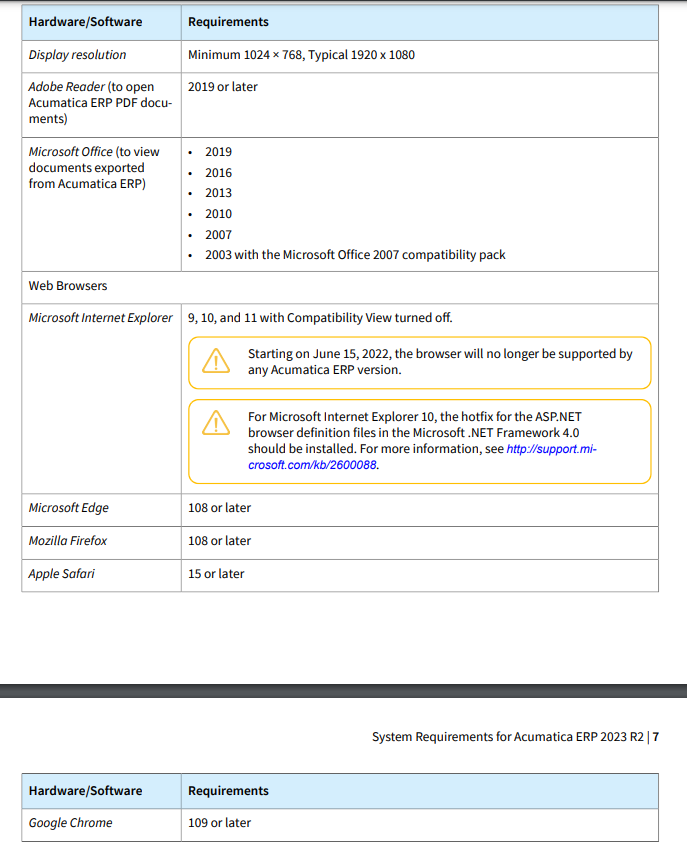
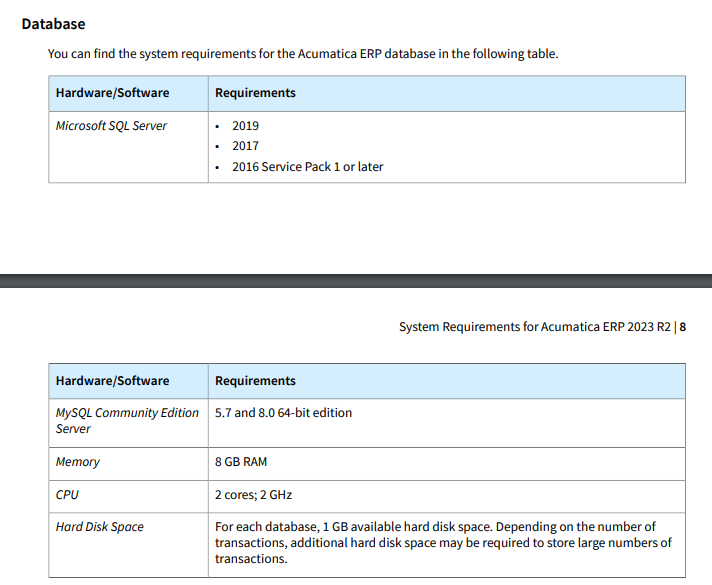
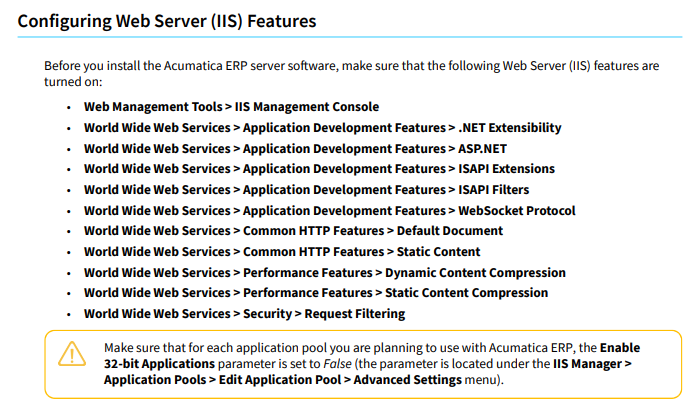
.NET framework is definitely a requirement and could be the cause of error. The installation guide is available on community. Sharing screen captures of the system requirements-


6 replies

hkabiri
Acumatica Moderator
Forum|alt.badge.img+8
  • Acumatica Support Team
  • October 23, 2023

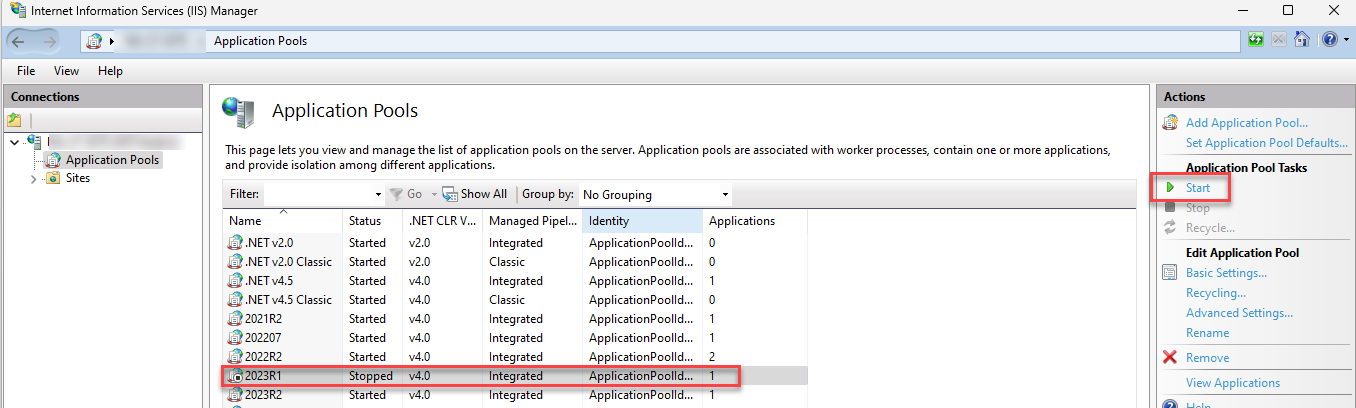
@kudzaim20  Looks like the IIS >application pool for this instance is stopped. Check it on application server IIS and start the application if you see it is stopped.


Forum|alt.badge.img
  • Author
  • Jr Varsity II
  • November 1, 2023

@kudzaim20  Looks like the IIS >application pool for this instance is stopped. Check it on application server IIS and start the application if you see it is stopped.


Good day

Checked the Default pool is starting and stopping, tried to use a new pool , and the issue is still happening application will not open even though the Application poll is running.  


Chris Hackett
Community Manager
Forum|alt.badge.img
  • Acumatica Community Manager
  • December 13, 2023

Hi @kudzaim20 were you able to find a solution? Thank you!


Forum|alt.badge.img+2
  • Acumatica Employee
  • Answer
  • January 9, 2024

Hello @kudzaim20 

.NET framework is definitely a requirement and could be the cause of error. The installation guide is available on community. Sharing screen captures of the system requirements-


Forum|alt.badge.img
  • Freshman II
  • June 24, 2024

 I had the same error. IIS Application Pool stopped was the issue. Thanks for the feedback. @kudzaim20 


Glen Martin
Acumatica Moderator
Forum|alt.badge.img+1
  • Acumatica Moderator
  • June 24, 2024

@robert38 Please note that the previous System Requirements Help documentation is incorrect. There is no such thing as Microsoft .NET Framework 7. The correct requirement for current versions is .NET Framework 4.8 - this has been corrected in the current Help documentation: https://help.acumatica.com/(W(16))/Help?ScreenId=ShowWiki&pageid=a8d5d39d-513a-4f93-b484-a95eb33103a1. Please ensure this is installed and see if the issue persists.