Solved

Template Items - deactivate attributes

  • Feb 7, 2025 11:30 AM UTC
  • 5 replies
  • 146 views
  • Translate All

We have some attributes in one article class.

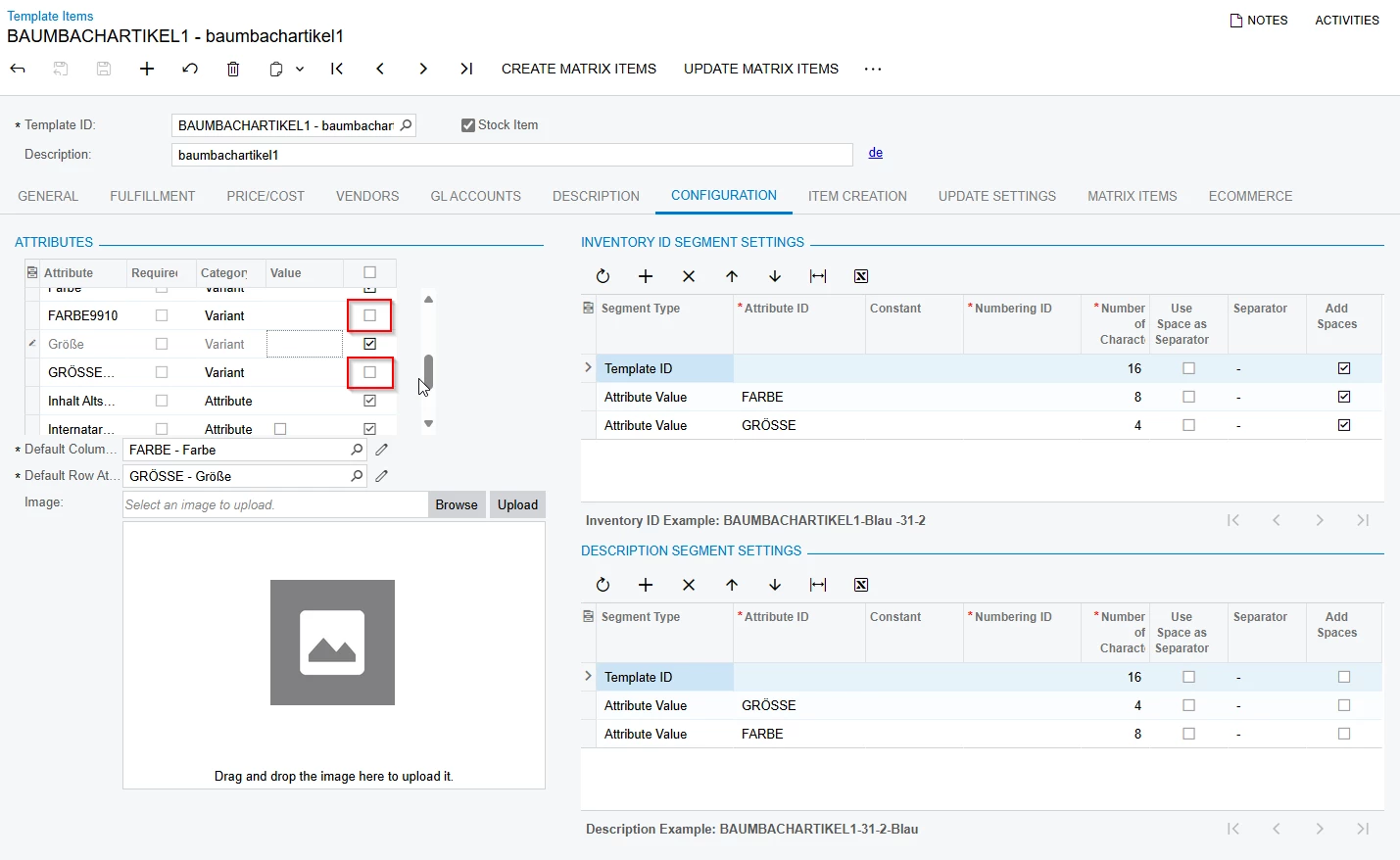
I deactivated two of this attributes in my template item, because they are not relevant for this matrix item.

But I can´t create my matrix item. I get the message: “Valute of the ‘xxx’ Attribute is not among it´s possible values”

Screens attached. 


Do you know a solution for that?


Screen 1:
 

Screen 2:
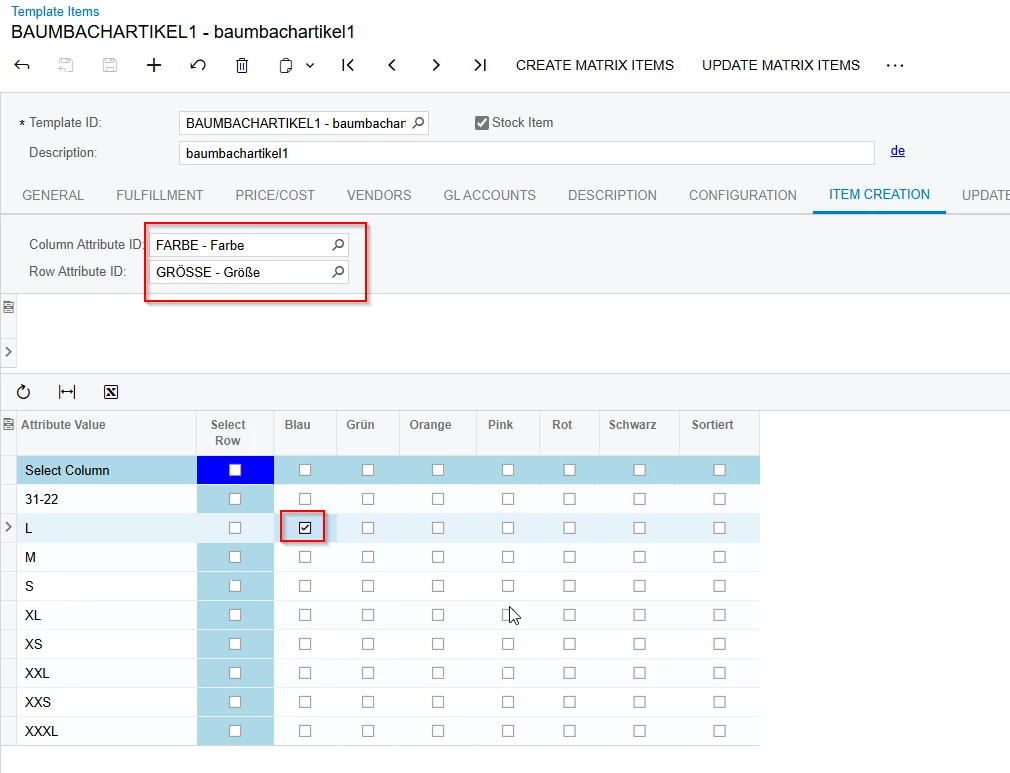
 

Screen 3:
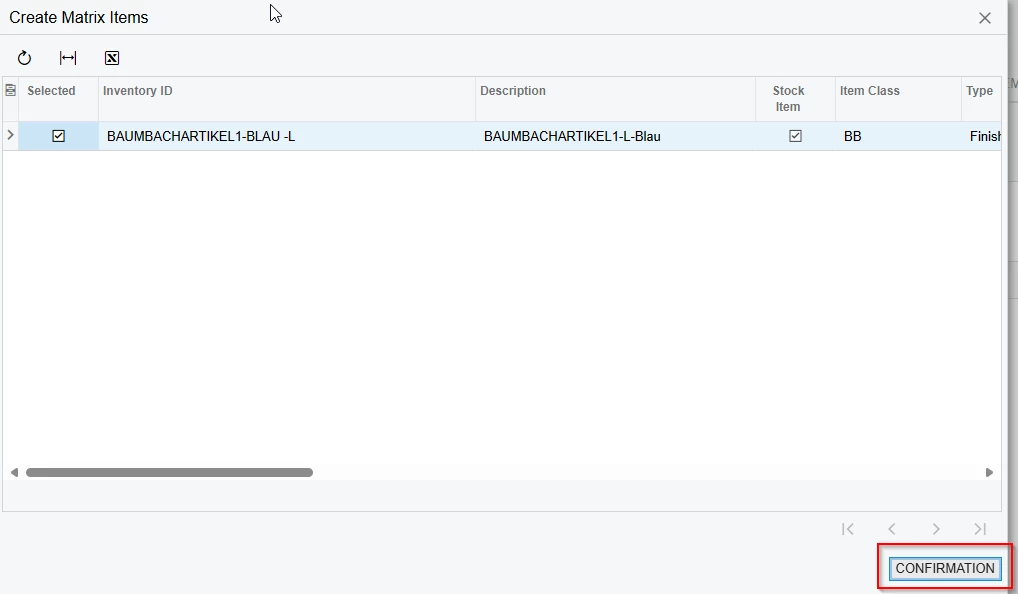


Screen 4:

The attribute in the error message, is deactivated → Screen 1.

 

Best answer by Manikanta Dhulipudi

​@Micha 

Please find the solution here


Which version you are using.

View original

5 replies

nhatnghetinh
Captain II
Forum|alt.badge.img+15

Hi ​@Micha 

Please try clicking the "Reload this page" or "Refresh" button on your web browser => then try again.


Best Regards,

NNT

Translate

Dipak Nilkanth
Pro III
Forum|alt.badge.img+14

Hi ​@Micha ,

In the addition of ​@nhatnghetinh comment,

1) Is there any customization published on that screen? 

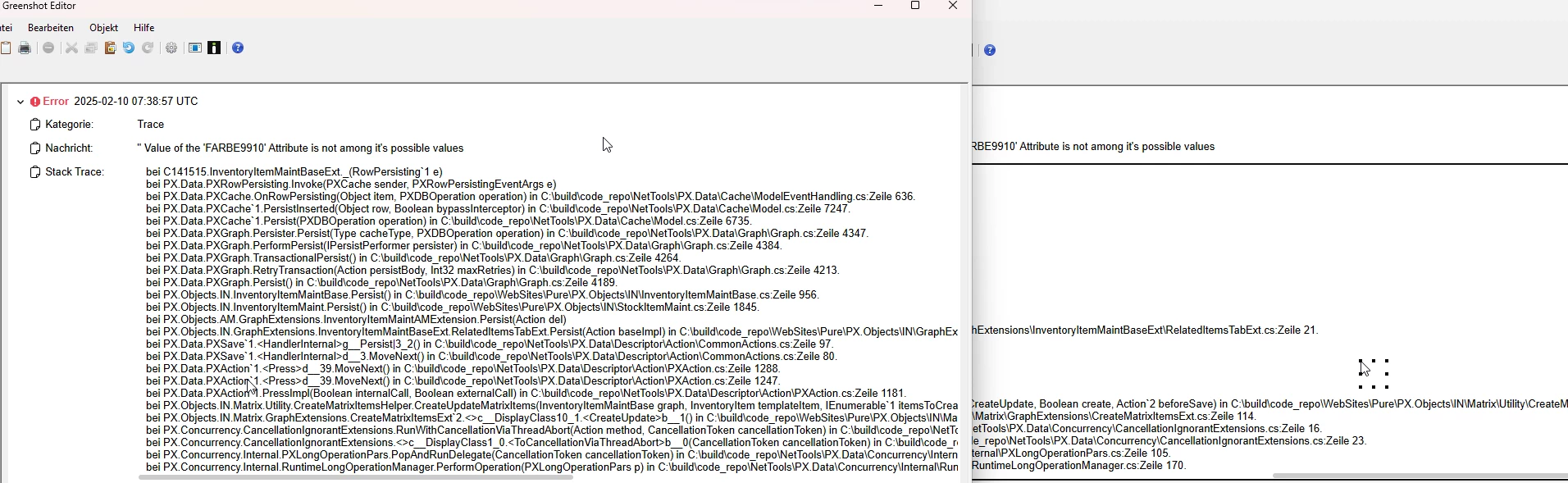
2) what is the trace you are getting? please check.

3) Try to Reset Caches and Restart Application from Apply Updates screen. Note: Please do it in non working hours.


Hope, it helps!

Translate

Manikanta Dhulipudi
Captain II
Forum|alt.badge.img+16

​@Micha 

Please find the solution here


Which version you are using.

Translate

  • Author
  • Freshman I
  • Feb 10, 2025 7:45 AM UTC

Thank you in advance for your help. 

This is my trace (sorry can´t copy)


Translate

Forum|alt.badge.img+1

Anyone know how to deactivate all attributes on the template items except specific ones listed an import scenario?

Translate