

Solved

Step-by-Step guide to setting up a new company/tenant from scratch

  • Oct 13, 2023 1:13 PM UTC
  • 2 replies
  • 1260 views
  • Translate All

I have searched, but suspect I’m not using the right terminology.


Does anyone have access to, or know where I could find a step-by-step checklist / guide to setting up a new company from scratch.  Eg. Start with Company, then create ledgers, then COA etc. all the way through customers and inventory.

Many a time one will start configuring and we might start with trying to import a COA but find we didn’t set up Ledgers first, or try setting up AP Preferences but find we’ve not set up COA for default accounts.  So to see things in the exact order in which to set them up would be super useful.


TIA
​​​​​

Best answer by Laura03

Hello @gysdebeer02 ,

Welcome to Acumatica! Here is a link to Acumatica-provided instructions for setting up new companies.

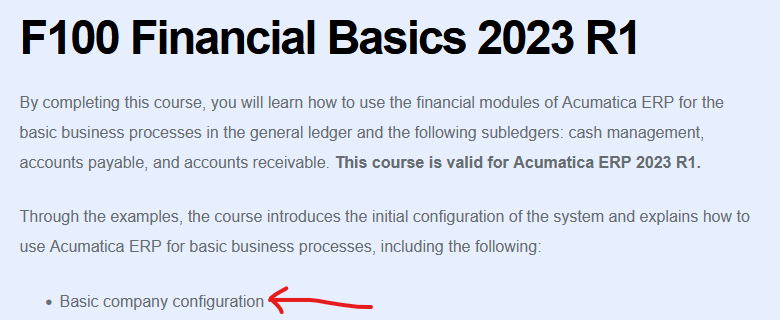
https://openuni.acumatica.com/courses/fin/f100-financials-basic/

F100 covers basic company configuration

I hope this helps you.


Laura

View original

2 replies

Laura03
Captain II
Forum|alt.badge.img+20
  • Captain II
  • Answer
  • Oct 13, 2023 7:51 PM UTC

Hello @gysdebeer02 ,

Welcome to Acumatica! Here is a link to Acumatica-provided instructions for setting up new companies.

https://openuni.acumatica.com/courses/fin/f100-financials-basic/

F100 covers basic company configuration

I hope this helps you.


Laura

Translate

Kandy Beatty
Captain II
Forum|alt.badge.img+18

Hi @gysdebeer02 

Along with @Laura02’s suggestion, you can use the Acumatica Help, there it is broken down by module and can walk you through setting things up. 

https://help.acumatica.com/Help?ScreenId=ShowWiki&pageid=004432da-e259-4416-8809-aabf230ee9b7

Translate


