Solved

Shipping Locations

  • Sep 25, 2024 6:43 PM UTC
  • 5 replies
  • 180 views
  • Translate All

Where do I add a new shipping location?  We have a drop down of choices to pick from when entering a new Purchase Request but I need to add a new location to this list and cannot find where to do so.

Best answer by hdussa

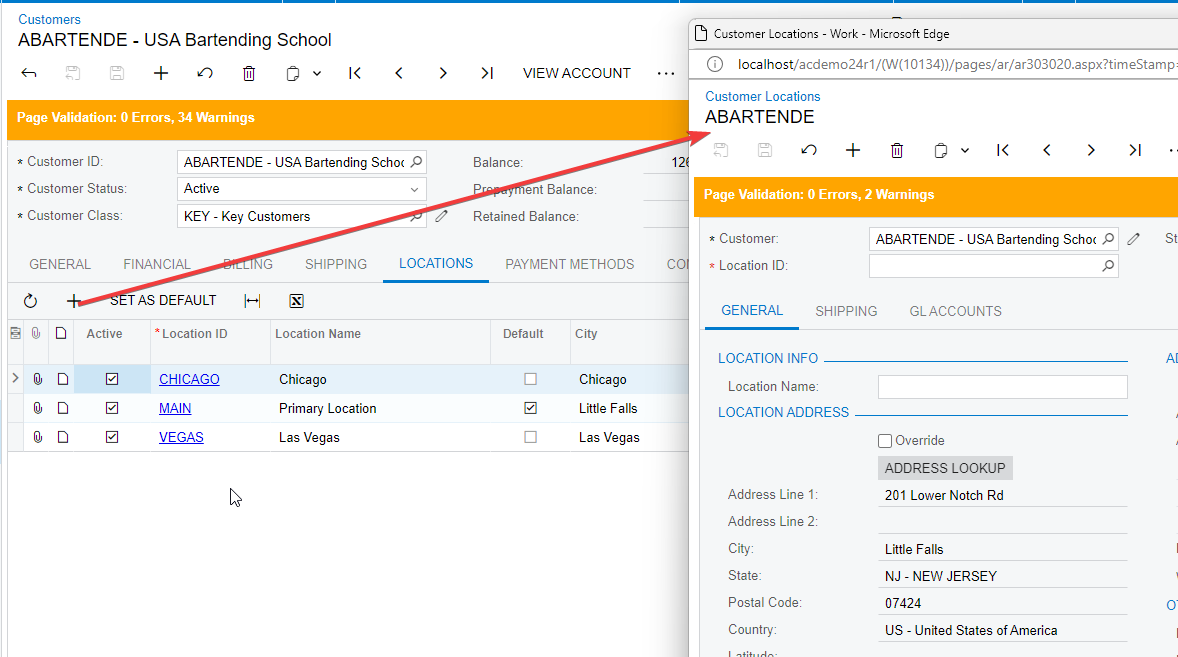
You can add a new customer location from the Customers screen.


View original

5 replies

hdussa
Jr Varsity I
Forum|alt.badge.img+2
  • Jr Varsity I
  • Sep 25, 2024 7:05 PM UTC

Hello @bfeller ,


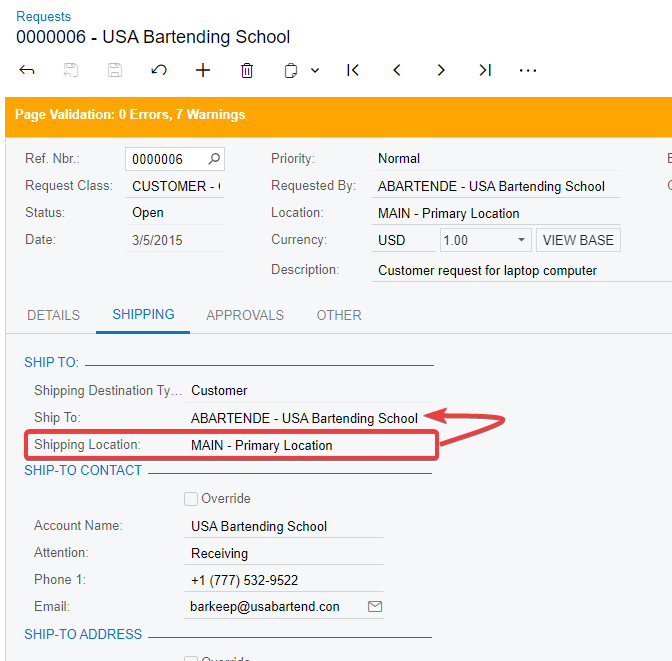
In the Purchase Requests, the Shipping Locations are the available locations of selected ShipTo business account.

Assuming the Shipping Destination Type is Customer, the Shipping Locations selector will display the available customer locations. In this case, I would add a new location in the Customer screen.


Hope this helps!

Translate

  • Author
  • Freshman I
  • Sep 25, 2024 7:10 PM UTC

Hello!  Thank you, This is the screen I am in and the part you have circled in Red is where the drop down with a list of our Shipping Locations are.  How do I get to the original set up of these locations to add a new one for people to choose from in that drop down?   I can override and put in an address but it does not save it for future use.

Translate

hdussa
Jr Varsity I
Forum|alt.badge.img+2
  • Jr Varsity I
  • Answer
  • Sep 25, 2024 7:21 PM UTC

You can add a new customer location from the Customers screen.


Translate

  • Author
  • Freshman I
  • Sep 25, 2024 7:23 PM UTC

Thank you so much!!!  I have now found where the Customer screen is :)

Translate

hdussa
Jr Varsity I
Forum|alt.badge.img+2
  • Jr Varsity I
  • Sep 25, 2024 7:49 PM UTC

Sounds good!
You can mark it as Best Answer if it solved what you are looking for.

Translate