Solved

Open/Preview File Attachments in Web Browser

  • Oct 2, 2024 7:27 PM UTC
  • 5 replies
  • 301 views
  • Translate All

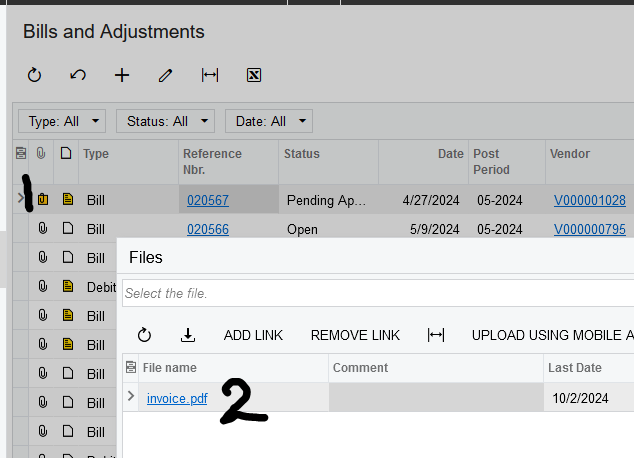
Is there a way to configure the system or the web browser which allows you to preview/ view attachments, without downloading them?  If I just want to reference them, I don’t necessarily need to download them.

Best answer by Laura03

Hello,

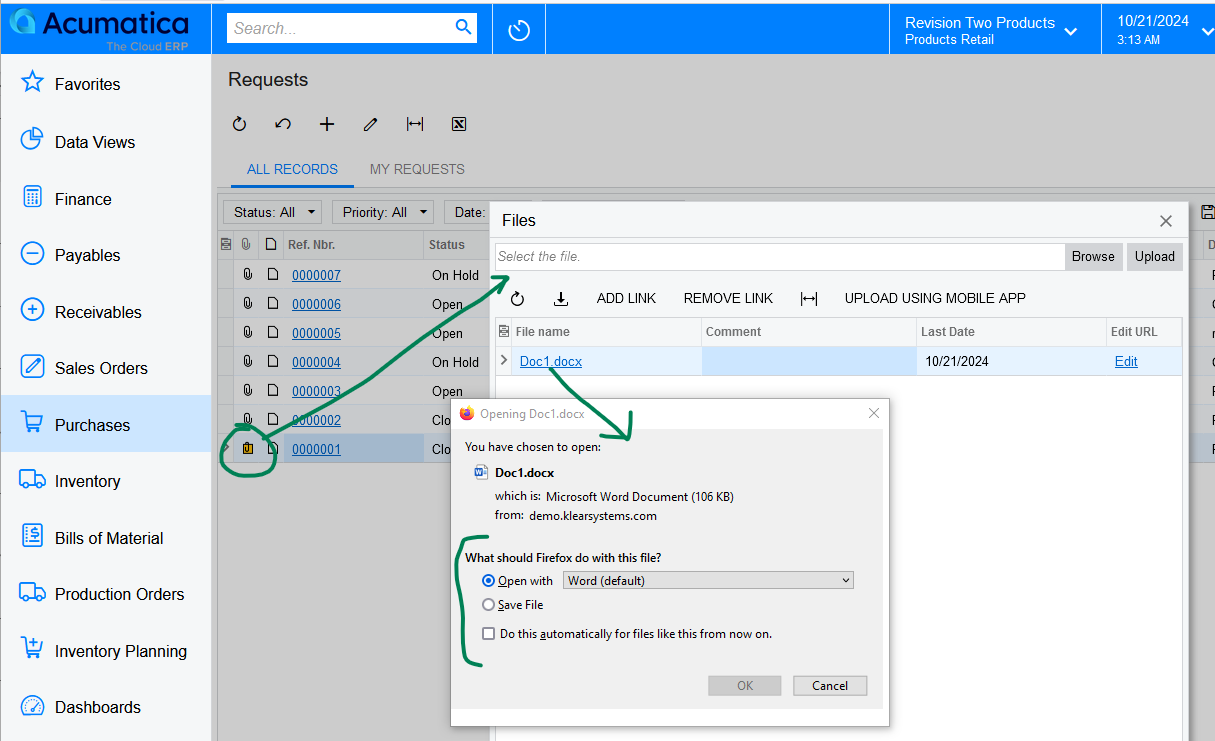
Firefox allows me to answer ‘choose handling’ question for each file type -  Firefox has a separate setting for Word Documents vs. PDF.  “Always ask” and “Use Windows Default Application” - both settings worked in my quick test of a Word document.
Laura

View original

5 replies

Laura03
Captain II
Forum|alt.badge.img+20
  • Captain II
  • Oct 2, 2024 9:57 PM UTC

Hello,

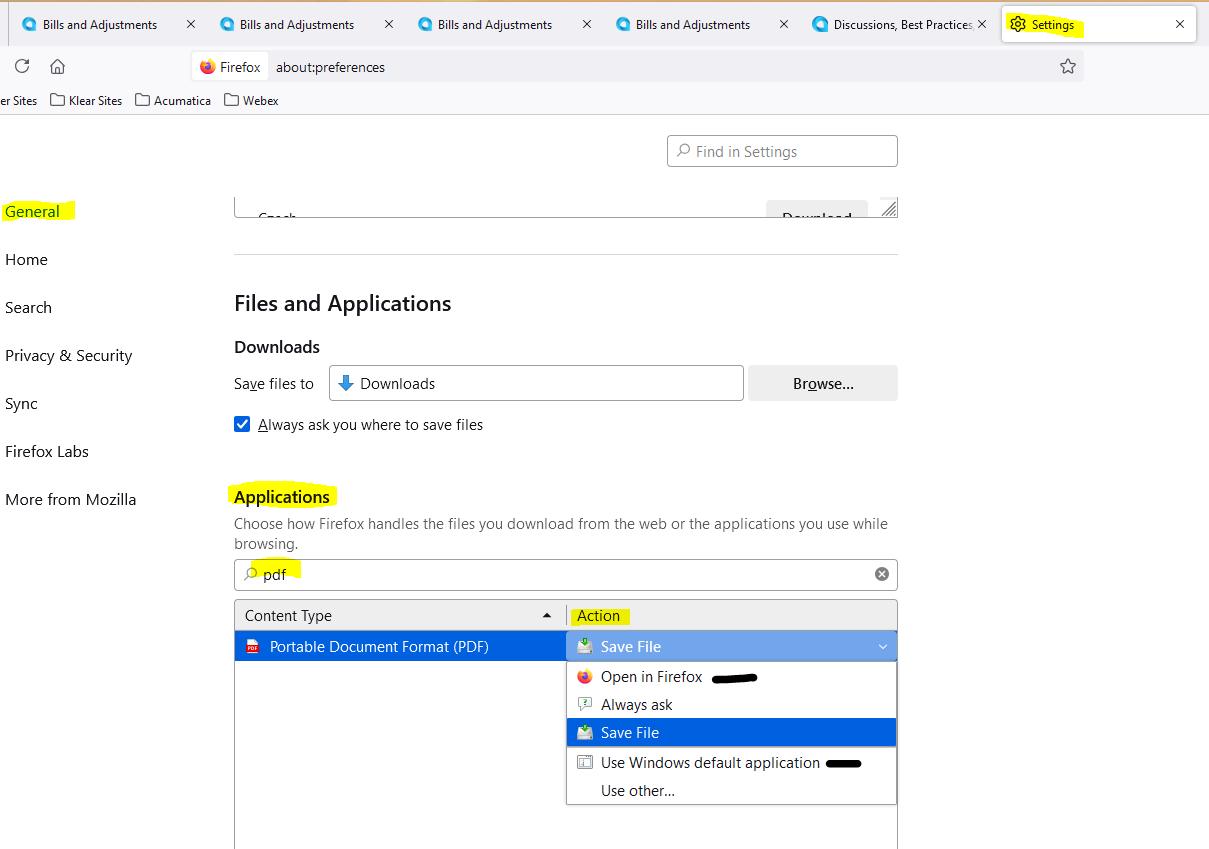
I think Acumatica’s behavior when clicking on File Attachments to open them is controlled by your browser settings.  Here are the settings for Firefox, showing the options:


After adjusting your browser settings and choosing Open , Ask , or Use Default application instead of “Save File”, restart browser, then try clicking on the Attachment Icon, followed by File name and see whether this fixes your problem.

Laura

Translate

hdussa
Jr Varsity I
Forum|alt.badge.img+2
  • Jr Varsity I
  • Oct 4, 2024 3:33 AM UTC

Hello @chighfield ,


I would first try @Laura02 option. Hopefully, that will solve your problem.


The below approach is a complicated customization so I recommend it only if there is such requirement.

Assuming you want to add a Preview pane in the same screen, you could try using client libraries like PDF.js to show the preview of the attached file at the document level. Acumatica has such functionality in the AP Document Recognition screen.

Translate

  • Author
  • Freshman II
  • Oct 4, 2024 11:19 AM UTC

The solution that @Laura02 proposed works for PDF’s but not DOCX.  I’m using Chrome.

Translate

Laura03
Captain II
Forum|alt.badge.img+20
  • Captain II
  • Answer
  • Oct 21, 2024 10:16 AM UTC

Hello,

Firefox allows me to answer ‘choose handling’ question for each file type -  Firefox has a separate setting for Word Documents vs. PDF.  “Always ask” and “Use Windows Default Application” - both settings worked in my quick test of a Word document.

Laura

Translate

darylbowman
Captain II
Forum|alt.badge.img+17

It is important to note that if you’re opening Word documents, they’re stored locally, meaning changes are also saved locally and need to be re-uploaded to be saved in Acumatica. Acumatica has no connection to Office online yet.

Translate