I’m having difficulty controlling access to particular form elements. The behavior I’m observing runs contrary to the guidance provided by the Acumatica wiki and training manuals. Currently using Acumatica Cloud ERP 2020 R1, Build 20.114.0020.
The wiki says that:
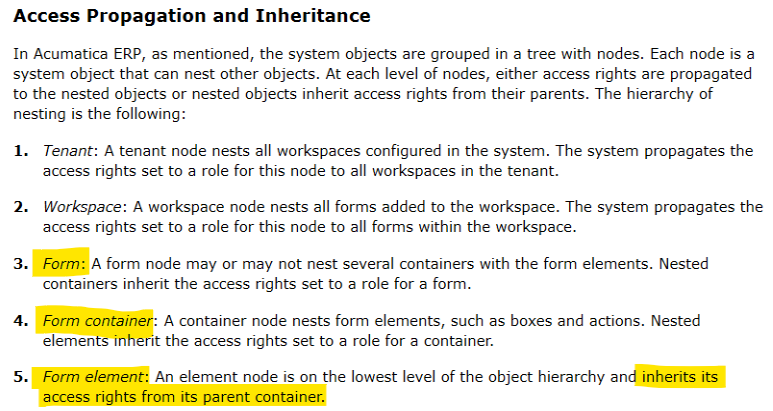
“By default, a role’s access rights to the form elements and actions are inherited from the role’s access level to the container of form elements to which elements and actions belong.”
This is echoed in the security training manual:
But it seems that form elements (tier 5) actually inherit their rights from the Form (tier 3), rather than the Container (tier 4). This breaks the “hierarchy of nesting” outlined above, and makes controlling access to particular form elements much more difficult.
Is this a bug, is the documentation wrong, or am I misinterpreting something?
Example:
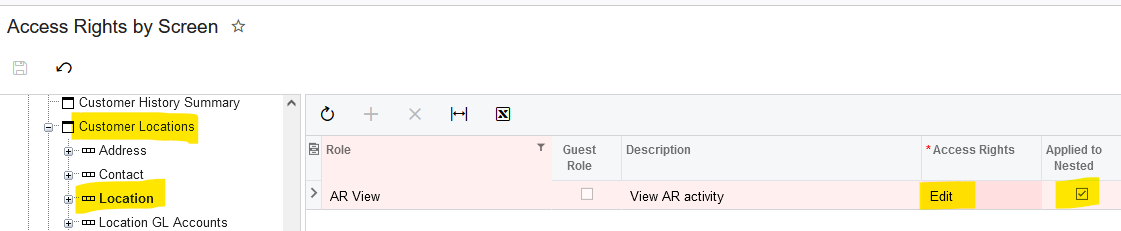
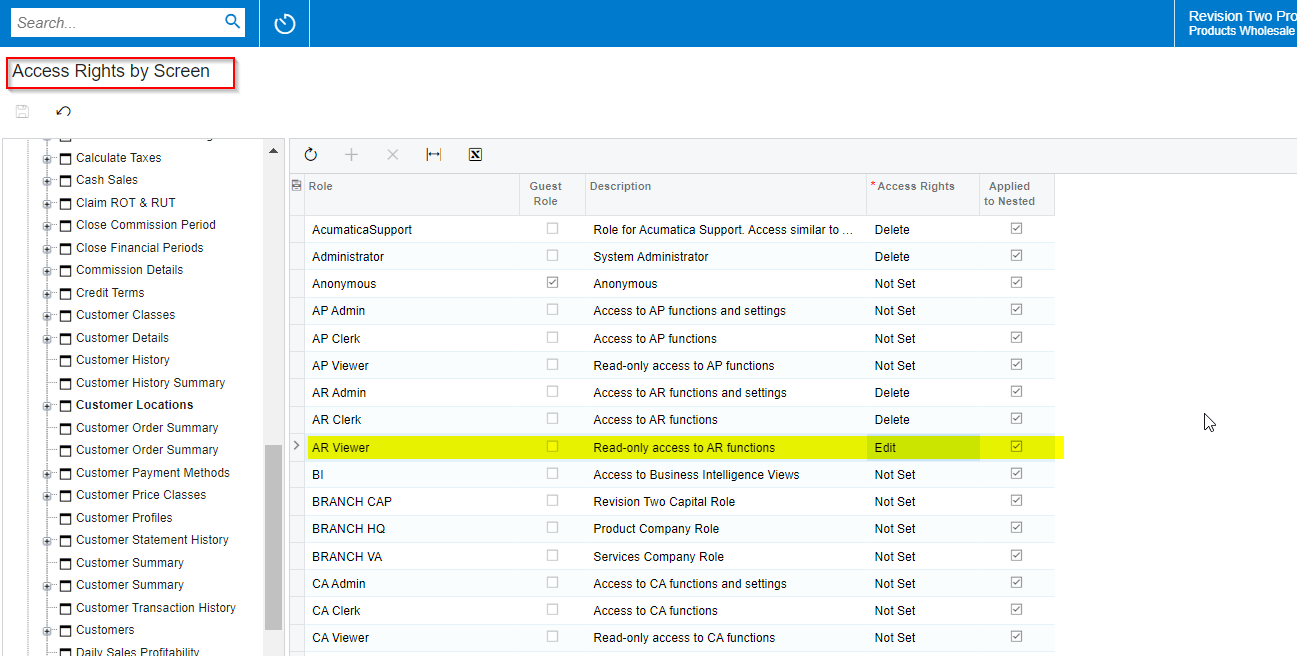
Form: [Receivables -> Customer Locations] node is set to "View Only".
Form Container: [Receivables -> Customer Locations -> Location] node is set to "Edit", with the Applied to Nested option selected.
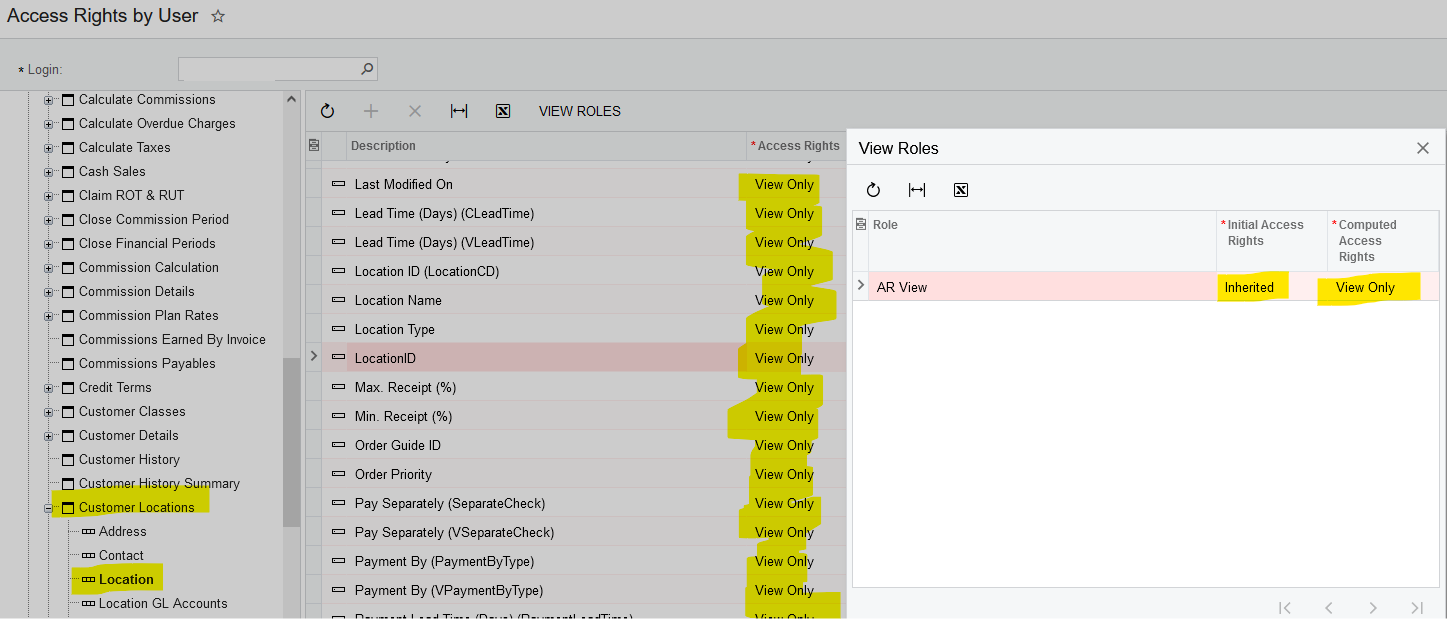
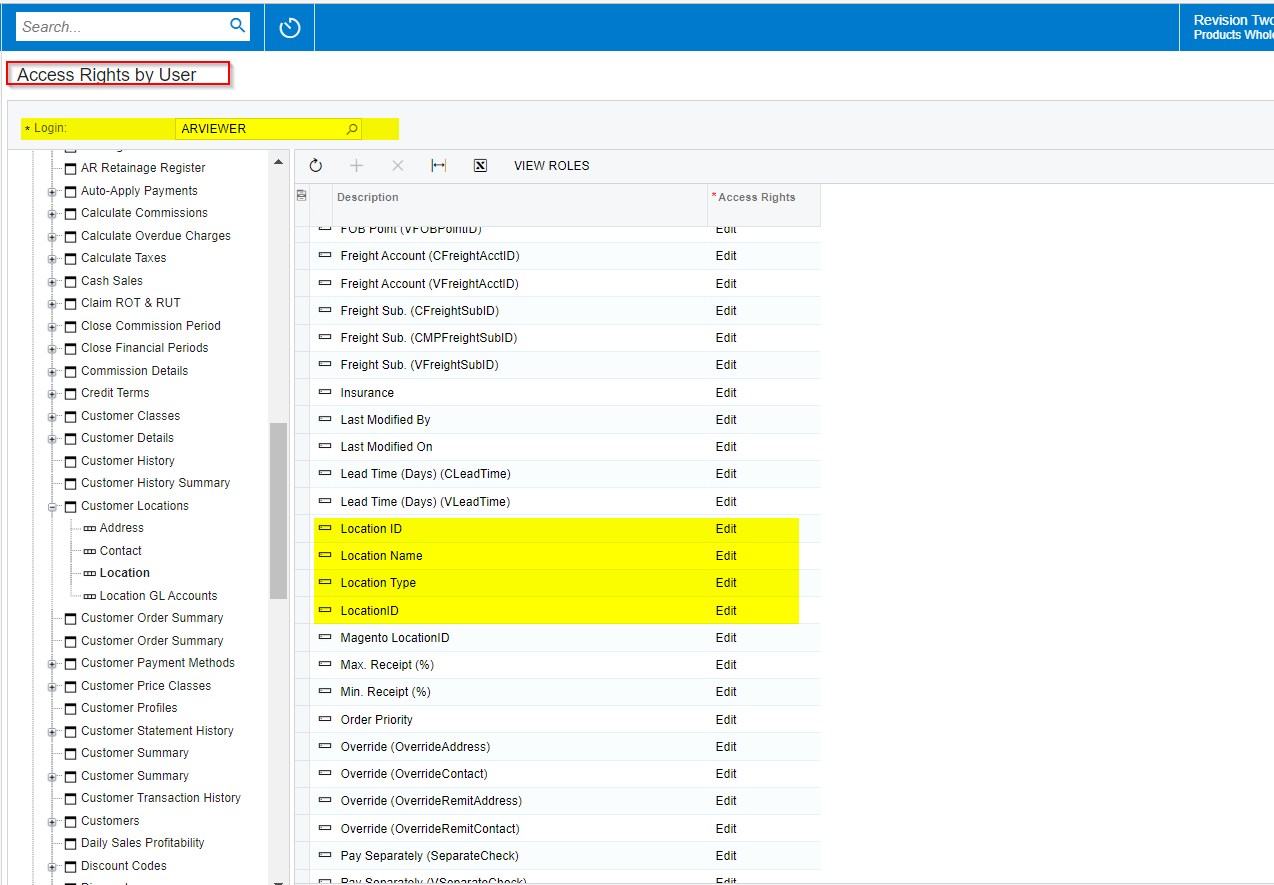
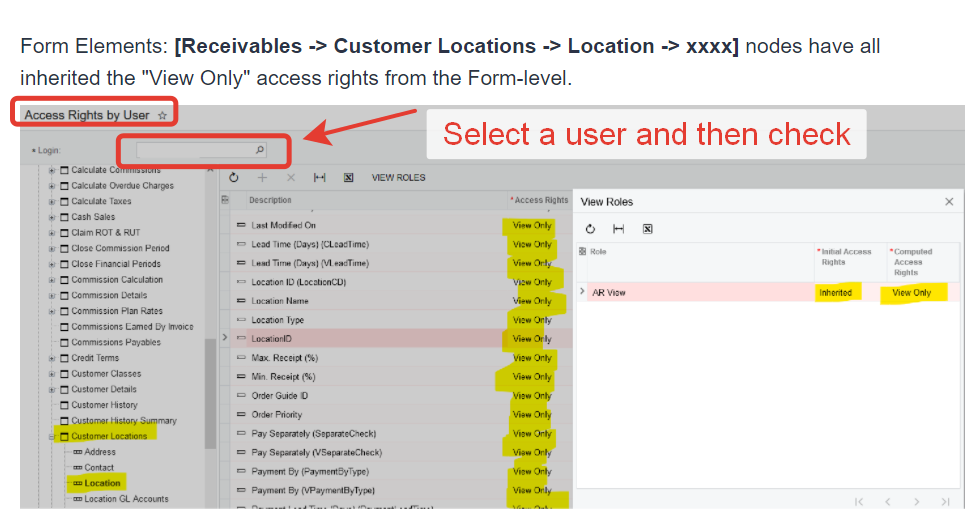
Form Elements: [Receivables -> Customer Locations -> Location -> xxxx] nodes have all inherited the "View Only" access rights from the Form-level.
Best answer by damonb56
Thanks for the responses, everyone.
I received an update from Acumatica stating that the issue should be resolved in the latest build of 21R1, though they didn’t confirm the nature of the problem or describe how it would be addressed.
@jinin - The issue I’m trying to describe occurs when I specify different levels of access rights at the form-level and the form container-level. (In this case, Form = Receivables -> Customer Locations; Form Container = Receivables -> Customer Locations -> Location).
@ChandrasekharM - The “Access Rights by Role” screen only displays that rights are “inherited”, without displaying the final value.
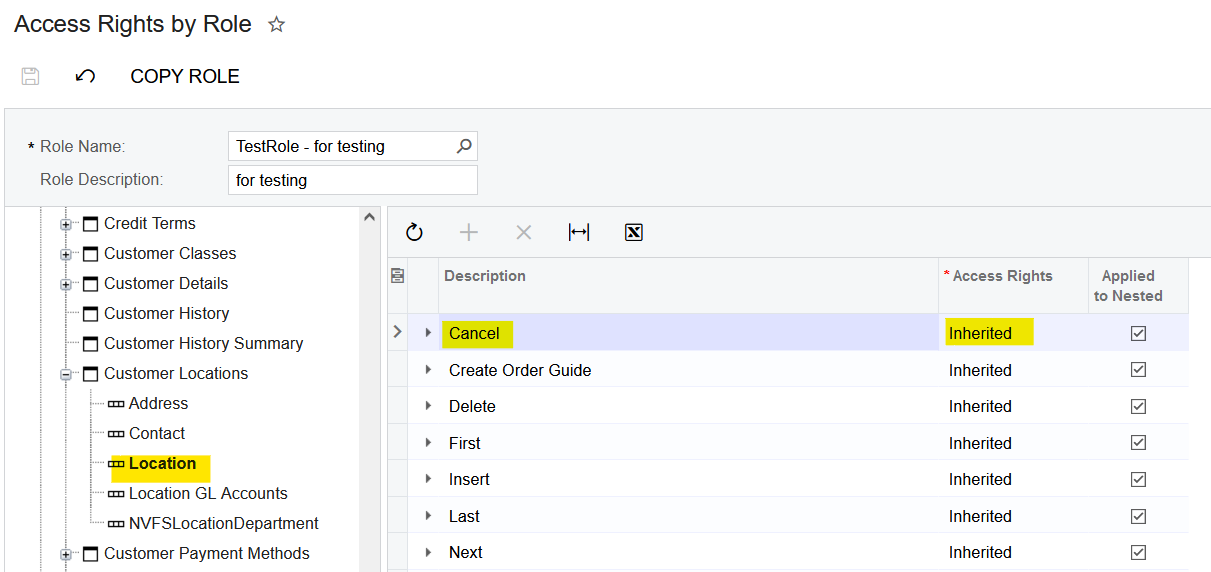
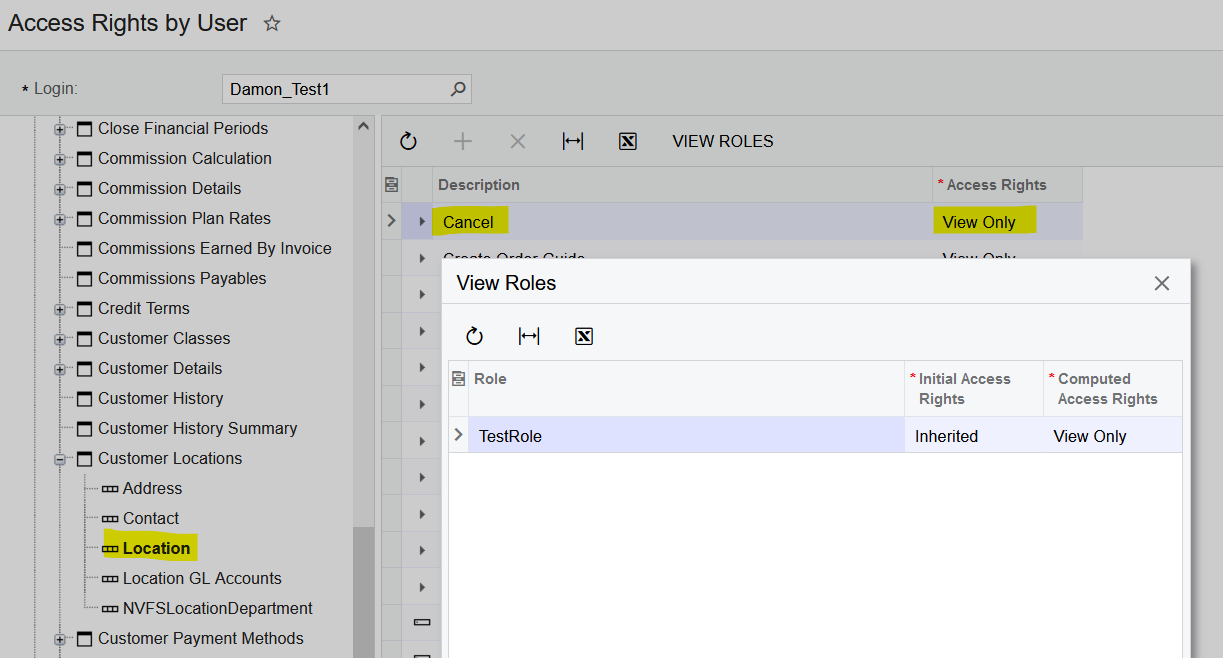
For example, in the screenshots below, the “Access Rights by Role” screen displays that permissions for the [Receivables -> Customer Locations -> Location -> Cancel] node are “Inherited” for the selected role. But if you view that same node using the “Access Rights by User” screen, it will display the actual value (e.g., “View Only”) that was inherited by a user assigned the role in question.
@vkumar - There was a user selected in the screenshot I originally posted, but I removed the text as to not reveal their email address.
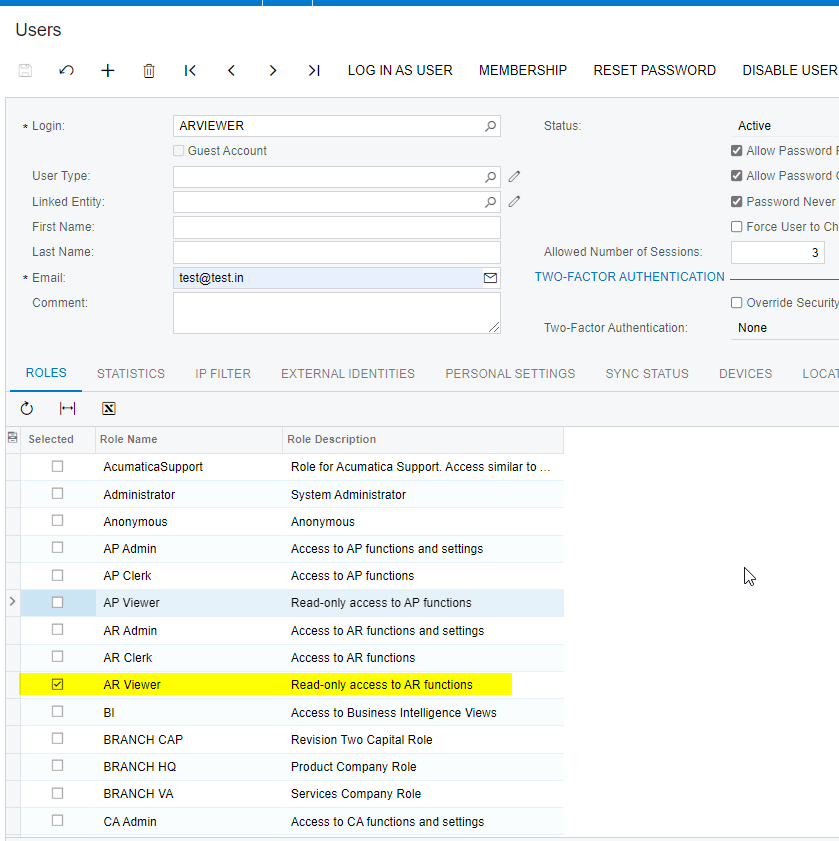
The screen where it reflects ‘View only’ for Customer location Form elements is Access rights by User and no user has been selected. It should give you correct values when you select an user who has AR Viewer access role assigned.
I received an update from Acumatica stating that the issue should be resolved in the latest build of 21R1, though they didn’t confirm the nature of the problem or describe how it would be addressed.
@jinin - The issue I’m trying to describe occurs when I specify different levels of access rights at the form-level and the form container-level. (In this case, Form = Receivables -> Customer Locations; Form Container = Receivables -> Customer Locations -> Location).
@ChandrasekharM - The “Access Rights by Role” screen only displays that rights are “inherited”, without displaying the final value.
For example, in the screenshots below, the “Access Rights by Role” screen displays that permissions for the [Receivables -> Customer Locations -> Location -> Cancel] node are “Inherited” for the selected role. But if you view that same node using the “Access Rights by User” screen, it will display the actual value (e.g., “View Only”) that was inherited by a user assigned the role in question.
@vkumar - There was a user selected in the screenshot I originally posted, but I removed the text as to not reveal their email address.