Solved

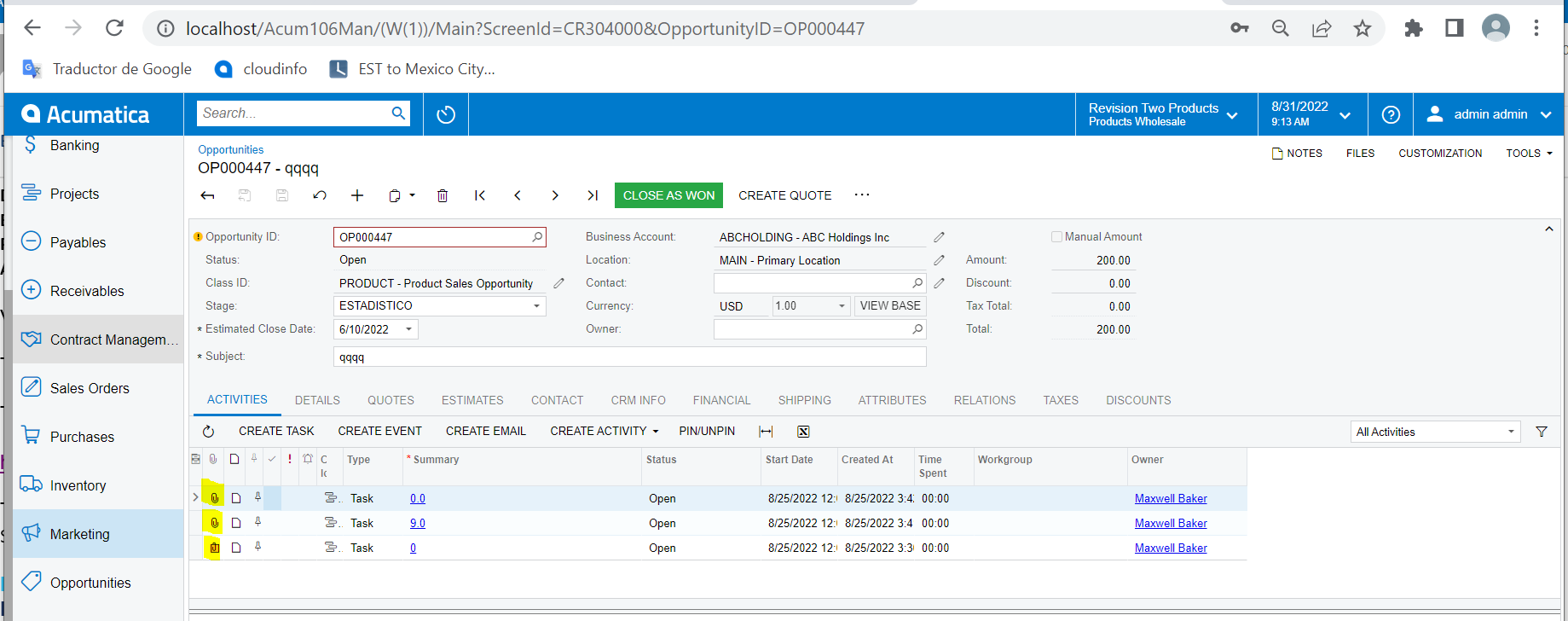
Increase the size of folders in the lines detail of opportunity screen

  • Aug 31, 2022 4:25 PM UTC
  • 15 replies
  • 217 views
  • Translate All

Forum|alt.badge.img


Hello:

In many screens we can upload files but the size is 1 GB and now I know for Acumatica that can be increased to 2 GB, with this articule:

Next
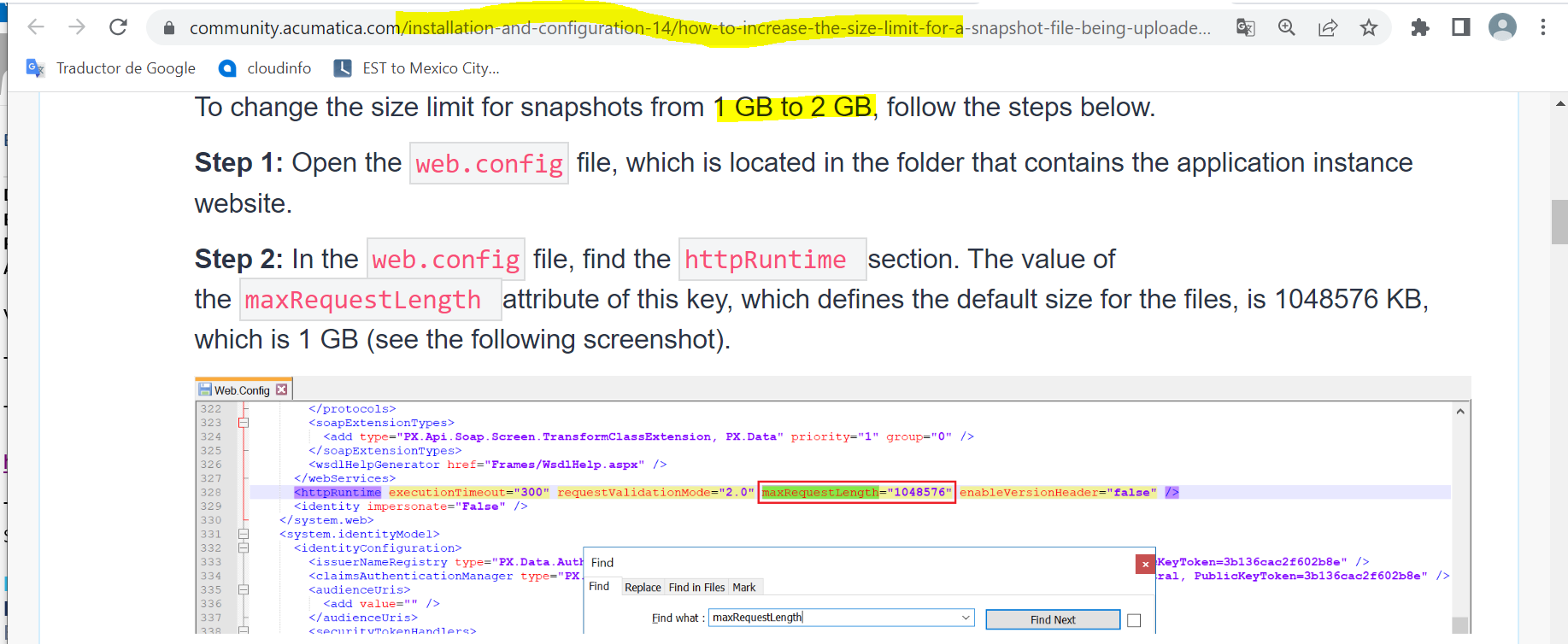


But we need in the screen of opportunities for line upload 2 GB, ¿is it possible with the articule top?

Thank you 


Best answer by Laura03

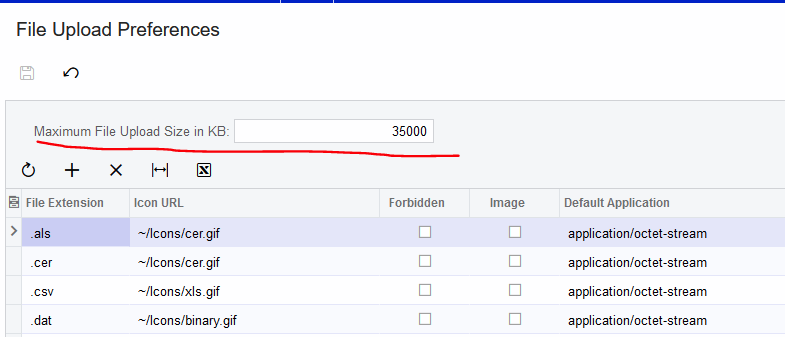
Hi, I think you are looking for File Upload Preferences.


View original

15 replies

Laura03
Captain II
Forum|alt.badge.img+20
  • Captain II
  • Answer
  • Aug 31, 2022 5:25 PM UTC

Hi, I think you are looking for File Upload Preferences.


Translate

darylbowman
Captain II
Forum|alt.badge.img+17

In addition to Laura’s answer, the article you read is for snapshots, which has nothing to do with what you’re after. Changing the Max File Upload to 2,097,152 should allow exactly 2 GB.

Translate

Forum|alt.badge.img
  • Author
  • Jr Varsity III
  • Aug 31, 2022 6:10 PM UTC

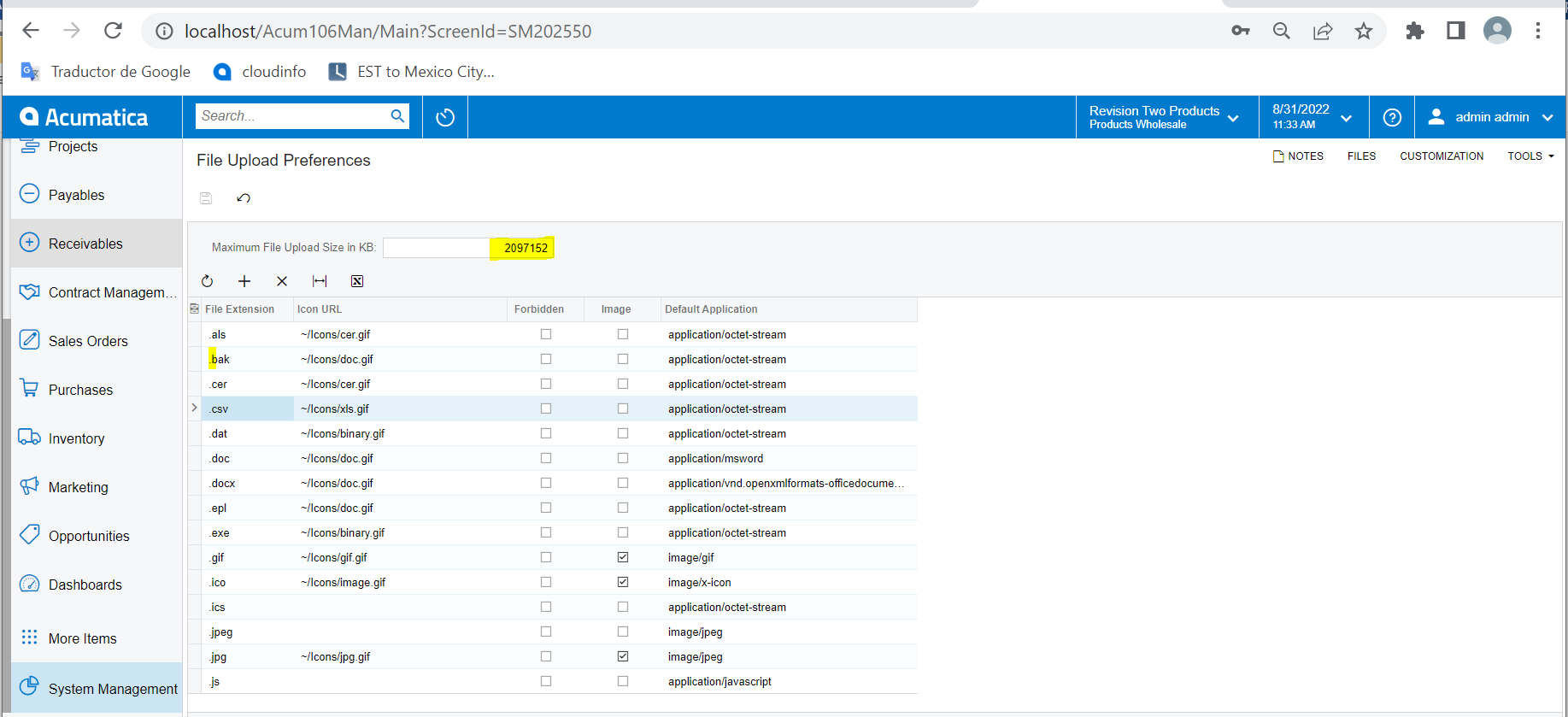
Thank you so much for your support, but the size in that screen [File Upload Preference] is 1,048,576, it is not enough, for that we can increase the size to 2,097,152 in the web.config. THis is my understood.

Best regard    

Translate

Forum|alt.badge.img
  • Author
  • Jr Varsity III
  • Aug 31, 2022 6:16 PM UTC

Dary, I cannot change 1048,576 in the screen [File Upload Preference], I suppose that changing the web.config to 2,097,152, it can work in the screen  [File Upload Preference].

Translate

Forum|alt.badge.img
  • Author
  • Jr Varsity III
  • Aug 31, 2022 6:17 PM UTC

What is your opinion?


Translate

darylbowman
Captain II
Forum|alt.badge.img+17

Could you post a screenshot of why you can’t change it? Are you getting an error?

Translate

Kandy Beatty
Captain II
Forum|alt.badge.img+18

Could you post a screenshot of why you can’t change it? Are you getting an error?

This could be a user permission that needs to allow you to change it. 

Translate

Forum|alt.badge.img
  • Author
  • Jr Varsity III
  • Aug 31, 2022 6:37 PM UTC

Thank you so much for your help.

I change to 2,097,152 in [File Upload Preference]

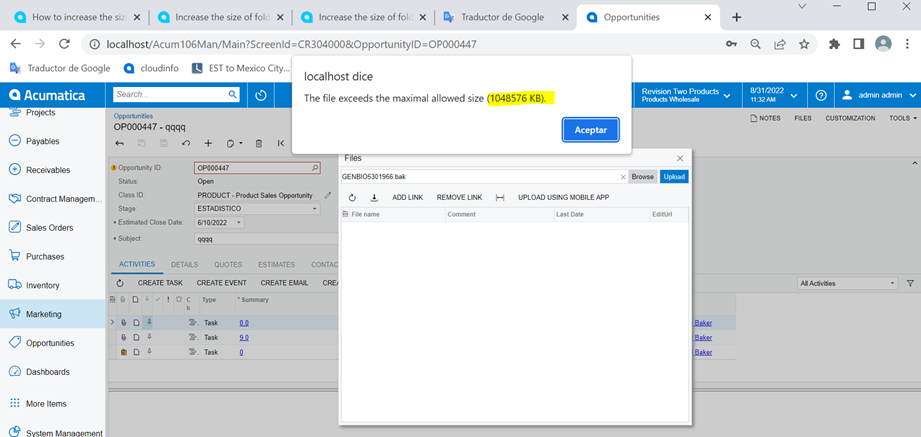
Please see next 2 screenshot

Best regards

If i try to upload a file:


Translate

darylbowman
Captain II
Forum|alt.badge.img+17

That is the only place in my web.config file where that exact number exists. It stands to reason that changing that to 2097152 could allow what you’re wanting. You may need to restart the Internet Information Services service after that change. I forget if that happens automatically or not.

Translate

darylbowman
Captain II
Forum|alt.badge.img+17

While you’re at it, you could make it 5,242,880 (5 GB) 😎  The File Upload Preferences will still regulate it.

Translate

Forum|alt.badge.img
  • Author
  • Jr Varsity III
  • Aug 31, 2022 6:50 PM UTC

Thank you very much.

I will request this change from Acumatica, and they will probably make it during non-working hours and then I will have to test and see if it really does what we require.

It was a pleasure working with you, see you soon

Best regards

Translate

darylbowman
Captain II
Forum|alt.badge.img+17

If you’re dealing with files that large, you may want to ask Acumatica about External File Storage options like Amazon AWS. It’s much cheaper than a large Acumatica database.

Translate

Forum|alt.badge.img
  • Author
  • Jr Varsity III
  • Aug 31, 2022 6:54 PM UTC

Dary: 

Acumatica told me that 2 GB is the recomend value, more not.


5,242,880 will great, but it can bring problems?


Best regards

Translate

darylbowman
Captain II
Forum|alt.badge.img+17

You could ask them for the reason behind that answer. If it is being stored in the database, I believe SQL has some limitations for file sizes. Regardless, files that large will take a while to upload / download unless you have super fast internet.

Translate

Forum|alt.badge.img
  • Author
  • Jr Varsity III
  • Aug 31, 2022 11:00 PM UTC

Thank you

Translate