Solved

How to change the logo of a branch

  • Oct 4, 2023 10:12 PM UTC
  • 3 replies
  • 656 views
  • Translate All

Hi all,

I’m wondering that how do I change the logo of a branch.

thanks for the help!


Best answer by KushaniPerera88

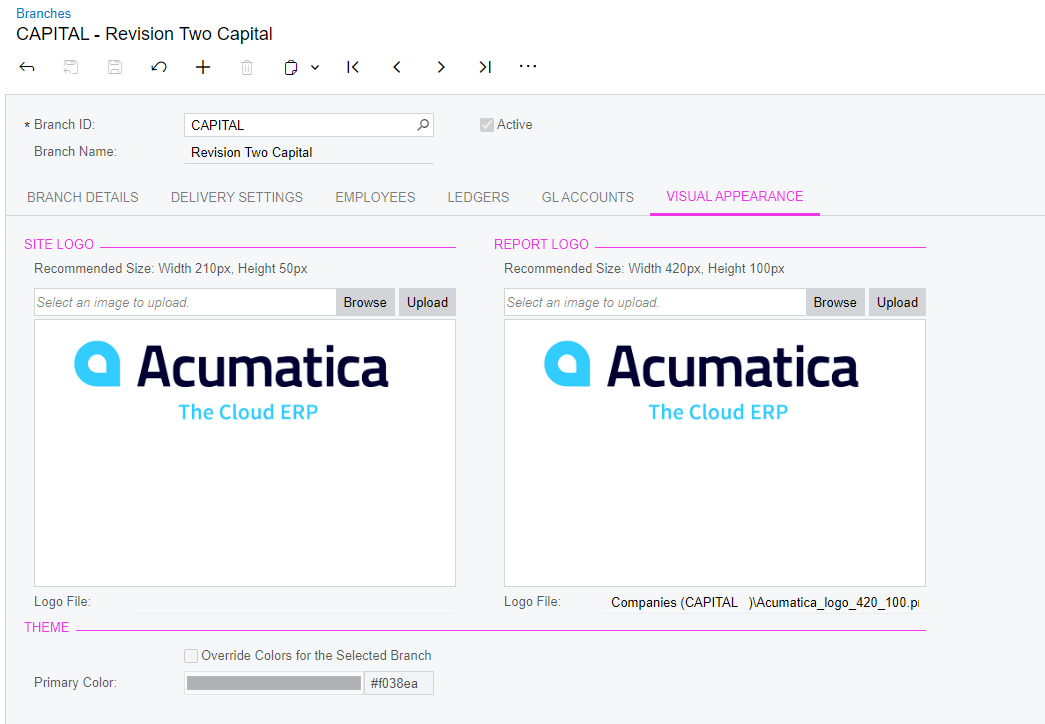
@jhsia62  You change the logo of the branch on the Branches (CS102000) form, you select the branch, and on the Visual Appearance tab, you upload the logo image in the Site Logo section.

The system displays the uploaded image in the upper left corner of the screen whenever you are signed in to the branch.

View original

3 replies

KushaniPerera88
Acumatica Employee
Forum|alt.badge.img+5
  • Acumatica Employee
  • Answer
  • Oct 4, 2023 10:16 PM UTC

@jhsia62  You change the logo of the branch on the Branches (CS102000) form, you select the branch, and on the Visual Appearance tab, you upload the logo image in the Site Logo section.

The system displays the uploaded image in the upper left corner of the screen whenever you are signed in to the branch.

Translate

Kandy Beatty
Captain II
Forum|alt.badge.img+18

Hi @jhsia62  

If you go to Branches and the Visual Appearance tab, you can upload your logo there for the branch and all reports for that branch


Translate

Manikanta Dhulipudi
Captain II
Forum|alt.badge.img+16

Hi @jhsia62 

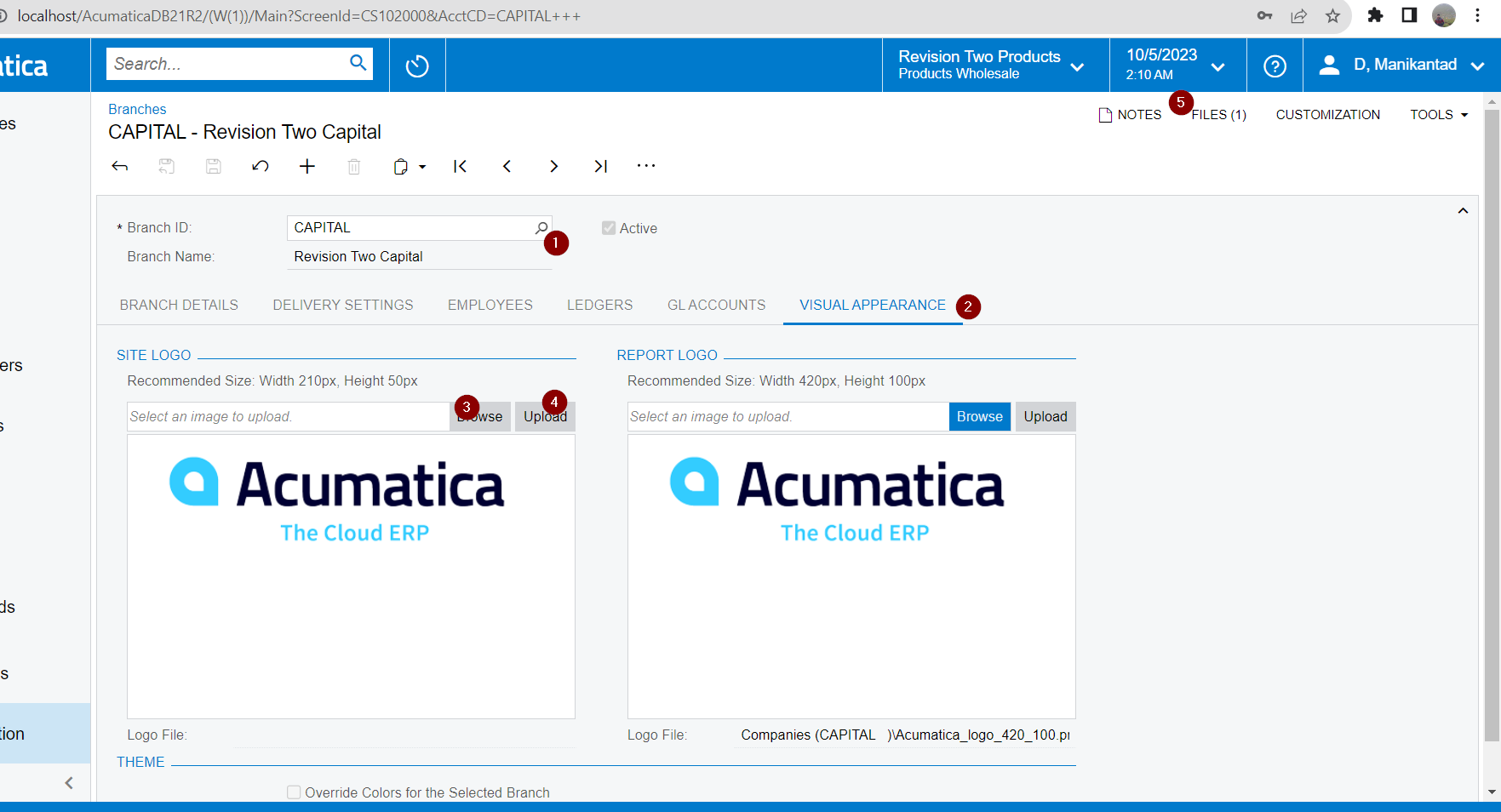
Navigate to Conifiguration→ Organization→ Branches→ Visual apperaence


Try to upload the new logo using Browse Option and click on Upload.


Existing logo can be viewed in right top under files, if you want you can remove by using edit option and delete the File.


Translate