Answer

Editing Customer Status

  • December 26, 2024
  • 4 replies
  • 113 views

Forum|alt.badge.img

Hello,

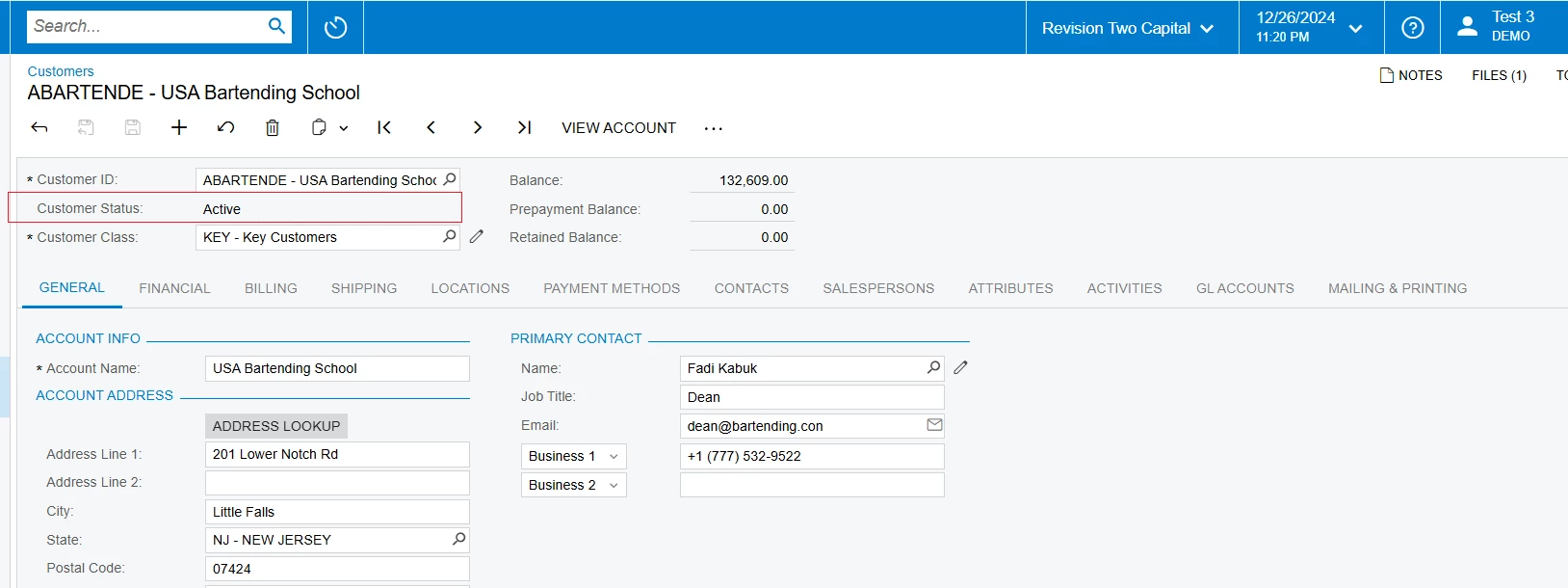
I am trying to allow only a couple users to be able to change the status of a customer, but I cannot seem get the access rights.

  • I have created a new role called Customer Status, and I gave it to select users.
  • I then went into Access Rights by Screen- Receivables> Customers> Customer> Customer Status. 
  • I gave every role view-only access except for the Customer Status and Admin role

I logged in as a user who did not have access to one of these roles, and was still able to change the customer status. Any suggestions?


Thanks,

RJ


Best answer by nhatnghetinh

Hi ​@rkenna 

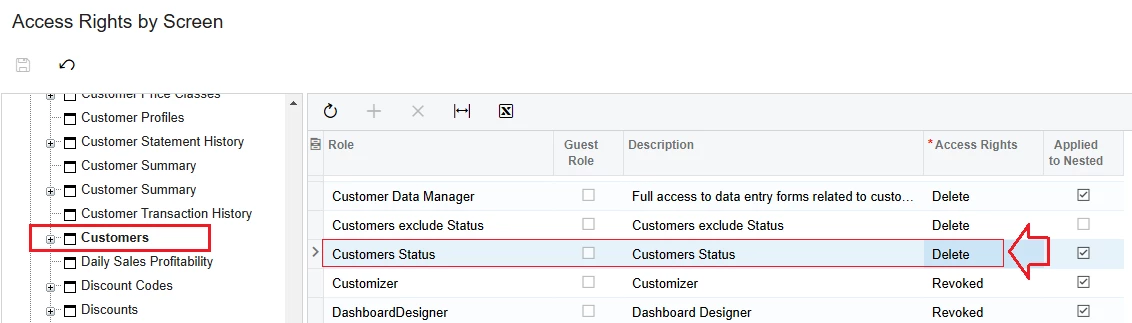
You create 2 Roles.
1/. "Customers exclude Status" Role: This role is for most users and cannot edit the Customer Status field (how to create this role as I posted above)
2/. "Customers Status" Role: This role is for users who allowed to edit the Customer Status field.


Best Regards,

NNT

4 replies

nhatnghetinh
Captain II
Forum|alt.badge.img+11
  • Captain II
  • December 27, 2024

Hi ​@rkenna 

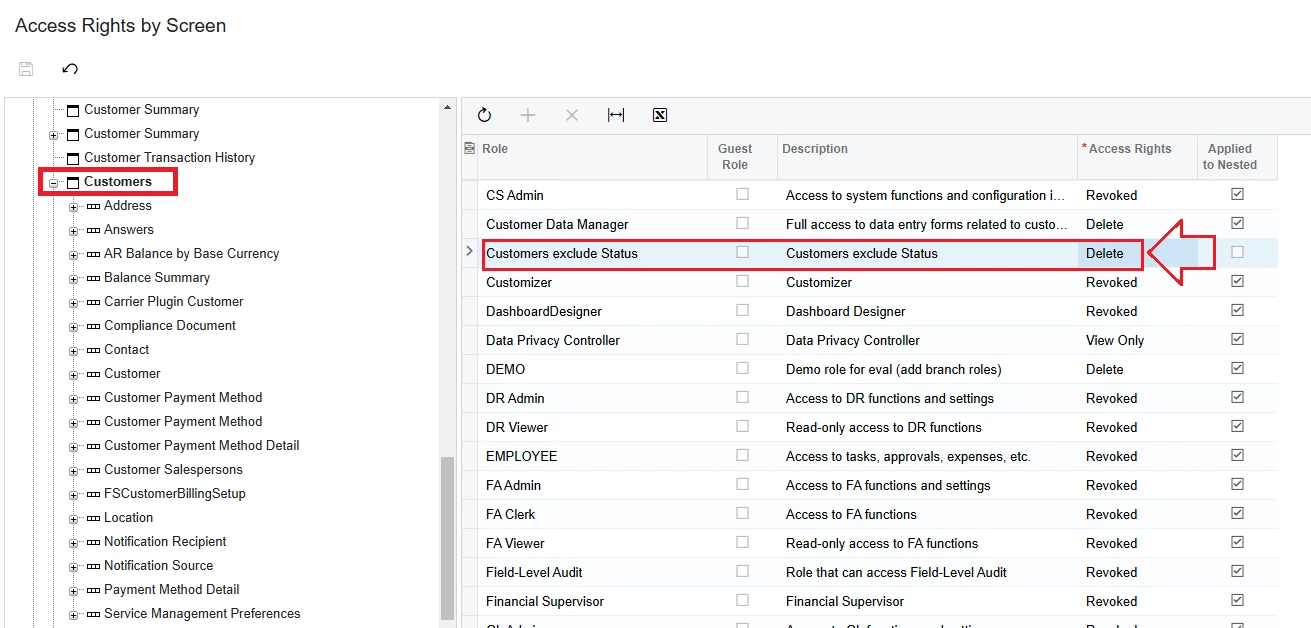
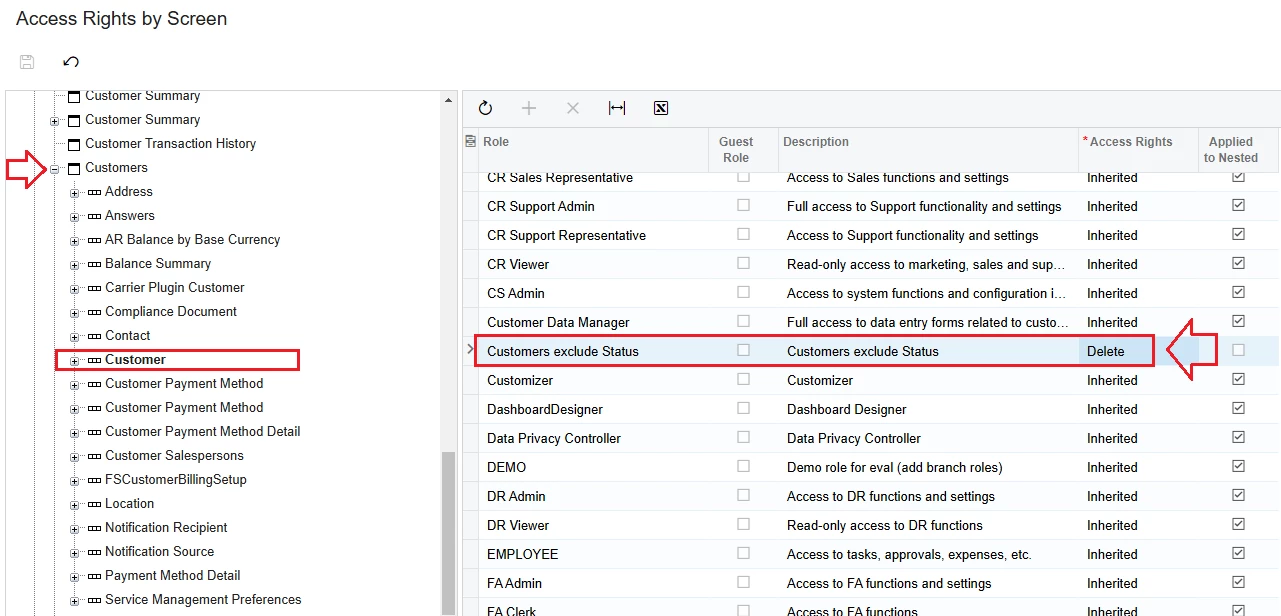
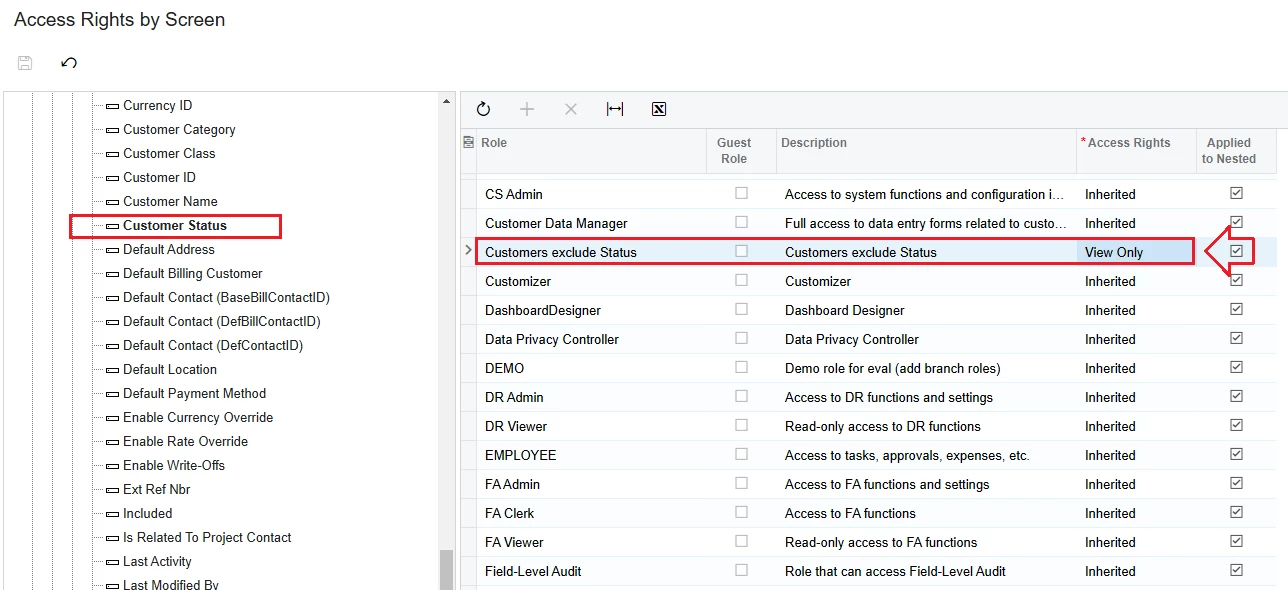
Let's see the example below how to create a role that does not allow Users to change the Customer Status. The role is called “Customers exclude Status”

+ Go to “Access Rights by Screen” > Receivables > Customers

+ Go to “Access Rights by Screen” > Receivables > Customers > Customer


+ Go to “Access Rights by Screen” > Receivables > Customers > Customer > Customer Status


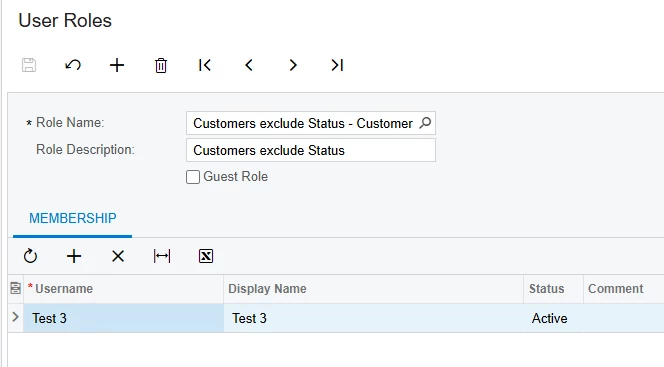
The results when selecting Role “Customers exclude Status” for User are as follows:


Best Regards,

NNT


Forum|alt.badge.img
  • Author
  • Captain I
  • December 27, 2024

Hi ​@nhatnghetinh,

Thanks for your response, but the issues I have with this option are: 1- they will need to go through every active user and see who has access to customers and give them this role, and 2- anytime a new user is created, this is one more step in the process of needing to remember to give them this additional role so they cannot change the status.


Rather than create a new role for the majority of users and for future users, I would like to create a role for the couple of users who need to be able to change the status. Do you think this is possible?


Thanks,

RJ


meganfriesen37
Captain II
Forum|alt.badge.img+12

Following similar steps to what @nhatnghetinh posted above, for user roles that have “Delete” access to the Customers screen, leaving the initial layers as Delete/Edit/Insert as they are today, when you get to the “Customer Status” button change the access rights for that button to “Revoked” 


nhatnghetinh
Captain II
Forum|alt.badge.img+11
  • Captain II
  • Answer
  • December 28, 2024

Hi ​@rkenna 

You create 2 Roles.
1/. "Customers exclude Status" Role: This role is for most users and cannot edit the Customer Status field (how to create this role as I posted above)
2/. "Customers Status" Role: This role is for users who allowed to edit the Customer Status field.


Best Regards,

NNT