Question

Additional printer - Device Hub

  • May 8, 2026
  • 1 reply
  • 15 views

Forum|alt.badge.img

Hi, we have a client who’s using Device Hub and they are asking us to add a printer as another option in Acumatica in Default Printer. I have not configured a DeviceHub before, but I need to do it for our client. I checked the Wiki on adding a printer but it says that I need to configure it in device hub first.

My question is, do I need to configure it on my end or they need to configure adding the printer on Device Hub and then I can update the printer list in Acumatica?

1 reply

Forum|alt.badge.img
  • Jr Varsity I
  • May 8, 2026

Hi ​@MarkD yes , you need to configure both end , first of all just wanted to know which version you are using , you have to use the same version of device hub which the instance is.

Also to configure device hub you need to do following:

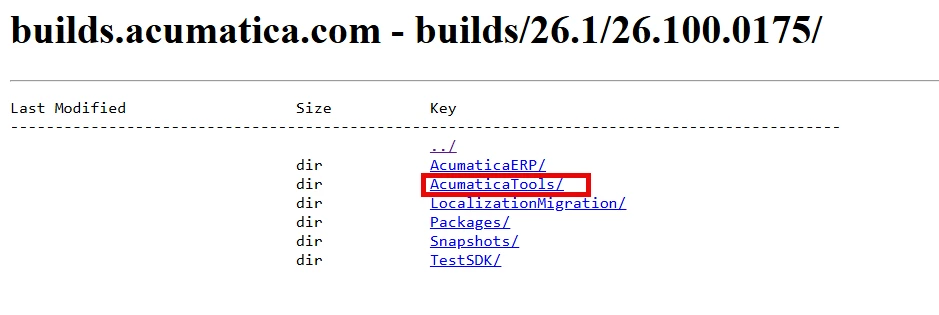
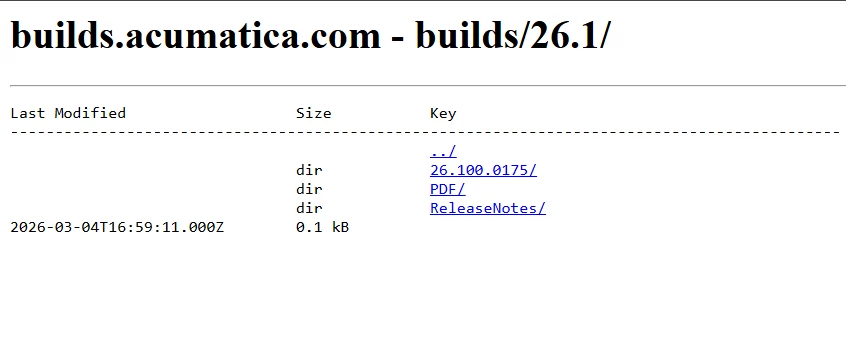
Download device hub from : https://builds.acumatica.com/

select version of the instance for example i am selecting 26.1 & then open the build version
 

Next step:
 

Next step:
 

Download this zip file

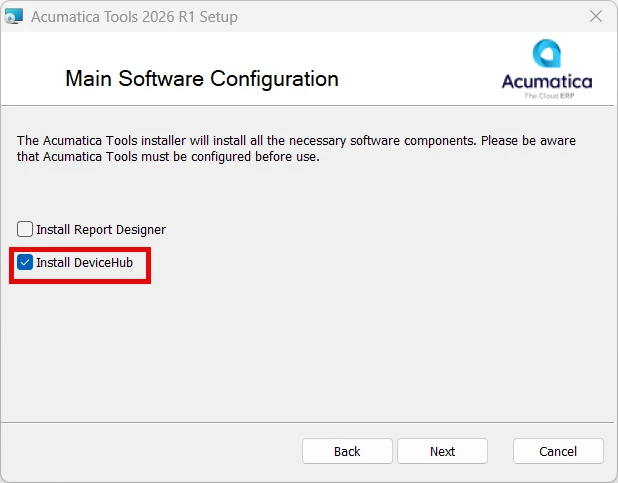
Install the Device Hub

Next step:

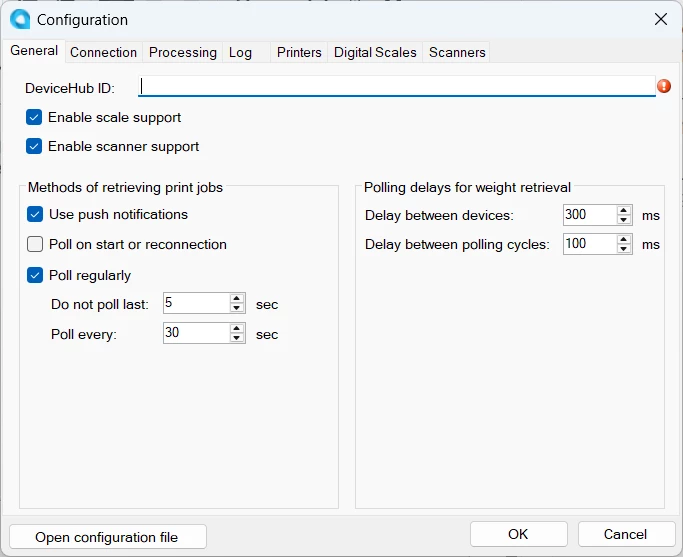
Enter the DeviceHub ID - Acumatica123 (Without Space)
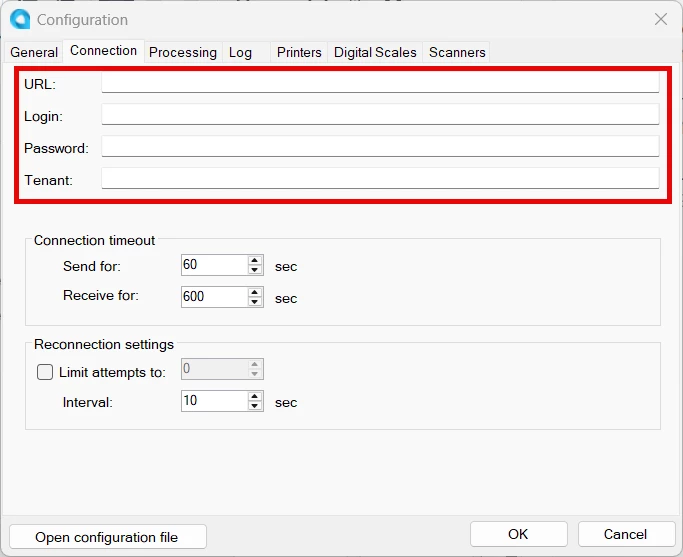
Give all the details
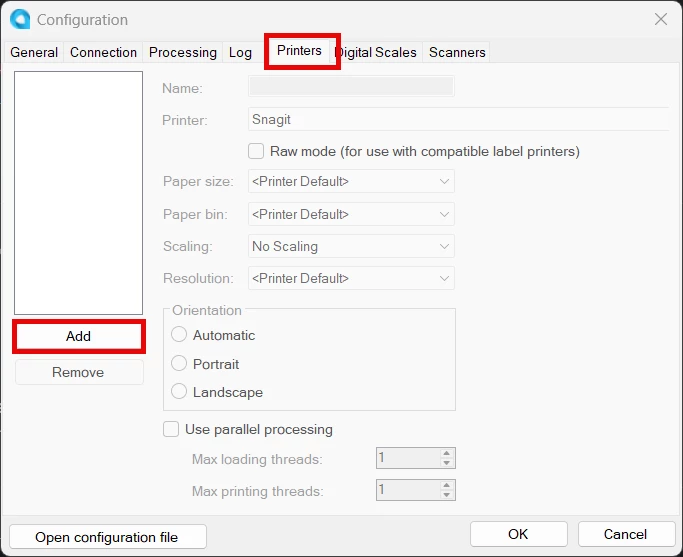
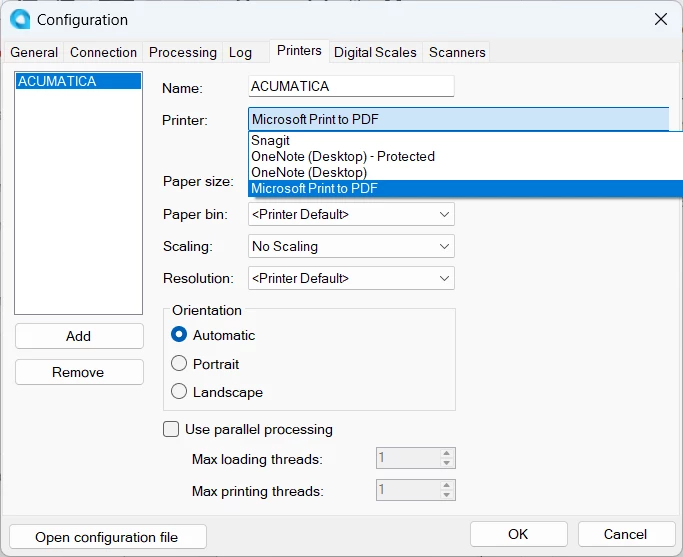
Add the printer Name
Select the listed printer from here as for testing i am adding Microsoft Print to PDF and click OK

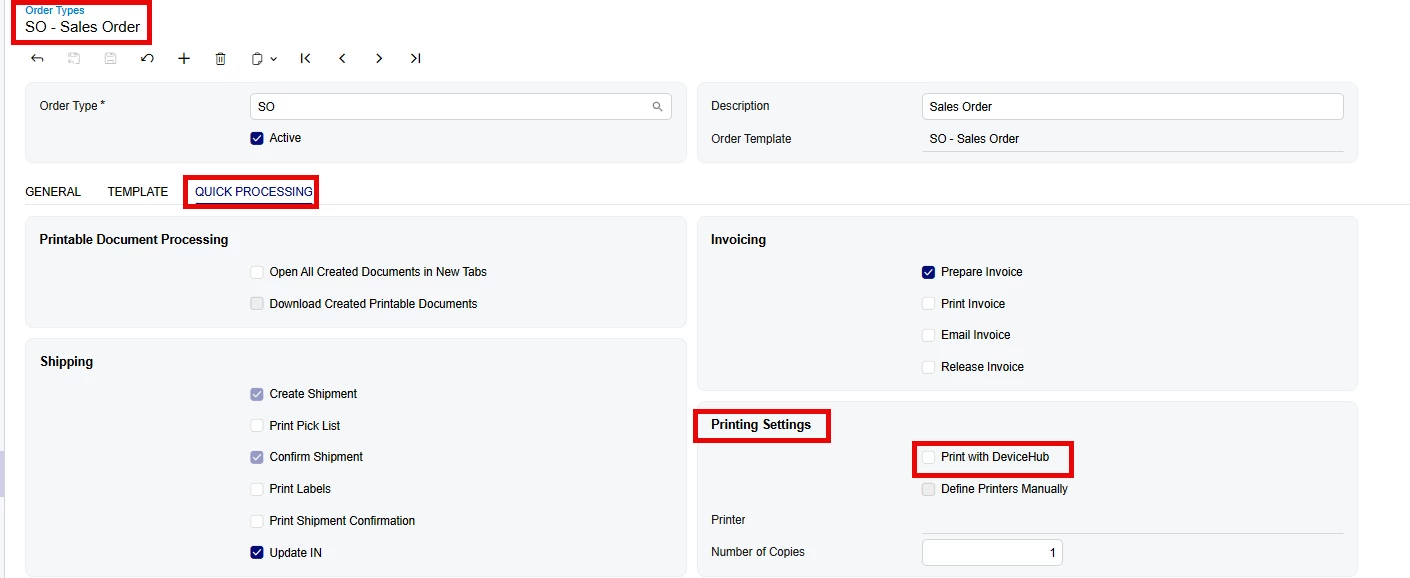
Then Next step is to go the Acumatica Printer Screen and there update the Printer or add after that go to the preference screen like - SO Preferences there you will find Mailing & Printing Tab under that you will add the printer for Sales order or Shipments after that go to specific order type preference screen 


Check this checkbox 

And bingo go to Sales order screen when you click on Print automatically it will printing it through device hub.


If you still not clear please ping me directly i will happy to help you.


Hope it helps a lot to you.


Thanks