Solved

Acumatica Messaging in 26R1 - RabbitMQ or MSMQ - Business Event Screen Throws Error

  • August 24, 2026
  • 4 replies
  • 88 views

Forum|alt.badge.img

I upgraded to Acumatica 26R1 from 25R1. Executing the installer, if required us to make sure RabbitMQ is up and running and that I have an account which I can provide the installer with to authenticate. This post describes the problems I had and how I eventually had the messaging configured, Upgrading from 2025 R1 to 2026 R1 - RabbitMQ - Assistance Setting-up or Connecting to Existing Instance | Community.


A consensus directs me to comment out RabbitMQ for messaging which I did. 


When I follow these steps locally, my Acumatica instance starts and functions, but the messaging is failing:


Page is not available

To use the Business Events form, install MSMQ on the server and set the EnablePushNotifications key to true in the appSettings section of the web.config file of the application.


Questions:

What is the Acumatica 26R1 direction (and supported) for messaging? Is it MSMQ or RabbitMQ? We do have RabbitMQ up and running on our application server.


Best answer by PatrickBacon

@Abhishek Niikam Thank you for your answer. We did navigate to the Web.Config file and make sure that web notifications are enabled. Glen Martin indicated the verbiage associated with the error being thrown is wrong/misleading and I assume will be fixed since MSMQ is dead.  

We had previously taken the steps to properly configure RabbitMQ similar to Darin’s answer (@darinpaulsacumatica76), here, Connection to RabbitMQ failed | Community.

@Rakshanda Thank you for your answer. In addition to updating the Web.Config as the error message indicated, we did re-start the service for RabbitMQ. 


Our instance of Acumatica 26R1 is working fine now and the business events screen no longer throws the error.


4 replies

Forum|alt.badge.img
  • Author
  • Varsity II
  • August 25, 2026

Glen Martin indicated that MSMQ is no longer supported as of 25R2 and that the installation guide in Beacon addresses this, Acumatica ERP Installation Guide • Installation Guide • Acumatica Beacon.


He also advocated following the direction identified in this post, Connection to RabbitMQ failed | Community


Forum|alt.badge.img+5

 ​@PatrickBacon As error message suggest could you please check this config in Web.config file in local path : ./AcumaticaERP/Web.Config:

and search & check this section in file

  <add key="EnablePushNotifications" value="true" />


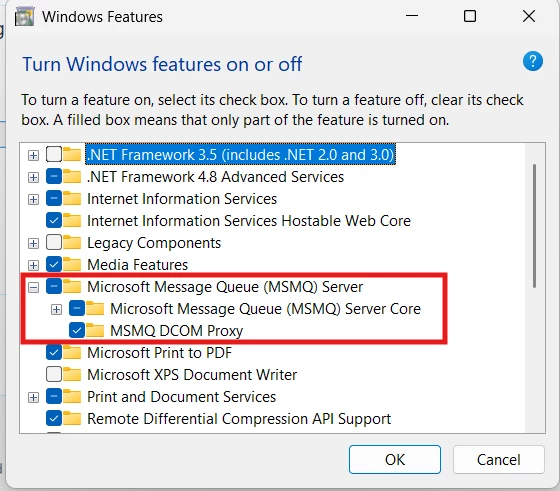
also search in Windows setting Turn Windows features on or off   :


Forum|alt.badge.img+5
  • Jr Varsity II
  • August 26, 2026

Hi ​@PatrickBacon ,

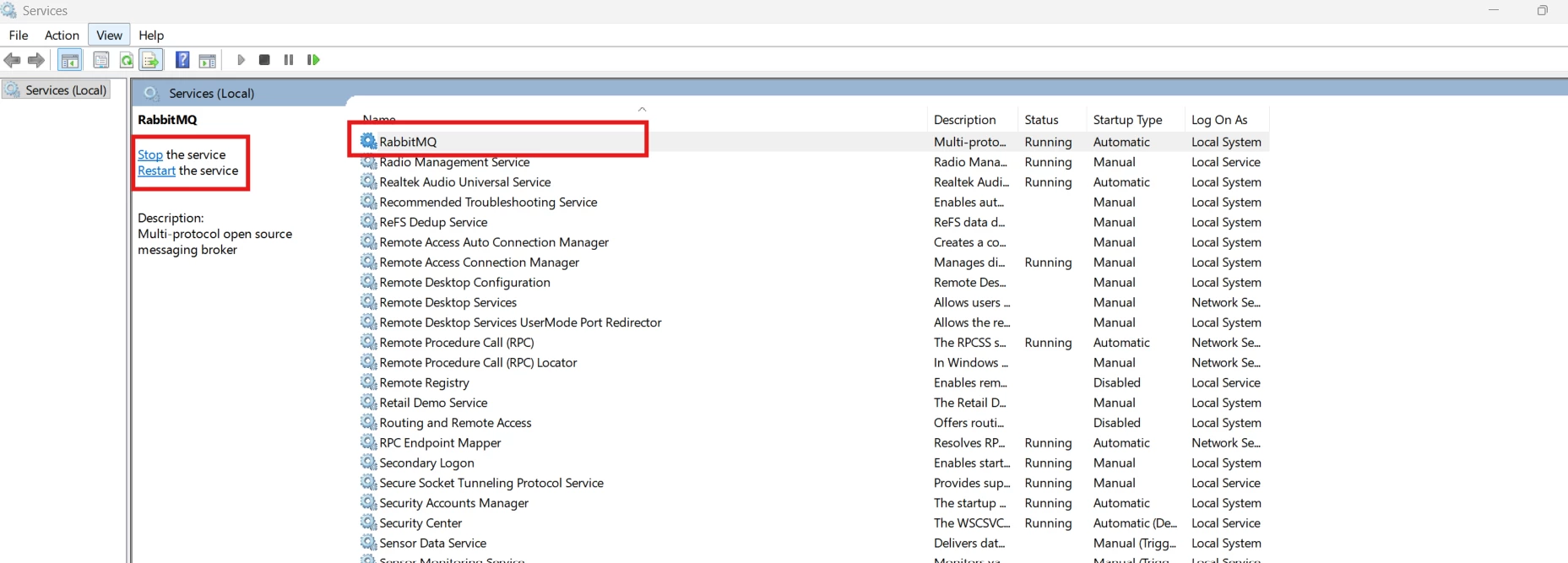
Can you try by Restart Rabbit MQ service


Forum|alt.badge.img
  • Author
  • Varsity II
  • Answer
  • August 26, 2026

@Abhishek Niikam Thank you for your answer. We did navigate to the Web.Config file and make sure that web notifications are enabled. Glen Martin indicated the verbiage associated with the error being thrown is wrong/misleading and I assume will be fixed since MSMQ is dead.  

We had previously taken the steps to properly configure RabbitMQ similar to Darin’s answer (@darinpaulsacumatica76), here, Connection to RabbitMQ failed | Community.

@Rakshanda Thank you for your answer. In addition to updating the Web.Config as the error message indicated, we did re-start the service for RabbitMQ. 


Our instance of Acumatica 26R1 is working fine now and the business events screen no longer throws the error.