
Have you found something useful? Help others discover it too. Great information becomes even more valuable when it reaches the right people. The book sharing feature makes it easier to send useful resources to colleagues, teammates, or anyone who could benefit from them.
Before You Begin
Sign in to your Beacon account to share resources. The feature is available to authenticated users.
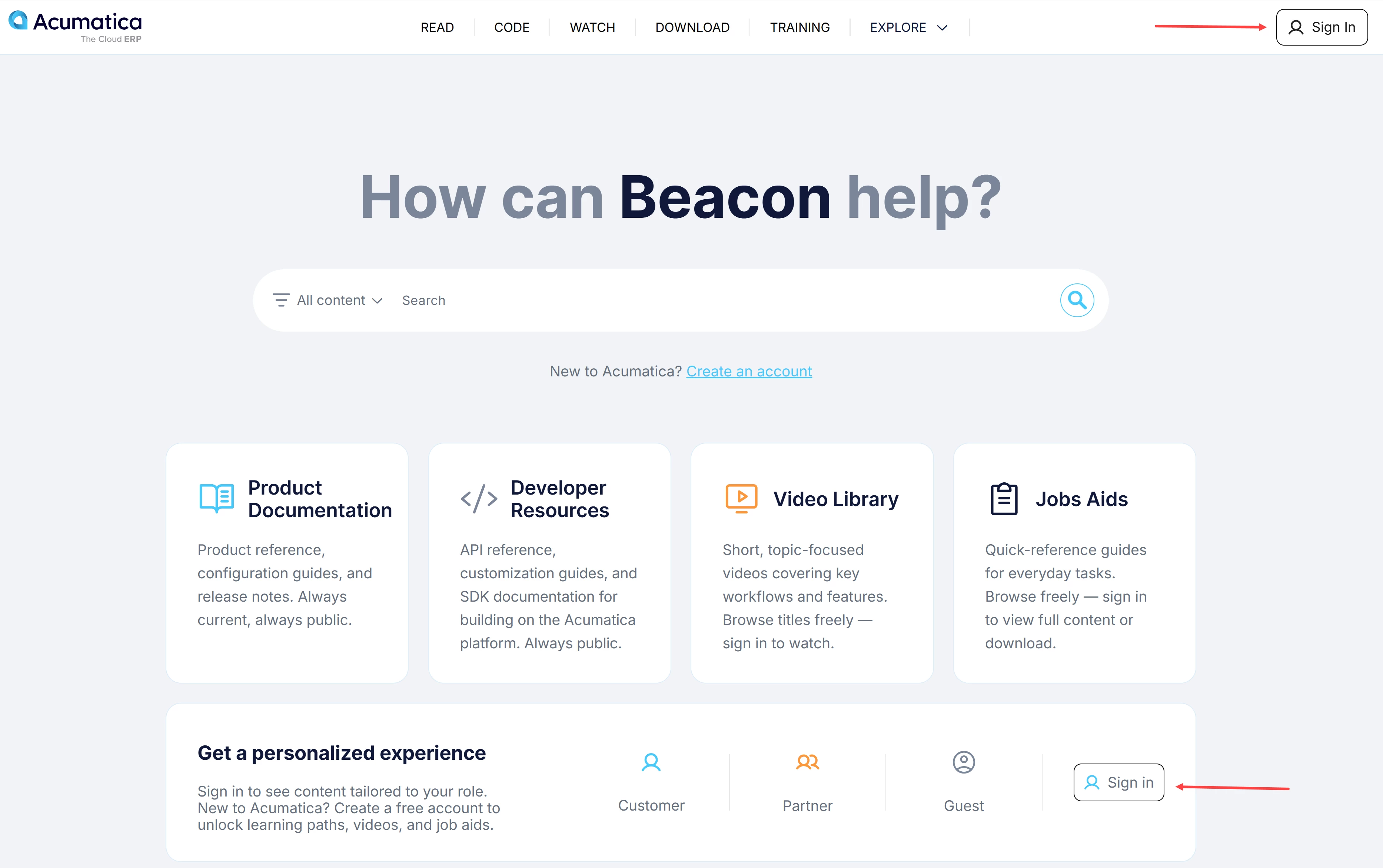
Need help with your account? See Beacon: How to Create an Account.
How to Share a Book
If you have a personal book that you want to share:
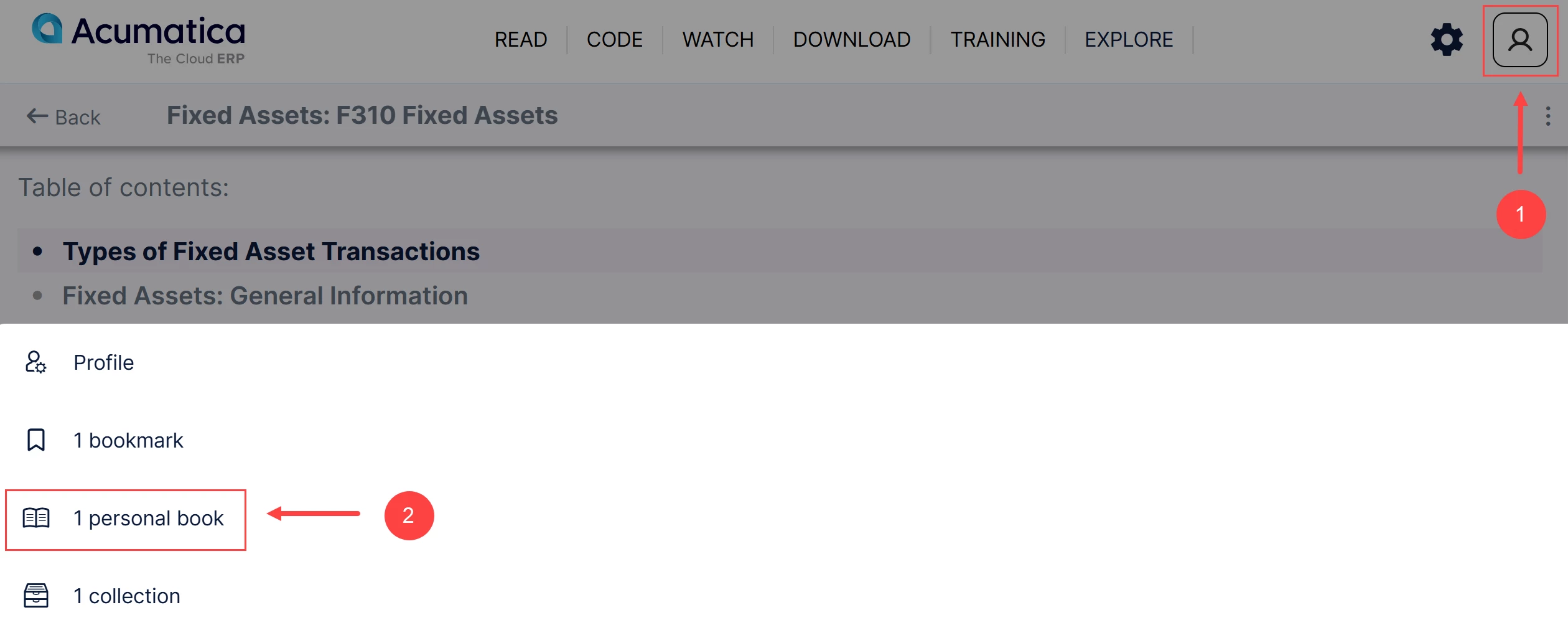
- Click the Profile icon (Item 1 below).
- Select a personal book (Item 2).
- Open the book you want to share.
Don’t know how to create a personal book? See: Beacon Tips: Create, Customize, and Print Your Personal Books for details.
- Click the More button (three dots) (Item 3).
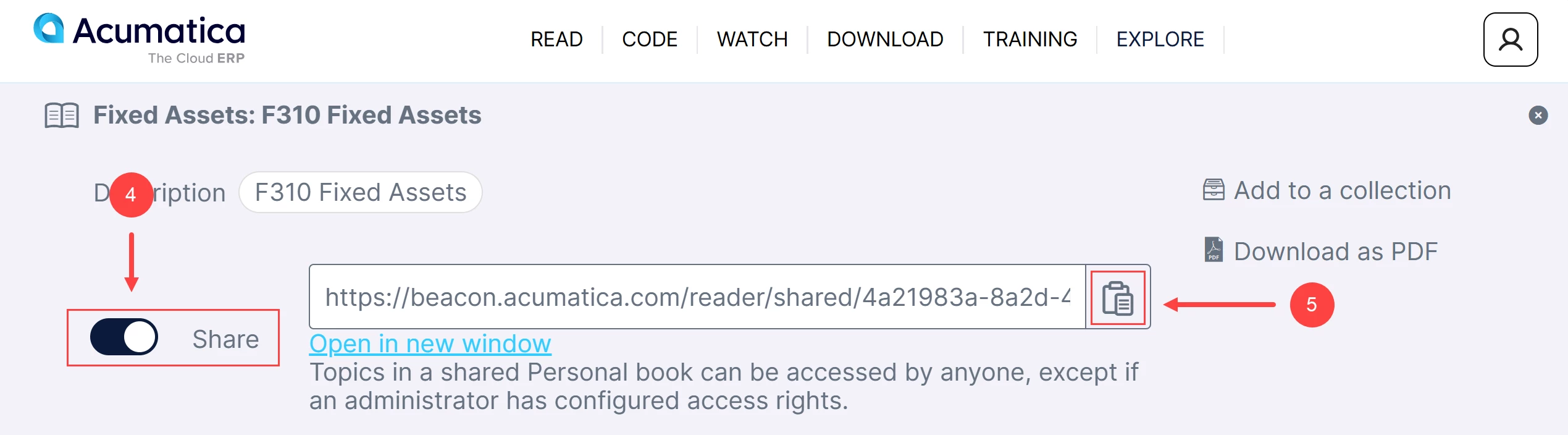
- Turn on the Share toggle (Item 4).
- Click copy link icon (Item 5).
- Share the link with others to make the available knowledge easier to access and explore.